Pinggy Blog

Recently updated posts

The latest revisions across our writing on tunnels, networking, self-hosting, self-hosted LLMs, and AI - freshest updates first.


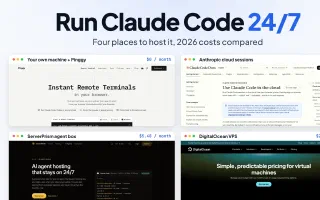
How to Run Claude Code 24/7 in the Cloud (2026 Costs Compared)

Claude Code AI Coding Agents Cloud

Four ways to keep Claude Code running around the clock: your own machine through Pinggy, Anthropic's cloud sessions, a VPS, or a hosted agent box like ServerPrism. Machine costs from $0 to $24 a month, checked November 12, 2026.

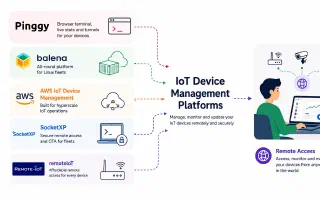
Best Remote IoT Device Management Software in 2026: 6 Platforms Compared

IoT Device Management Remote Access

A technical comparison of remote IoT device management software in 2026: Pinggy Devices, balenaCloud, AWS IoT Device Management, SocketXP, RemoteIoT and Dataplicity. Real pricing, agent architecture, NAT traversal, OTA updates and what each one gets wrong.

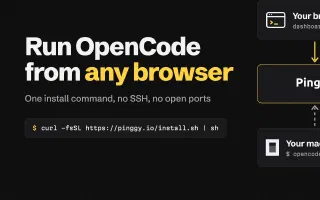
Run OpenCode Remotely from Any Browser with Pinggy

OpenCode Remote Access AI Coding Agents

Open a terminal on your own machine from any browser with Pinggy Devices and run OpenCode 2 in it. One install command, no SSH server or open port, and OpenCode sessions that outlive the browser shell.

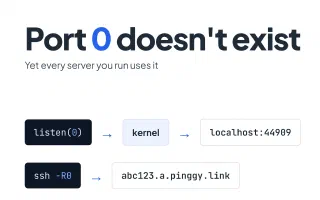
Port 0: The Port That Doesn't Exist

Networking Ssh Tcp

Port 0 is reserved in TCP and UDP, yet bind(0) asks the kernel for a free port and ssh -R0 asks a server for one. How each case works, with Linux and Node.js examples.

ServerPrism Review: Best Minecraft Hosting for Modpacks and Networks

ServerPrism Minecraft Server Hosting

ServerPrism review: how splitting one plan into a Velocity proxy, lobby, survival world and test server works, what hardware runs heavy modpacks, 30+ engines, 1,500+ modpacks, sub-users and bill splitting. Checked November 2026.

Best Minecraft Server Hosting: Seven Providers Worth the Whitelist

Minecraft Gaming Comparison

Seven Minecraft hosts compared on CPU clock, data centre locations, control panel and support: Godlike.Host, ServerPrism, CloudNord, Nodecraft, Pine Hosting, GG Servers and Kamatera. Plus the free option of running the server on your own machine behind a tunnel.

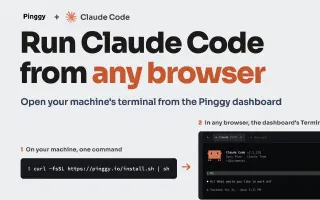
Run Claude Code Remotely from Any Browser with Pinggy

Claude Code Remote Access AI Coding Agents

Open a terminal on your home or work machine from any browser with Pinggy Devices, then run Claude Code in it. One install command, no SSH server or open port. Covers setup, background sessions, and Free vs Pro limits.