Pinggy Blog

Recently updated posts

The latest revisions across our writing on tunnels, networking, self-hosting, self-hosted LLMs, and AI - freshest updates first.


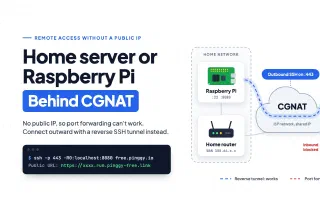
Access IoT Devices from Anywhere

Guide Tcp

Access and manage your IoT devices including Raspberry Pi from anywhere using Pinggy TCP tunnels - no public IP required.

Who Owns Your AI Coding Tools in 2026

Cursor SpaceX AI Coding Tools

SpaceX bought Cursor for $60B. OpenAI owns Windsurf. Google killed the Gemini CLI. In one week, the AI coding tool landscape consolidated into Big Tech hands. Here's what that means for your data, your model choice, and what independent options remain.

Iroh 1.0: Dial Keys, Not IPs

Networking P2p Rust

Iroh 1.0 ships a stable P2P networking library that connects devices by cryptographic key instead of IP address. QUIC under the hood, 90% hole-punch success, 200M+ endpoints/month, and now stable language bindings for Python, Node.js, Swift, and Kotlin.

Self-Host Free Voice AI with VoxCPM2 and Pinggy

VoxCPM2 TTS Voice AI

VoxCPM2 is a 2B-parameter open-source TTS model with voice cloning, voice design from a text description, and a drop-in OpenAI-compatible API. Here's how to run it on your local GPU and expose it publicly with Pinggy.

Agentjacking: How a Fake Sentry Bug Report Hijacks Your AI Coding Agent

AI Security Agentjacking MCP Security

A new attack called agentjacking uses public Sentry DSNs and MCP to inject malicious instructions into Claude Code, Cursor, and Codex - then exfiltrates your AWS keys, GitHub tokens, and git credentials. 85% success rate, 2,388 orgs exposed, zero authentication needed.

Self-Host Chatwoot and Expose It with Pinggy

Self-Hosted Customer Support Chatwoot

Chatwoot v4.14 ships Captain AI for automated customer support. Run the full stack locally with Docker Compose, then expose it to the internet with one Pinggy command - no port forwarding, no SaaS bill.

SSH Port Forwarding

Guide SSH Networking

Master SSH port forwarding with practical examples for local, remote, and dynamic tunneling. Learn how to securely access databases, bypass firewalls, and debug applications.

Run OpenClaw Locally and Access It from Anywhere with Pinggy

OpenClaw AI Agent Pinggy

OpenClaw is the fastest-growing open-source AI agent in GitHub history. Learn how to install it locally, expose port 18789 with a Pinggy HTTPS tunnel, and connect Telegram webhook mode - all with one SSH command.