In this article
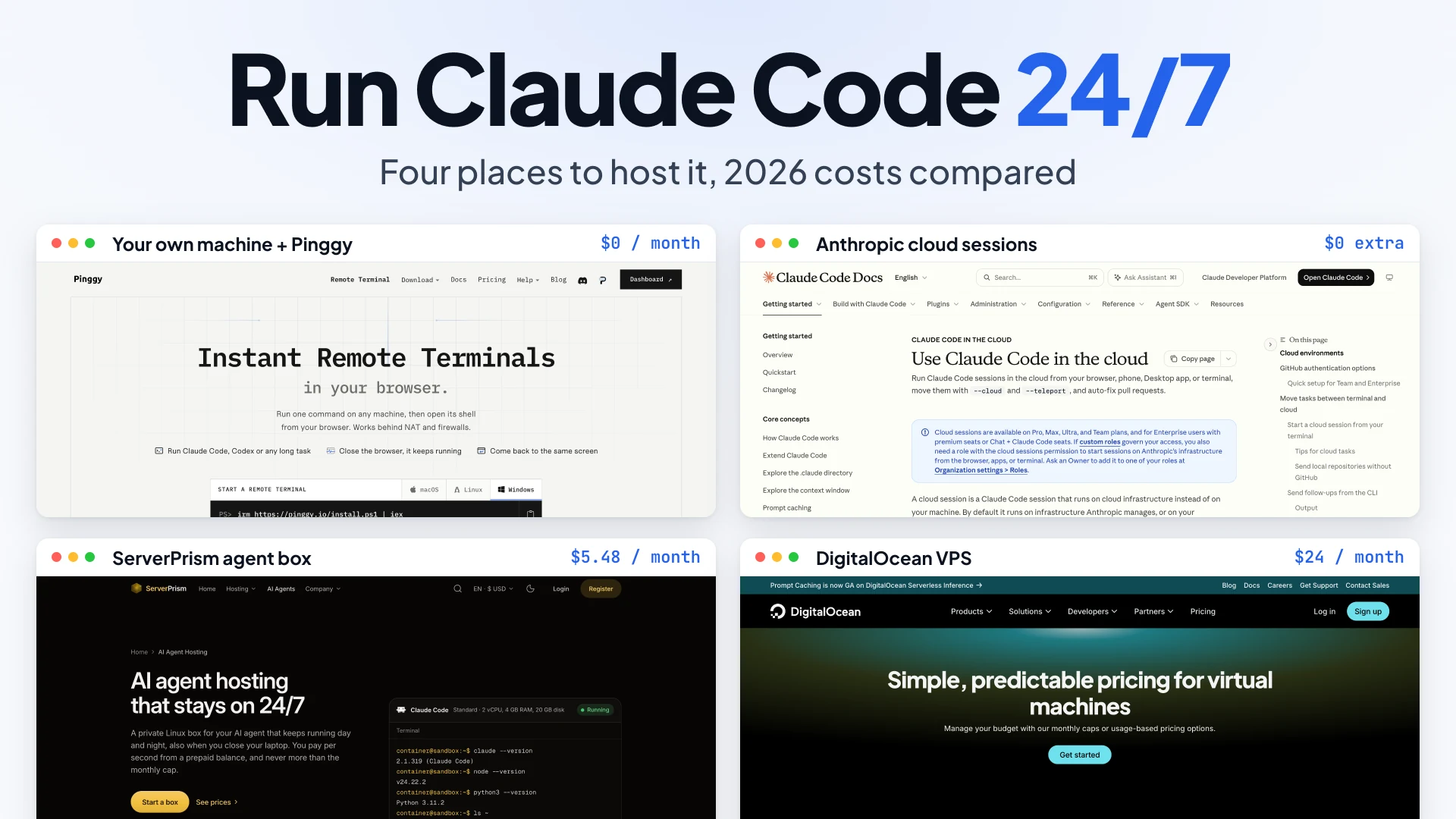
Screenshots: pinggy.io, code.claude.com, serverprism.com and digitalocean.com, November 2026.
A Claude Code session lives exactly as long as the terminal it started in. Close the laptop lid and the refactor you left running stops with it. To keep an agent working around the clock you need a machine that never sleeps and a way back into it, and on November 12, 2026 that machine costs anywhere from $0 to $24 a month before a single token is billed.
There are four realistic places to put it: your own computer, reached through Pinggy; Anthropic’s cloud sessions; a plain VPS; or a hosted agent box, a small always-on Linux environment sold with the agent already installed. I’ll use one example throughout, a repo called storefront with a long test-fixing job, and ServerPrism as the worked example for the agent box.
Summary
A machine you already own is free if it can stay awake, and Pinggy Devices gives you a browser terminal into it with no open port. Anthropic’s cloud sessions cost nothing extra on Pro ($20/month) and above, but the VM pauses after a few minutes idle, so they suit tasks that finish and not processes that stay up. A VPS gives you root and Docker for about $24/month on DigitalOcean at 2 vCPU / 4 GB. A hosted agent box is the cheapest rented option: ServerPrism’s Standard box is capped at $5.48/month, with no root, no Docker and no GPU. Claude usage is billed separately in every case.
What 24/7 actually requires
Three things have to hold at once. The machine stays powered and online. The agent process survives when you disconnect, which means tmux, a supervisor, or Claude Code’s own background sessions. And you can get back in from wherever you are, which is the hard part behind NAT.
Memory matters more than CPU. Anthropic’s system requirements list 4 GB of RAM as the minimum for Claude Code, so the $4 to $6 VPS tiers with 1 GB are out before you start.
The same goes for other agents. Codex CLI and Hermes Agent are terminal programs like Claude Code. OpenClaw is a gateway that waits for messages and n8n is a workflow server, so both need a process that stays up, not a task that finishes.
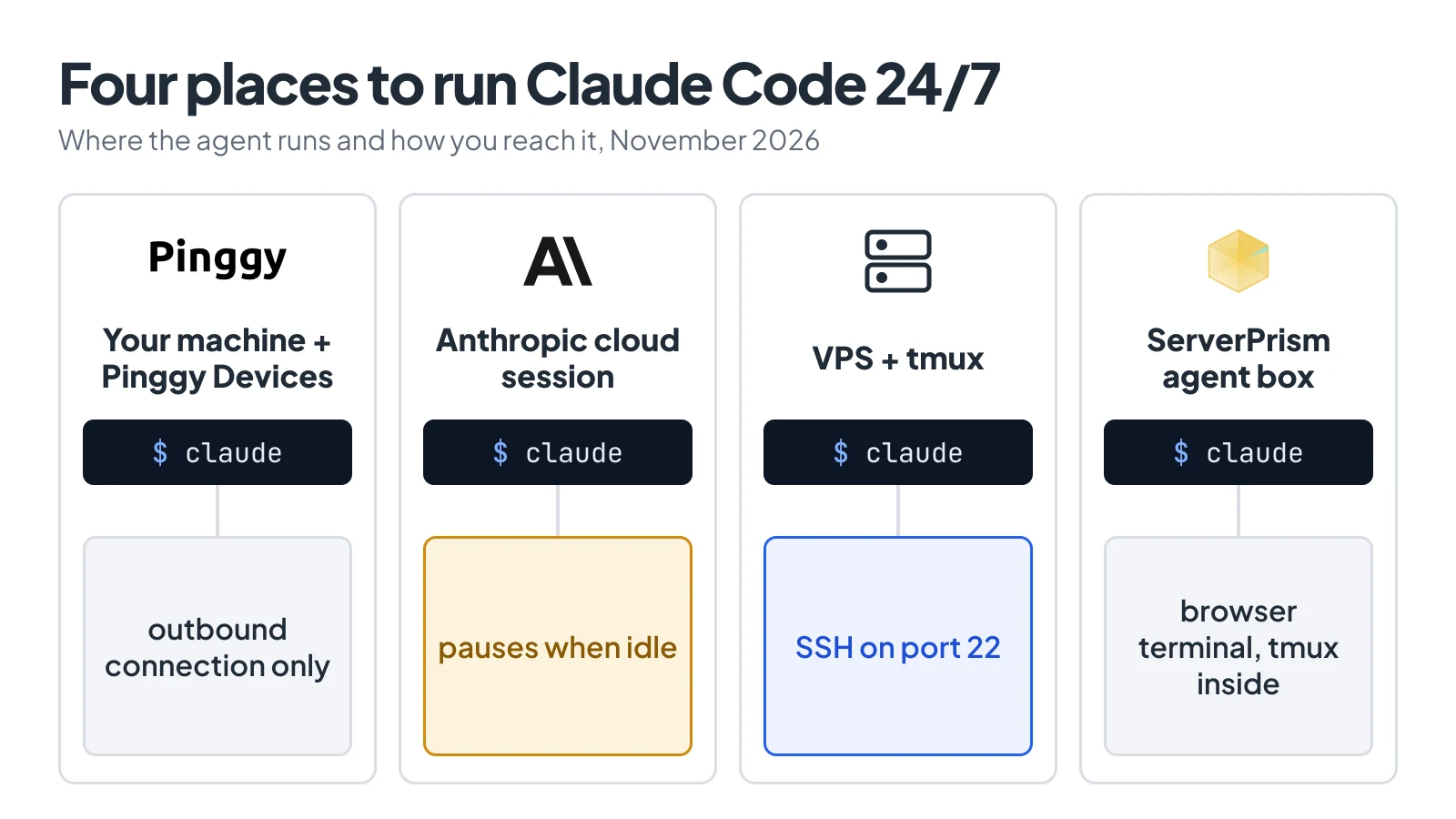
The agent is the same in all four. What changes is who keeps the machine awake.
What each option costs in November 2026
Machine cost only, for something that meets the 4 GB minimum. Prices were checked on November 12, 2026.
| Option | Always-on machine | What you get |
|---|---|---|
| Own machine + Pinggy Devices | $0 on Free, $3/month on Pro | Whatever you own |
| Anthropic cloud sessions | $0 extra, needs Pro ($20/month) or above | 4 vCPU, 16 GB RAM, 30 GB disk per session |
| ServerPrism Standard box | $5.48/month cap ($0.00752/hour) | 2 vCPU, 4 GB RAM, 20 GB disk |
| DigitalOcean Basic droplet | $24/month ($0.03571/hour) | 2 vCPU, 4 GiB RAM, 80 GiB SSD, root |
Tokens come on top. A Claude subscription is $20 (Pro), $100 (Max) or $200 (Ultra) a month, or you pay API rates with a Console key. An agent that works all night hits a Pro plan’s usage limits long before it stresses a 2 vCPU box.
Your own machine, reached through Pinggy
If a desktop or a spare mini PC is already on, it’s the cheapest option and the only one where the agent has your real files, credentials and local services. One command connects it to the Pinggy dashboard:
curl -fsSL https://pinggy.io/install.sh | shThe CLI signs the machine in with a 6-digit email code and keeps one outbound connection open, so there’s no SSH server, port forward or public IP. Open the device’s Terminal tab in the dashboard, click New shell, and start teh job as a background session:
cd ~/code/storefront
claude --bg "run the test suite and fix the failing tests in src/billing"
A dashboard shell ends after 30 minutes idle or 8 hours, but a --bg session runs under Claude Code’s supervisor and outlives it. claude agents lists it from any later shell. I ran this on Claude Code 2.1.322 and Pinggy CLI 0.6.5. The full walkthrough is in our guide to run Claude Code remotely from any browser.
The catch is the word “awake”. A sleeping laptop does no work, and after a reboot you have to run pinggy device connect again. On a Mac, caffeinate -s holds off sleep while it’s on AC power. Free covers 1 device with 1 open shell; Pro allows 25 devices per seat and 10 shells on each.
Anthropic’s cloud sessions
claude --cloud starts the task on a VM Anthropic manages. It clones your GitHub remote at the current branch, so push first:
claude --cloud "run the test suite and fix the failing tests in src/billing"There’s no separate charge for the VM, and usage counts against your plan’s normal limits. Anthropic’s docs are clear about the limits, though. After a few minutes without activity the VM pauses with its files saved, and a paused VM can later be reclaimed, which drops any background shell command or /loop that was still running. Network access defaults to an allowlist of package registries and GitHub. It needs a claude.ai login, not an API key, and it only runs Claude Code.
A VPS with tmux
A VPS is the general answer. You get root, Docker, any agent you like, and a public IP:
curl -fsSL https://claude.ai/install.sh | bash
tmux new -A -s agent
cd ~/storefront && claude
Detach with Ctrl+b then d and the session carries on.
What you pay for besides the $24 is your own time: SSH hardening, unattended upgrades, firewall rules, and occassionally finding out why the disk is full. A powered-off droplet is billed the same as a running one, so “stop it overnight” saves nothing.
A hosted agent box: ServerPrism as the worked example
An agent box sits between the two: always on like a VPS, but sold as a managed environment with a browser terminal. ServerPrism’s AI agent hosting runs each box as a gVisor-sandboxed Debian 12 environment with Node.js 24, Python 3, uv, git, tmux and headless Chromium, and has one-click templates for Claude Code, OpenClaw, Codex CLI, Hermes Agent, Gemini CLI, OpenCode, goose, Aider and OpenHands. Billing is per second from a prepaid balance.
I haven’t run a box myself, so the steps below follow ServerPrism’s own guide as it read on November 12, 2026. Their walkthrough to set up Claude Code on a ServerPrism agent box has the screenshots.
Start by topping up the agent balance. The minimum is $5.00 and it isn’t refundable, so treat it as the price of the experiment. Then create the box: pick the Standard size (2 vCPU, 4 GB, 20 GB), the Claude Code template and a location.
Once the box is up, open the browser terminal on its Agent tab. It runs inside tmux, so work continues after you close the page. Signing in depends on how you pay for Claude. With a subscription, run claude auth login, open the link on your own computer and paste the code back. With an API key, paste it under API keys on the same tab. After that, starting the job looks like it does anywhere else:
mkdir -p ~/workspace/storefront && cd ~/workspace/storefront
claude
When the work is done, stop the box. A stopped Standard box costs about $1.46/month for its disk, and after a restart claude --continue resumes the last conversation.
The limits are the price of the low number. There’s no root, no apt, no Docker and no GPU, and anything outside your home folder (/home/container) resets on restart. n8n isn’t among the templates, and without Docker you’d have to install it under your home folder with npm, which I haven’t tried.
Keeping API keys safe on a machine you don’t sit at
An always-on agent holds a credential that spends money, on a machine you rarely look at. The safest credential is the subscription login, not a raw key. On Linux, Claude Code stores it in ~/.claude/.credentials.json with mode 0600. claude setup-token mints a one-year token for scripts, but it can only make model requests, so Remote Control won’t work with it.
If you do use an API key, give the box its own. Create a seperate key in the Claude Console, in a workspace with a spend limit, so a leak costs a capped amount and revoking it doesn’t break your laptop. Keep it in a file, not in shell history or a startup command. ServerPrism’s guide uses ~/.config/agent/keys.env with chmod 600 and warns against putting keys in the box’s Startup settings. Backups copy that file too: ServerPrism says it never stores keys and leaves agent boxes out of its own backups, but a backup you make on the Backups tab includes it.
The other two options have their own version of this. In cloud sessions, environment variables are readable by anyone who uses the environment, so put credentials in network secrets, which Anthropic’s proxy attaches after the request leaves the VM and the session never sees. On Pinggy, turn on 2-factor authentication, because anyone signed in to your account can open a shell on your devices as your user.
When each option is the wrong choice
Your own machine is the wrong choice when it’s a laptop that travels, when the power or network at home is unreliable, or when you don’t want an unattended agent near your personal files.
Cloud sessions are wrong for anything that must stay running: an OpenClaw gateway, a dev server, n8n. They’re also out if your code isn’t on GitHub and you need the results pushed back, or if you pay through an API key, Bedrock or Vertex.
A VPS is wrong if you won’t patch it. An agent box is wrong when the job needs Docker, system packages, a GPU or root, and that’s worth checking before you top up, since the balance doesn’t come back.
FAQ
Does Claude Code keep running after I close my laptop?
Only if it runs somewhere else, or as a background session on a machine that stays awake. A plain claude session ends with its terminal. claude --bg, tmux on a server, and cloud sessions all survive a disconnect.
What is the cheapest way to run Claude Code 24/7?
A machine you already own costs nothing, and Pinggy’s Free plan is enough to reach it from a browser. The cheapest rented always-on machine I found on November 12, 2026 was ServerPrism’s Standard box at a $5.48/month cap.
Can I use my Claude subscription on a server instead of an API key?
Yes. Run claude auth login or claude on the server, open the printed link on another device, and paste the code back. Cloud sessions require a subscription login and ignore ANTHROPIC_API_KEY.
How much RAM does a 24/7 Claude Code server need?
Anthropic lists 4 GB as the minimum. 2 vCPU and 4 GB is enough for one agent; go to 8 GB if it also runs builds or a headless browser.
Can the same setup run Codex, OpenClaw or Hermes?
On your own machine or a VPS, yes, anything installs. ServerPrism has templates for all three. Anthropic’s cloud sessions run Claude Code only.
What to do next
Pick by what has to stay alive. If it’s a task that finishes, push the branch and try claude --cloud first, because it costs nothing extra. If it’s a process, start with the machine you own and Pinggy Devices, and move it to an agent box or a VPS once you’re tired of keeping that machine awake. Either way, run claude agents or reattach tmux the next morning and check the job is still there.