In this article
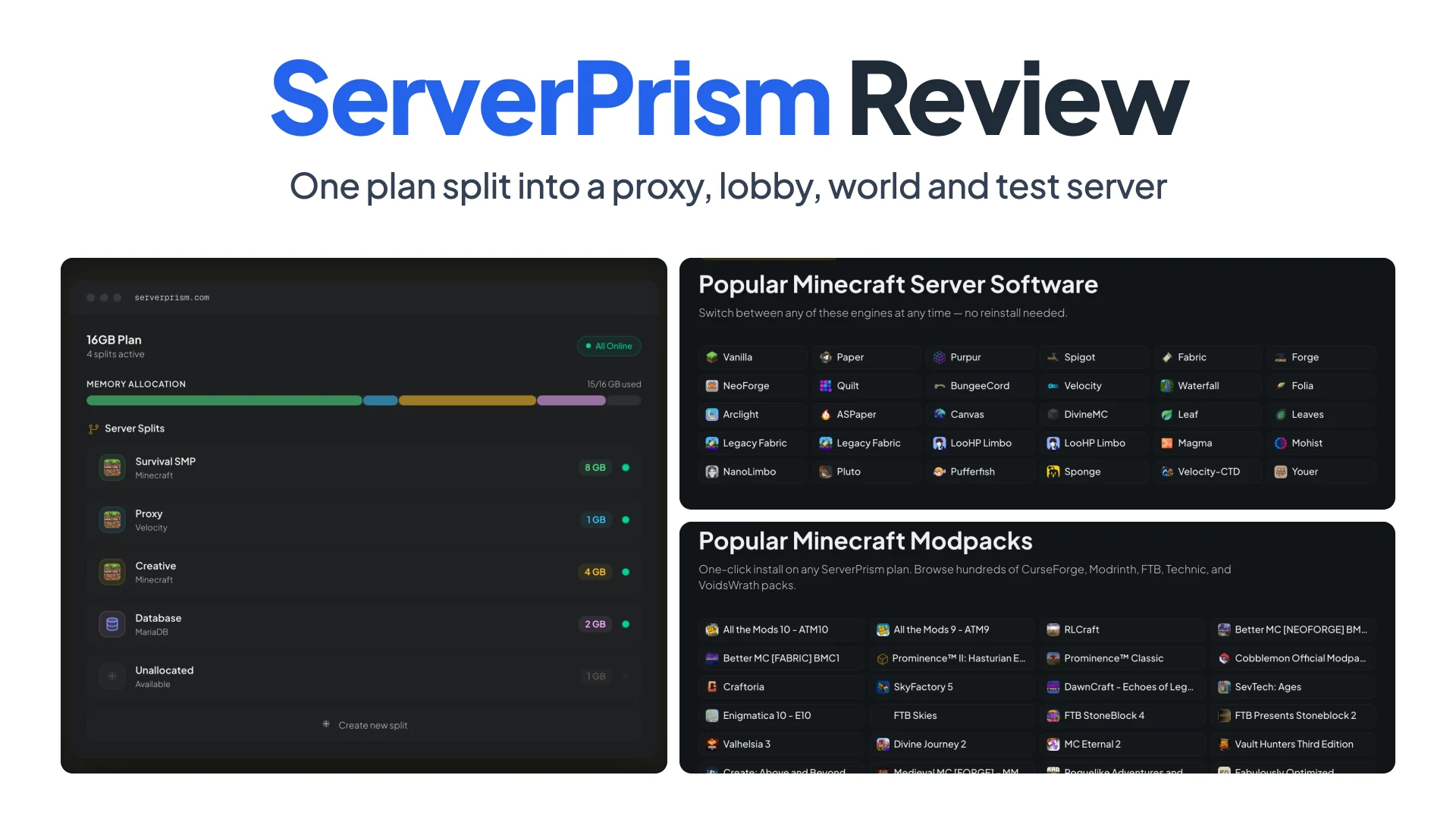
A small Minecraft network is four servers before anyone has played: a Velocity proxy, a lobby, the survival world, and a test copy where you try the next modpack update before it breaks the real one. On a host that bills per server instance, that’s four subscriptions, four renewal dates, and four minimum plan sizes, even though the proxy needs 1 to 2GB and the lobby barely more.
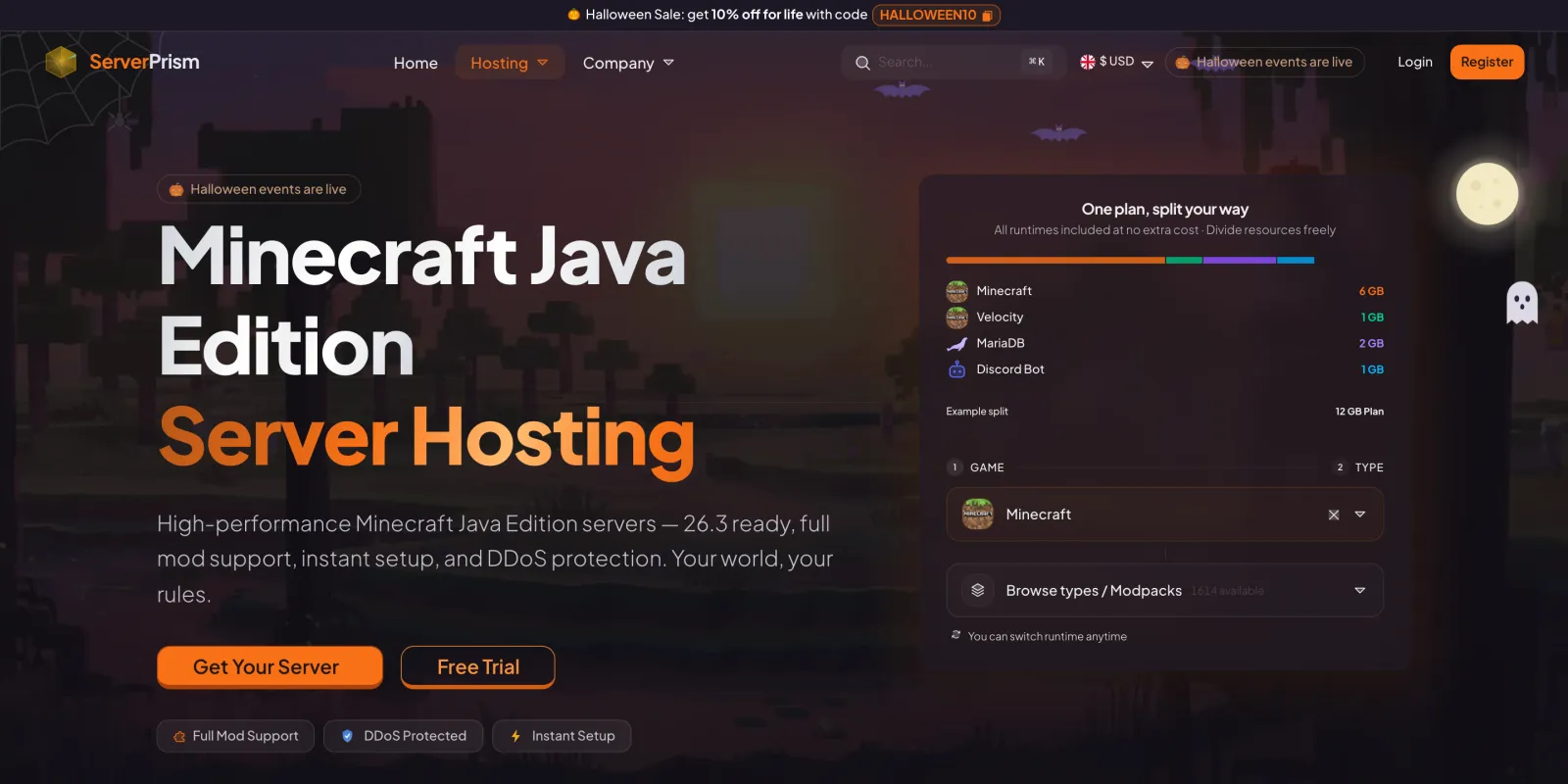
ServerPrism sells a pool of RAM instead and lets you cut it into as many servers as fit, with no fee per split. This review walks through how the splitting works, the hardware underneath, and the team features around it. Details and prices were checked on November 3, 2026.
Summary
- One plan, many servers, no per-instance fee. A 16GB plan can become a Velocity proxy, a lobby, a survival world and a test server, each with its own address, console and files, and RAM moves between them on the fly.
- Hardware built for heavy modpacks. Ryzen 7 and Ryzen 9 CPUs, DDR5 ECC memory and PCIe Gen4 NVMe storage handle Forge, Fabric and NeoForge chunk generation.
- 30+ server engines and 1,500+ one-click modpacks. Switch engines or install CurseForge and Modrinth packs in a few clicks, with a full file manager and SFTP.
- Built for teams. Sub-users get scoped permissions, and bill splitting lets staff or friends pay their share of the invoice directly.
- The trade-off is fewer regions. Eight locations across Europe, North America and Asia, fewer than the biggest legacy hosts.
Why a Minecraft network costs more than one server
A single survival world is one JVM. A network is several, because each piece does a different job:
- The proxy (Velocity, or the older BungeeCord) is the address players connect to. It holds the connection and moves players between backends without a disconnect. It needs very little RAM.
- The lobby is a small Paper server where players spawn, pick a mode and read the rules.
- The main world is where the RAM and CPU go, especially with a modpack like All the Mods 10.
- The test server is a copy of the main world for trying a pack update, a new plugin or a config change. Skipping it is how people lose a season of progress to a bad update.
Hosts that price per instance usually set a minimum plan size per server, so a proxy that needs 1GB still costs a full plan. You also juggle separate panels and billing dates, and if the main world needs more RAM next month, you buy more rather than borrowing from the test server.
How ServerPrism splits one plan into several servers
Splitting lives under Split Server in the server sidebar, and the split docs are specific about how it works.
- Only the owner can split, the plan has to be active and paid up, and free trials can’t split.
- Configure Split shows one card per server. Service 1 is your existing server, and Add Service adds more. You pick a plan size for each, and the sizes have to add up to the whole plan.
- Each new server gets its own game and type, its own address, console and files, and the same sub-users as the original.
- Service 1 keeps its files and address but is stopped during the split, so do it when nobody is online, after a backup.
- Later, Resize by rebalancing with another server moves RAM between two splits without changing the total. Deleting a split hands its RAM and CPU to another one, and the removed server’s files are kept for 7 days. Databases aren’t kept, so export them first.
The homepage says splits can be resized, added or removed “without downtime on the other servers”. There’s no documented cap on the number of splits.
For the four-server example, here’s a 16GB plan on November 3, 2026:
| Split | Engine | RAM | vCores |
|---|---|---|---|
| Proxy | Velocity | 2GB | 1 |
| Lobby | Paper | 2GB | 1 |
| Survival | Paper or a modpack | 8GB | 4 |
| Test | Same as survival | 4GB | 2 |
The whole plan lists at $52.64/month, $47.38 with the 10% Halloween code, or $36.85/month billed annually. The vCore column follows the price list, which pairs one vCore with every 2GB.
Pricing is per GB of RAM, so the four servers cost exactly what the plan costs: no surcharge per server and no minimum size per server. The flexibility is the other half. When a modpack update needs 10GB for a week, you rebalance from the test server instead of upgrading.
Wiring the proxy to its backends
The proxy is where networks usually eat an evening, and it’s the part ServerPrism automates best. Under Proxy Network, Add Backend creates a backend split (the proxy restarts during the resize, so players get a brief disconnect). Then Sync backends to velocity.toml adds each backend to the server list, turns on modern forwarding, generates the forwarding secret and writes it into each Paper backend’s config/paper-global.yml. It also sets online-mode=false in each backend’s server.properties. In Velocity’s config, the result looks like this:
player-info-forwarding-mode = "modern"

[servers]
lobby = "<lobby address>"
survival = "<survival address>"
test = "<test address>"
try = ["lobby"]
Restart each backend afterward, and run Sync again whenever you add or remove one. Players join the proxy’s address and move with /server survival, and backends refuse players who connect to them directly. BungeeCord and Waterfall get ip_forward: true from Sync, but you set bungeecord: true in each backend’s spigot.yml yourself.
The hardware under heavy modpacks
Heavy modpacks are what ServerPrism’s hardware is picked for: AMD Ryzen 7 and Ryzen 9 CPUs, DDR5 ECC memory at up to 6400 MT/s, and PCIe Gen4 NVMe storage. Each part answers a specific modded-server problem.
- Single-thread speed. Forge, Fabric and NeoForge still run the main tick on one thread, so a high-clocked Ryzen gives a heavy pack the most room inside the 50ms budget.
- ECC memory. A modded server can hold 8GB or more of live world data. ECC corrects single-bit errors instead of letting them crash the JVM or corrupt a save.
- Gen4 NVMe. Chunk generation writes constantly, and world saves, backups and modpack installs don’t wait on a slow disk.
Each server also gets fixed CPU and RAM limits, “so a busy neighbour cannot eat your share”. One small note: the hardware section on the site also mentions AMD EPYC and Intel Xeon machines and DDR4 on older nodes, so it’s worth asking support which CPU your location runs.
The thing that hurts modded servers most is chunk generation. Packs like ATM10 add many worldgen mods, and every new chunk runs all of them, so players exploring in different directions can drag TPS down on any CPU. Pre-generate the world with Chunky before you open it: /chunky radius 5000, then /chunky start. Do it on the test split first if you want to see how long it takes.
Engines, modpacks and the files around them
ServerPrism supports 30+ server engines, and you can switch between them from the panel. Beyond the usual Vanilla, Paper, Spigot, Fabric, Forge, NeoForge and Quilt, there are Paper forks (Purpur, Pufferfish, Leaf, Folia), hybrids that load mods and plugins together (Arclight, Mohist, Magma, Youer), proxies (Velocity, Velocity-CTD, BungeeCord, Waterfall) and limbo servers like NanoLimbo. The modpack catalogue holds 1,500+ packs from CurseForge and Modrinth, plus FTB, Technic and VoidsWrath, and each one installs in a few clicks.
Both live under Change Runtime: pick the runtime, the type or modpack, and the version. Updating to a newer version of your current modpack keeps the world folder and replaces the mods and configs. One thing the docs point out: a switch to a different engine or pack wipes the server by default, and no backup is taken for you, so make one first.
Files are well handled. The browser file manager edits in place, searches file names and contents, and compresses or unpacks .zip, .tar.gz, .rar and .7z, with a 1GB limit per browser upload. SFTP has no per-file limit and resumes dropped transfers, which is what you want for a 3GB world. Backups run from the Backups tab with a fixed number of slots per plan, the oldest rotating out unless locked, and schedules set up on the Schedules tab.
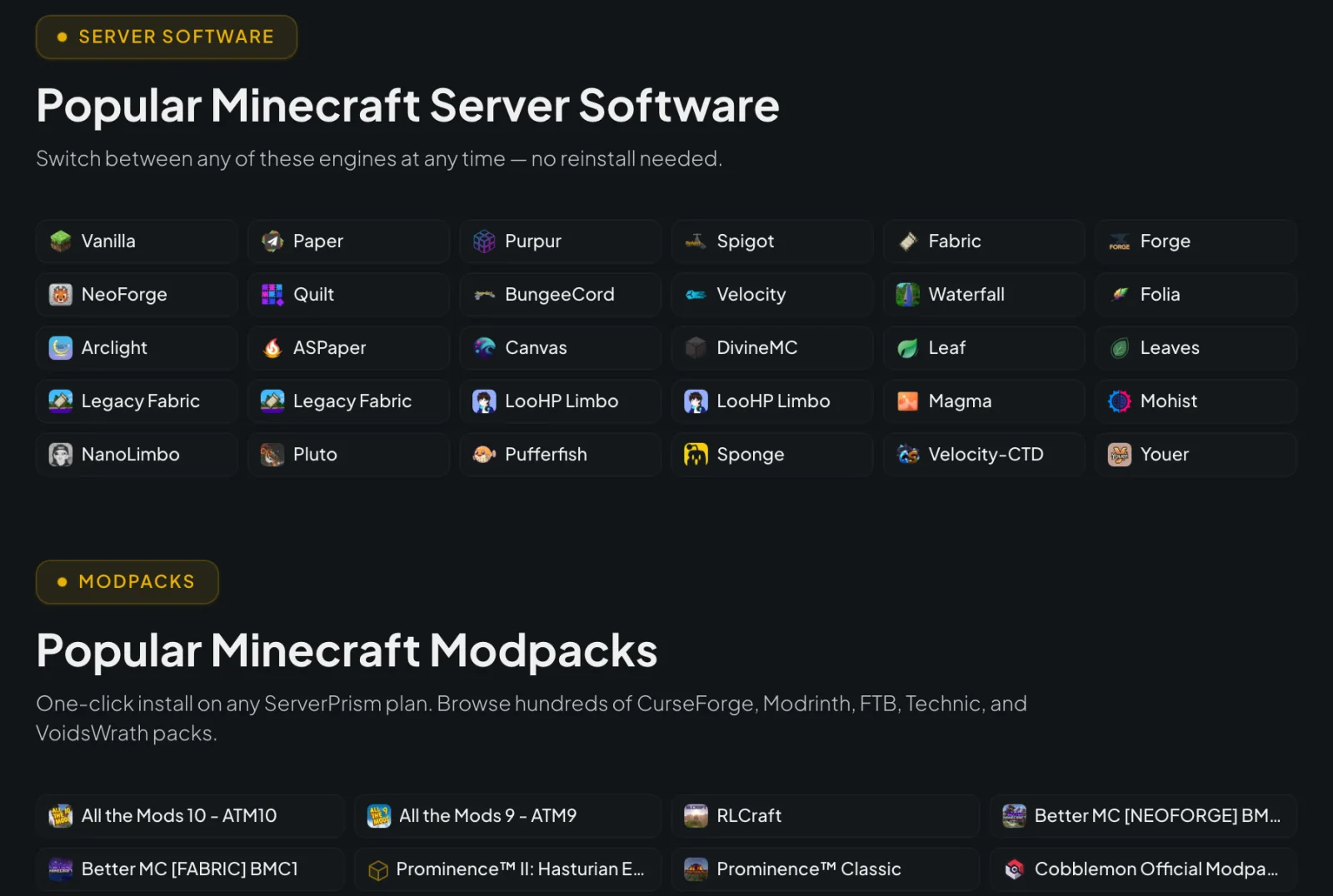 Screenshot: serverprism.com, November 2026.
Sub-users and bill splitting
A network has staff, and staff need access without your password. Sub-users are invited by email from the Users tab and recieve per-server toggles: Console, File Manager, Backups, Startup, Databases, Schedules, Network/Allocations and Settings. They can’t see billing, cancel or upgrade the service, or touch your other servers. The docs suggest keeping Settings, Startup and Users for yourself, and a moderator who only restarts the lobby needs Console and nothing else. New splits inherit the original server’s sub-users, so check access after you split.
Bill splitting is the rarer feature. From the homepage FAQ: you can let any sub-user “chip in on an invoice”, and they pay their share with their own card from their own login. You stay in control of the subscription and cover whatever the group doesn’t, and cards used to chip in are “never saved and never charged again”. You turn it on per person from the Users tab. For a friend group or a staff team that shares costs, it beats chasing people on Discord for $8 every month.
Regions, support and the rest
The trade-off is reach. ServerPrism has fewer regions than the biggest legacy hosts, with eight locations in three regions:
- Europe: Finland (Helsinki) and the United Kingdom
- North America: East coast, West coast, Texas and Canada
- Asia: Singapore and Mumbai
That covers most EU, US and South Asian communities, but there’s no Australia, South America or Japan. If a big share of your players live there, the ping will hurt more than any feature helps.
Support runs 24/7 by ticket, with a typical first reply of “< 25 min”, plus a Discord for quick questions. ServerPrism AB is a Swedish company, rated 4.9/5 on HostAdvice and 9.4/10 on WHTop, and its Helsinki location runs on wind and hydro power. The refund window is 72 hours on the first purchase.
Pros and cons
Pros
- One plan splits into a proxy, lobby, game and test servers, with no per-split fee and live rebalancing.
- Proxy Sync sets up Velocity modern forwarding and the backend configs for you.
- 30+ switchable engines and 1,500+ one-click modpacks from CurseForge and Modrinth.
- Granular sub-user permissions, and bill splitting so staff or friends can pay their share.
- Ryzen 7/9 CPUs, DDR5 ECC and PCIe Gen4 NVMe, with fixed per-server limits.
Cons
- Fewer regions than the biggest legacy hosts, with no Australia or South America.
- Splitting pays off on bigger plans. A 2GB plan is too small to divide usefully.
- Switching engine or pack wipes files by default, so back up first.
- The 72-hour refund window covers the first purchase, not renewals or upgrades.
Verdict: who should pick ServerPrism
Pick ServerPrism Minecraft server hosting if you’re running more than one server: a Velocity network with a lobby and game modes, a modded community that wants a test copy for every pack update, or a group that splits costs. The split model and proxy Sync remove the busywork of a network, and bill splitting fixes the most awkward part of running a server with friends. For a single vanilla world on a 2GB plan, none of that applies, and any decent host will do.
If most of your players are in Australia or South America, a host with a data centre there will serve them better. Our roundup of the best Minecraft server hosting providers compares seven hosts on CPU, regions and panel.
One alternative for the test server: if you’d rather keep all 16GB for the live network, run the test copy on your own PC and let staff join it through a TCP tunnel. ssh -p 443 -R0:localhost:25565 tcp@free.pinggy.io gives it a public host:port without touching your router (walkthrough). Free tunnels last 60 minutes, which is plenty for checking a pack update before you change runtime on teh real server.