In this article
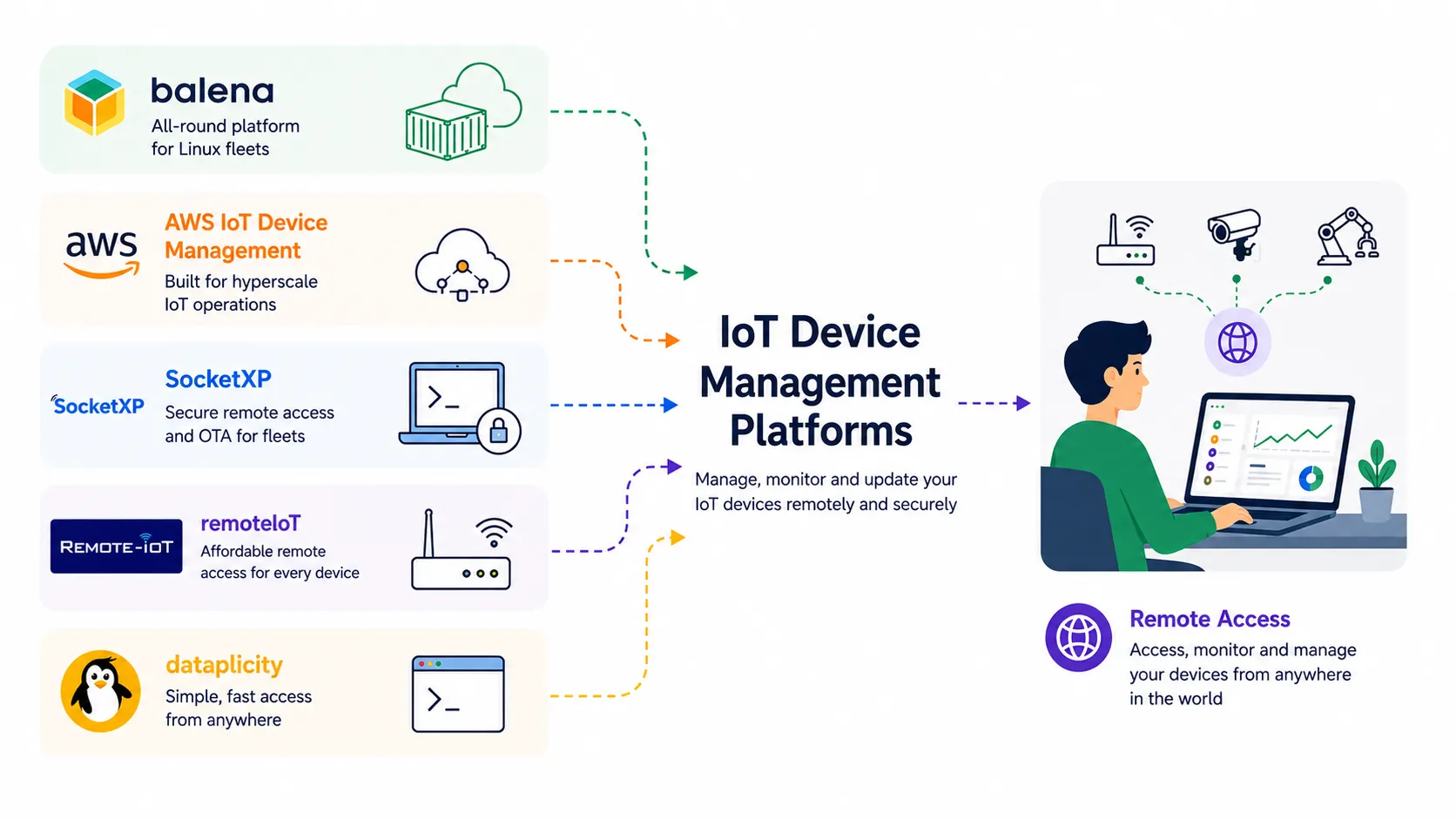
Managing a fleet of IoT devices such as Raspberry Pis and other single-board computers is not easy, especially once they are out in the wild: behind CGNAT, on cellular data, inside someone else’s home network. Easy remote access and management is essential once you can no longer just walk over and plug in a keyboard.
That’s the gap this guide is about. The same 100 Raspberry Pis cost $20 a month to manage on RemoteIoT and $409 on balenaCloud, and that gap is not a markup, it’s two different products: the cheap half is access (a shell or VNC session on a device you can’t route to), the expensive half is lifecycle (a device registry, atomic updates with rollback, fleet-wide config, audit logs). Buying the wrong half is what actually costs money.
This guide compares balenaCloud, SocketXP, RemoteIoT, Dataplicity and AWS IoT Device Management on what decides that call: how the agent crosses NAT, whether updates are atomic, and what the bill looks like at real fleet sizes. Every price and feature here came from the vendor’s own pages, checked in August 2026.
Summary
Top 5 remote IoT device management platforms in 2026:
- balenaCloud - Containers on balenaOS, delta updates, 100+ boards. Free for 10 devices, then $159/month.
- SocketXP - Static agent, mTLS, no inbound ports. $20/month (40 devices) or $99/month (100 devices).
- RemoteIoT - Cheapest per device. $0.20 to $1.00 per device/month, free for 5 non-commercial.
- Dataplicity - Bare Pi to browser terminal in one command. 1 free device, then $3.00/device/month.
- AWS IoT Device Management - Jobs, fleet indexing, secure tunneling. Pay per use: $0.003/action, $1.00/tunnel.
Also worth a look: qbee.io, ThingsBoard, Memfault, Mender.
Short version: deploying containers, use balenaCloud. Only need a shell, the access tools cost a tenth as much. Huge fleet already on AWS, use AWS IoT.
What remote IoT device management software actually has to do
“Device management” is a bag that holds five separate jobs, and most tools are strong at two or three of them. Being clear about which ones you need saves a lot of money.
Identity and provisioning is how a device gets its credentials and joins the fleet without a human typing a token into it. Done right, the device connects and authenticates on its own the moment it’s powered on. At small scale you paste an install command over SSH. At 10,000 units coming off a contract manufacturer’s line, you need zero-touch provisioning backed by per-device certificates instead.
Remote access is a shell, a VNC desktop or an HTTP endpoint on a device you can’t route to. Every platform here does it, but the mechanism differs enough to matter for firewall reviews.
Over-the-air updates means shipping new software safely. The key word is atomic: either the whole update lands, or the device stays on the old version. A git pull and a service restart is not an OTA system: there’s no state to roll back to when it fails at 2am, 400km away.
Telemetry and monitoring is CPU, memory, disk, temperature and connectivity metrics, plus alerts when they drift out of range. This is where “IoT platform” blurs into observability tools like Memfault.
Configuration and policy is declaring what the device should look like (users, SSH keys, NTP, firewall rules, packages) and having the agent converge to it. qbee.io and balenaCloud take it seriously; the access-focused tools mostly don’t.
One more thing worth weighing before you standardize on anything: Google retired Cloud IoT Core on 16 August 2023, five years after launching it, and every customer had to migrate. Ask what your exit looks like before you have 5,000 devices in the field.
Quick comparison
| Platform | Model | OTA | Free tier | Entry price |
|---|---|---|---|---|
| balenaCloud | Containers on balenaOS | Yes, binary deltas + host OS | 10 devices, 1 user | $159/mo (30 devices) |
| SocketXP | Agent + mTLS tunnel broker | Yes, packages/containers/firmware | 30-day trial, 2 devices | $20/mo (40 devices) |
| RemoteIoT | Java agent + proxy servers | Batch jobs and file push only | 5 devices, non-commercial | $0.20/device/mo |
| Dataplicity | Python agent + web terminal | Scheduled tasks and fleet jobs | 1 device | $3.00/device/mo (min 3) |
| AWS IoT Device Management | Cloud service, bring your own agent | Via Jobs, you build the applier | 50 remote actions/mo, 12 months | Pay per use |
The 5 best remote IoT device management platforms in 2026
1. balenaCloud - best all-round for containerized Linux fleets
balenaCloud treats an edge device like a tiny Kubernetes node with none of the Kubernetes. You flash balenaOS, a minimal Yocto-based host OS whose only real job is to run balenaEngine, a fork of Moby tuned for embedded use. Your application ships as a docker-compose.yml of one or more containers. You git push to balena, their builders compile for the target architecture, and the fleet pulls the new release.
The detail that makes this practical on a metered cellular link is binary delta updates. Instead of pulling the whole image layer set, the device requests only the difference between the image it is running and the image it needs. On a 400MB Python image where you changed twenty lines, that turns a multi-minute download into a few seconds. Updates are also atomic at the container level: the new container starts, and if it fails the supervisor keeps the old one. Host OS updates are handled separately and can be driven fleet-wide from the dashboard.
Remote access comes in three shapes. The web terminal drops you into a container or the host OS from the dashboard. The public device URL toggles on a web-accessible address of the form <BALENA_DEVICE_UUID>.balena-devices.com that forwards to an HTTP server on the device, which is genuinely useful for exposing a local dashboard without any tunnel work of your own. And the balena CLI gives you balena ssh, balena logs and a command to read or flip the public URL from a script.
balena supports more than 100 device types, from a Raspberry Pi Zero to Intel NUCs and industrial gateways. The 2026 news worth knowing: on 2 June 2026, timed to Computex, balena shipped day-one balenaOS support for NVIDIA JetPack 7.2 on Jetson Thor, by pulling NVIDIA’s official Yocto layers into balenaOS rather than maintaining a fork. If you are building edge AI on Thor, that is currently the shortest path to a managed fleet. Separately, balenaOS Extended Support Release becomes the default from October 2026, with new ESR versions quarterly and a supported upgrade at most twice a year, which is a sensible change for anyone who was previously pinned to a fast-moving OS track.
The catch is cost. The free tier is 10 devices and one user. Prototype is $159/month for 30 devices with $3 per extra device, Pilot is $329/month for 60 devices and 3 users with $2 per extra device, and Production is $1,439/month for 110 devices and 5 users. Extra seats are charged separately: Observer is free and unlimited, Operator is $29/month, Developer and Admin are $49/month each. Annual billing saves roughly 10 percent. There is also openBalena, the self-hostable open source core, but it drops the dashboard, delta updates and most of the fleet tooling, so treat it as a different product rather than a free balenaCloud.
Key specs
- Device model: balenaOS host + Docker containers via balenaEngine
- OTA: container releases with binary delta updates, plus managed host OS updates
- Remote access: web terminal,
balena ssh, public device URL on*.balena-devices.com - Hardware: 100+ device types including Raspberry Pi, Intel NUC, NVIDIA Jetson Orin and Thor
- Pricing: free 10 devices; $159/mo (30), $329/mo (60), $1,439/mo (110); extra devices $2 to $3
- Weak spot: price per device, and the container model is a real architectural commitment
2. SocketXP - best remote access plus OTA for a mid-size fleet
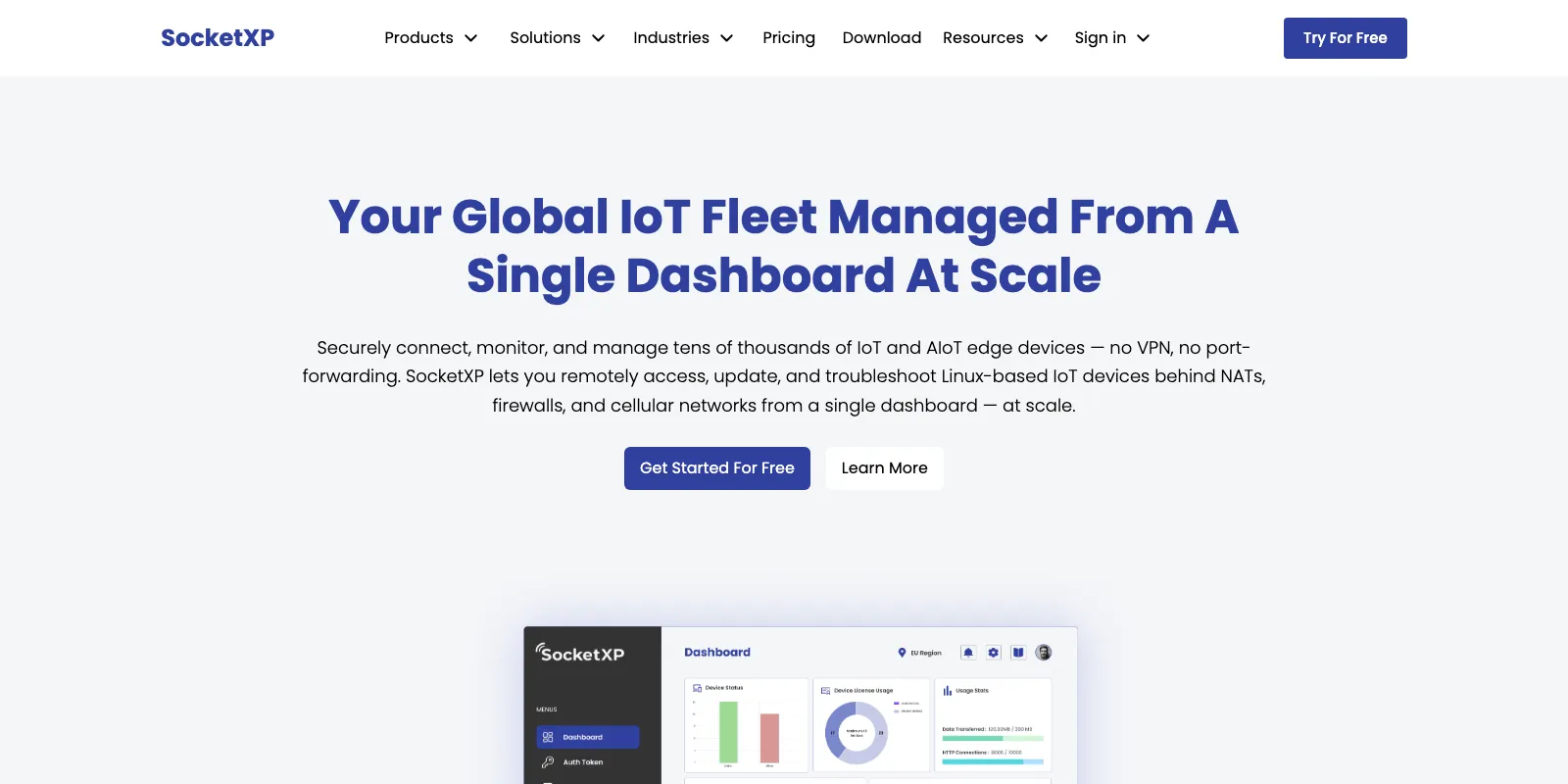
SocketXP sits between balenaCloud above and AWS IoT Device Management further down: more opinionated than AWS, far cheaper than balena, and focused first on getting you onto the device. The agent is a single static binary available for Linux, Windows and macOS across x86_64, x86, ARM, ARM64 and RISC-V, which matters when your fleet is a mix of Pis and industrial ARM64 gateways. Installation on Linux is one line from their documentation:
curl -LO https://portal.socketxp.com/download/linux/amd64/socketxp && \
  chmod +wx socketxp && \
  sudo mv socketxp /usr/local/bin
The agent dials out to SocketXP’s cloud gateway over TLS and holds the connection open, so devices behind NAT routers, corporate firewalls, CGNAT and cellular links (including Starlink, 4G LTE and 5G) are reachable without any inbound rule. Authentication is mutual TLS with automated certificate rotation, and they support hardware security modules for private key storage on devices that have one.
The interesting architectural piece is slave mode, which is how you connect from your laptop without going through their web console. You install the same agent locally and point it at a peer device:
socketxp connect tcp://localhost:3000 \
  --iot-slave \
  --peer-device-id "abc123456789" \
  --peer-device-port 22 \
  --authtoken <your-auth-token>
That binds a local port to the remote device’s port 22, so ssh -p 3000 pi@localhost becomes a normal SSH session with normal SSH keys and normal scp. The same pattern works for VNC on 5900, xrdp on 3389, an HTTP admin UI on 8080, or anything else that speaks TCP. Beyond access, SocketXP handles OTA for applications, Debian packages, Docker containers and firmware, plus system resource monitoring and SSH key management across the fleet.
Pricing has two ladders, and this trips people up: the pricing page opens on the Small Business tab, and there is a Small Business / Enterprise toggle above the cards that swaps in a completely different set of plans. Small Business runs Lite at $20/month, Eco at $39/month and Pro at $79/month, each including 40 devices, with extra devices at $0.50, $0.99 and $1.99 respectively. Flip the toggle and Enterprise runs Core at $99/month, Basic at $299/month, Standard at $499/month and Premium at $799/month, each including 100 devices, with extra devices at $0.30 on Core and Basic and $0.50 on Standard and Premium. SocketXP’s own rule of thumb on that page is that Small Business plans are cheaper below 300 devices and Enterprise plans above it. The free option is a 30-day trial capped at 2 devices with 100MB of data each and 100 OTA updates, with no card required.
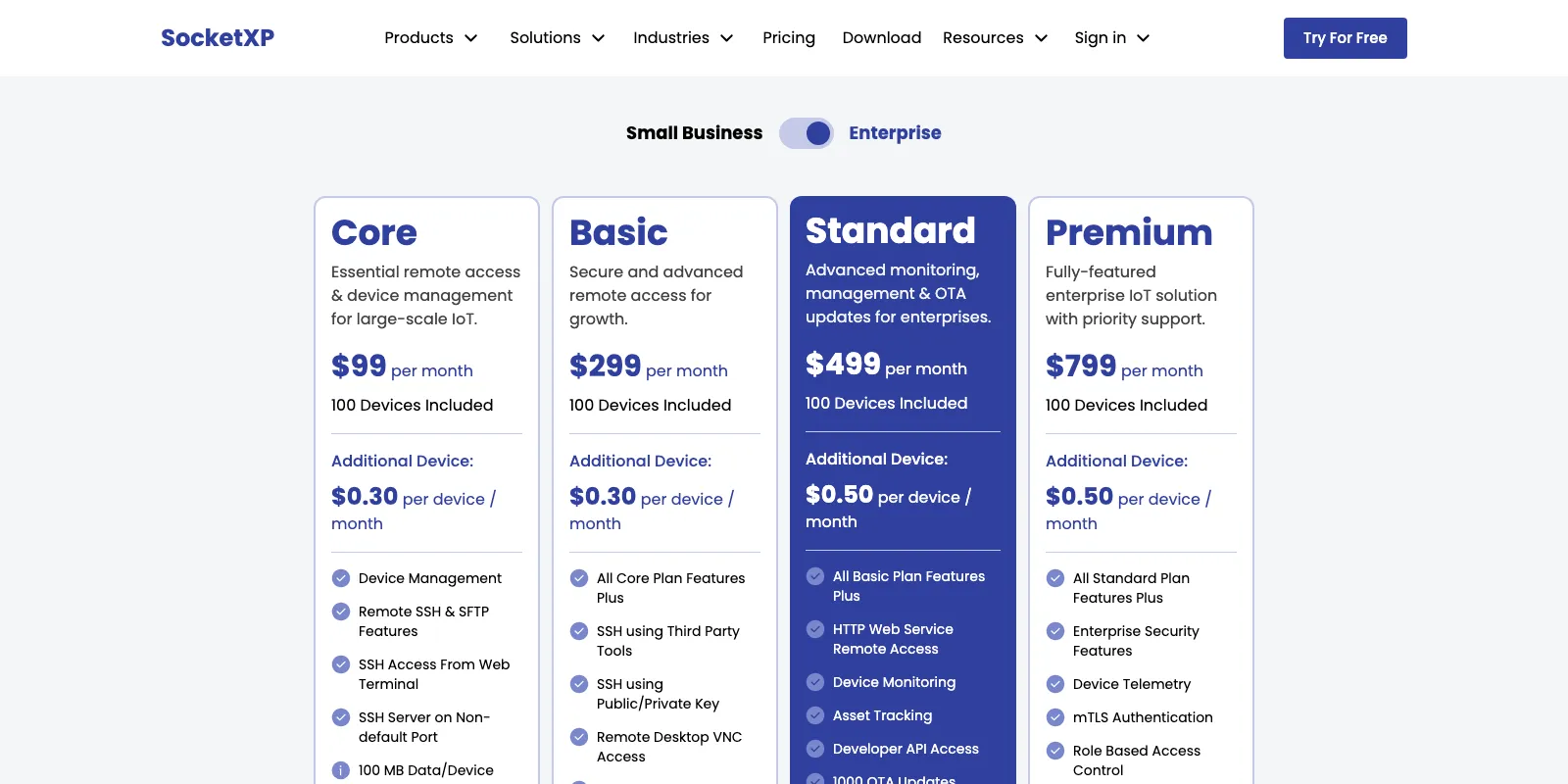
Note what you give up at the bottom of each ladder. Lite is SSH and SFTP only, with no VNC and no HTTP remote access; you need Eco for VNC and arbitrary TCP. On the Enterprise side, Core is similarly SSH-only, VNC arrives at Basic, and device monitoring, asset tracking, API access and OTA updates do not appear until Standard at $499/month. If you want monitoring plus OTA, the entry price is a lot higher than the $99 headline suggests.
Watch the data caps. Plans allocate between 100MB and 500MB per device per month, which is generous for terminal sessions and telemetry and nowhere near enough for streaming a VNC desktop or shipping large container images every day. SocketXP is also not a dashboarding product; if you want time-series charts of sensor data, you are pairing it with something else.
Key specs
- Device model: static agent binary, Linux/Windows/macOS on x86_64, x86, ARM, ARM64, RISC-V
- OTA: applications, Debian packages, Docker containers and firmware; metered per plan (500 updates on Pro, 1,000 on Standard, 5,000 on Premium) and absent from Lite, Eco, Core and Basic
- Remote access: SSH, VNC, RDP, HTTP(S), SFTP/SCP over mTLS; slave mode binds a local port to a remote device port. SSH and SFTP only on Lite and Core
- Pricing: Small Business $20/$39/$79 per month for 40 devices; Enterprise $99/$299/$499/$799 per month for 100 devices; extras $0.30 to $1.99
- Weak spot: per-device data caps of 100MB to 500MB, monitoring and OTA gated behind the $499 Standard plan, no built-in data visualization
3. RemoteIoT - cheapest per device for SSH and VNC
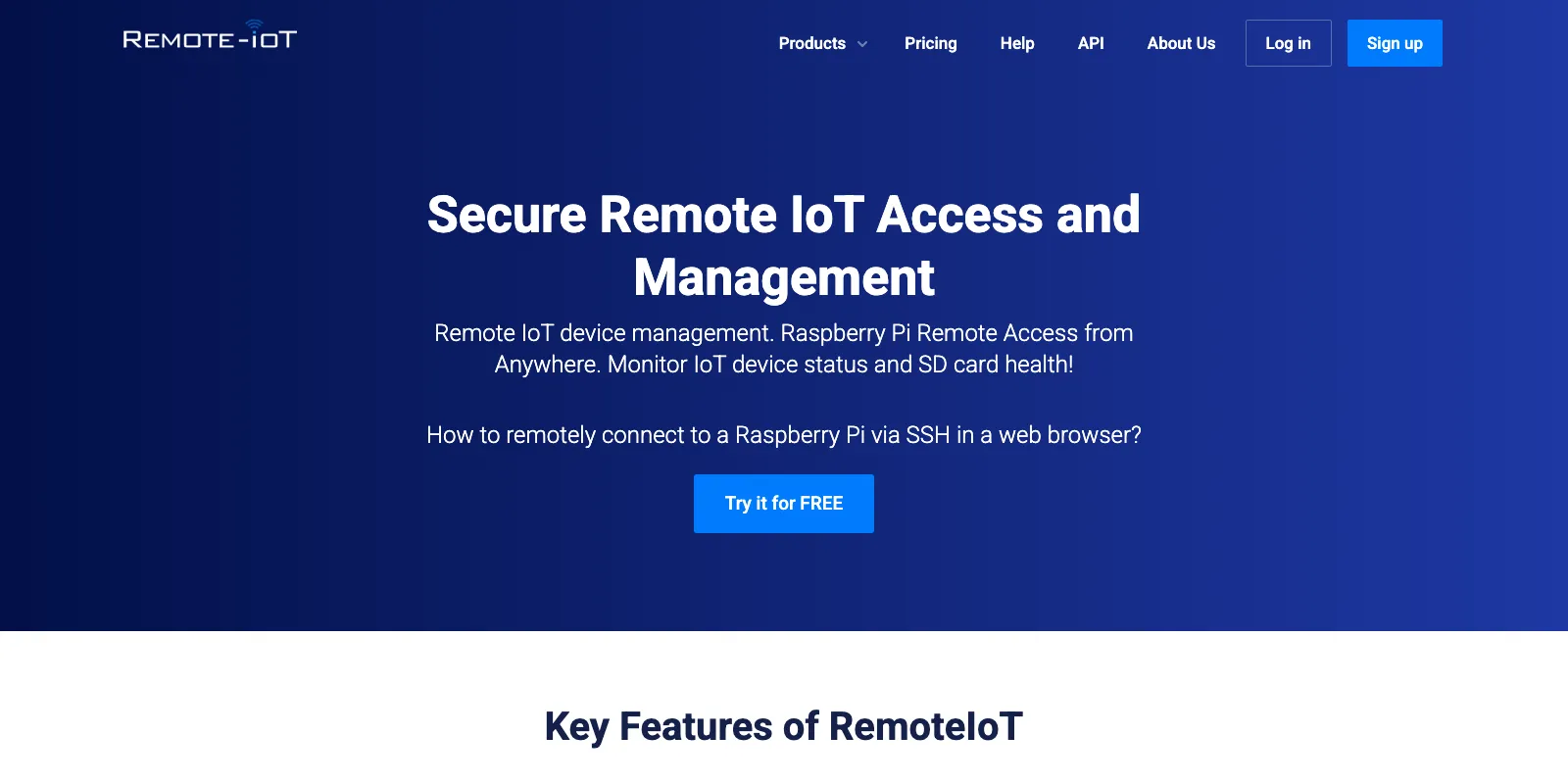
RemoteIoT is the price leader by a wide margin and is narrower in scope than everything above. It gives you remote SSH and VNC to devices behind firewalls, a browser-based web console, batch jobs across groups of devices, file upload and application update to many devices at once, centralized SSH key management, and monitoring of CPU, memory and disk.
The setup is a single command with your account’s setup key baked in, taken from their documentation:
curl -s -L 'https://remoteiot.com/install/install.sh' | \
  sudo bash -s 'your_setup_key' 'Device name' 'Note' 'Group'
One requirement that is easy to miss and will bite you on a slim image: the RemoteIoT service needs a JVM. Their docs recommend OpenJDK 8, installed with sudo apt-get -y install openjdk-8-jre-headless on Debian and Ubuntu or sudo yum -y install java-1.8.0-openjdk* on CentOS. On a Raspberry Pi with 512MB of RAM running other workloads, a headless JRE is not free, and on a minimal Yocto or Alpine image it is a real packaging problem. Compare that with SocketXP’s single static binary before you commit.
Once installed, the device appears in the dashboard, you click Connect Port, pick SSH or VNC, and you get a proxy hostname and port pair such as proxy8.remoteiot.com on port 10008. Point any SSH or VNC client at that and it behaves like a local connection. There is a global network of proxy servers so you can pick one close to the device, and Enterprise plans add IP-based access restrictions, which is a meaningful hardening step given that a public proxy port is otherwise exposed to internet-wide scanning.
One genuinely nice touch for Raspberry Pi fleets is SD card health monitoring, reporting manufacturing date, cumulative writes, error counts and projected lifespan. SD card wear-out is the single most common cause of a dead Pi in the field, and knowing which 15 cards out of 300 are about to fail is worth real money in avoided site visits.
Pricing is per device with low minimums. Free covers up to 5 devices for non-commercial use with 500MB of data. Business Secure Access is $0.20 per device per month with a 6 device minimum, 100MB per device, unlimited batch jobs and API access from 100 devices. Adding IoT monitoring takes that to $0.50 per device per month. Enterprise Secure Access is $1.00 per device per month with a 5 device minimum and adds multiport simultaneous access, permanent tunnels, IP-based access limiting, CloudWatch alarms, a global proxy network, user and group management, the remote web console, custom fields and 1GB of data per device. Enterprise with monitoring is $1.20. Above that, Large Scale is custom priced with unlimited devices and unlimited data.
At 100 devices, Enterprise costs $100/month for capabilities that overlap most of what a mid-tier SocketXP or balena plan gives you on the access side. If your requirement is genuinely “shell and screen on devices behind NAT, cheap, at scale”, this is the value pick. If you need atomic OTA with rollback, it is not the right tool.
Key specs
- Device model: agent installed via shell script, requires a JVM (OpenJDK 8 recommended)
- OTA: batch jobs, remote file upload and application update; no atomic image updates or rollback
- Remote access: SSH and VNC via regional proxy hosts, browser web console, permanent tunnels and IP allowlisting on Enterprise
- Monitoring: CPU, memory, disk, and SD card wear including write counts and projected lifespan
- Pricing: free for 5 non-commercial devices; $0.20, $0.50, $1.00 and $1.20 per device per month
- Weak spot: JVM dependency, and it is an access tool rather than a full lifecycle platform
4. Dataplicity - simplest path from a bare Pi to a browser terminal
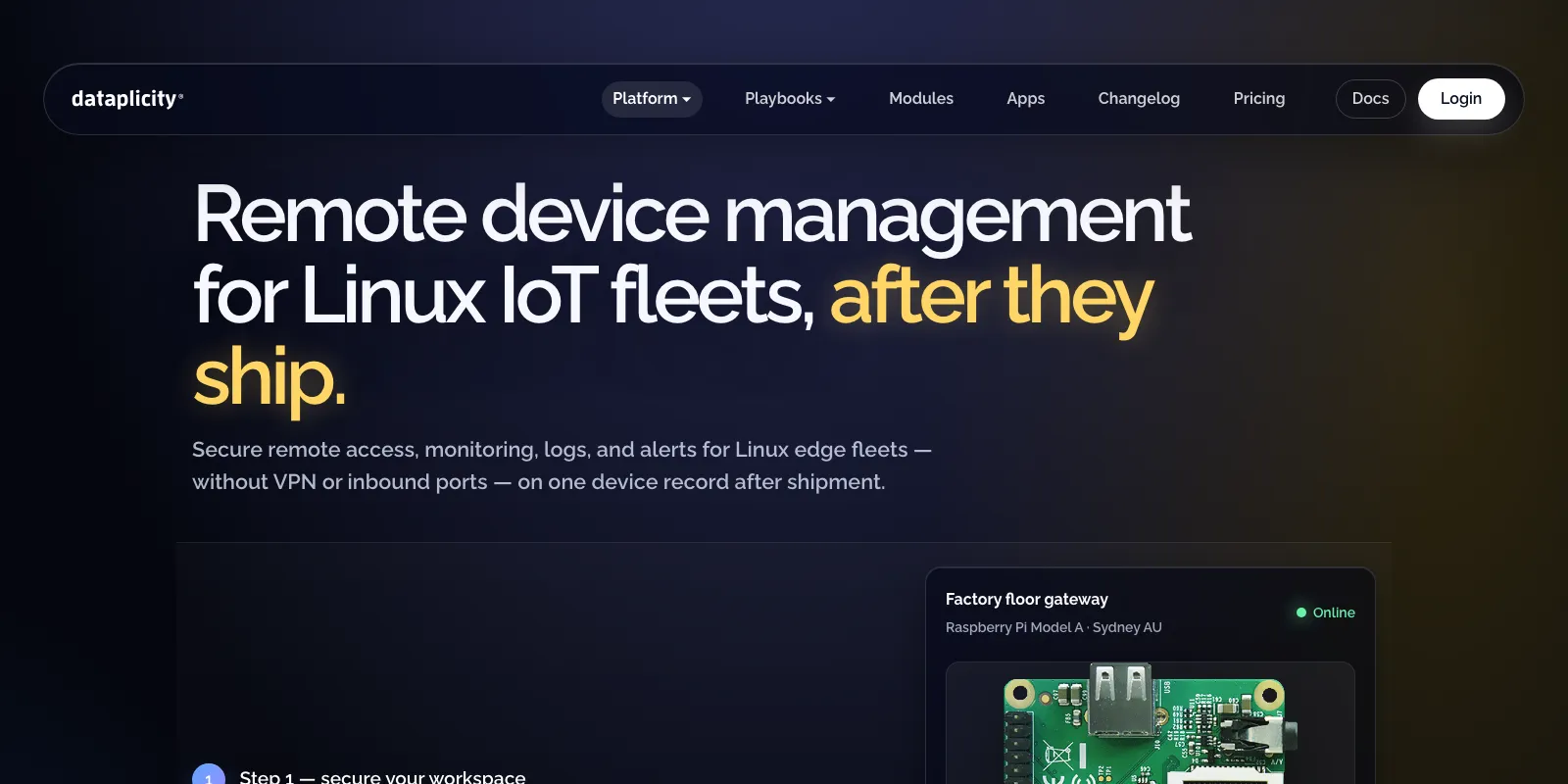
Dataplicity has the shortest distance between a fresh Raspberry Pi and a working remote shell of anything in this list. You sign up, copy the install command generated for your account, run it on the device, and the device appears in your browser with a terminal attached. The agent is a Python program delivered as a PEX file, and the install command has the shape:
curl -s https://www.dataplicity.com/<your-install-code>.py | sudo python3The feature it is best known for is Wormhole, which publishes an HTTP service running on the device at a public HTTPS address with no port forwarding, dynamic DNS or firewall exception. Point it at a Flask app, a Node-RED editor, a Filebrowser instance for graphical file management, or noVNC for a browser desktop, and it is reachable from anywhere. For a hobby project or a demo to a customer, that is a two-minute job.
What is less widely known is that Dataplicity is no longer only the hobbyist tool it was in 2016. The current product adds fleet monitors and canary checks on individual critical devices, scheduled tasks, fleet jobs, an incident model with on-call escalations, a fleet map, log analytics with retention tiers, and enterprise security controls including SAML SSO, SCIM provisioning, security activity logs and threat detections. It is positioned squarely as Linux edge fleet management now, not just a Pi terminal.
Pricing: Free is one device with the remote terminal, Wormhole, port forwarding on standard ports, one dashboard, one display, one monitor, one scheduled task and 24-hour log retention. Standard starts at $3.00 per device per month with a 3 device minimum, bundling 25 monitors and 25 scheduled tasks with 7-day log retention, still restricted to standard ports. Business keeps the $3.00 per device rate through the 1 to 50 device band, steps down on larger bands, and includes 50 monitors, 50 scheduled tasks, 90-day log retention, custom ports, custom Wormhole URLs, alerts, the fleet map, fleet jobs, incidents, on-call escalations, log analytics and the SSO/SCIM security features. Custom quotes are available for larger deployments.
The honest tradeoff: at $3.00 per device Dataplicity is the most expensive per-unit option here. A 100 device fleet lands around $300/month against $100 on RemoteIoT Enterprise, $99 on SocketXP Core and $20 on RemoteIoT Business. You are paying for polish and for the alerting and incident layer. There is also no atomic OTA story, so firmware-heavy products should look elsewhere, and the Python agent means Python has to exist on the image.
Key specs
- Device model: Python agent shipped as a PEX file, Linux edge devices, Raspberry Pi first
- OTA: scheduled tasks and fleet jobs; no image-based updates or rollback
- Remote access: browser terminal, Wormhole public HTTPS URL, port forwarding (custom ports on Business)
- Operations: monitors and canary checks, alerts, incidents, on-call escalation, fleet map, log analytics
- Pricing: 1 device free; $3.00/device/month from 3 devices; volume bands and custom quotes above 50
- Weak spot: highest per-device price here, no atomic OTA, Python runtime required on device
5. AWS IoT Device Management - best at hyperscale
AWS IoT Device Management is not a product you install, it is a set of APIs layered on AWS IoT Core. That is both its strength and the reason small teams bounce off it. There is no agent that gives you a terminal five minutes after signup. There is a device registry, a job engine, a search index and a tunnel broker, and you assemble a device management story out of them.
Jobs are the OTA and remote action primitive. You define a job document, target a thing group, and devices subscribe over MQTT and report progress. Rollout rate, abort criteria and timeouts are all configurable, which is how you avoid pushing a bad firmware to a whole continent at once. What AWS does not give you is the applier: the code on the device that takes the job document and safely writes a partition or swaps a container is yours to write, or you pull in AWS IoT Greengrass or a third-party updater.
Fleet indexing builds a searchable index over device shadows, connectivity state, registry metadata and violations, so you can answer “which devices are on firmware 2.3.1, offline, and in the EU region” without maintaining your own database. Fleet Hub is a managed web application over that index for operators who should not have console access.
Secure tunneling is the remote access piece and it is worth understanding in detail. AWS opens a tunnel, mints a source token and a destination token, and delivers the destination token to the device over an MQTT reserved topic. A local proxy at each end connects to the AWS tunneling service over WebSockets and multiplexes TCP streams through it. No inbound firewall rule changes at the remote site. The tunnel’s maxLifetimeTimeoutMinutes defaults to 720 minutes (12 hours) and can be set anywhere from 1 minute to 12 hours. Since 2022 you can also multiplex several data streams and run simultaneous TCP connections over one tunnel, so an SSH session and a web UI can share a single billed tunnel.
Pricing is per unit and it adds up in a shape unlike everything else here: $0.003 per remote action for the first 250,000 per month and $0.0015 above that, $2.25 per million index updates metered in 1KB increments plus $0.05 per 10,000 search queries, $0.10 per 1,000 things bulk registered, and $1.00 per secure tunnel created. That last one is the number that surprises people. If your support team opens one tunnel per device per month across a 1,000 device fleet, that is $1,000/month in tunneling alone, which is why multiplexing and long-lived tunnels matter. The free tier covers 50 remote actions per month for 12 months, and new accounts get up to $200 in credits over six months.
Use AWS when the fleet is large, the compliance requirements are real, and the rest of your stack is already on AWS so IAM, CloudWatch and Lambda integration is free architecture rather than new work. Do not use it because it is “the safe choice” for 50 devices; you will spend weeks building what balenaCloud or SocketXP hands you on day one.
Key specs
- Device model: MQTT + X.509 certificates against AWS IoT Core, agent of your choosing
- OTA: Jobs with staged rollout, abort criteria and progress reporting; you supply the on-device applier
- Remote access: secure tunneling over WebSockets, tokens delivered via MQTT, 12-hour max tunnel lifetime
- Pricing: $0.003/remote action, $1.00/secure tunnel, $2.25/M index updates, $0.05/10K queries, $0.10/1K things registered
- Weak spot: no batteries included, multi-dimensional billing that is hard to forecast
What it costs at 100 devices
Headline prices are not comparable across these vendors, so here is the same fleet priced on each. Assume 100 Linux devices, 3 engineers who need dashboard access, and moderate use.
| Platform | Plan needed | Monthly cost | How it is calculated |
|---|---|---|---|
| RemoteIoT | Business | $20 | 100 x $0.20 |
| SocketXP | Core (Enterprise ladder) | $99 | 100 devices included; SSH/SFTP only, $499 Standard adds monitoring and OTA |
| RemoteIoT | Enterprise | $100 | 100 x $1.00 |
| Dataplicity | Business | ~$300 | 100 x $3.00 at the entry band, lower on volume bands |
| balenaCloud | Pilot + 40 devices | $409 | $329 for 60 devices and 3 users + 40 x $2 |
| AWS IoT Device Management | Pay per use | ~$103 | 100 tunnels x $1.00 + 1,000 remote actions x $0.003 + index updates |
The AWS row is the one to read carefully, because it is the only usage-based line and it moves fast. One tunnel per device per month is a light support load. Triple it and AWS becomes the most expensive option in the table, while every per-device plan stays flat. Conversely, if your devices are mostly self-sufficient and you rarely open a session, AWS can undercut everything here. Model your own usage before trusting either intuition.
Also worth noting: balenaCloud’s price buys a genuine build-and-deploy pipeline, not just access. Comparing it directly against RemoteIoT is comparing a CI/CD and OTA system against a remote shell. The right comparison for balena is qbee.io or Mender.
Also worth a look
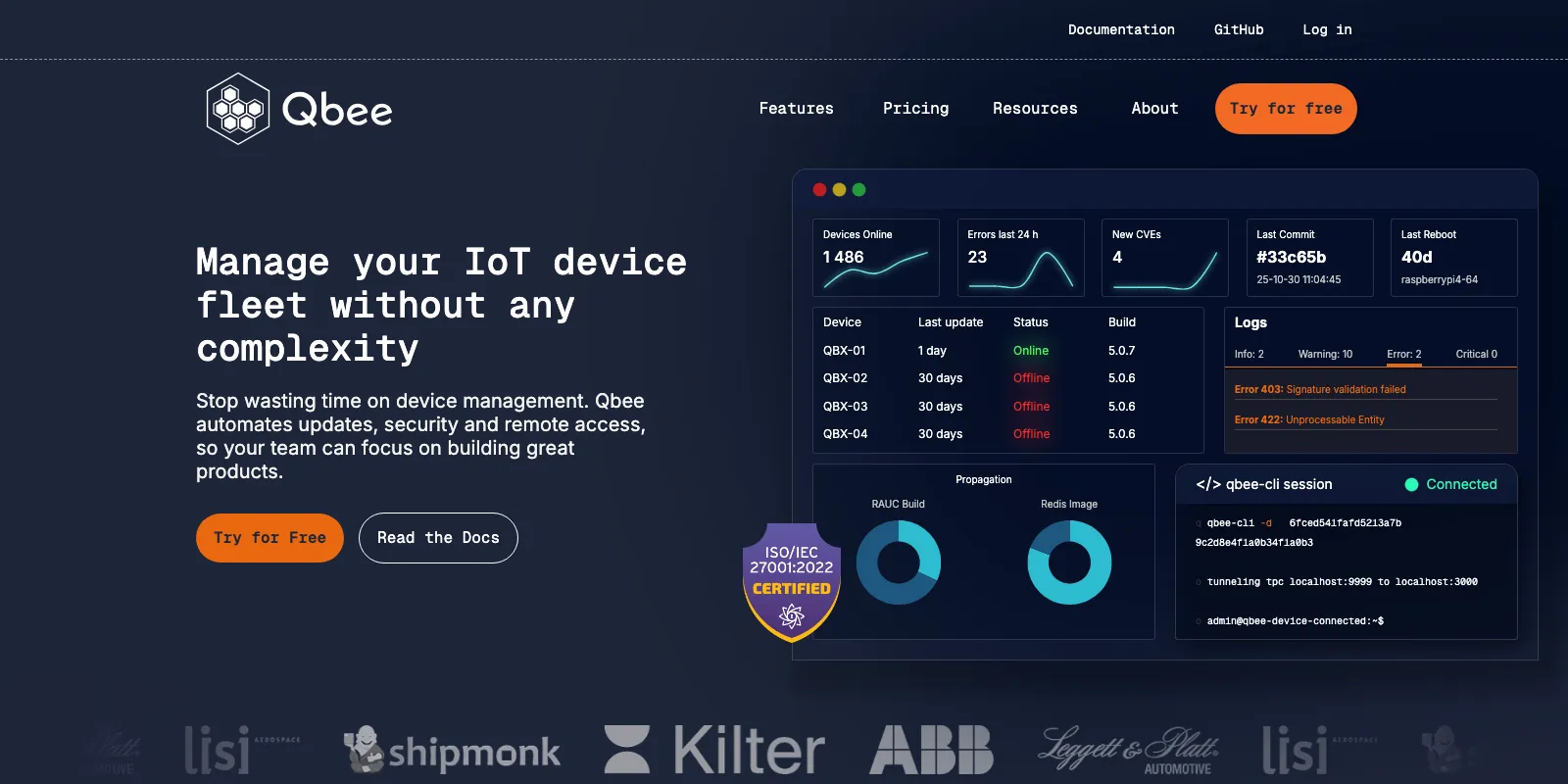
qbee.io is the strongest option that did not make the top five, and for some teams it should be first. The agent is open source on GitHub and uses a pull architecture: it initiates an outbound connection to the server at intervals, and all traffic including remote access runs over HTTPS on TCP 443, with built-in proxy support. That is the cleanest answer to “what do I tell the customer’s network team” of anything here. It maps arbitrary ports through that HTTPS channel, so SSH on 22, a web UI on 80 or 443, Node-RED on 1880 and VNC all work through one connection. It has a state-based configuration engine for users, passwords, NTP, SSH key rotation and firewall rules, and a CVE analysis that continuously compares installed packages against the NIST CVE database and flags what needs patching. These are key capabilities of IoT security solutions for protecting connected devices. Pricing is free for 5 devices, €149/month for 50 (Startup), €490/month for 250 (Scaleup) with additional devices from €0.52, and custom Enterprise pricing that can go as low as €0.30 per device.
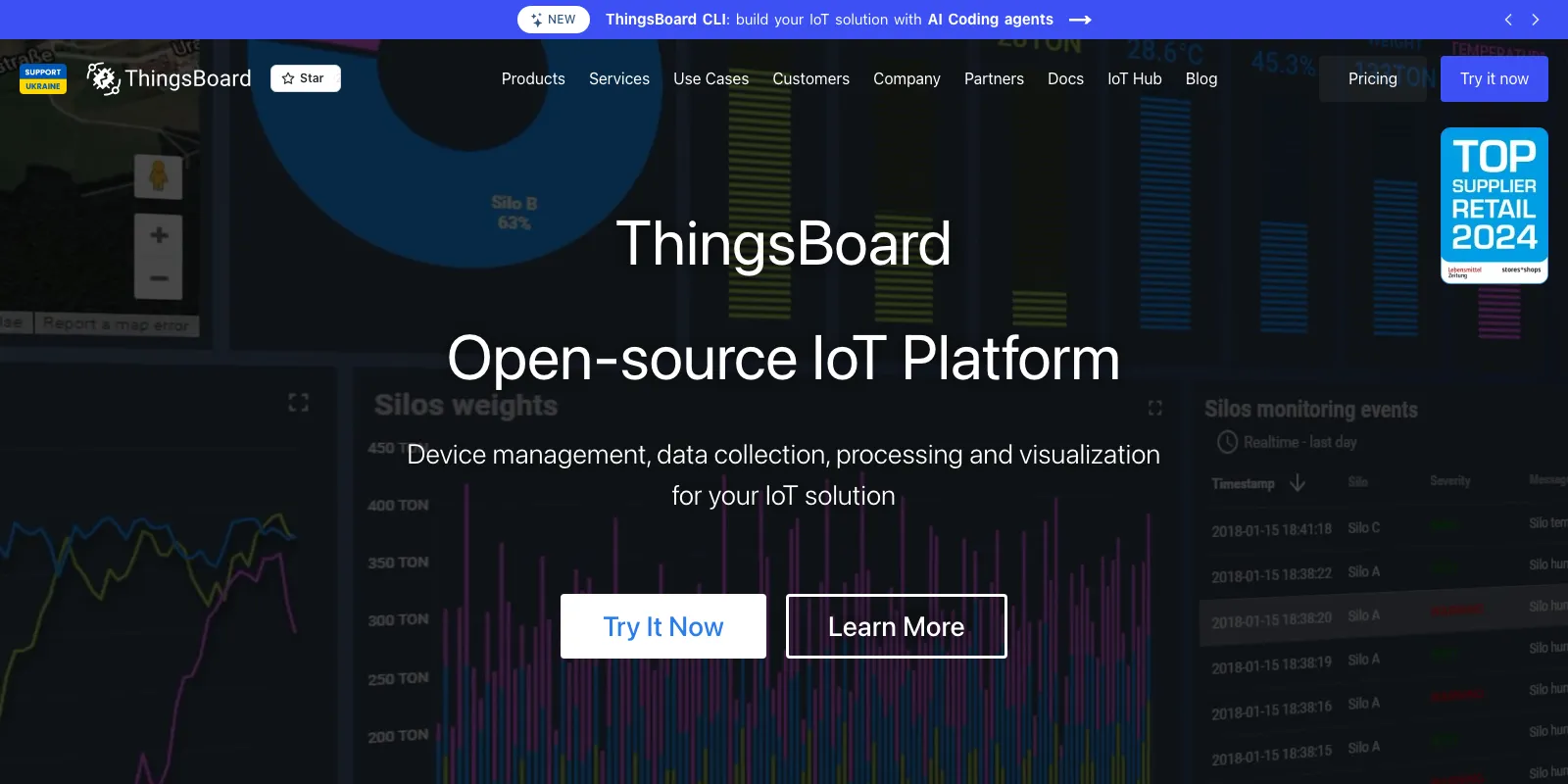
ThingsBoard is the open source pick. Community Edition is Apache 2.0 and self-hostable, covering telemetry ingestion over MQTT, CoAP and HTTP, a rule engine, and dashboards. Professional Edition adds OTA updates, hierarchical role-based access control, SSO and OAuth2, secrets storage, white-labeling, a payload codec library of 400+ device types, LoRaWAN and Sigfox integrations, and connectors to AWS IoT, Azure IoT, Pub/Sub and Kafka. If your problem is more “visualize and route sensor data” than “get a shell”, start here.
Memfault approaches the problem from observability. It started as crash reporting and coredump analysis for embedded systems and added OTA on top, which produces an unusually tight loop: ship a release to a cohort, then watch crash rate, reboot reasons and performance metrics for that specific build. It covers RTOS, Android and embedded Linux, with staged rollouts, cohorts, and full or delta releases over a CDN. The July 2026 changelog added CMA, context switch and fork rate, socket count and file descriptor system metrics, MIPS o32 and MIPS64 n64 support for thread-filtered coredumps, and custom key-value attributes attached to Linux coredumps.
Mender is the update-focused option and the reference implementation of doing OTA properly on Linux. It uses A/B partitions: the update is written to the inactive partition, the bootloader flips, and if the new system fails to confirm itself the device automatically rolls back to the known-good side. It is open core under Apache 2.0 with the client on GitHub; delta updates and the hosted production server are commercial. In 2026 it sits alongside RAUC and SWUpdate as the three production-ready choices, and it is the one with the most complete out-of-box experience.
Azure IoT Hub is the direct AWS competitor if your stack is Microsoft. Device twins, direct methods, the Device Provisioning Service and message routing are all solid. Billing is per message unit across Free, Basic and Standard tiers, with several features only on Standard.
The part everyone underestimates: getting through NAT
An IoT device almost never has an inbound-reachable address. It sits behind a home router doing NAT, a corporate firewall that drops unsolicited inbound traffic, or a carrier doing CGNAT. It has to connect to you, not the other way around.
Vendors solve this three ways: an outbound tunnel to a broker, where the agent holds a long-lived TLS or WebSocket connection to a cloud relay (SocketXP, RemoteIoT, Dataplicity and AWS secure tunneling); an outbound VPN, where the device joins an overlay network on boot (balenaCloud); and HTTPS-only on port 443, the same idea constrained to the one port every egress policy allows (qbee.io). The fourth option is the one you can build yourself: an SSH reverse tunnel, which is what ssh -R has done since the 1990s. We cover that route separately in Access IoT Devices from Anywhere, Access Raspberry Pi Remotely to Control IoT Devices, SSH Reverse Tunneling and VPN Replacement for Secure Remote Access, plus Remote Desktop for Raspberry Pi and Remotely Connect to IoT Devices Using VNC for GUI access.
How to choose
- Shipping application code to Linux devices? balenaCloud. Containers, delta updates and host OS management in one pipeline.
- Shipping firmware that must never brick? Mender, or qbee.io if you also want config management and CVE scanning.
- Hundreds of thousands of devices, already on AWS? AWS IoT Device Management. Model the secure tunneling bill early.
- Just need a shell on devices behind firewalls? SocketXP for a static agent plus OTA, RemoteIoT if price per device dominates.
- Small fleet, want alerting and on-call included? Dataplicity.
- Want to own the stack? ThingsBoard for data, Mender for updates, SSH reverse tunnels for access.
Five things to check before you standardize
- What runtime does the agent need? A static binary drops into any image. A JVM or Python interpreter is a dependency you now maintain.
- Which ports does it need outbound? Outbound TCP 443 only passes almost every network review. Anything unusual gets blocked eventually.
- Is the update atomic, and can it roll back? An A/B partition swap and a root shell script are both sold as “OTA update”.
- What are the data caps? 100MB to 500MB per device per month covers terminal sessions, not VNC or container pulls.
- Can you get out? Registry export, a replaceable agent, and one way to reach a device without the vendor.
The ability to switch platforms also depends on whether your team has the engineering capacity to adapt device agents, migration tooling, cloud integrations, and deployment pipelines when requirements change. For companies that need additional embedded, cloud, or IoT expertise without expanding their permanent engineering organization, Colombia IT companies can provide access to development talent working in compatible time zones with North American teams. This can be particularly useful when migrating a large device fleet or replacing proprietary components, where engineers need to maintain service continuity while rebuilding integrations around a new management platform.
Conclusion
There is no single best remote IoT device management software in 2026, but the split is clear. balenaCloud is the most complete platform for containerized Linux fleets. SocketXP, RemoteIoT and Dataplicity are access-first tools that cost far less because they solve a smaller problem, which for many teams is the whole requirement. AWS IoT Device Management wins at scale inside an AWS estate, if you build the device side yourself. Price your shortlist at the fleet size you expect in twelve months, not today: the same 100 devices cost $20 on RemoteIoT Business and $409 on balenaCloud Pilot. And keep a plain SSH reverse tunnel in your back pocket. It costs nothing, it works when the dashboard does not, and it has outlasted several IoT platforms already.