In this article
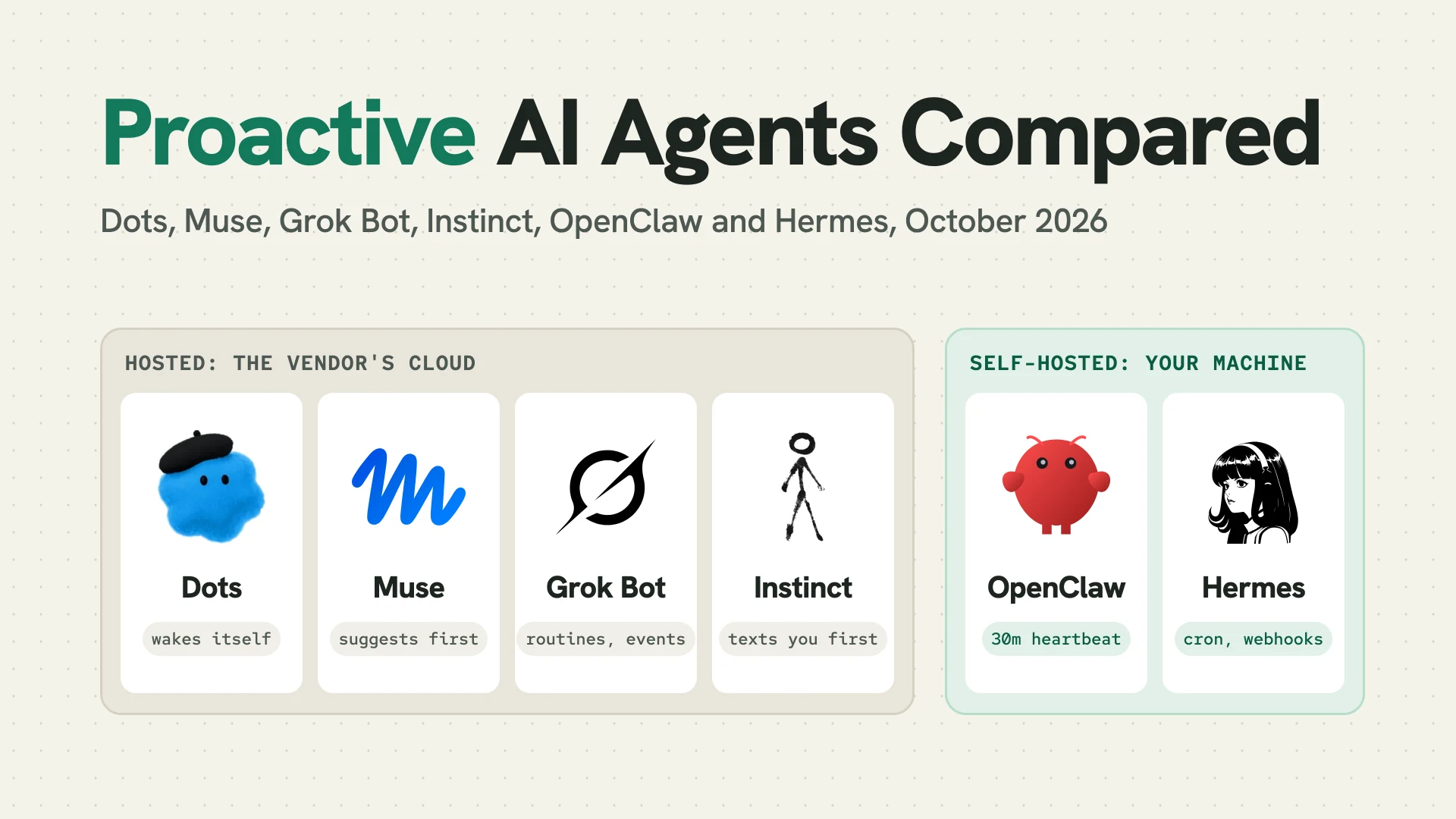
An AI assistant that only answers when you type is easy to reason about, because nothing happens until you ask. The new personal agents break that rule on purpose, which changes what you should check before handing one your inbox.
Between August 11 and October 21, 2026, xAI shipped Grok Bot, Meta shipped Muse, OpenAI shipped dots and Anthropic previewed Claude Duet, all built to keep working after you close the app and to message you first. Instinct, an agent you reach by text, was valued at $10 billion by October. The open source side got there earlier: OpenClaw (393,525 GitHub stars on October 31) runs a heartbeat every 30 minutes by default, and Hermes Agent (259,065 stars) runs cron jobs and signed webhooks on your own machine.
Below, six are compared on triggers, hosting, credentials and price. The running example is a weekday 8 AM brief that speaks up only when a decision is needed, plus a new GitHub issue. Facts were checked, and the OpenClaw and Hermes commands run in clean Docker containers, on October 31.
Summary
- Proactive means the agent starts a turn on its own, from a schedule, an event or its own decision to check back.
- Hosted agents run on the vendor’s computer. OpenAI Dots (from $100/month), Meta Muse (free tier, US only) and Grok Bot (bundled with X and Cursor plans) work with your laptop shut. Instinct is in early access.
- Security models differ more than features. Muse hides real credentials from the agent, Dots researches read-only, and every Grok Bot on an account shares one computer and its logins.
- Open source means you own the box and the risk. OpenClaw and Hermes Agent are MIT licensed, but 543 CVEs name OpenClaw.
- Self-hosted agents need a public URL for events.
ssh -p 443 -R0:localhost:8644 free.pinggy.iogives Hermes’ webhook port a public HTTPS URL.
What makes an AI agent proactive
An agent is proactive when it starts a turn without a new message from you. The trigger is a schedule (a cron expression), an event (a webhook or a Slack mention) or a self-wake, where the agent decides when to look again or runs a periodic “anything need attention?” pass.
The self-wake is the new part, and it only works if the agent can say nothing. OpenClaw’s default heartbeat prompt ends with “If nothing needs attention, reply NO_REPLY”, and Hermes skips delivery when a cron job’s final response contains [SILENT]. The other change is risk: an unattended agent reads untrusted text, like email and issue bodies, with your logins loaded.
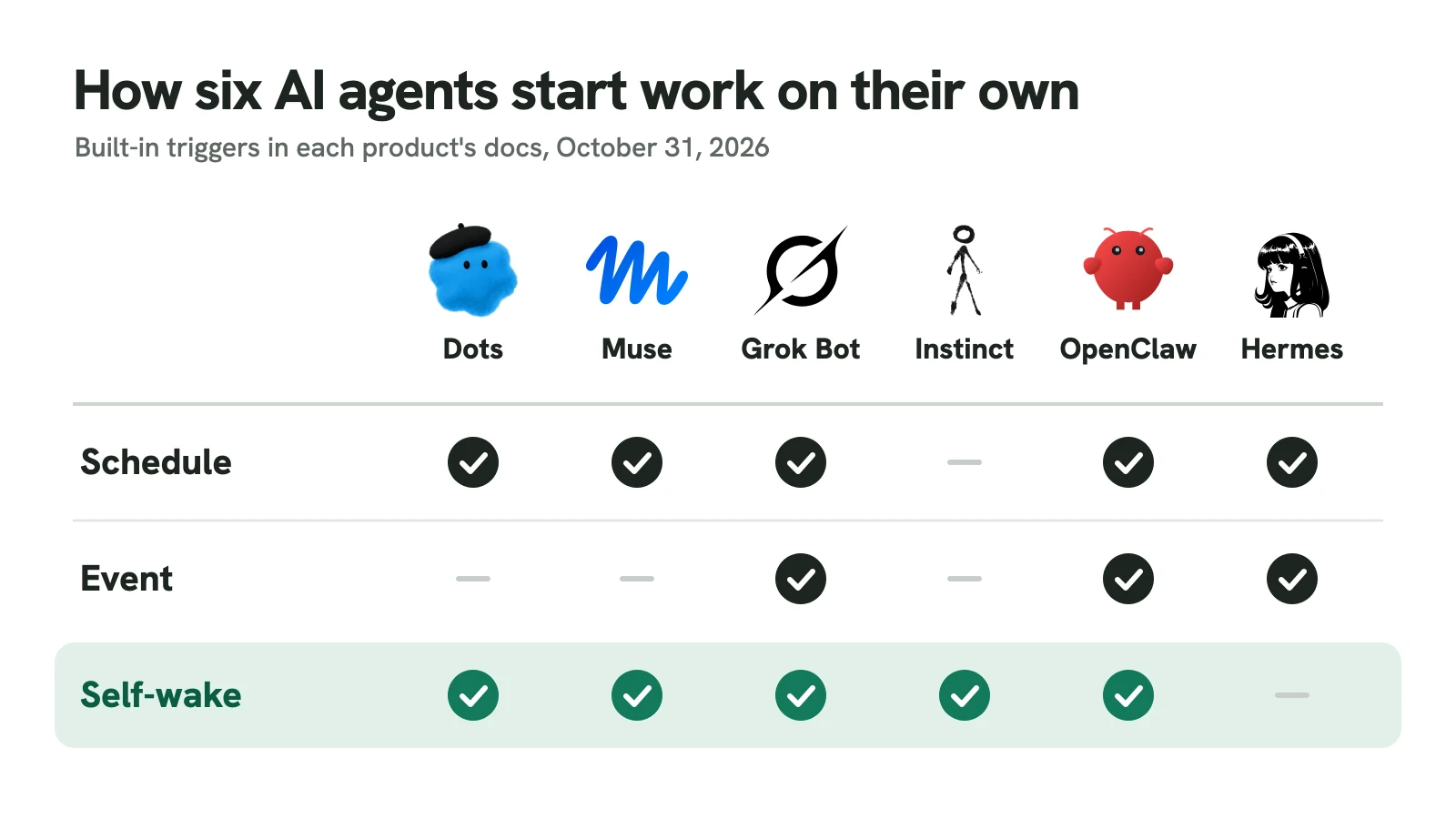
Filled: built in and documented on October 31, 2026. Hermes can add a self-wake with the community heartbeat2 plugin.
Proactive AI agents at a glance
| Agent | Runs on | Starts work via | Price and access |
|---|---|---|---|
| OpenAI Dots | OpenAI cloud computer, optional link to yours | Self-wake, scheduled tasks, read-only research | Pro from $100/month, Business Premium, Enterprise |
| Meta Muse | One Muse Secure VM per user | Background jobs, unprompted suggestions | Free tier, Power $20, Maximum $100; US only |
| Grok Bot | One shared computer per account, in Cursor's cloud | Routines on schedules or Slack, GitHub, email and webhook events | Beta, included with X and Cursor plans |
| Instinct | Instinct's own phone and computer | Texts you first with reminders | Early access, no public price |
| OpenClaw | Your machine (Node.js Gateway) | 30-minute heartbeat, cron and event automations | Free, MIT; you pay for the model |
| Hermes Agent | Your machine (Python gateway) | Cron jobs, signed webhooks | Free, MIT; you pay for the model |
OpenAI Dots: a coordinator that decides when to check back
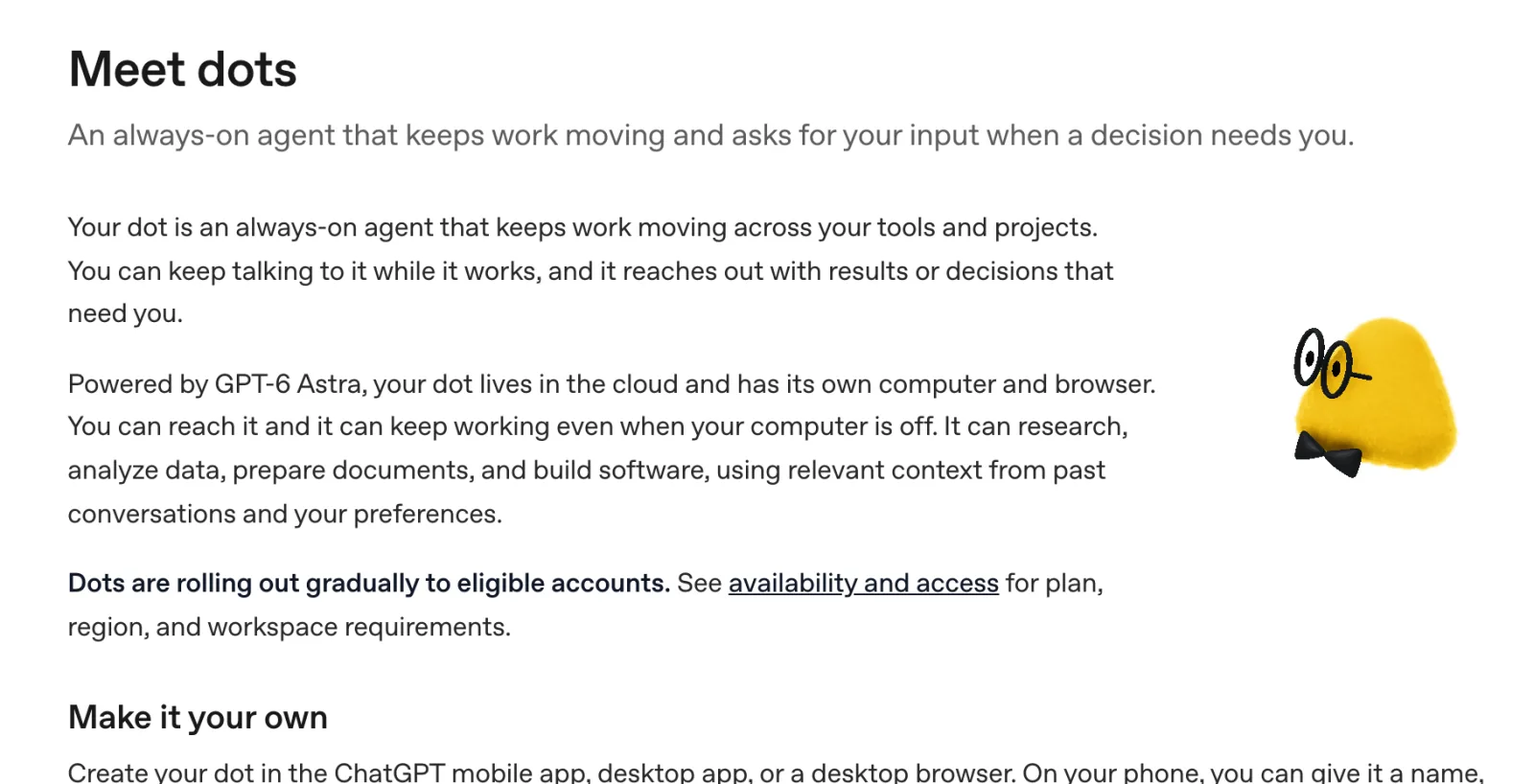
Screenshot: learn.chatgpt.com/docs/dots, October 2026.
A dot lives in OpenAI’s cloud with its own computer and browser, runs on GPT-6 Astra, and decides when to pause and resume, so follow-ups need no fixed schedule. Its background research is read-only, and follow-up actions need the applicable permissions. You ask for the brief in plain words with a time zone and an end date, and it appears under Scheduled. Actions pass through your custom rules, such as “Ask before taking action” for outgoing email.
OpenAI’s docs describe no webhook triggers, so the GitHub issue waits until the dot next checks your apps. Its strength is coordination: it hands work to ChatGPT Work and Codex and chases each job, as in our chief of staff guide. Personal Pro excludes the EEA, UK and Switzerland, and you get one dot per account.
Meta Muse: a second agent holds the keys
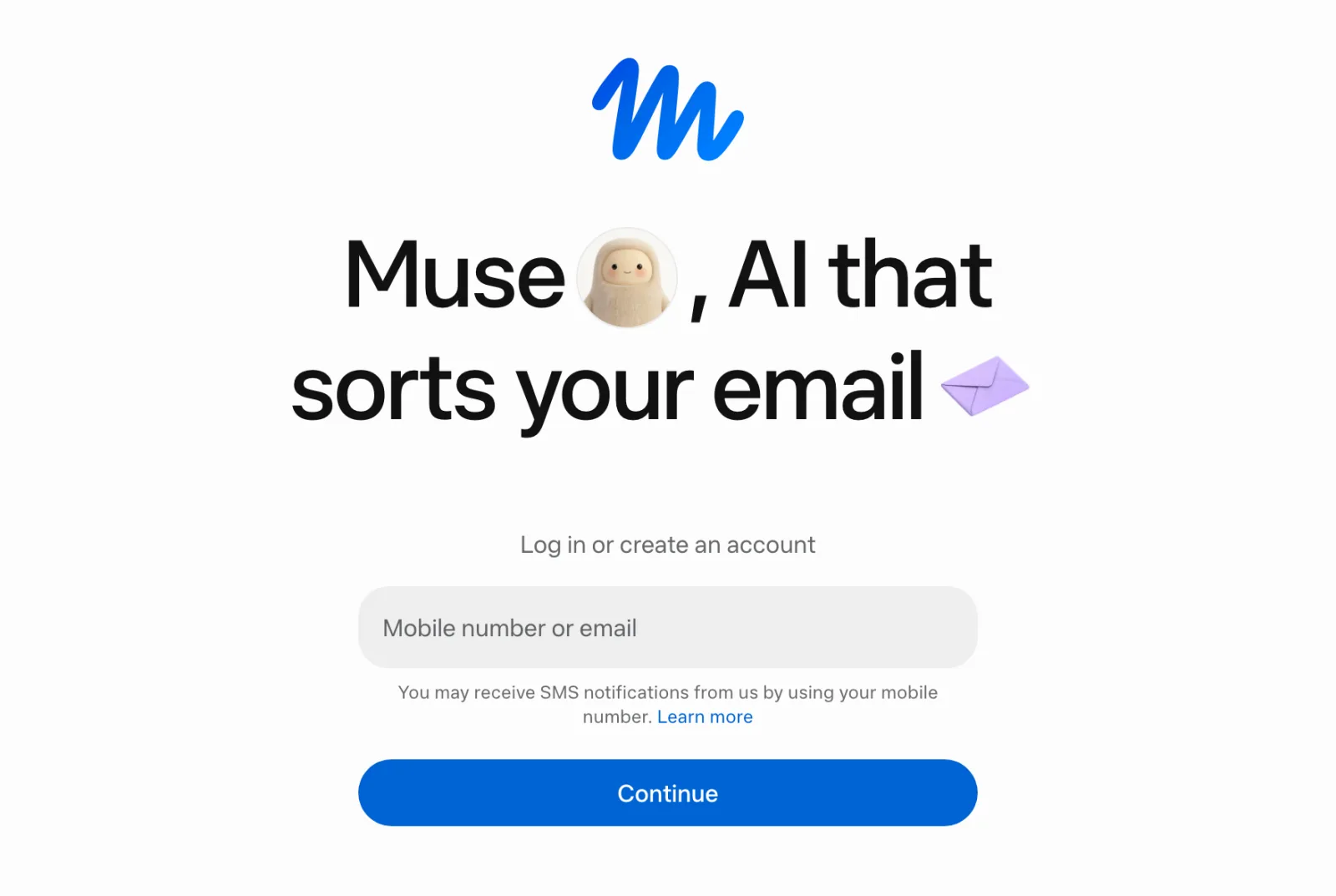
Screenshot: muse.ai, October 2026.
Muse gives each user a dedicated cloud VM, and Meta’s security write-up is the most detailed here. The agent runs in a systemd-nspawn container, and a separate host-side agent called Sentinel decides what it may do: “Muse proposes actions, but only Sentinel can grant permission to perform action.” Muse holds only surrogate tokens; Sentinel swaps in real credentials at the network boundary. Payments use single-use Stripe Link cards, each needing your approval.
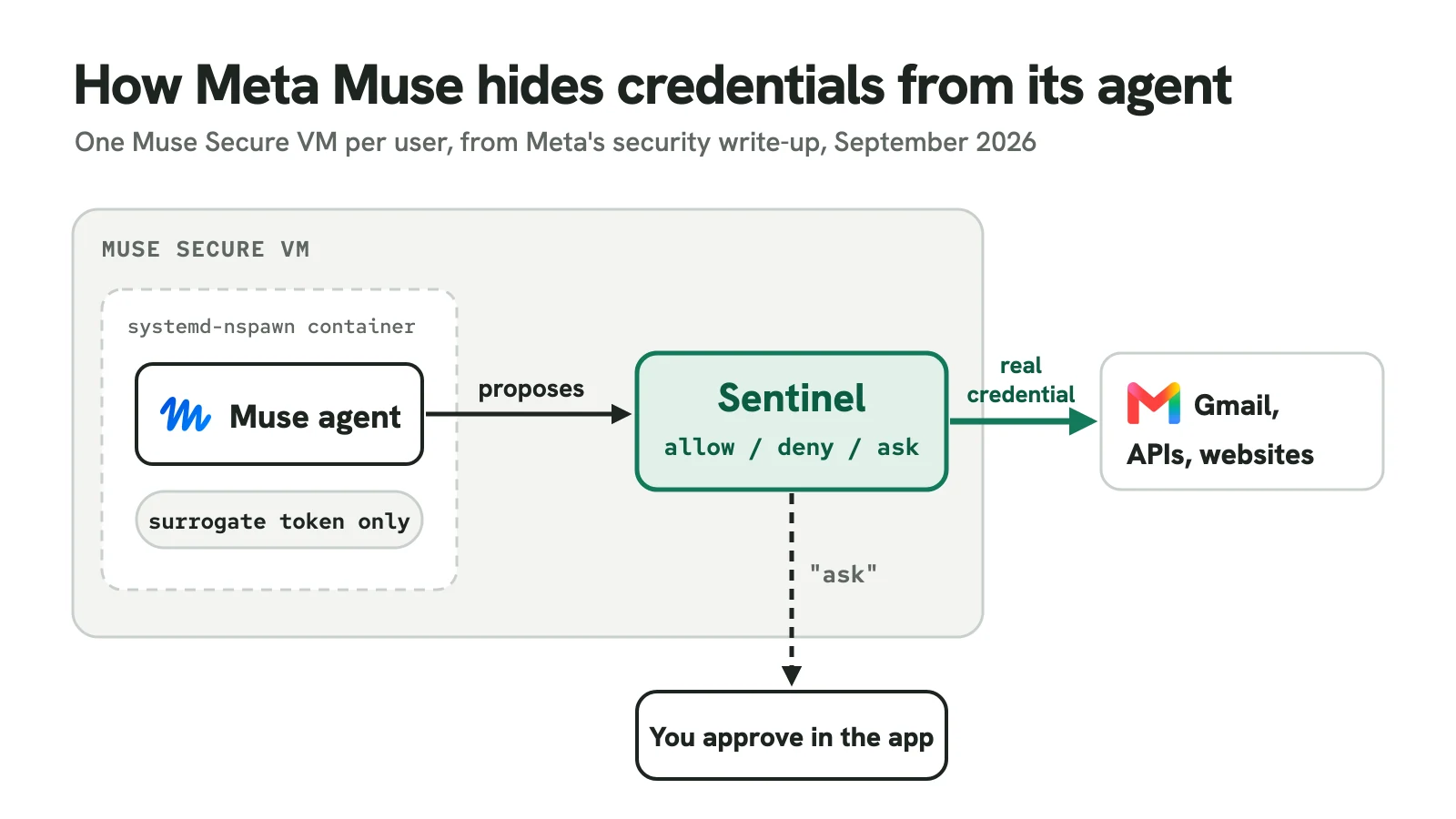
Meta says Muse runs cron jobs in the background and makes unprompted suggestions, but describes no schedule screen or event triggers, so you ask for the brief in chat. It runs on the web, iOS, Android and WhatsApp, US only, and needs a card even on the free tier. Meta also says staff access to user data is restricted by policy, not technically prevented, until a planned “Muse Confidential VM” ships.
Grok Bot: a team of bots on one shared computer
Screenshot: x.ai/news/introducing-grok-bot, October 2026.
xAI launched Grok Bot in beta on August 11 as “a team of always-on agents”, with the most explicit triggers here. A routine runs on a schedule (at least five minutes apart) or on a Slack mention, GitHub, Linear, Sentry or PagerDuty activity, email to the bot’s address, or a webhook. It’s the only hosted agent here that reacts to our GitHub issue instantly.
The catch is the computer: “All of your Bots use the same cloud computer, sharing its files, browser sessions, and app logins,” and it runs in Cursor’s cloud. A triage bot reading a poisoned issue shares your inbox bot’s Gmail session. xAI adds an independent Auto Review model for risky actions, keeps connector tokens on Cursor’s backend, and fills passwords by reference. Grok Bot comes with The X Subscription’s Premium, Super and Ultra plans and paid Cursor plans.
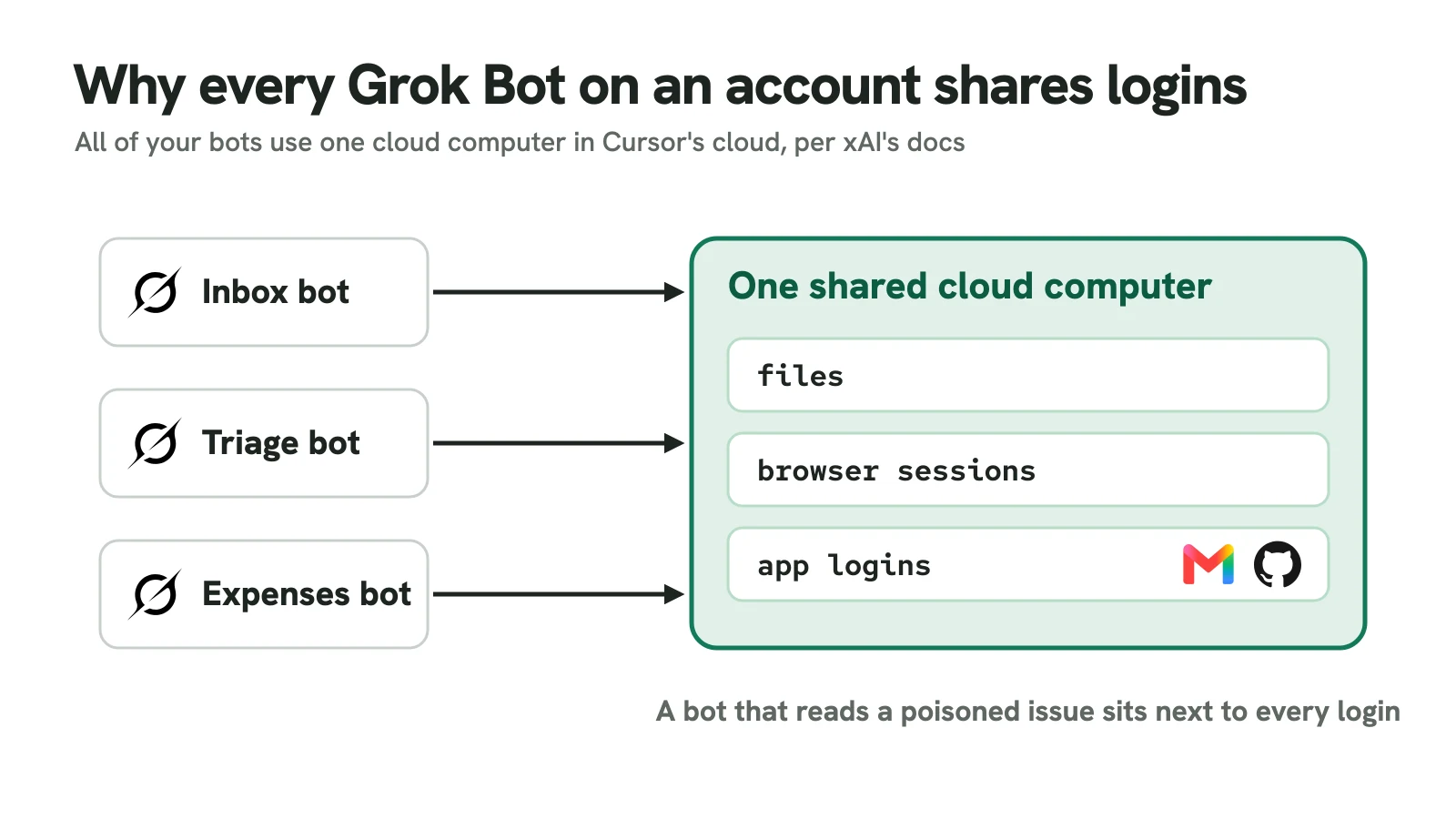
Bot names are examples.
Instinct: an agent you text, that texts you first
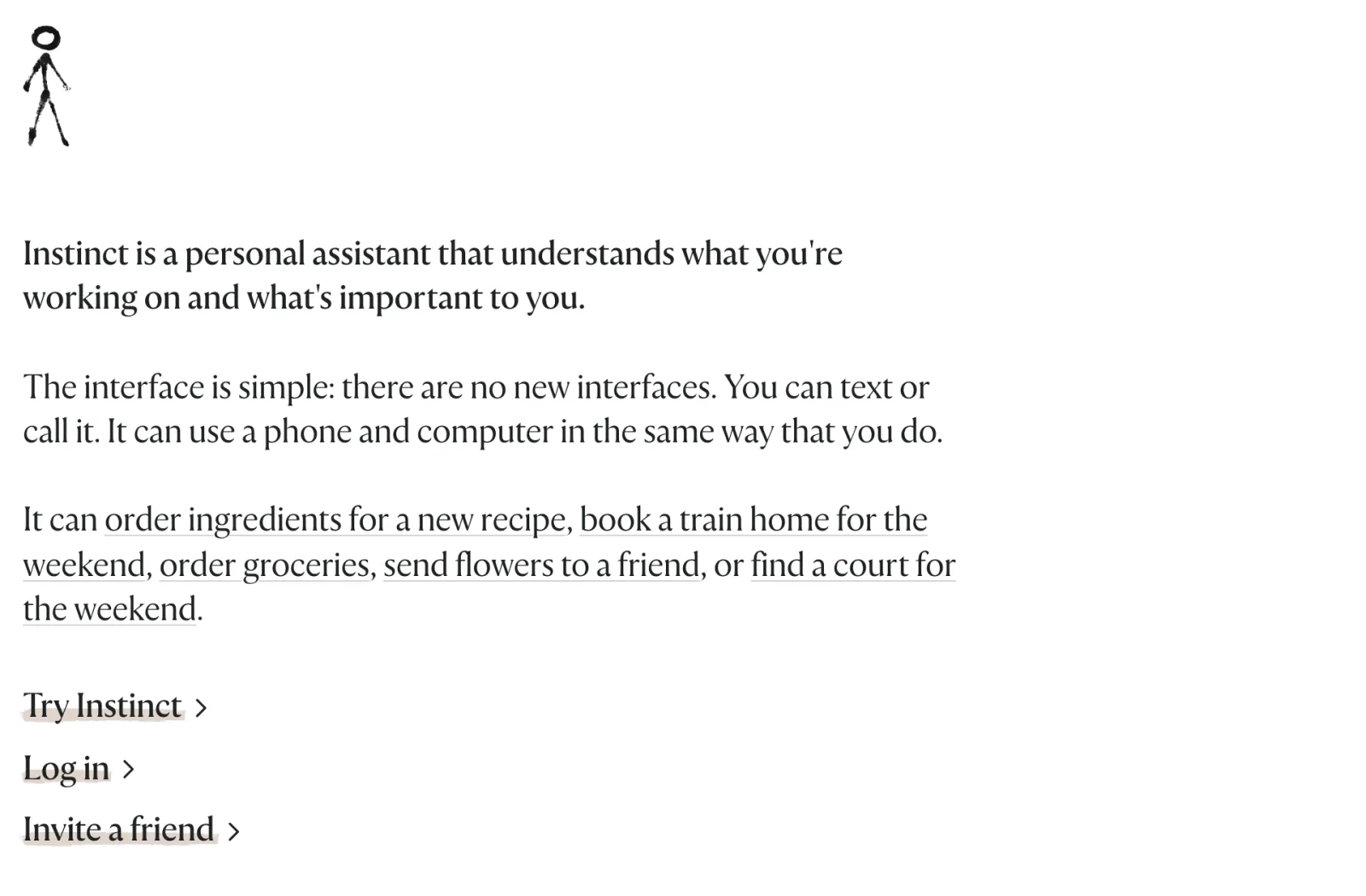
Screenshot: instinct.com, October 2026.
Instinct (Spear Street Technology, Inc., founded by Noah Shinn) has no app: you text or call it, and it “can use a phone and computer in the same way that you do.” A hands-on review from October 25 says it “checks in, keeps track of ongoing tasks, and takes the initiative to remind you to cancel a subscription.” It has since added phone calls, its own email addresses and group chats.
Instinct publishes no trigger model: no docs on schedules, events or approvals beyond purchases, which use one-time Stripe Link cards for amounts you approve. Read its terms (revised August 26, 2026) before connecting Gmail: “You also authorize us to access, copy, collect, and index data from your Connected Services,” and “You hereby appoint the Services as your agent to enter into agreements, commitments or transactions on your behalf.” Training on your data is on by default, with an opt-out.
OpenClaw: a heartbeat on your own Gateway
Screenshot: openclaw.ai, October 2026.
OpenClaw v2026.10.9 (October 29) runs a Node.js Gateway on your machine, and automations run inside it, so nothing fires while it’s down. The self-wake is the heartbeat, a system-owned job that runs an agent turn every 30 minutes by default and messages your own DM. Its checklist now lives in a “monitor scratch” (openclaw cron scratch <jobId> --set "...") instead of HEARTBEAT.md, which openclaw doctor --fix migrates.
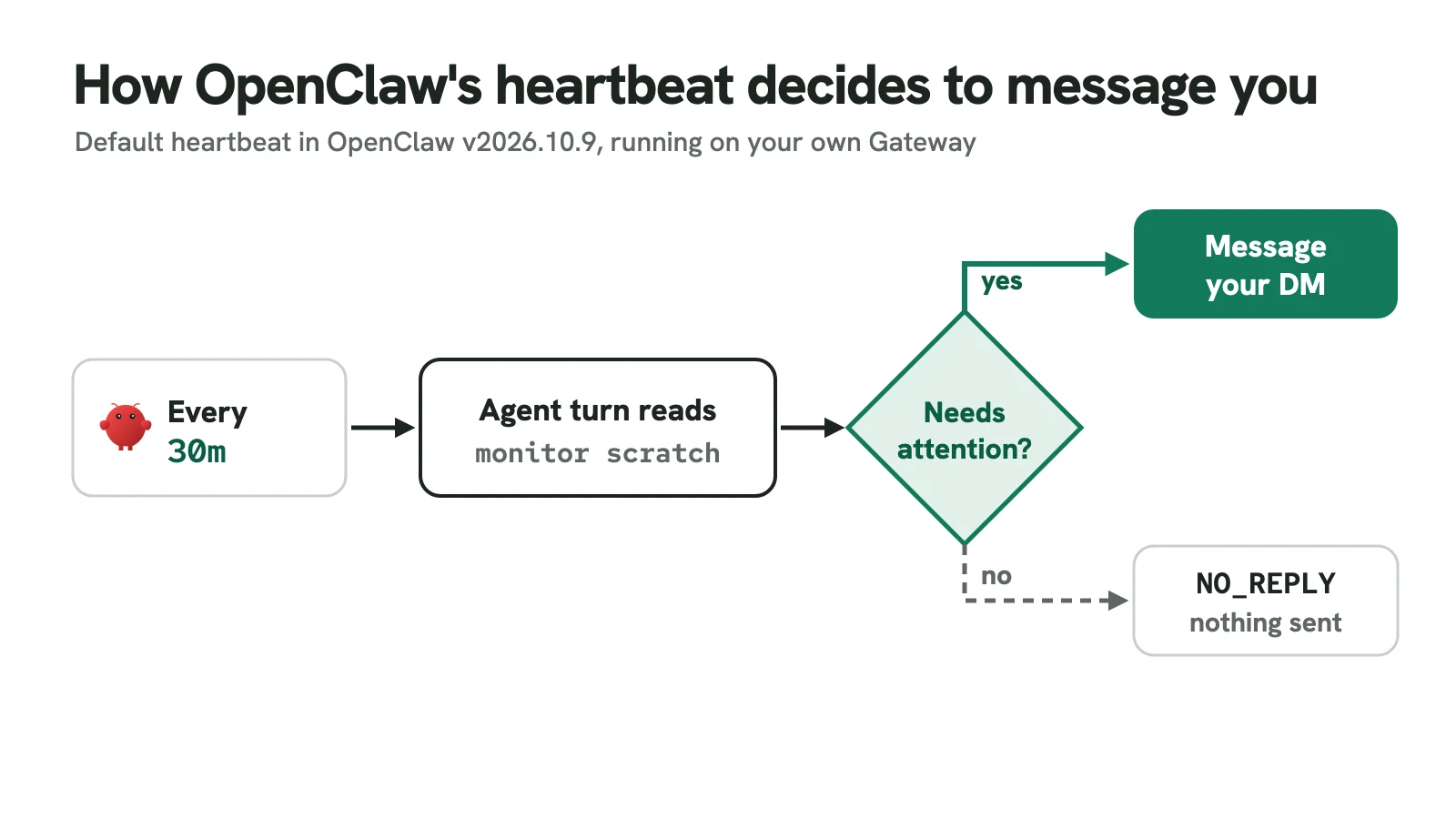
The brief is a separate isolated job (openclaw cron is an alias for openclaw automations):
openclaw cron create "0 8 * * 1-5" \
  "Check my inbox and calendar. Tell me only what needs a decision today. If nothing does, reply NO_REPLY." \
  --name "Morning brief" --tz "Asia/Kolkata" --session isolated \
  --announce --channel telegram --to "123456789"
openclaw cron list --all then shows both jobs (trimmed; dev is our test agent):
Name             Schedule                           Target    Delivery
Heartbeat (dev)  every 30m                          main      not requested
Morning brief    cron 0 8 * * 1-5 @ Asia/Kolka...   isolated  announce -> telegram:123456789 (explicit)
A cron expression parser will explain 0 8 * * 1-5 if cron isn’t second nature. One default to change: the job allowed every tool ("toolsAllow": ["*"]), so pass --tools with an allow-list. The OpenClawCVEs tracker counted 543 CVEs and 211 advisories on October 31; our OpenClaw alternatives post covers them.
Hermes Agent: cron jobs and signed webhooks
Screenshot: hermes-agent.nousresearch.com, October 2026.
Hermes Agent v0.22.5 (October 23) runs its scheduler inside the gateway, ticking every 60 seconds. Schedules can be plain English, failed runs always deliver, and a monitor mode (--monitor-url or --monitor-script) skips the LLM entirely when a cheap check’s output hasn’t changed. The same brief:
hermes config set timezone Asia/Kolkata
hermes cron create "weekdays at 8am" \
  "Check my inbox and calendar. Tell me only what needs a decision today. If nothing does, reply [SILENT]." \
--name "morning-brief" --deliver telegramCreated job: 115c4cda804e
Next run: 2026-11-02T08:00:00+05:30Nothing runs until hermes gateway run is up. Set the time zone first: changing it afterwards didn’t move the stored next run in our test. For the model side, see running Hermes on free OpenRouter models.
Triggering Hermes from GitHub through a Pinggy tunnel
Grok Bot gives you a webhook URL, but Hermes can only recieve webhooks on port 8644 of a machine with no public address.
The docs suggest WEBHOOK_ENABLED=true in ~/.hermes/.env, but in v0.22.5 hermes webhook subscribe refused with “Webhook platform is not enabled” until the flag was in config.yaml:
hermes config set platforms.webhook.enabled true
hermes webhook subscribe github-issues --events "issues" \
  --prompt "New issue #{issue.number} in {repository.full_name}: {issue.title}. Triage it and tell me if it needs me today." \
  --deliver telegram
hermes gateway run
Subscribing prints a generated HMAC secret and http://localhost:8644/webhooks/github-issues. In a second terminal, run:
ssh -p 443 -R0:localhost:8644 free.pinggy.ioPinggy prints an HTTPS URL ending in .run.pinggy-free.link. Under the repository’s Settings > Webhooks > Add webhook, enter that URL plus /webhooks/github-issues, choose application/json, paste the secret, and select only the Issues event.
We tested teh path with a signed GitHub-style issues event. Our test gateway had no Telegram bot, so the --deliver telegram route answered 503 {"error": "Admission unavailable; retry this delivery"}: connect the delivery channel first. With the route switched to --deliver log, a valid X-Hub-Signature-256 got HTTP 202 with {"status": "accepted", ...} and the gateway logged the rendered prompt. A wrong signature got 401 {"error": "Invalid signature"}. A free tunnel expires after 60 minutes with a new URL, so a saved hook needs a Pro token with a persistent subdomain (<token>@pro.pinggy.io). More in our guide to receiving webhooks on localhost.
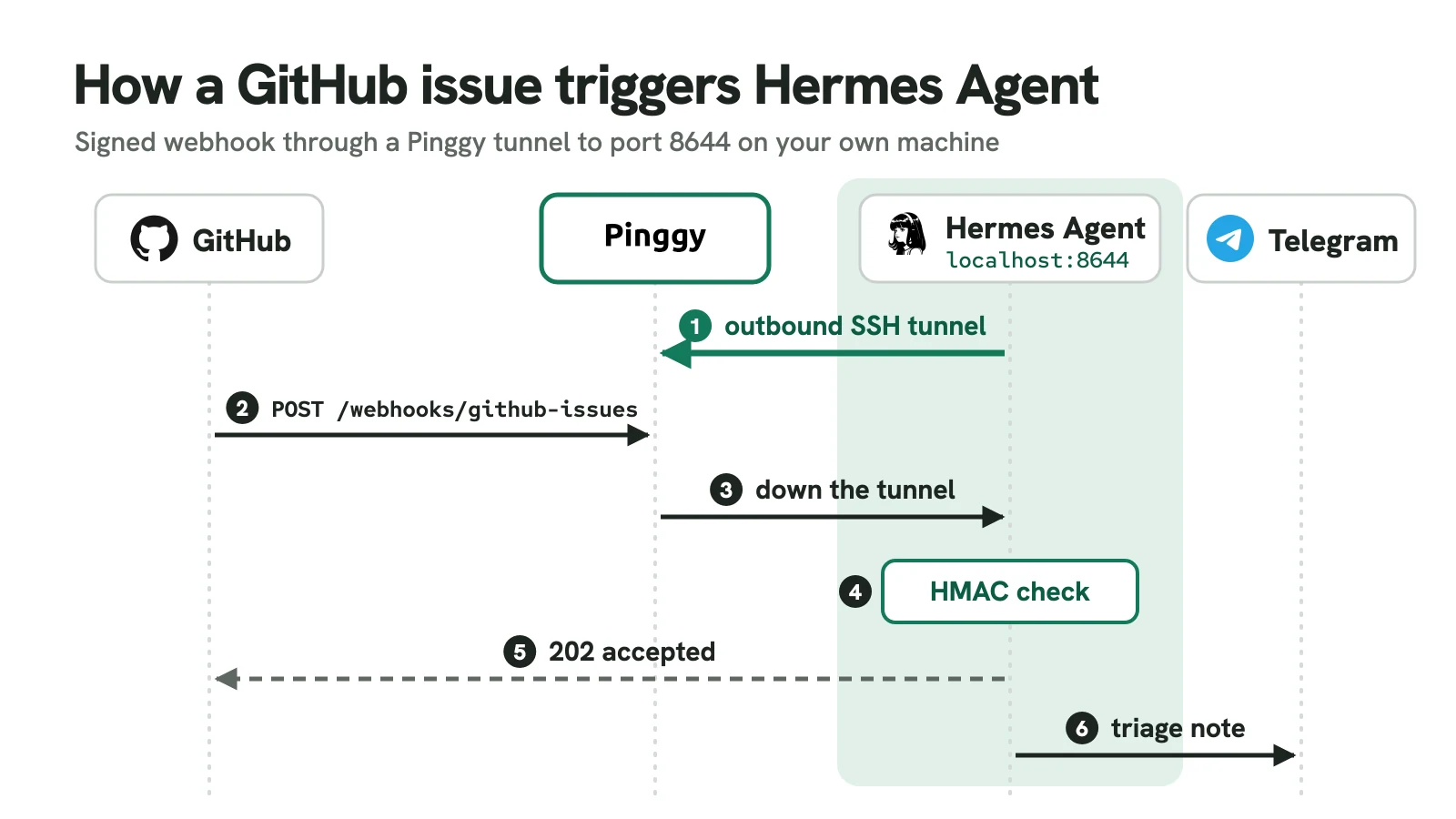
Steps 1 to 5 tested October 31, 2026 with Hermes Agent v0.22.5.
How to choose a proactive agent
If your work lives in ChatGPT and Codex, pick a dot. For cheap US errands, Muse’s free tier and Sentinel design are the safest hosted bet on paper. Grok Bot suits teams that want event-driven routines and accept one shared computer, and Instinct suits people who only want to text, if its terms are acceptable. OpenClaw has the biggest ecosystem but needs frequent patching; Hermes has the clearest scheduler and webhook model for developers.
Also worth watching: Anthropic’s Claude Duet (a US waitlist preview that sends a morning brief and checks your apps every few hours) and Google’s Gemini Spark.
Conclusion
Whichever you pick, start with one scheduled job that has a quiet path (NO_REPLY, [SILENT], or “message me only if a decision is needed”) and one event trigger, with approvals on for anything that sends, pays or deletes. After a week, count how many of its messages you were glad to get.