How to Self-Host Mistral Large 4 and Reach It From Anywhere
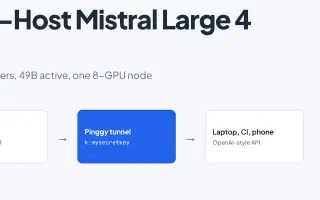
Mistral Large 4 ships open weights: 1T parameters, 49B active, 1M context. Here is what it takes to serve it with vLLM on one 8-GPU node and expose the API safely with a Pinggy tunnel.
Blog posts tagged “Open Source”
Mistral Large 4 ships open weights: 1T parameters, 49B active, 1M context. Here is what it takes to serve it with vLLM on one 8-GPU node and expose the API safely with a Pinggy tunnel.
Compare 10 AI documentation tools for READMEs, API docs and tutorials, with pricing, limitations and a workflow that keeps developer docs accurate.
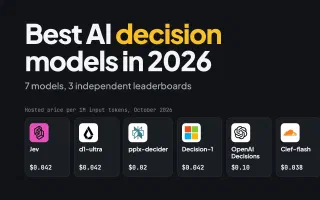
Jev, Liquid d1-ultra, pplx-decider, Microsoft-Decision-1, OpenAI Decisions, Cloudflare Clef and Strands Decider 2B compared on price, inputs and three independent leaderboards, with one run locally on an M3 Pro.
F-Droid shipped a from-scratch Kotlin and Compose rewrite on September 24, 2026, six days before Android developer verification starts blocking unverified apps in Brazil, Indonesia, Singapore and Thailand.
The best computer use MCP servers in 2026, tested: Claude Code's built-in computer-use, Windows-MCP, Cua Driver, Peekaboo, Open Computer Use, macOS-MCP, computer-use-linux and computer-use-mcp, with install commands, tool counts, permissions, and how to reach a remote desktop over a Pinggy tunnel.
TypeSafe's Jev is closed, hosted and waitlisted, so the open reimplementations started landing within a day. Laya, Kev, SemIf, NanoJev and jevlike, ranked by GitHub stars, with latency measured on an M3 Pro, the independent benchmark where Jev still wins on accuracy, and what each one actually needs to run.
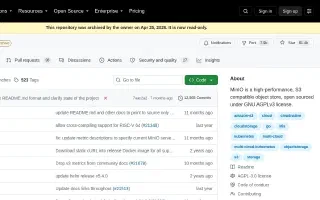
MinIO's GitHub repo was archived on April 25, 2026, ending years of being the default local S3 emulator. Here's the timeline of how that happened and four solid replacements: SeaweedFS, RustFS, Garage, and S3Proxy.
Imbue's new open-source personal cloud platform packages containerized self-hosted apps behind one login and one router. It's a genuinely different take on self-hosting, but its own docs admit the networking story isn't solved yet - here's the gap and how to close it today.
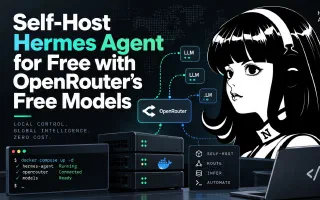
How to install Nous Research's open-source Hermes Agent on your own machine and run it at zero token cost on OpenRouter free models - the tool-calling and 64K context requirements, the request limits that actually bite, a free-model fallback chain, and remote access over a tunnel.
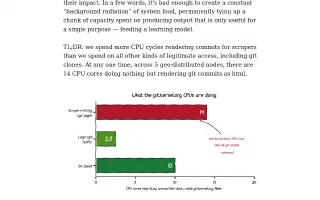
git.kernel.org now spends more CPU rendering pages for AI training scrapers than on every git clone and legitimate visit combined. Here's what the numbers say, why proof-of-work challenges like Anubis are winning and losing at the same time, and what it means for anyone running their own infrastructure.