In this article
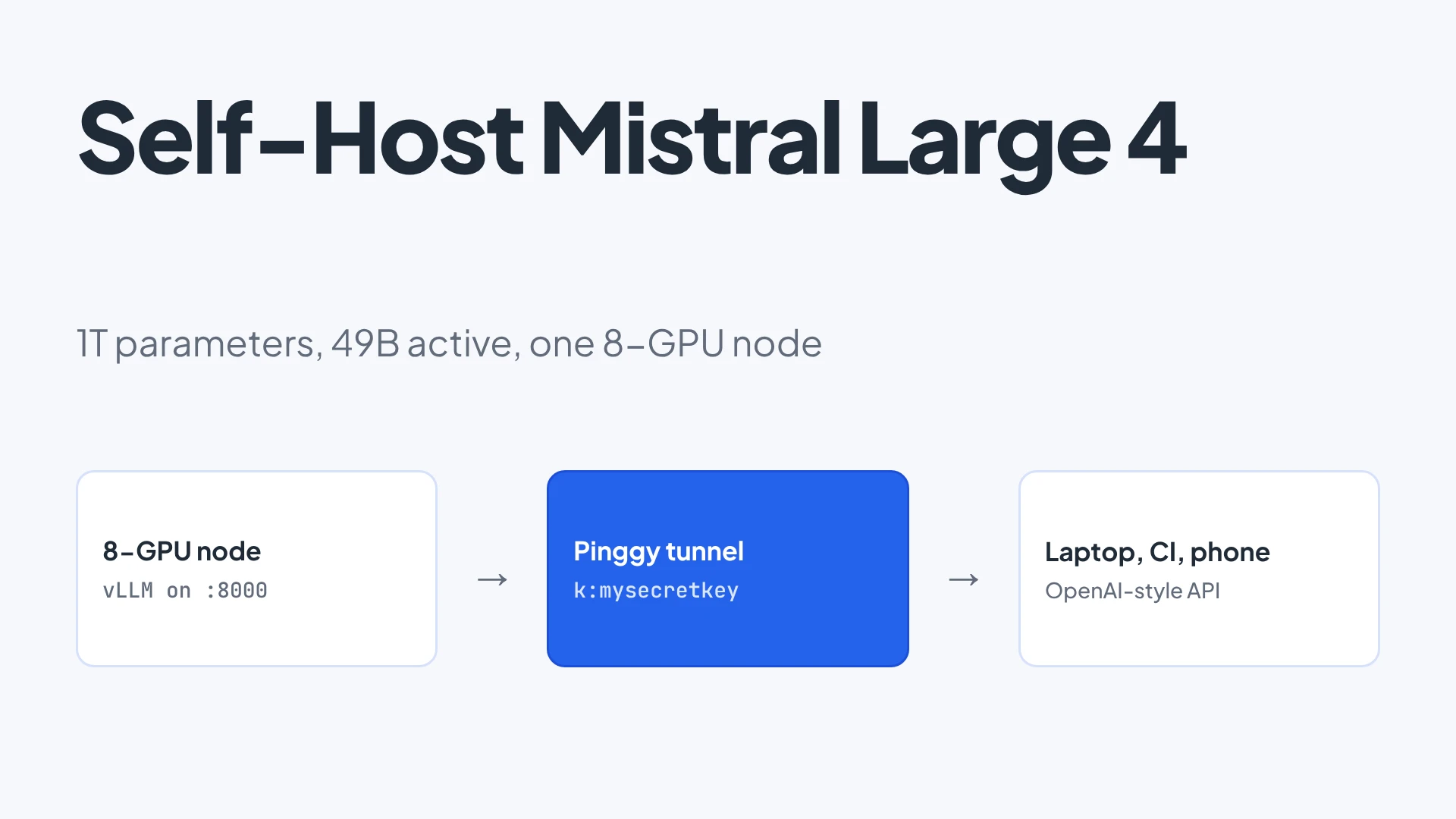
Mistral just released the weights of Mistral Large 4. It is a mixture-of-experts model with about 1T total parameters, 49B active per token, a 1M-token context window and native image input. The checkpoint is on Hugging Face as mistralai/Mistral-Large-4-1T-A52B, and the recommended way to run it is a single vLLM container on one node with 8 GPUs.
That is not a laptop model. This post covers what the model is, the exact serve command from the model card, what to expect from the hardware, and how to make the resulting OpenAI-compatible endpoint reachable from your laptop, a CI job or a phone without opening a port.
Summary
- Mistral Large 4 is a 1T-parameter MoE with 49B active parameters per token, so compute per token is closer to a 50B dense model, but all the weights still have to fit in GPU memory.
- The model card serves it with vLLM on one 8-GPU node (
--tensor-parallel-size 8); the fp8 checkpoint is the default and an NVFP4 one targets Blackwell. - You need
--tool-call-parser mistraland--reasoning-parser mistralor tool calls and reasoning output come back wrong. - The license is a modified MIT; running it as a paid hosted service needs a separate commercial license.
- A Pinggy tunnel with
k:<key>gives the vLLM port a public HTTPS URL that rejects requests without a bearer key.
What Mistral Large 4 is
Per the release post and the model card (checked October 30, 2026):
- Granular MoE with 128 routed experts, 4 active per token, plus 1 shared expert.
- About 1T parameters in total, 49B active per token (52B counting embedding and output layers).
- 1M-token context, text and image input, text output.
- Instruct and reasoning in one model, with three reasoning efforts:
low,mediumandhigh(the default). - Native function calling, JSON output and strict JSON schema enforcement.
- License: Mistral Ecosystem Open-Weight License, a modified MIT. Commercial use is fine, but if you run a Model-as-a-Service business you need a separate license from Mistral.
Mistral’s own numbers: 48% on the Artificial Analysis Coding Agent Index (roughly tied with GLM-5.3, with 47% fewer tokens per task), 41% on Terminal-Bench 4.0 and 84.5% on BrowseComp. Those are vendor-reported, so treat them as a starting point and run your own tasks. A technical report is listed as “coming soon”.
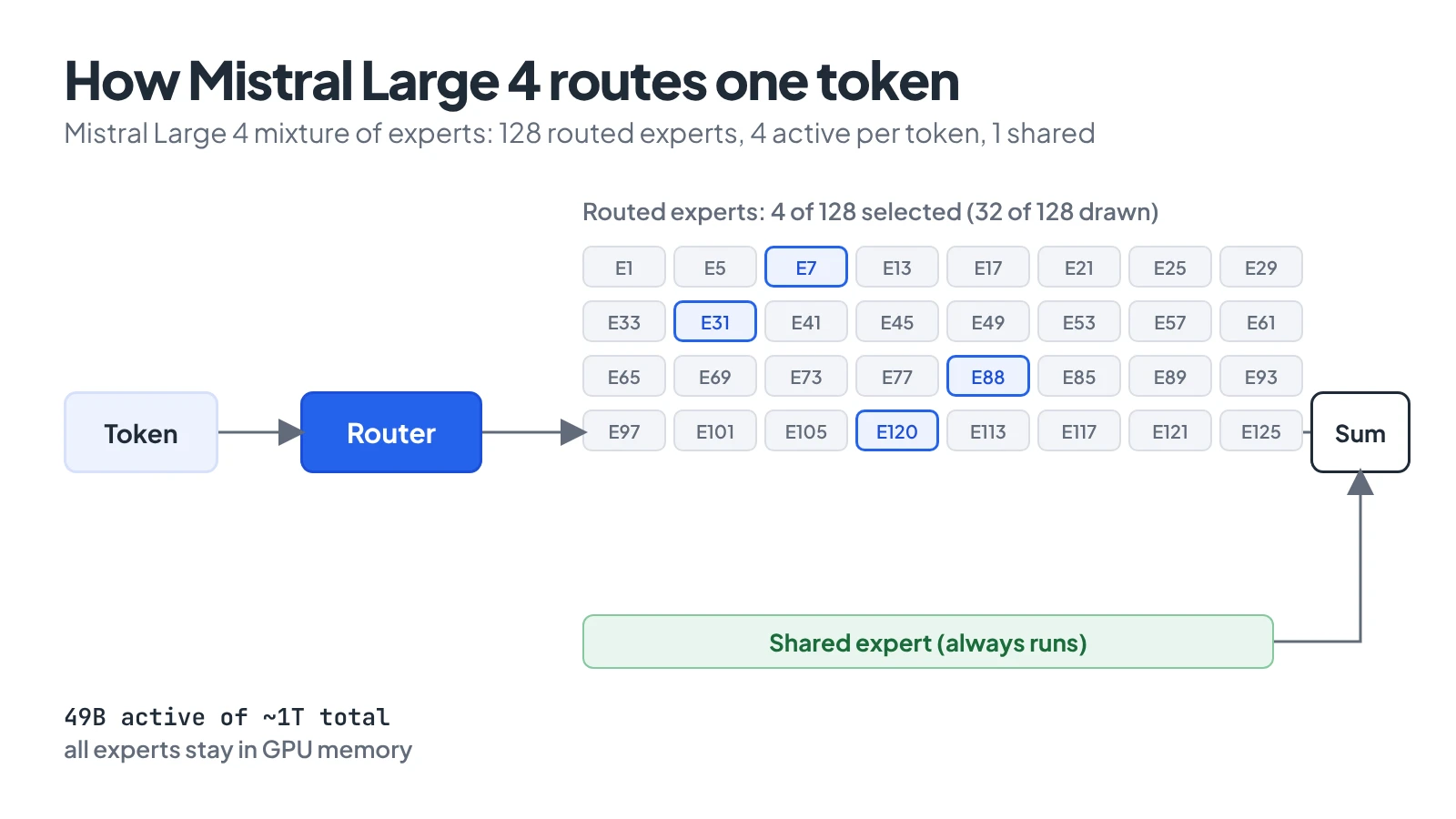
Compute per token follows the 49B active parameters; memory follows the full 1T.
What the hardware has to look like
The model card does not state a minimum. Its examples all use --tensor-parallel-size 8, so plan on one node with 8 data-center GPUs. The arithmetic backs that up: the main checkpoint is fp8, which is roughly one byte per parameter, so the weights alone are in the neighbourhood of 1 TB before the KV cache. That is my estimate from the parameter count, not a number from Mistral. An 8x H200 node (about 1.1 TB of HBM in total) is the obvious fit; a smaller node will not hold it.
There is an NVFP4 checkpoint with a smaller footprint, aimed at Blackwell GPUs. If memory is tight, the card suggests lowering --max-model-len or --max-num-seqs rather than trying to hold the full 1M context.
Two honest tradeoffs. First, if you do not already have such a node, renting one by the hour is the realistic path, and then the hosted API at $0.70 per million input tokens and $2.10 per million output tokens may be cheaper unless you keep the GPUs busy. Second, I could not run this myself: I have no 8-GPU node here. The commands below are copied from the model card and the Pinggy docs, and the serve step is untested by me.
Serving it with vLLM
This is the command from the model card:
docker run --runtime nvidia --gpus all \
  -v ~/.cache/huggingface:/root/.cache/huggingface \
  -p 8000:8000 --ipc=host \
  vllm/vllm-openai:mistral-large-4 \
  --model mistralai/Mistral-Large-4-1T-A52B \
  --tensor-parallel-size 8 \
  --tool-call-parser mistral \
  --reasoning-parser mistral \
  --enable-auto-tool-choice \
  --gpu-memory-utilization 0.85
The Hugging Face cache mount matters: the first start downloads the whole checkpoint, and you do not want to recieve that download twice. The two parsers are not optional if you want agents to work. --tool-call-parser mistral turns the model’s tool-call format into OpenAI-style tool_calls, and --reasoning-parser mistral splits the reasoning trace from the final answer.
The card also describes optional speculative decoding using the DSpark draft head shipped in the checkpoint:
--speculative-config '{"method": "dspark", "num_speculative_tokens": 3}'SGLang is the other supported server (sglang serve with --tp-size 8, --speculative-algorithm DSPARK). For sampling, the card recommends temperature=1.0 and top_p=0.95.
Once the weights load, vLLM serves an OpenAI-compatible API on port 8000. Check it from the same machine:
curl http://localhost:8000/v1/modelsWhy a tunnel, and why not just open port 8000
The GPU box usually sits in a datacenter or a rented VM with a firewall you do not control, or in a lab behind NAT. You want your laptop, a teammate, an editor plugin or a CI runner to call it. Opening 8000 to teh world with no auth would hand out a 1T-parameter model to anyone who finds the IP, and vLLM does not require a key unless you set one.
A Pinggy tunnel avoids both problems. The server opens an outbound SSH connection, gets a public HTTPS URL, and Pinggy can require a bearer key before a request reaches vLLM. The request path is: client calls the HTTPS URL -> Pinggy checks the Authorization header -> the request goes down the SSH connection -> vLLM on localhost:8000 answers.
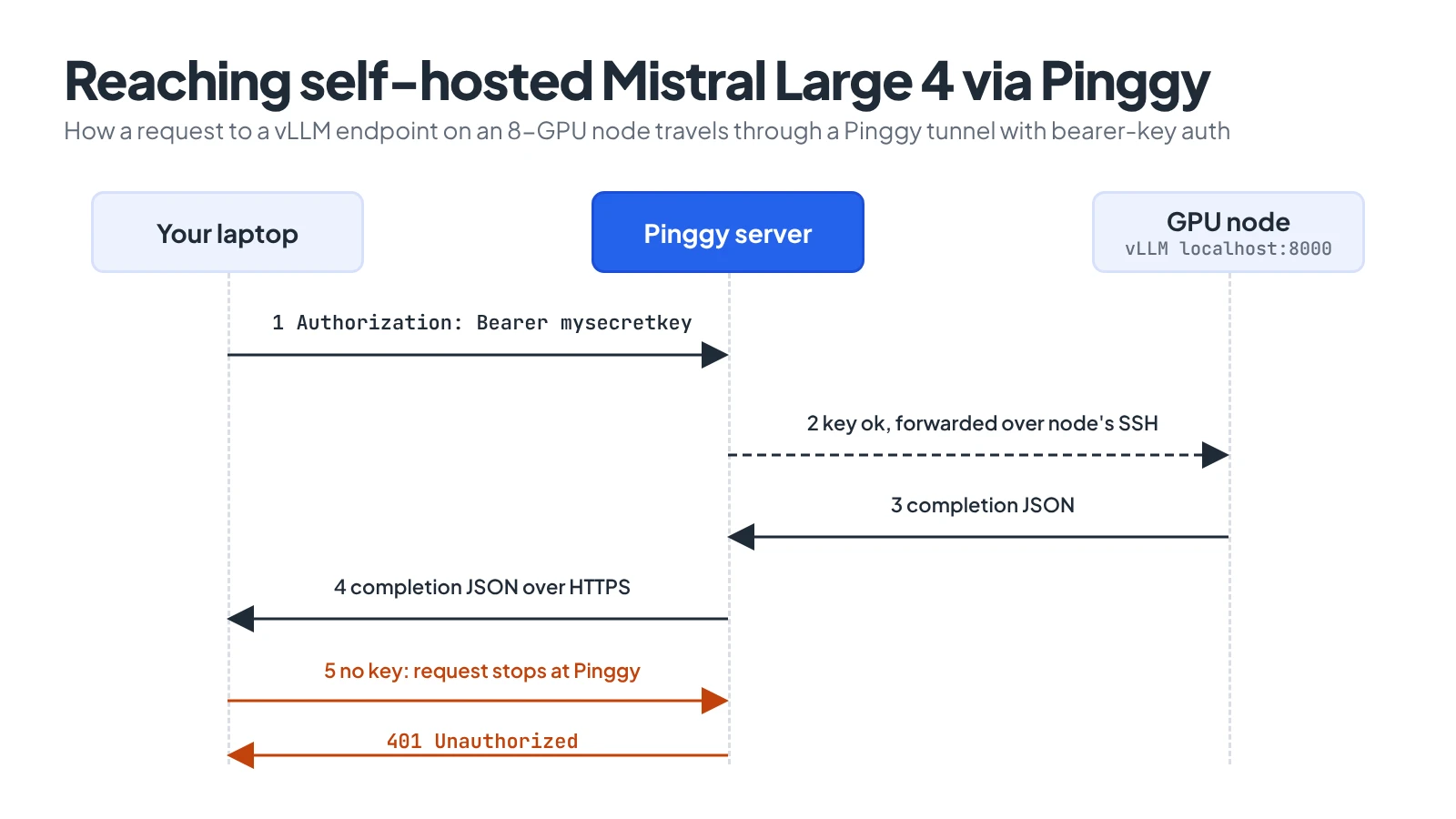
The GPU node dials out; clients without the key never reach vLLM.
Opening the tunnel with a bearer key
On the GPU node, in a second terminal:
Replace mysecretkey with a long random string (openssl rand -hex 24 works). The command prints an HTTPS URL like https://abc123.run.pinggy-free.link. Pinggy now answers only requests that carry Authorization: Bearer mysecretkey.
The free tunnel lasts 60 minutes and the URL changes each time. For anything you want to keep, use a Pro token, which has no timeout and supports a persistent subdomain set in the dashboard:
ssh -p 443 -R0:localhost:8000 <token>@pro.pinggy.io -T -- k:mysecretkeyCalling it from your laptop
From any machine, point an OpenAI-style client at the tunnel URL:
curl https://abc123.run.pinggy-free.link/v1/chat/completions \
  -H "Authorization: Bearer mysecretkey" \
  -H "Content-Type: application/json" \
  -d '{
    "model": "mistralai/Mistral-Large-4-1T-A52B",
    "messages": [{"role": "user", "content": "Write a one-line shell command to count lines in all .py files."}]
  }'
Without the Authorization header the request is refused at the tunnel. The same URL and key work in any tool that takes an OpenAI base URL: set the base URL to https://abc123.run.pinggy-free.link/v1 and the API key to mysecretkey. For the model’s tool use, send a normal tools array; with the two parsers on, you get standard tool_calls back.
Tunnels add a hop, so expect some latency on the first token, and a 1M-token prompt will take a while to upload however you route it. If you want the same pattern for a smaller model, sharing Ollama and Open WebUI online walks through it end to end.
When this is worth it
Self-hosting a model this size makes sense when prompts cannot leave your network, when you will keep eight GPUs busy most of the day, or when you want to fine-tune. For occasional use, the hosted API is cheaper and has no ops. The tunnel step is the same either way: it takes the endpoint you already trust and makes it reachable without exposing the machine.
To check the setup yourself, call /v1/models through the tunnel with and without the bearer key. You should see the model list in the first case and a refusal in the second, and that is what tells you the key is actually enforced before you share the URL.