Outage Incident Report Nov 6, 2023
Incident report for the November 6, 2023 outage. Learn about steps taken to address the issue, temporary access solutions, and preventive measures implemented.
Hands-on guides, protocol deep dives, and field notes on tunnels, SSH, reverse proxies, self-hosting, self-hosted LLMs, and AI - from the people building Pinggy.
Incident report for the November 6, 2023 outage. Learn about steps taken to address the issue, temporary access solutions, and preventive measures implemented.
How Pinggy serves tunnels from three regions: the core/edge split, self-hosted PowerDNS on Postgres with WAL streaming replication, and why anycast is still hard.
Explore TLS tunnels – secure, encrypted channels for client-server communication. Create one easily with Pinggy for secure localhost connections.
Get localhost tunnels without downloading anything. Unlike Ngrok which requires platform-specific downloads, Pinggy works with just one command.
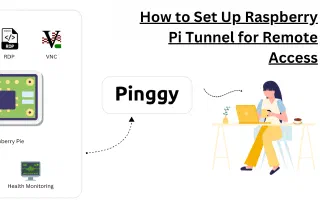
How to reach your Raspberry Pi desktop from anywhere over RDP using xrdp on the Pi and a Pinggy TCP tunnel. Includes the Wayland/labwc gotcha on current Raspberry Pi OS and how to work around it.
Access localhost on your phone with Pinggy's QR code support. Start a tunnel, press 'u' or 'c' for QR, or use 'qr'/'aqr' usernames for persistent QR codes.
Latest steps Pinggy has taken to combat deceptive content distribution. Domain updates and enhanced security measures to ensure secure tunneling experience.
Explore challenges and solutions for rapid DNS updates using AWS Route 53. Learn why hosting your DNS server with PowerDNS may provide a faster alternative.
Access and manage your IoT devices including Raspberry Pi from anywhere using Pinggy TCP tunnels - no public IP required.
Discover how Pinggy's advanced traffic inspection and web debugger streamline debugging with real-time network traffic insights. Optimize workflow and performance.