In this article
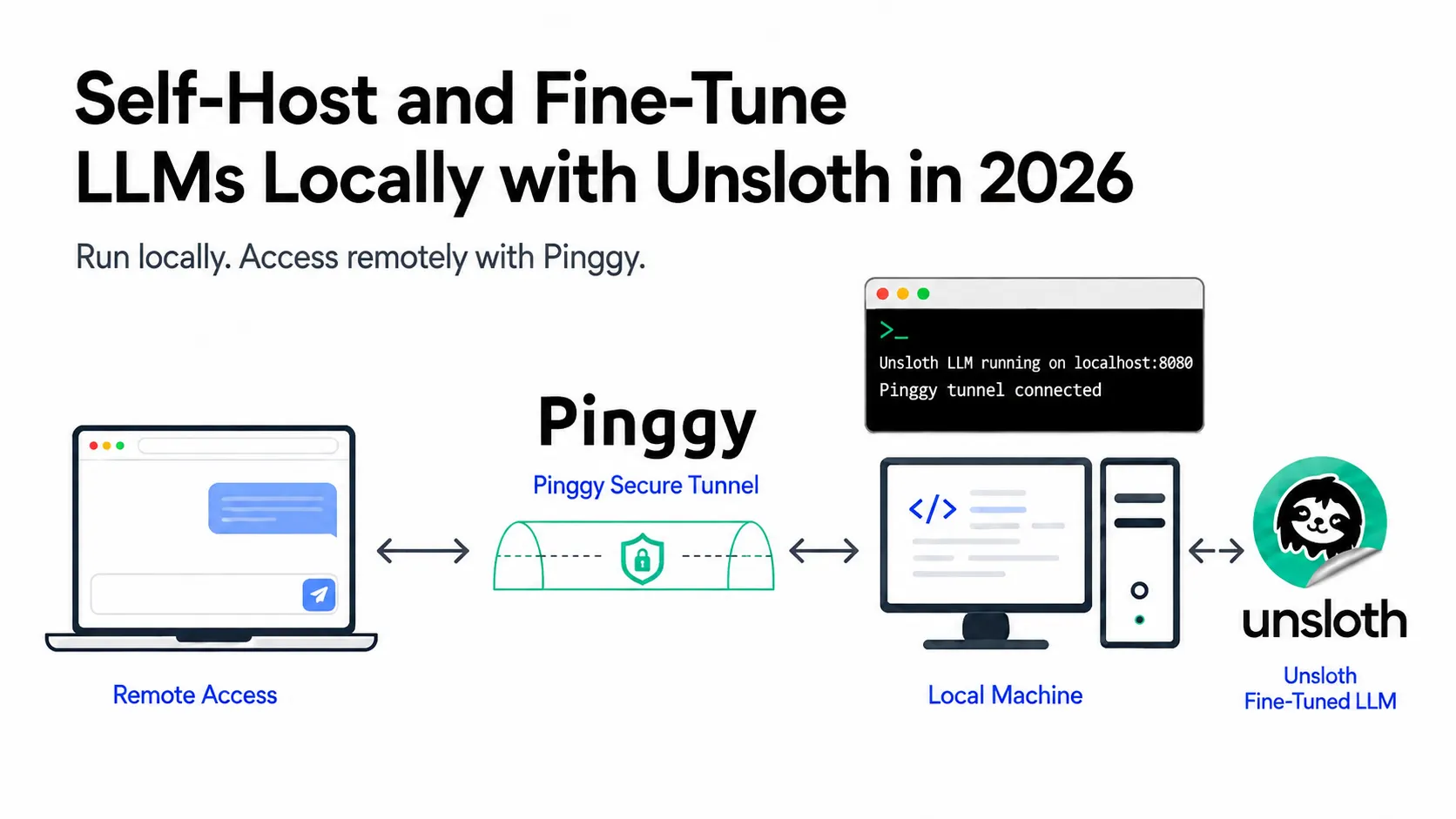
Fine-tuning an 8B model used to mean renting an A100 and hoping the run finished before your credits did. Unsloth changed the arithmetic: a 4-bit QLoRA fine-tune of an 8B model now fits in about 6 GB of VRAM, so you can fine-tune an LLM locally on a 3060.
Unsloth is two things. Unsloth Core is the Python library you import; Unsloth Studio is a local web UI that runs, trains, and exports models with no code. Both sit on hand-written Triton kernels that replace the hot paths in the training loop, which is where the headline numbers come from: 2x faster with 70% less VRAM, up to 12x faster for mixture-of-experts models, and no accuracy loss, because the math is exact rather than approximated. The current release is v0.1.512-beta, published July 29, 2026.
Here is the whole loop: install, run a model, fine-tune it, quantize, export, and share the endpoint.
Summary
Install and launch:
curl -fsSL https://unsloth.ai/install.sh | sh   # macOS, Linux, WSL
unsloth studio -p 8888                          # open http://127.0.0.1:8888
Windows: irm https://unsloth.ai/install.ps1 | iex in PowerShell.
Will it fit on your GPU? For training, QLoRA is the cheapest option: a 3B model needs about 3.5 GB of VRAM, 7B needs 5 GB, 8B needs 6 GB, and 70B needs 41 GB (Unsloth’s published minimums). For running a model rather than training one, pick the UD- prefixed Dynamic 2.0 GGUFs, where UD-Q4_K_XL is effectively lossless.
Share it remotely:
ssh -p 443 -R0:localhost:8888 free.pinggy.ioYou get a public URL on free.pinggy.net / run.pinggy-free.link. Add -t free.pinggy.io "b:user:password" for basic auth, and launch Unsloth with --disable-tools so remote callers cannot run code on your machine.
The catch: Studio is beta, and multi-GPU is the weak spot. Single-GPU is where Unsloth wins.
How to run a local LLM using Unsloth
Installation is one script. It provisions its own Python environment under ~/.unsloth/studio, pulls a llama.cpp backend for GGUF inference, and drops an unsloth launcher into ~/.local/bin.
# macOS, Linux, WSL - the same command updates an existing install
curl -fsSL https://unsloth.ai/install.sh | sh
On Windows, run irm https://unsloth.ai/install.ps1 | iex in PowerShell.
Troubleshooting installation errors on Mac
On an Apple Silicon Mac, check which Python it picks up first. If it lands on python.org’s universal2 build, sysconfig.get_platform() reports macosx-10.13-universal2 and uv resolves Intel wheels for anything with a compiled extension, leaving a mixed-architecture venv. The install completes, then launching dies with incompatible architecture (have 'x86_64', need 'arm64') from pydantic_core. Point the installer at a native arm64 interpreter instead, and wipe the old environment so its kept-torch pin does not drag the broken wheels forward:
rm -rf ~/.unsloth/studio
curl -fsSL https://unsloth.ai/install.sh | UNSLOTH_PYTHON=3.12 sh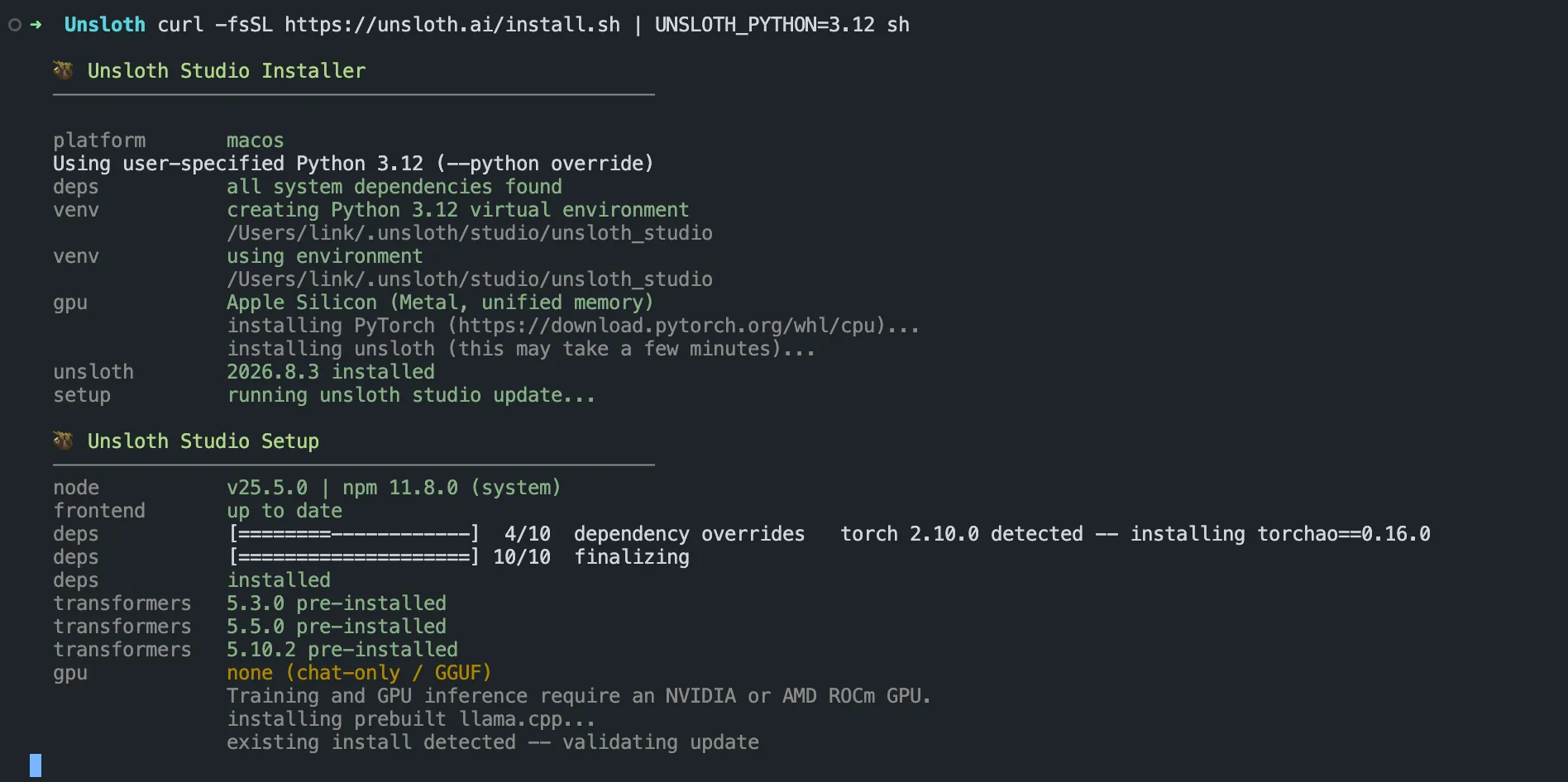
A failed run rolls itself back completely, which is why the next command reports command not found: unsloth - the launcher was never written. Also confirm ~/.local/bin is on your PATH.
Then launch:
unsloth studio -p 8888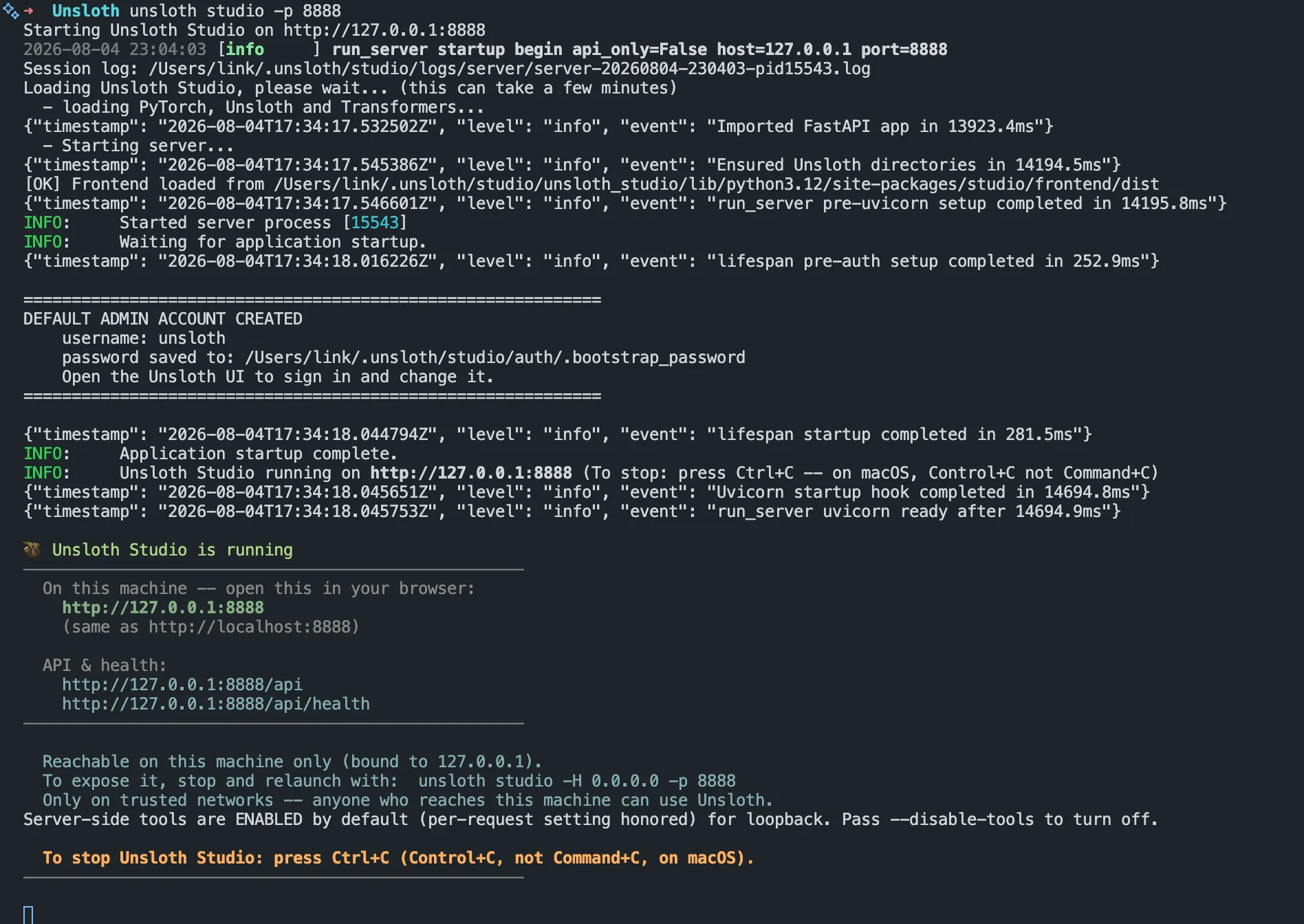
First launch takes a minute while it loads PyTorch and Transformers. It does not prompt you for a password: it creates a default unsloth admin account and writes the generated password to ~/.unsloth/studio/auth/.bootstrap_password. Sign in with that and change it. Studio binds to 127.0.0.1, so nothing is reachable from your network until you change that.
To skip the UI and just serve a model, unsloth run takes a Hugging Face repo and quant in one string. Here it is with unsloth/gemma-4-26B-A4B-it-GGUF, a 26B mixture-of-experts model with only 4B active parameters:
unsloth run --model unsloth/gemma-4-26B-A4B-it-GGUF:UD-Q4_K_XL -c 131072That downloads the model if needed, loads it, and prints the endpoint URL and API key. Studio uses llama.cpp’s smart auto context, allocating only the KV cache you actually need instead of reserving the full declared window, so you can load a 1M-context model on hardware that could never hold 1M tokens of cache.
What actually fits on a MacBook
macOS lets the GPU address roughly 75% of unified memory, and the KV cache grows on top of the weights, so budget about 16 GB of the model on a 24 GB machine and about 45 GB on a 64 GB one. These are the real UD-Q4_K_XL download sizes from Unsloth’s Hugging Face repos:
| Model | UD-Q4_K_XL size | 24 GB Mac | 64 GB Mac |
|---|---|---|---|
| Qwen3.5 4B | 2.9 GB | Yes, lots of room | Yes |
| Gemma 4 E2B | 3.2 GB | Yes, lots of room | Yes |
| Gemma 4 E4B | 5.1 GB | Yes | Yes |
| gpt-oss 20B (MoE) | 11.9 GB | Yes, best pick at 24 GB | Yes |
| Gemma 4 26B-A4B (MoE) | 17.0 GB | Tight, short context only | Yes |
| Qwen3.6 27B | 17.6 GB | Tight, short context only | Yes |
| Gemma 4 31B | 18.8 GB | No | Yes |
| Qwen3.6 35B-A3B (MoE) | 22.4 GB | No | Yes, best pick at 64 GB |
| gpt-oss 120B (MoE) | 63.0 GB | No | No, needs 96 GB+ |
Prefer the MoE entries on a Mac. Unified memory bandwidth, not compute, is the limit, and a model like gpt-oss 20B or Qwen3.6 35B-A3B only reads its active experts per token, so it generates several times faster than a dense model of the same file size.
To point a coding agent at the local model, unsloth start writes the environment and launches it. It accepts claude, codex, opencode, hermes, openclaw, and pi:
unsloth start claudeThis works because Unsloth serves both API dialects: /v1/chat/completions for OpenAI-shaped clients and /v1/messages for Anthropic-shaped ones. Self-healing tool calling matters more than it sounds here, since small local models are notoriously sloppy at emitting valid JSON tool calls and Unsloth repairs malformed ones before they reach the agent. If you are still choosing an agent, we compared the open source CLI coding agents separately.
The Unsloth Studio
Studio launched in beta on March 17, 2026 and covers four jobs that previously needed four separate tools.
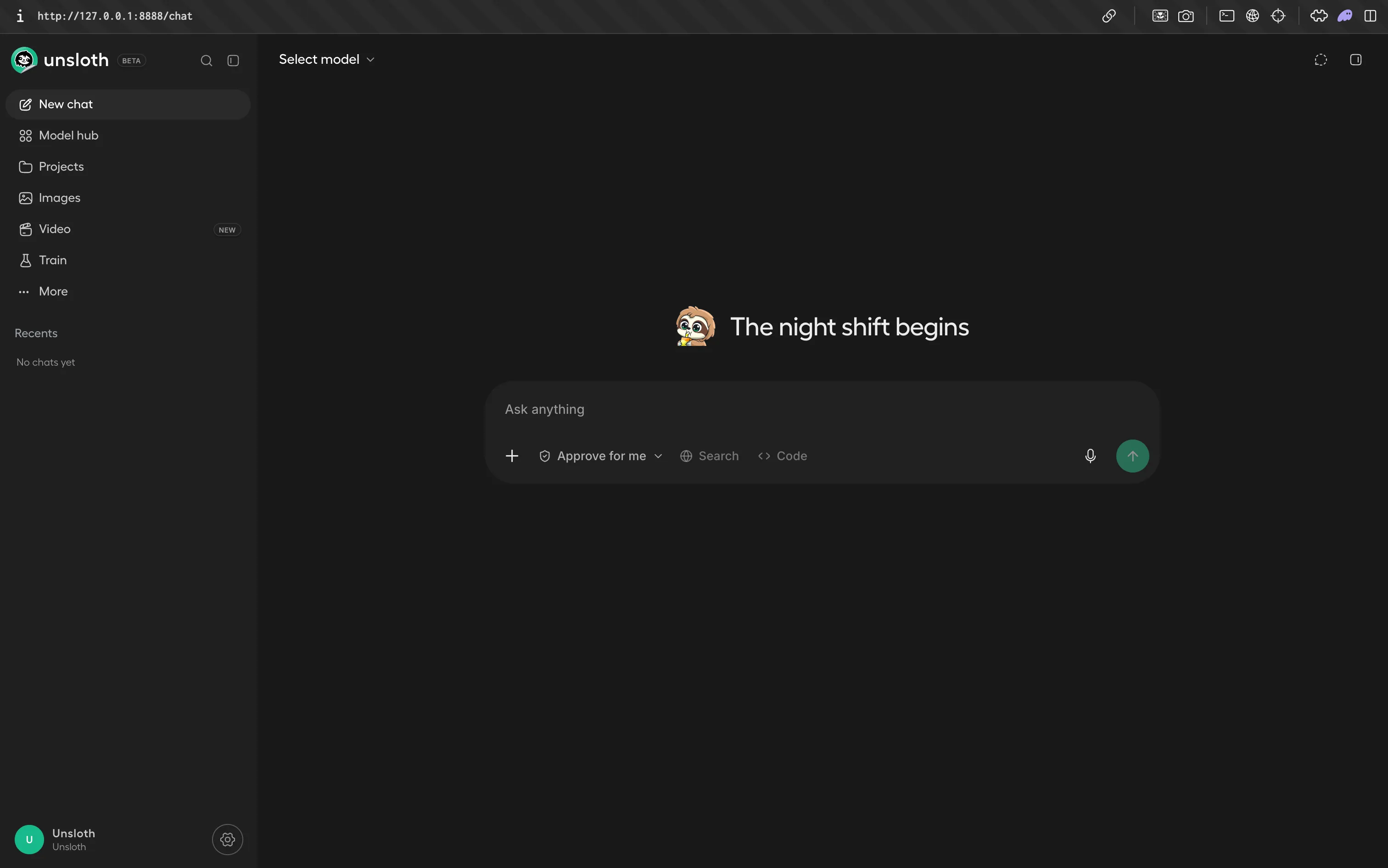
Chat is the inference surface: search Hugging Face, pick a quantization, download, and talk to it, with sandboxed Bash and Python execution and web search that visits pages rather than reading snippets. Model Arena puts two models side by side on the same prompt, which is the fastest way to check whether your fine-tune actually beat the base model.
Data Recipes turns documents into training data. Upload PDF, DOCX, CSV, or Parquet, then build a transformation graph on a canvas from seed, LLM generation, Jinja2 expression, validator, and sampler nodes. Preview a sample, run the full build, and the output lands in the fine-tuning dataset picker.
Fine-tuning is a four-step wizard: pick a modality (text, vision, audio, embeddings) and a method (QLoRA for the lowest VRAM, LoRA, full fine-tuning, or DoRA), pick a dataset, set hyperparameters, then watch loss, LR schedule, and gradient norm update live. Export writes the result out as merged 16-bit safetensors, a LoRA adapter alone, or GGUF for llama.cpp, Ollama, and LM Studio.
How to fine-tune an LLM locally with Unsloth Core
For anything scripted, use the library. It installs separately from Studio:
uv venv unsloth_env --python 3.13
source unsloth_env/bin/activate
uv pip install unsloth --torch-backend=auto
--torch-backend=auto matters on Blackwell (RTX 50-series, B200): it resolves the right CUDA wheel instead of leaving you to match versions by hand. NVIDIA cards need CUDA capability 7.0 or higher, so a V100 or T4 is the floor. Still choosing a card? Our guide to picking hardware for running LLMs locally covers the tradeoffs.
On a Mac, this section is the one part you cannot run. The docs list macOS training as supported, but Studio’s setup step on an M3 Pro reports gpu none (chat-only / GGUF) and states plainly that “Training and GPU inference require an NVIDIA or AMD ROCm GPU.” Apple Silicon gets you the chat, quantization, and GGUF-serving half of this guide; for the fine-tune itself, use an NVIDIA box or a free Colab notebook.
A complete QLoRA run against Gemma 4 E2B, following Unsloth’s official notebook:
# train.py - QLoRA fine-tune of Gemma 4 E2B on a single consumer GPU
from unsloth import FastModel
from unsloth.chat_templates import get_chat_template, standardize_data_formats
from datasets import load_dataset
from trl import SFTConfig, SFTTrainer

model, tokenizer = FastModel.from_pretrained(
    model_name = "unsloth/gemma-4-E2B-it",
    max_seq_length = 2048,
    dtype = None,             # None = auto-detect: bf16 on Ampere+, fp16 on T4
    load_in_4bit = True,      # this is what makes it QLoRA
    full_finetuning = False,
)

model = FastModel.get_peft_model(
    model,
    finetune_vision_layers     = False,  # text-only run
    finetune_language_layers   = True,
    finetune_attention_modules = True,
    finetune_mlp_modules       = True,
    r = 16,
    lora_alpha = 16,
    lora_dropout = 0,
    bias = "none",
    random_state = 3407,
)

tokenizer = get_chat_template(tokenizer, chat_template = "gemma-4")

dataset = load_dataset("mlabonne/FineTome-100k", split = "train[:3000]")
dataset = standardize_data_formats(dataset)

def formatting_prompts_func(examples):
    texts = [
        tokenizer.apply_chat_template(
            convo, tokenize = False, add_generation_prompt = False
        ).removeprefix("<bos>")
        for convo in examples["conversations"]
    ]
    return {"text": texts}

dataset = dataset.map(formatting_prompts_func, batched = True)

trainer = SFTTrainer(
    model = model,
    tokenizer = tokenizer,
    train_dataset = dataset,
    args = SFTConfig(
        dataset_text_field = "text",
        per_device_train_batch_size = 2,
        gradient_accumulation_steps = 8,   # effective batch size = 16
        warmup_steps = 5,
        num_train_epochs = 1,
        learning_rate = 2e-4,
        logging_steps = 1,
        optim = "adamw_8bit",
        weight_decay = 0.01,
        lr_scheduler_type = "linear",
        seed = 3407,
        output_dir = "outputs",
        report_to = "none",
    ),
)

stats = trainer.train()
print(f"{stats.metrics['train_runtime']:.1f}s of training")
The .removeprefix("<bos>") is not cosmetic: apply_chat_template adds a BOS token and the trainer adds another, and a doubled BOS measurably degrades output.
On hyperparameters, Unsloth's guide is concrete and only four knobs matter. Set LoRA rank to 16 or 32 with lora_alpha equal to the rank or double it, start learning rate at 2e-4, keep effective batch size near 16 by raising gradient_accumulation_steps rather than batch size (accumulation costs no extra memory; a larger per-device batch is the main cause of OOM), and stop at 1 to 3 epochs. Healthy loss is 0.5 to 1.0; below 0.2 you are memorizing the dataset rather than learning from it.
Quantized models: Unsloth Dynamic 2.0 GGUFs
Unsloth ships two quantization stacks, and conflating them is a common mistake. Dynamic 4-bit BitsAndBytes (unsloth-bnb-4bit) is for training and is what you get from load_in_4bit = True. Standard QLoRA quantizes every layer uniformly, which wrecks accuracy on sensitive layers; Unsloth’s version selectively declines to quantize those, for under 10% more VRAM.
Dynamic 2.0 GGUF (the UD- prefixed quants) is for inference. Same principle, different target: it picks a quantization type per layer, tuned per architecture, and calibrates on chat-shaped data rather than the Wikipedia text that makes most importance-matrix GGUFs overfit on instruct-tuned models. The measured difference on Qwen3.5, from Unsloth’s GGUF benchmarks (lower is better for both):
| Quant | Disk | Perplexity | Mean KLD |
|---|---|---|---|
| UD-Q4_K_XL (Unsloth) | 19.17 GB | 6.5918 | 0.0137 |
| Q4_K_M (bartowski) | 19.77 GB | 6.6097 | 0.0182 |
| UD-IQ2_XXS (Unsloth) | 9.09 GB | 7.7160 | 0.1846 |
| IQ2_XXS (bartowski) | 8.15 GB | 9.3427 | 0.3457 |
UD-Q4_K_XL beats a conventional Q4_K_M on both metrics while being 600 MB smaller, and the gap widens as you compress harder, because that is where per-layer decisions pay off. On Gemma 4’s quantization-aware-trained weights, Unsloth’s conversion hits 85.6% where a naive Q4_0 conversion of the same checkpoint gets 70.2%. A 15-point swing purely from how you convert the file is a good reminder that GGUF quantization is not a commodity.
In practice: UD-Q4_K_XL and UD-Q5_K_XL are effectively lossless and should be your default, drop to UD-Q3_K_XL when you need the VRAM, and treat UD-Q2_K_XL as a real quality cliff that is still often the only way to fit a large MoE on consumer hardware. For choosing which base model to start from, see our roundup of the best open source self-hosted LLMs.
Exporting your fine-tuned model
Three targets, three one-liners, all from the official notebooks:
# 1. Adapter only - a few hundred MB, needs the base model at load time
model.save_pretrained("gemma4_lora")
tokenizer.save_pretrained("gemma4_lora")

# 2. Merged 16-bit safetensors - standalone, for vLLM / SGLang / transformers
model.save_pretrained_merged("gemma4-finetune", tokenizer)

# 3. GGUF for llama.cpp, Ollama, LM Studio and Unsloth Studio itself
model.save_pretrained_gguf("gemma4-finetune", tokenizer, quantization_method = "Q8_0")
Swap save_ for push_to_hub_ and add token = "hf_..." to upload instead. Which quantization_method values work depends on the architecture: Llama 3.1 accepts the full menu (q4_k_m, q5_k_m, q8_0, f16), while Gemma 4 currently supports only Q8_0, BF16, and F16 from Unsloth Core. For a smaller GGUF on a new architecture, export Q8_0 and quantize down with llama.cpp’s own tooling.
One thing will silently ruin an otherwise good fine-tune: your inference engine has to apply the same chat template and EOS token you trained with. Ollama and LM Studio both guess templates from GGUF metadata, and they guess wrong often enough that it is worth checking the raw prompt your engine sends before concluding the model got worse.
Sharing your local LLM using Pinggy
You now have a model on localhost:8888, which is where most local-AI setups stop being useful: a teammate cannot review your fine-tune, you cannot test from your phone, and a hosted app cannot call it.
Unsloth has two built-in answers. -H 0.0.0.0 binds the raw port to every interface, reachable on your LAN and nowhere else. --secure publishes through a free Cloudflare tunnel and fails closed, so the raw port is never exposed as a fallback. Pinggy is what to reach for when you want control over the tunnel itself: persistent URLs and custom domains, basic auth, IP whitelisting, header rewriting, and a web debugger. It needs no binary and no account for free tunnels, because it is plain SSH remote port forwarding.
Leave Unsloth bound to localhost (the default), and in a second terminal run:
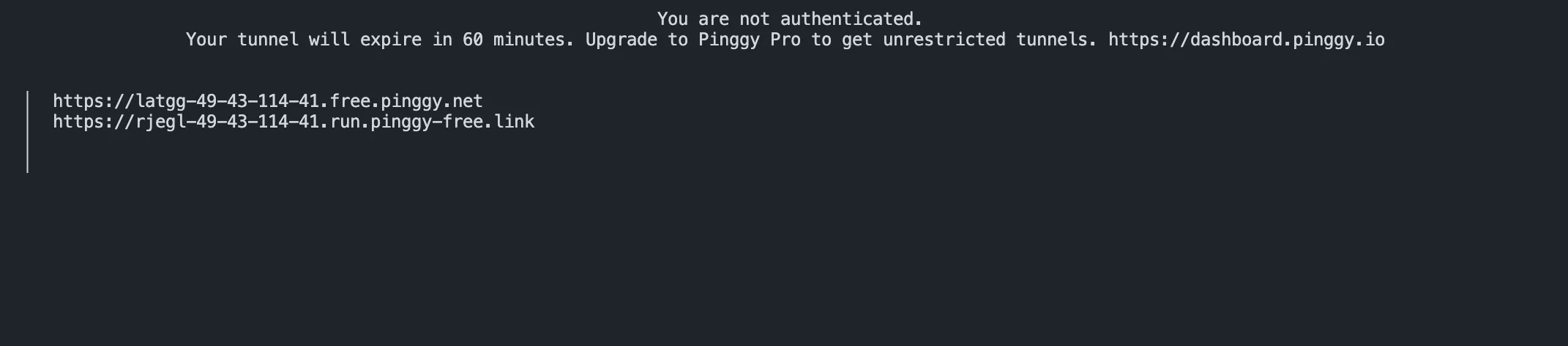
ssh -p 443 -R0:localhost:8888 free.pinggy.ioPinggy prints two public HTTPS URLs, one on free.pinggy.net and one on run.pinggy-free.link. Either opens the Studio login screen. Because -R0:localhost:8888 names one port, that is the only thing reachable: nothing else on your machine is exposed, and the raw port stays bound to loopback.
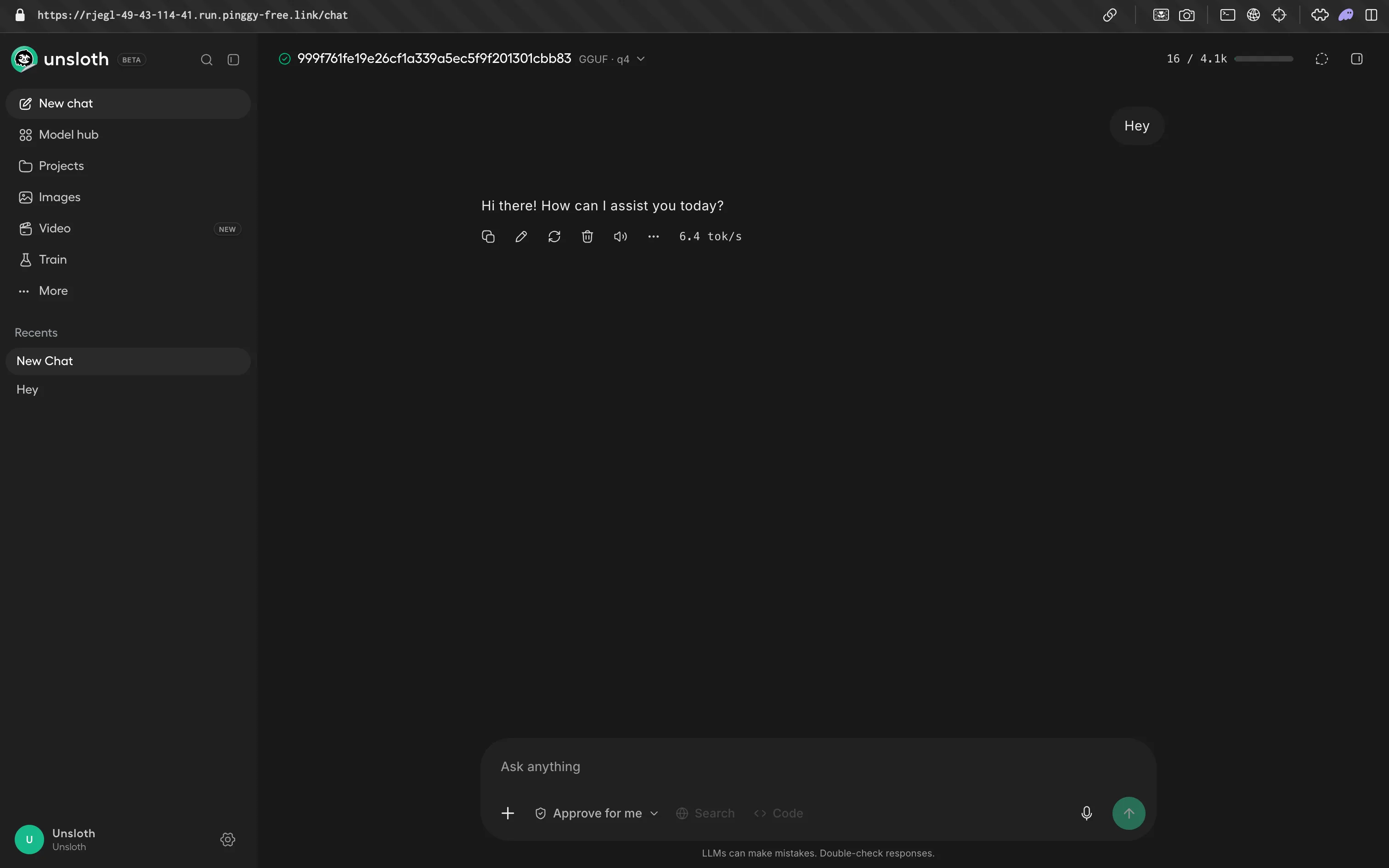
Open either one and Studio behaves exactly as it does locally, model picker and all:
Customize your command:
The same URL serves the API. Create a key in Studio under your avatar, then Settings, then API. Keys are prefixed sk-unsloth- and shown once:
curl https://rjegl-49-43-114-41.run.pinggy-free.link/v1/chat/completions \
  -H "Authorization: Bearer sk-unsloth-YOUR-KEY" \
  -H "Content-Type: application/json" \
  -d '{"model": "gemma4-finetune", "messages": [{"role": "user", "content": "Ping"}]}'
The tunnel terminal doubles as a request log, so you can watch every call hit your machine and spot a failing route without touching Studio’s own logs:
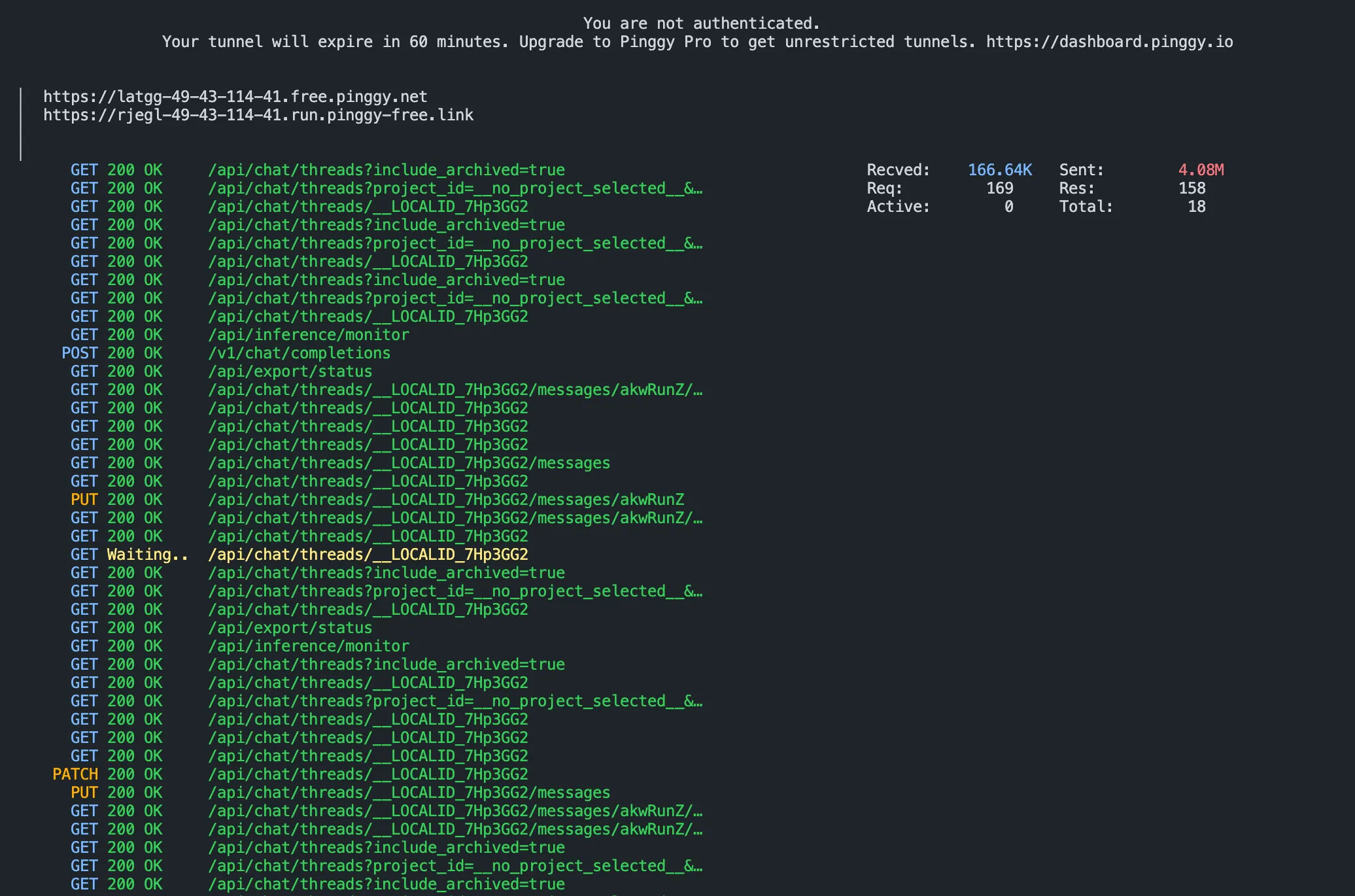
Any OpenAI-compatible client works against that base URL unchanged. Free tunnels time out after 60 minutes and get a new URL on reconnect; for a stable subdomain, sign up at pinggy.io and use token@a.pinggy.io instead.
Lock it down before you share the URL
Unsloth’s server-side tools (web search, Python, Bash) run as your user account and are on by default, so anyone who reaches the server with a valid API key can execute code on your machine. Restart with unsloth studio -p 8888 --disable-tools before exposing it, and add basic auth on the tunnel so a leaked URL alone gets nobody in:
ssh -p 443 -R0:localhost:8888 -t free.pinggy.io "b:reviewer:temporarypass"One caveat for the API rather than the UI: Pinggy’s basic and token auth both use the Authorization header, and so does Unsloth’s API key, so you cannot stack both on one request. For API traffic, rely on the sk-unsloth- key and use Pinggy’s IP whitelist instead. If you would rather share an Ollama endpoint, the same pattern applies on port 11434 and is covered in our Ollama sharing guide.
Unsloth limitations and tradeoffs
Multi-GPU is the real limitation. Unsloth supports it and does automatic GPU placement, but there is no first-class config for tensor, context, or expert parallelism. For eight GPUs and sequence parallelism, look at Axolotl or TRL. For one GPU, Unsloth is the fastest thing available.
Studio is beta, and it shows. The KV cache precision setting reverts from Q8 to F16 on a page reload (issue #4821), you cannot send a message once a conversation hits its context length, and the Fine-tuning tab accepts Parquet or internal Recipe results but not a direct .jsonl upload with column-to-role mapping (issue #4675). If your data is already clean JSONL, the code path is less friction than the UI. Releases land weekly, so pin a version for anything you depend on.
Two smaller things. Licensing is split: Core is Apache 2.0, but the Studio UI is AGPL-3.0, which carries network-use obligations if you offer it as a service. And export format support lags new architectures, so check what quantization_method accepts before planning a deployment around q4_k_m.
Conclusion
Install, launch unsloth studio -p 8888, fine-tune with QLoRA on the defaults, export to UD-Q4_K_XL GGUF, and open a Pinggy tunnel so the people who need to evaluate it can reach it. Start with Studio to see something working in an afternoon, and move to Unsloth Core when the run needs to be reproducible. Multi-GPU is still the honest gap, but for the single-GPU case this is the shortest path from a folder of documents to a model that answers the way you want.