Self-Host Hermes Agent for Free with OpenRouter's Free Models
Running your own AI agent used to mean choosing between a hosted product that owns your data and a framework you assemble yourself. A third option has quietly become practical: a full open-source agent runtime on your own machine, pointed at inference you do not pay for.
Two things make that work right now. Hermes Agent from Nous Research is MIT-licensed, installs in one command, and shipped v0.21.0 on August 31, 2026 with 241,000 GitHub stars behind it. On the model side, a query against OpenRouter’s public catalog on September 5, 2026 returns 19 models priced at $0 per token, 18 of which support tool calling and clear the 64K context floor Hermes requires. That is a capable agent for zero dollars, with one constraint worth understanding first: you are limited by requests per day, not tokens.
Summary
What you get: an MIT-licensed agent runtime on your own machine with persistent memory, a skill library, cron jobs, subagents, sandboxed shell access and a messaging gateway - on models that cost nothing per token.
Install:
curl -fsSL https://hermes-agent.nousresearch.com/install.sh | bashPoint it at a free model (~/.hermes/config.yaml), after hermes config set OPENROUTER_API_KEY sk-or-...:
model:
  provider: openrouter
  default: z-ai/glm-5.2:free
The catch is requests, not tokens. OpenRouter’s free tier allows 20 requests per minute and 50 per day, rising to 1,000 per day once you have ever bought $10 in credits. One agent turn can spend several.
Two hard requirements: the model must support tool calling and expose at least 64,000 tokens of context, which Hermes checks at startup.
Reach it from anywhere: enable the OpenAI-compatible API server on 127.0.0.1:8642, then ssh -p 443 -R0:127.0.0.1:8642 free.pinggy.io. API_SERVER_KEY is what guards the endpoint, so make it long and random.
What you are actually self-hosting
Be precise about this, because it changes what the setup buys you: you are self-hosting the agent, not the model. The control loop, tool definitions, memory files, session history, skills, credentials and the shell it runs commands in all live on your machine; inference is an ordinary HTTPS call out to OpenRouter. Your file tree stays local, but your prompts do leave, and free endpoints are the ones most likely to be served by providers with a permissive data policy - which is why OpenRouter keeps separate privacy settings for free and paid models.
If that boundary is not good enough, Hermes speaks to Ollama, vLLM, llama.cpp and LM Studio through a custom endpoint, the same config shape with a different base_url, a path covered in how to self-host any LLM. The tradeoff is hardware: a 550B-parameter model on a free endpoint is not something a laptop will match.
The two hard requirements
Hermes will not run on just any model, and two constraints rule out most cheap alternatives.
Tool calling is mandatory. Every turn sends a tool schema and expects structured tool calls back for file reads, shell commands and search. A model that cannot emit them does not degrade gracefully here, it simply cannot drive the loop.
64,000 tokens of context is the floor. The Hermes quickstart is blunt: models with smaller windows “cannot maintain enough working memory for multi-step tool-calling workflows and will be rejected at startup.” The system prompt, tool definitions, skill descriptions and memory snapshot all occupy that window before your first message does.
What is free on OpenRouter right now
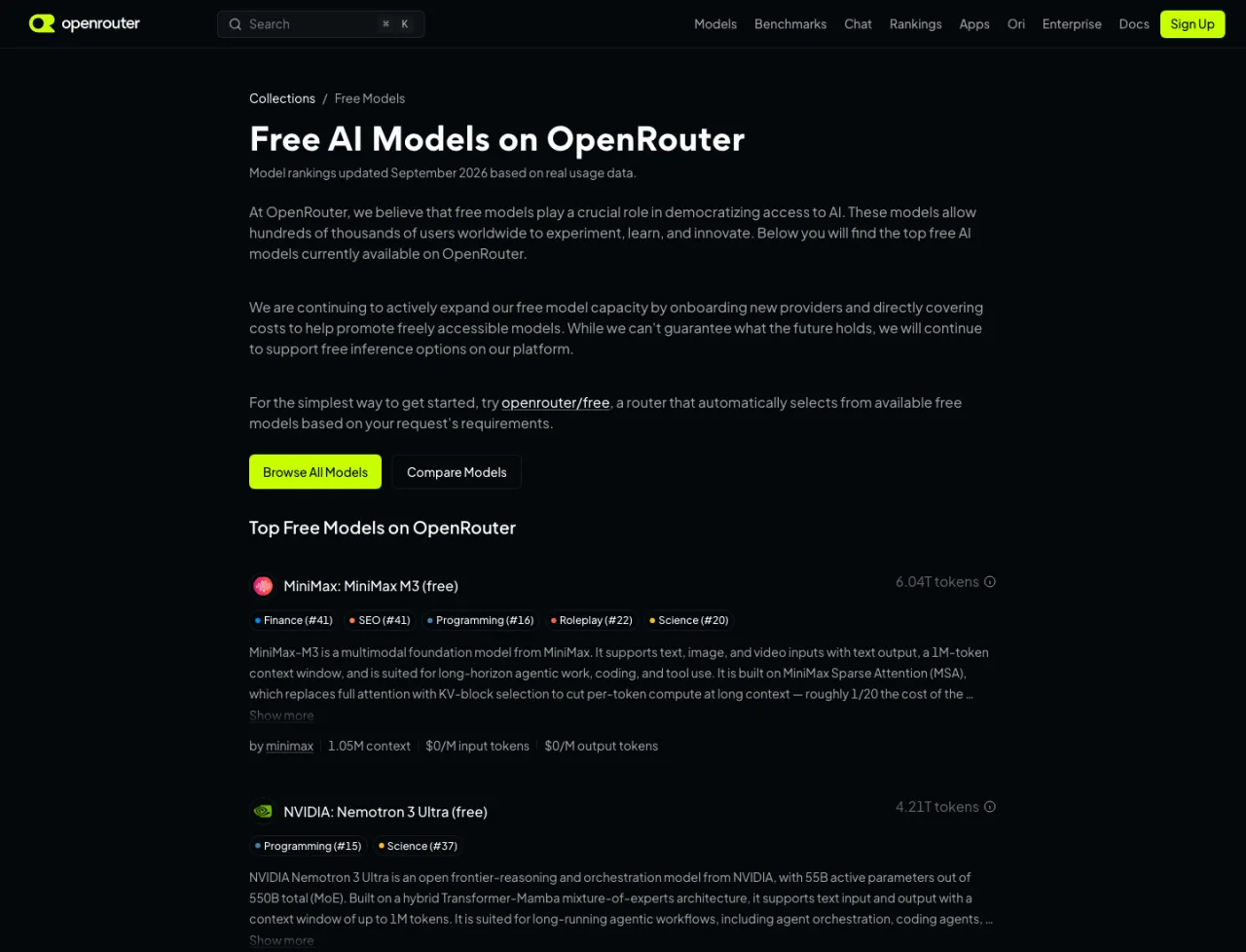
OpenRouter’s free models collection is the readable view, but the list rotates faster than blog posts get updated: the Hermes fallback docs still use inclusionai/ring-2.6-1t:free in an example, and that ID is no longer in the catalog at all. So generate your own. This script needs no API key and filters the live catalog by exactly the two requirements above:
#!/usr/bin/env python3
"""Free OpenRouter models that support tool calling and clear Hermes' 64K floor."""
import json
import urllib.request

with urllib.request.urlopen("https://openrouter.ai/api/v1/models", timeout=30) as r:
    models = json.load(r)["data"]

usable = [
    m for m in models
    if m["id"].endswith(":free")
    and "tools" in (m.get("supported_parameters") or [])
    and (m.get("context_length") or 0) >= 64_000
]

for m in sorted(usable, key=lambda m: -m["context_length"]):
    print(f'{m["id"]:<50}{m["context_length"]:>10,} ctx')

print(f"\n{len(usable)} free tool-calling models usable by Hermes today")
Run on September 5, 2026 it printed 18 free tool-calling models usable by Hermes today, one more than the day before. The only :free ID that fails the filter is nvidia/nemotron-3.5-content-safety:free, a classifier with no tool support. The pick of them, with detail from OpenRouter’s endpoints API the same day:
| Free model ID | Served by | Context | Notes |
|---|---|---|---|
z-ai/glm-5.2:free | Decart | 256K | fp4, structured outputs, tool_choice: required |
nvidia/nemotron-3-ultra-550b-a55b:free | NVIDIA | 1M | 550B total / 55B active, Transformer-Mamba hybrid |
nvidia/nemotron-3.5-lightning:free | NVIDIA | 1M | 30B / 3B active, built for high-throughput agents |
thinkingmachines/inkling:free | Thinking Machines | 1M | 975B / 41B active MoE, multimodal |
poolside/laguna-s-2.1:free | Poolside | 262K | Coding agent model, 70.2% on Terminal-Bench 2.1 |
cohere/north-mini-code:free | Cohere | 256K | 30B / 3B active agentic coder, moderated |
Two details never show up in a pricing table. Several free endpoints serve fp4 or fp8 weights, a fair guess as to why they are free. And each free variant has exactly one serving endpoint, so nothing routes around a bad hour: 24-hour uptime ranged from 100% down to 92.3% on nvidia/nemotron-3-nano-omni-30b-a3b-reasoning:free.
Setup, in four steps
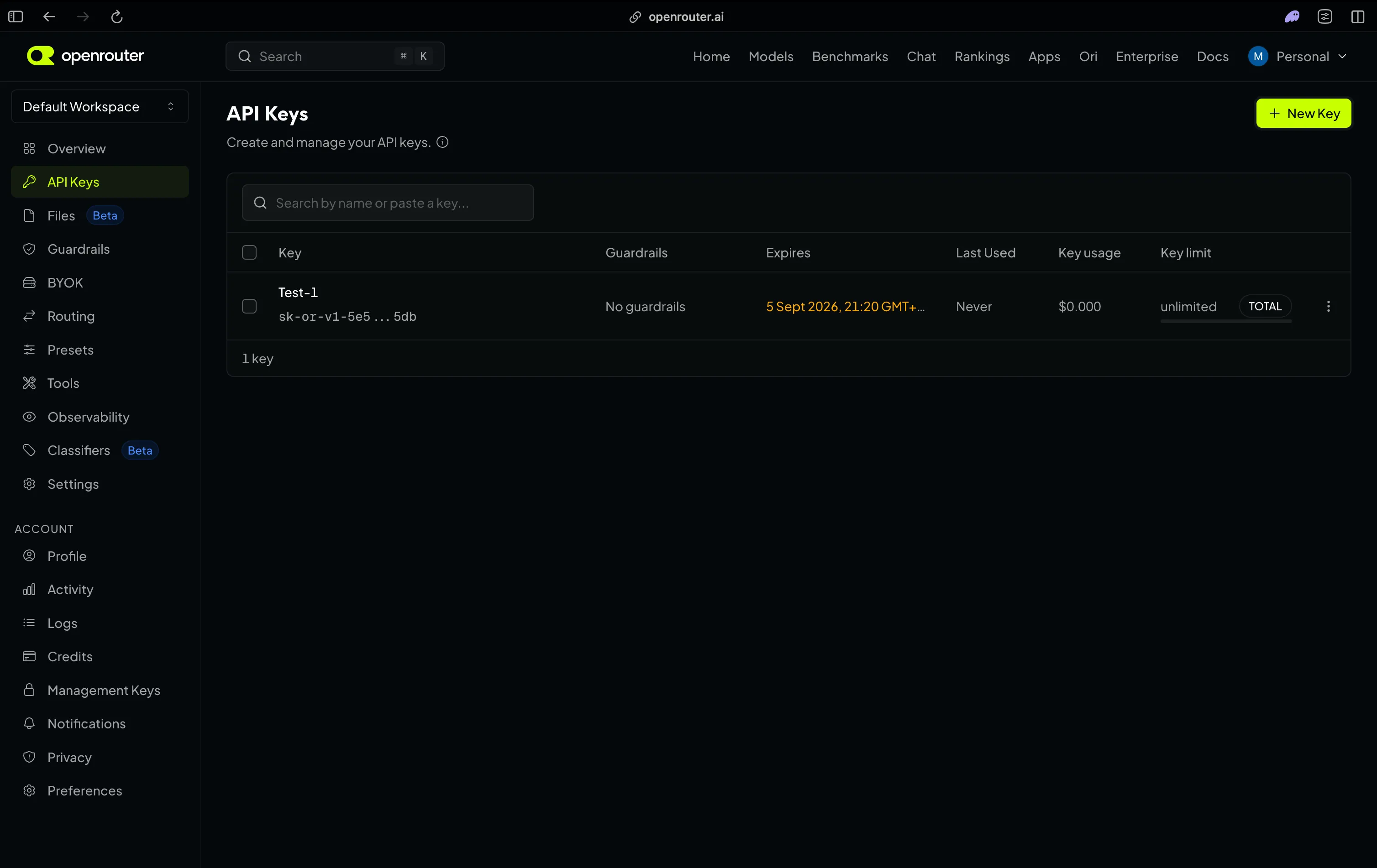
Step 1: Create an OpenRouter API key
Sign up at openrouter.ai and generate a key on the Keys page. It starts with sk-or-, and no card is required for the free models.
Step 2: Install Hermes Agent
On Linux, macOS, WSL2 or Android via Termux:
curl -fsSL https://hermes-agent.nousresearch.com/install.sh | bash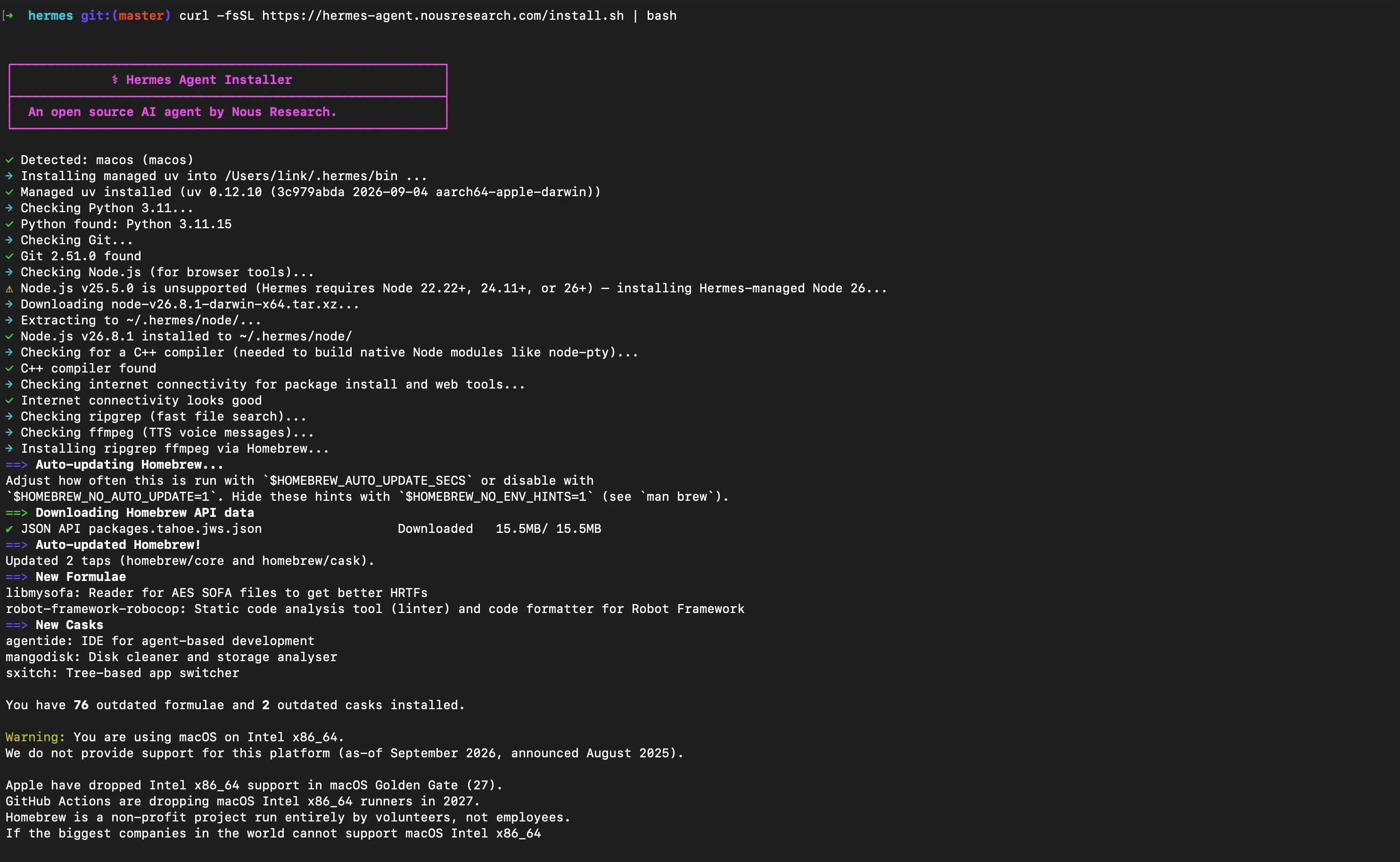
Windows users run iex (irm https://hermes-agent.nousresearch.com/install.ps1) in PowerShell instead. Git is the only prerequisite on non-Windows platforms, plus curl and xz-utils on Linux; the installer pulls uv, Python 3.11, Node.js, ripgrep and ffmpeg itself. Code lands in ~/.hermes/hermes-agent/, the launcher in ~/.local/bin/hermes, your data in ~/.hermes/.
Step 3: Store the key and choose the model
Reload your shell first (source ~/.zshrc or source ~/.bashrc), then hand the key to the CLI, which writes it to ~/.hermes/.env:
hermes config set OPENROUTER_API_KEY sk-or-...
The model itself goes in ~/.hermes/config.yaml:
model:
  provider: openrouter
  default: z-ai/glm-5.2:free
hermes model walks through both interactively and is what you want when adding a provider for the first time.
Step 4: Start it
hermes doctor   # confirm the install before spending a request
hermes          # start chatting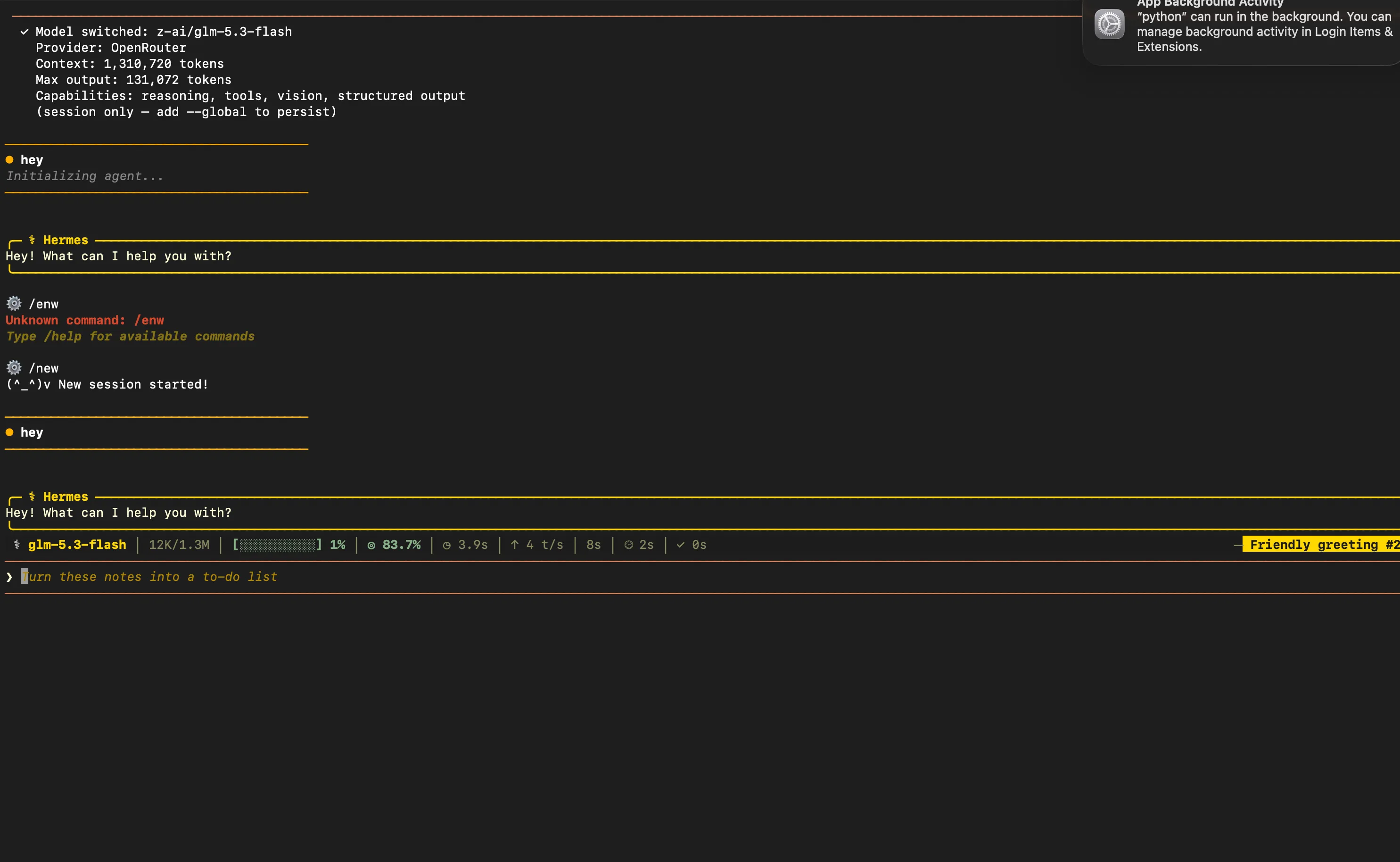
The banner names the provider, the detected context window and the model’s capabilities, which is the fastest way to confirm the free model actually loaded. To try another model, run hermes chat --provider openrouter --model nvidia/nemotron-3.5-lightning:free. Inside a session, /model openrouter:<model-id> switches for that session and --global persists it.
The real limit is requests, not tokens
Free models cost nothing per token, but the request caps are firm: 20 requests per minute regardless of account status, 50 per day if you have never bought credits, and 1,000 per day once you have purchased at least $10 in credits at any point. The per-minute cap does not move with credits; the daily one moves permanently.
The Hermes docs warn that small free quotas “can be exhausted after a handful of agent turns, because Hermes may make several model calls per user turn.” Ask it to fix a bug and it reads files, runs a command, reads the output, edits, re-runs - each one a request. On top of that Hermes runs auxiliary tasks alongside the main loop (context compression, session titles, vision, web summarization and more, eleven slots in total), and by default every one of them goes to your main model and spends from the same budget. Fifty requests per day is a demo. One thousand is a working assistant.
The single most useful setting is a fallback chain across models served by different providers:
fallback_providers:
  - provider: openrouter
    model: minimax/minimax-m3:free
  - provider: openrouter
    model: nvidia/nemotron-3-ultra-550b-a55b:free
Fallback fires on HTTP 429 after retries, on 500, 502 and 503 after retries, and immediately on 401, 403 and 404, swapping model and provider mid-turn without losing the conversation. A rate limit is a 429, so this is what keeps a turn alive when you hit the wall. It is turn-scoped and activates at most once per turn, and the same chain covers auxiliary tasks left on provider: auto, so a free-only chain keeps those free too.
Beyond that, trim the toolset with hermes tools, since every enabled toolset and skill description rides along in each request. hermes setup also has a Blank Slate mode that starts with everything off but the provider, file operations and terminal.
Which free model to start with
Start with z-ai/glm-5.2:free. It gives you 256K context, structured outputs and tool_choice: required on a model built for long-horizon agent work, at 99.8% uptime over the past day. Back it with the chain above, which puts MiniMax M3 and Nemotron 3 Ultra on two more serving providers, so a rate limit on one does not stall the turn.
Swap the primary to taste from there. Laguna S 2.1 and Cohere’s North Mini Code are purpose-built agentic coders; Nemotron 3.5 Lightning activates 3B of 30B parameters when latency beats depth; Nemotron 3 Ultra and Inkling are the heavyweights for hard reasoning. Skip liquid/lfm-2.5-2.6b:free, which clears the floor by 1,536 tokens and whose own card advises against agentic coding. Broader rankings are in the open-weight coding model comparison.
Reach your agent from anywhere
An agent that lives in one terminal window is missing most of the point. Hermes ships an OpenAI-compatible API server, so Open WebUI, LobeChat, a phone app or your own script can drive it with the full toolset. Add two lines to ~/.hermes/.env, then start the gateway:
API_SERVER_ENABLED=true
API_SERVER_KEY=<a long random string>
hermes gateway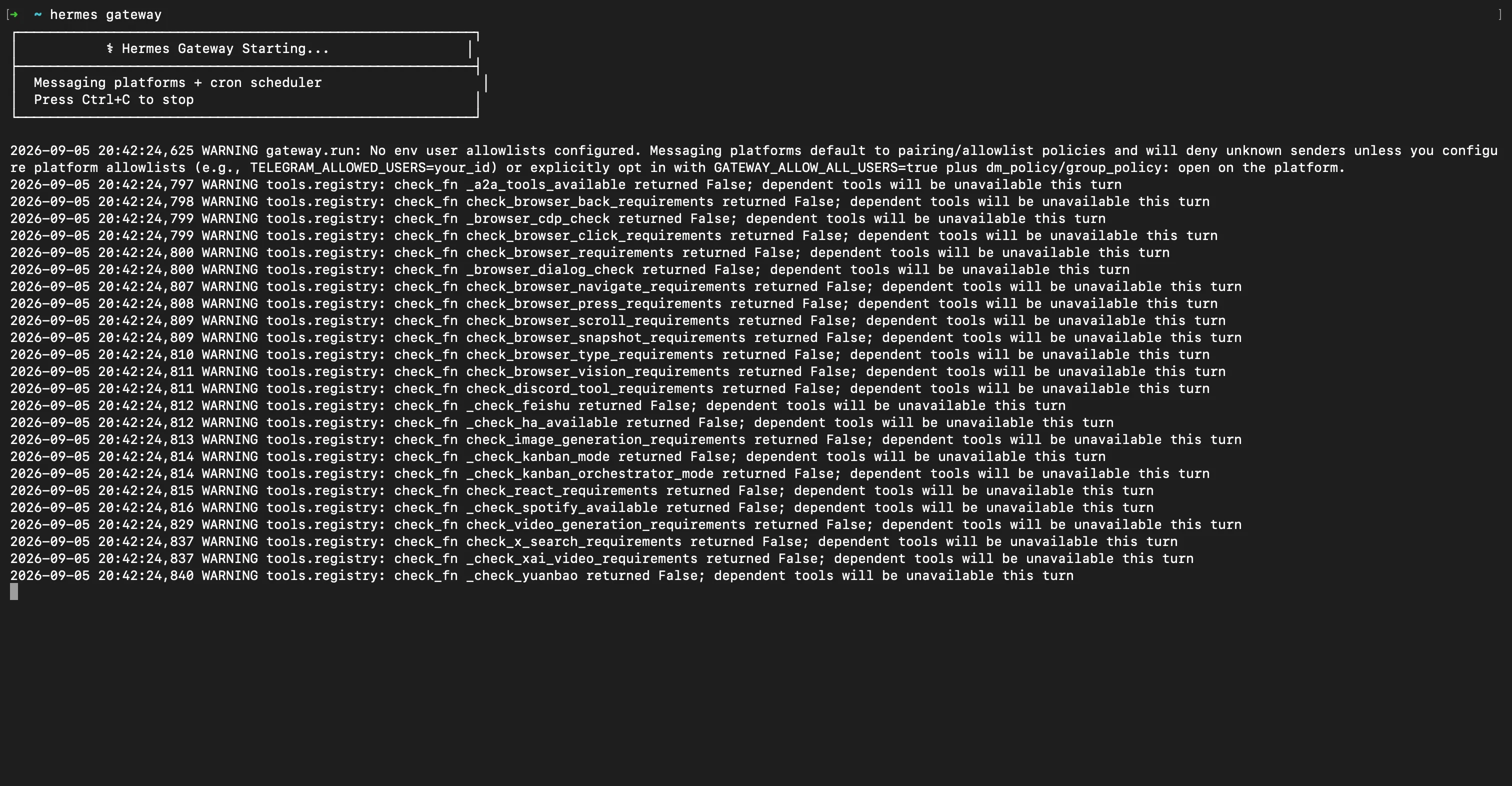
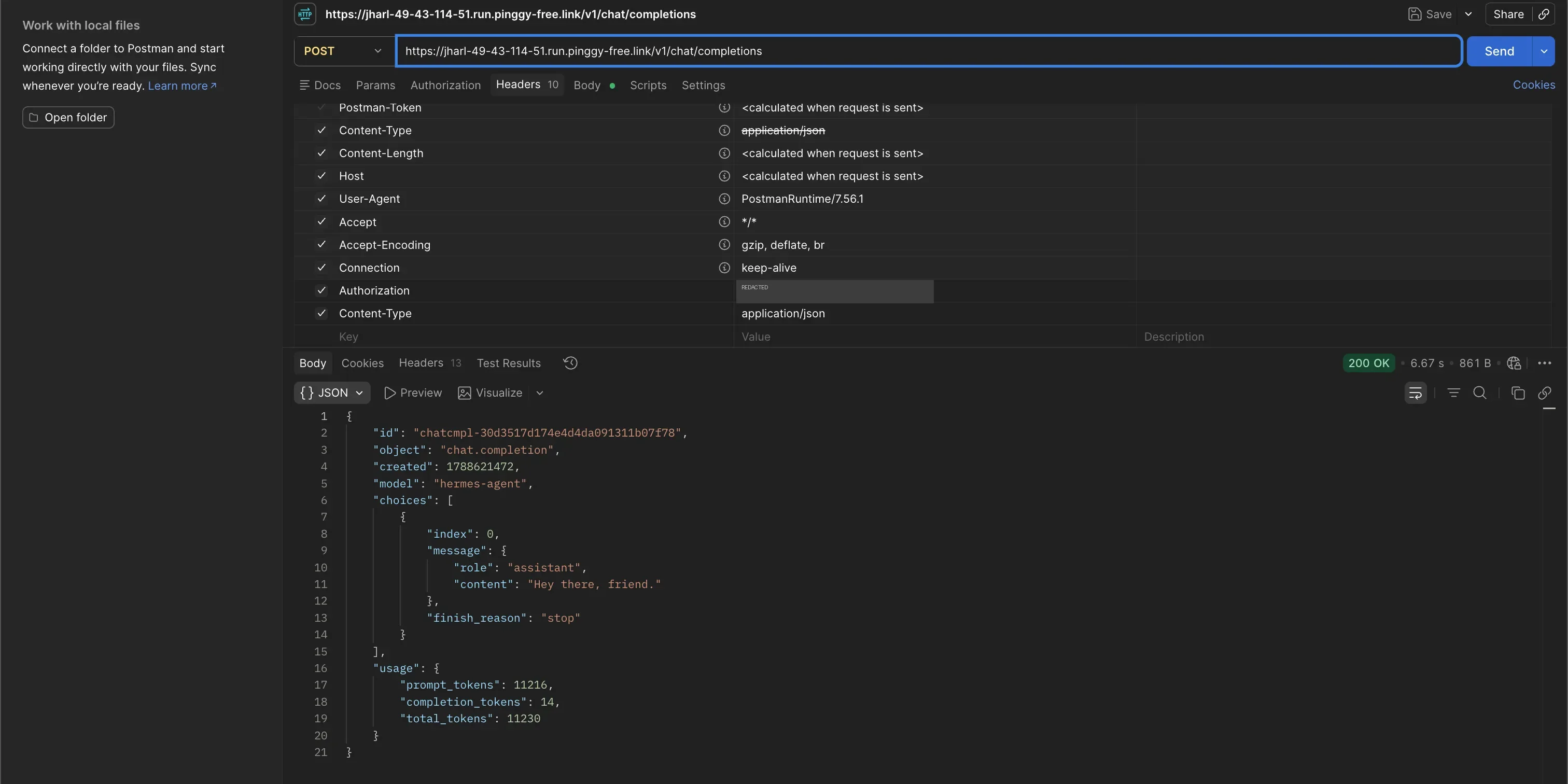
The wall of check_fn ... returned False warnings is not an error. Those are capability probes: no Discord token, no browser installed, no image provider, so Hermes skips those tools for the run. It prints [API Server] API server listening on http://127.0.0.1:8642 and answers on /v1/chat/completions with hermes-agent as the model name. Opening http://127.0.0.1:8642/ in a browser returns 404, which is correct - this is an API, not a web UI, and /health and /v1/* are the routes.
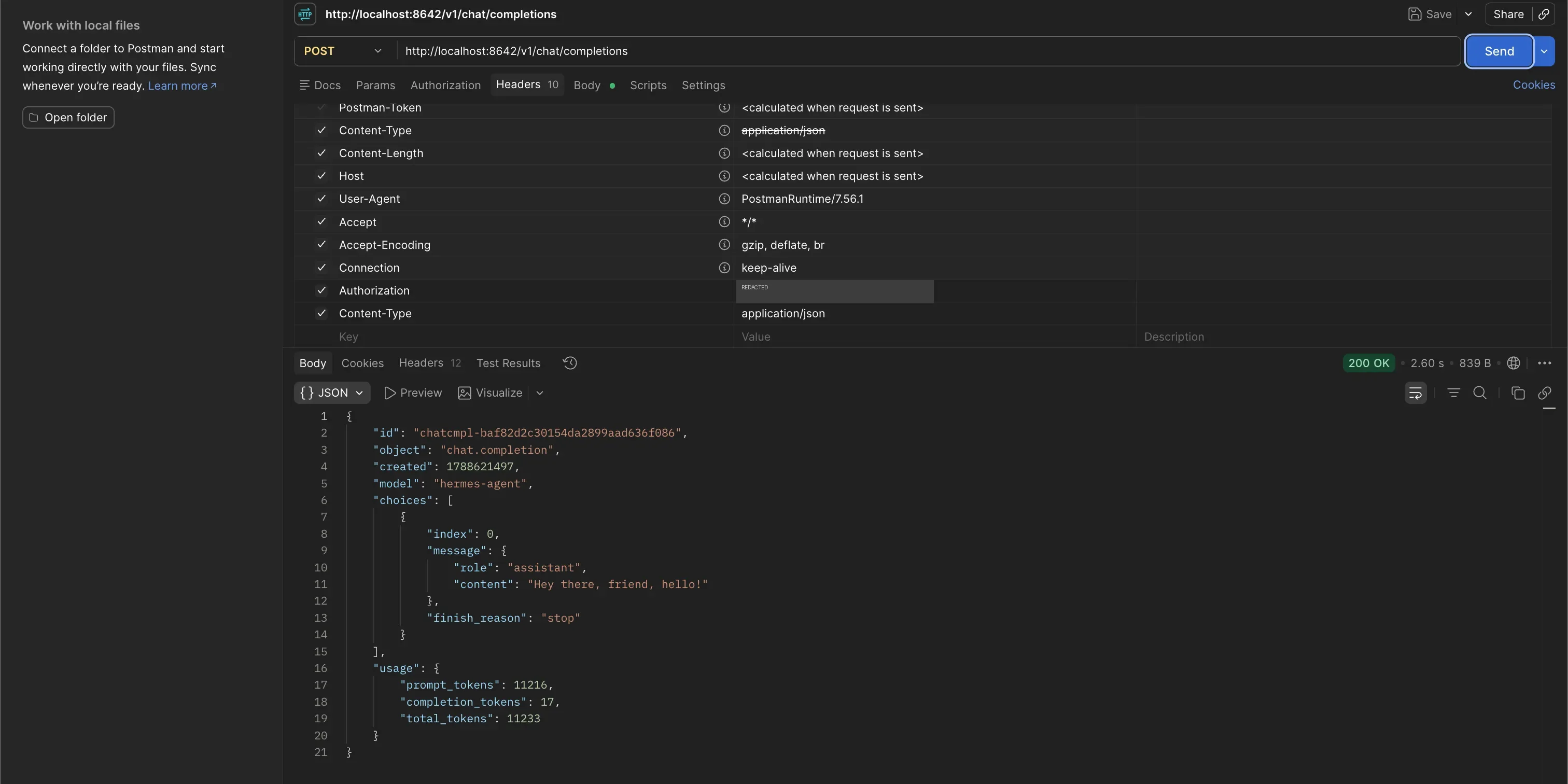
That loopback bind is the right default and also why it is invisible from your phone. Pinggy publishes it over an outbound SSH connection, so nothing changes on your router and the machine can sit behind CGNAT:
ssh -p 443 -R0:127.0.0.1:8642 free.pinggy.io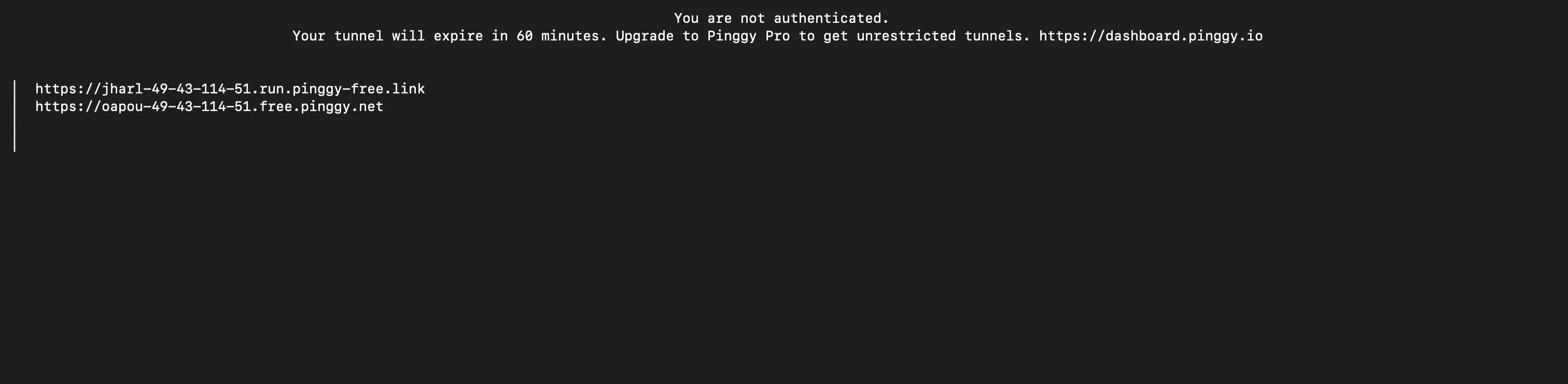
Point any OpenAI-compatible client at https://<your-tunnel>/v1 with the same bearer token, and you are talking to your own agent from anywhere. The mechanism is a plain SSH reverse tunnel.
Pinggy also ships as an official Hermes skill (hermes skills install official/devops/pinggy-tunnel), so the agent can open its own tunnels when a task needs a public URL, such as catching a webhook mid-run. Free tunnels stop after 60 minutes and change hostname on reconnect, so an always-on setup wants a Pro token and a service manager.
What to watch out for
The daily cap is the ceiling on ambition. A long autonomous task can burn a hundred requests without finishing, and cron jobs and subagents multiply that.
Free endpoints are not a contract. Single endpoint, no SLA, and they disappear - the Hermes doc example that no longer resolves is the normal lifecycle, not an outlier.
Read the data policy. Discounted inference and permissive data policies travel together. Hermes guards the explicit version: models with a -contributor suffix, where the vendor may train on your prompts, need confirmation, and unattended cron runs fail closed until you set security.allow_data_training_tiers_noninteractive.
Sandbox the shell. This agent runs terminal commands and the API server exposes that over HTTP, so hermes config set terminal.backend docker is a reasonable default for an agent driven by a model you have not evaluated.
Conclusion
The interesting part is not that it is free. It is that the free part is the model, the one component you swap in a single line when the catalog changes, while the agent, its memory and its skills stay on your machine.
Start narrow: install Hermes, put z-ai/glm-5.2:free in config.yaml, add two free models as fallbacks, and give it a real task before enabling anything extra. If the request budget turns out to be the binding constraint, $10 of credits moves you from 50 to 1,000 requests a day, which will do more than any model swap. The Pinggy documentation covers persistent subdomains and the other tunnel types.