In this article
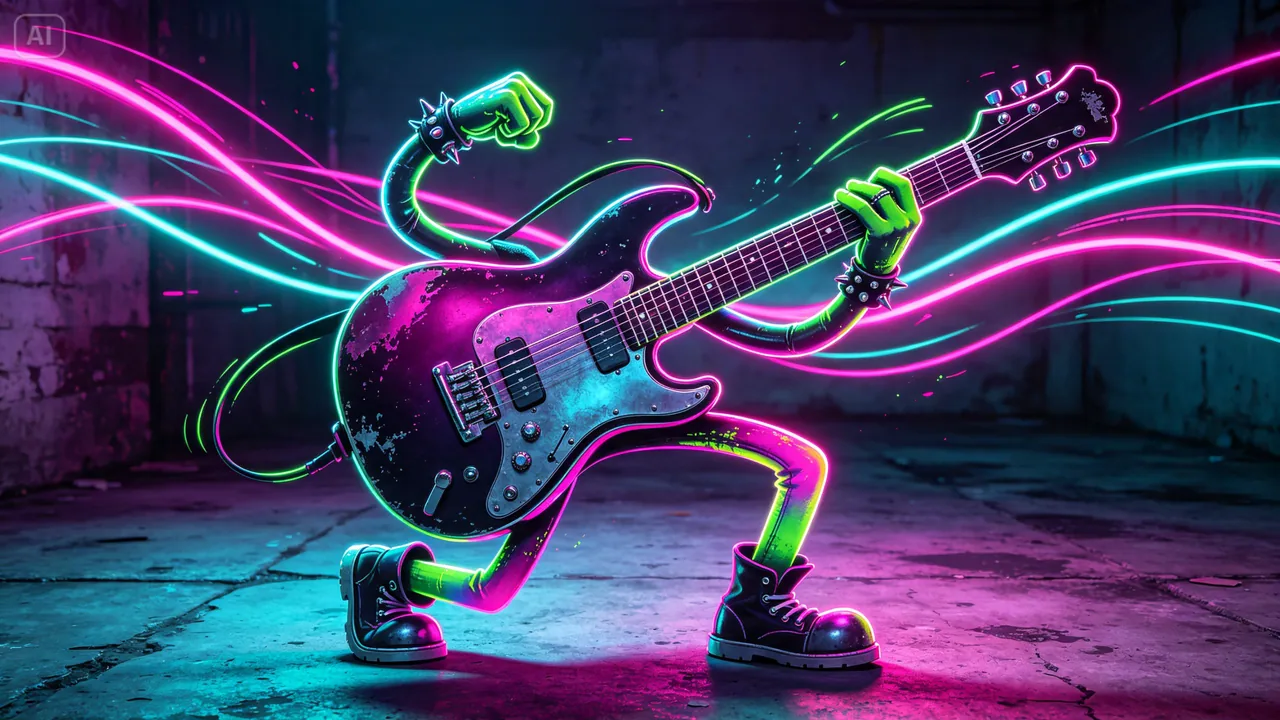
Picture a violin with a dancer’s posture, a drum set bursting with chaotic energy, or a saxophone leaning back with cool, confident swagger. Instruments already hint at a character through their shape and sound. Push that hint into a fully illustrated personality and you get artwork that’s charming and hard to mistake for anything else.
An AI picture generator makes designing these instrument-based characters far more approachable. Dreamina, with its advanced image generation capabilities, handles this blend of object and personality with real creative sensitivity. Here’s how to give an instrument a character that actually suits its sound.
Summary
- Start from the instrument itself. Its silhouette and sound (a cello’s deep curves, a trumpet’s bright angles) suggest a personality before you draw anything.
- Pick how far to anthropomorphize: expressive eyes on the real shape, an instrument body with limbs and a face, or a full humanoid figure with musical motifs.
- Map sound to shape: staccato reads as angular, legato as flowing curves, percussion as dynamic poses.
- In Dreamina: write a prompt that names the instrument, how much of its shape survives and its personality, pick Seedream 5.0 Pro with a portrait ratio at 2K, then refine with inpaint, expand, remove and retouch before downloading.
- Keep the instrument readable. Leave the strings, valves or drumhead visible, and add one signature detail so the character sticks.
Reading an instrument’s inherent personality
Before you design anything, look at what the instrument’s physical form and sound already suggest. A cello’s deep, resonant tone and curved feminine silhouette might point to a graceful, thoughtful character.
A trumpet’s bright, brassy sound and angular shape point somewhere else: bold and outspoken. Starting from qualities the instrument already has gives you a character that feels connected to its source instead of pasted on.
Deciding how literally to anthropomorphize the instrument
How human an instrument character becomes is a sliding scale, and where you land on it shapes the whole design:
- Subtle personification - the instrument keeps its exact shape and just gains expressive eyes
- Partial transformation - the instrument body stays, with added limbs or a simple face
- Full character design - an instrument-inspired humanoid figure carrying clear musical motifs
Translating musical qualities into visual design choices
The way an instrument sounds can drive specific visual decisions. Sharp, staccato sounds suggest angular design, warm legato tones suggest flowing curves, and percussive instruments call for dynamic, energetic poses rather than static ones.
Building a full orchestra of distinct characters
Once one instrument character works, design the rest of the cast: a bold brass character, a graceful string character, a steady percussion character, each reflecting what its section actually does in the music. Built that way, the set reads as a cohesive ensemble, and one you can keep developing into a connected creative universe.
Your 3-step character composition with Dreamina
Step 1: Write a detailed text prompt
Open Dreamina and write a detailed text prompt that describes your instrument turned into a character. Say how much of its literal shape remains and what personality traits its design should convey.
A prompt might read:
An elegant violin character with graceful curved wooden limbs extending naturally from its own body, standing in a poised ballet dancer’s stance, warm honey-toned wood grain, whimsical musical character illustration with soft romantic lighting.
Tying the personality directly to the instrument’s real sound and shape is what makes the design feel connected rather than arbitrary.
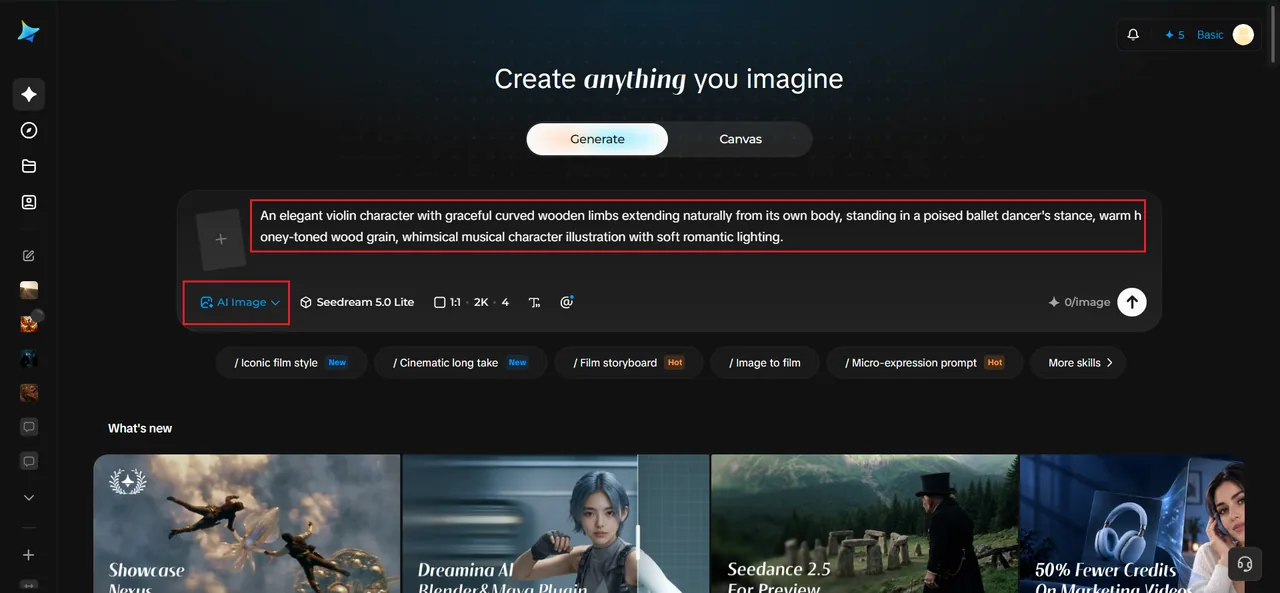
Step 2: Adjust parameters and generate
Before generating, set your parameters. Start with the model: Image 5.0 Pro (Seedream 5.0 Pro) handles the mix of organic character posing and detailed instrument texture particularly well. Then pick the aspect ratio, image size and resolution. A portrait ratio keeps the focus on the character, and 2K resolution preserves fine wood grain or metal texture. Click Dreamina’s generate icon to produce your character.
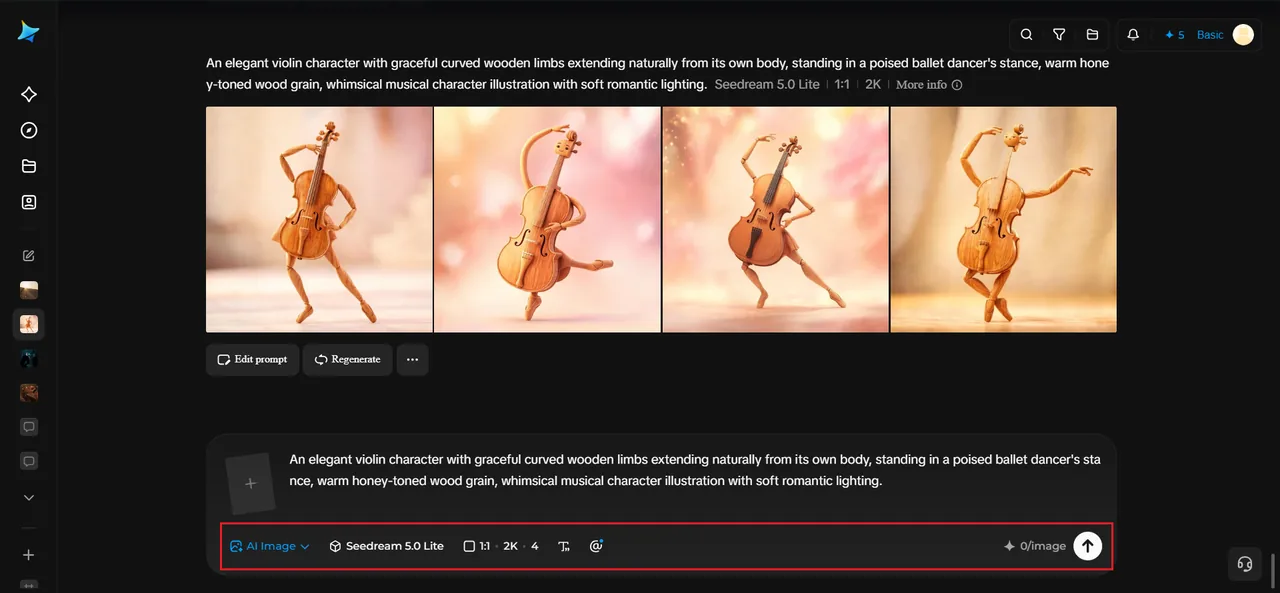
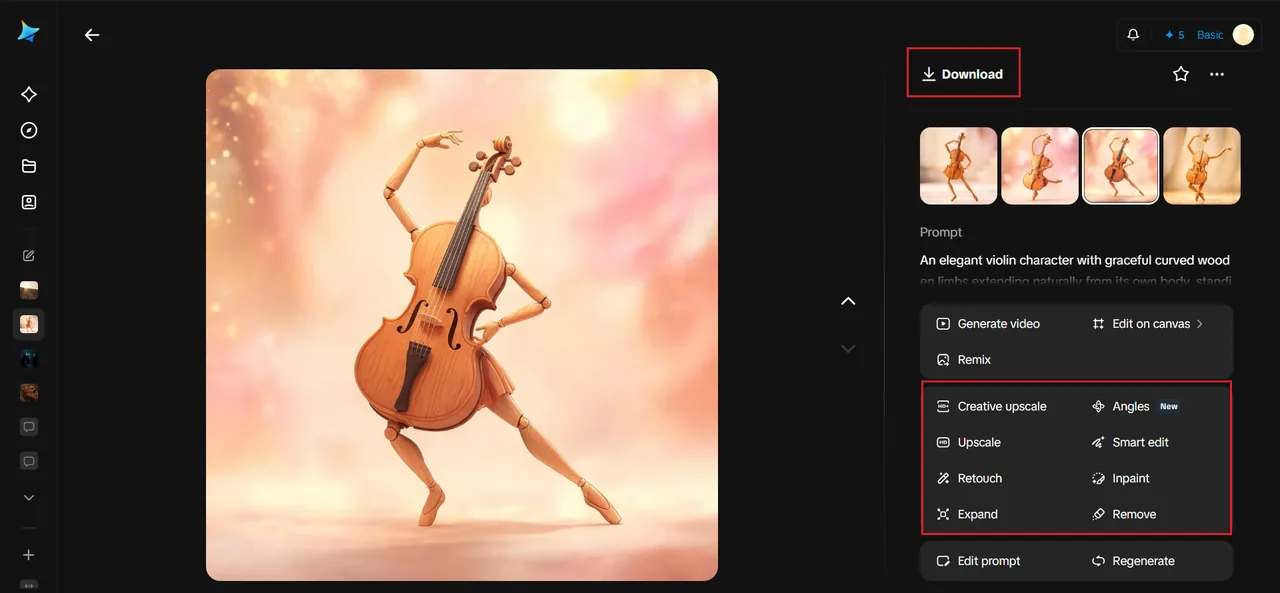
Step 3: Customize and download
Once the character is generated, refine it with Dreamina’s AI editing tools: inpaint to adjust a specific expression or pose detail, expand to give the character more room around it, remove to clean up anything distracting, and retouch to sharpen overall texture and personality. When the character feels alive, click the Download icon to save it.
How Dreamina’s models support character-driven illustration
Seedream 5.0 Pro is Dreamina’s newest and most capable model, which makes it a good fit for nuanced character work like this. Its deep reasoning generation works out how personality traits, sound qualities and physical form should combine before it renders the final image. That’s what lets a violin character move and pose like something graceful instead of defaulting to a generic humanoid stance. Its precise editing also lets you refine small expressive details, like a tilt of the head or a specific gesture, once the base character exists.
Nano Banana is the faster route for testing several personality directions on the same instrument, while GPT Image 2 gives you a different stylistic take, worth trying if a more stylized or graphic character design suits your project better.
Giving each character a signature accessory or detail
One small, specific detail, like a scarf made from sheet music, a bow held like a dance partner, or a drumstick worn as jewelry, pushes an instrument character from simply “cute” to memorable, the kind you’ll want to bring back across a larger creative project.
Where instrument character designs get real use
This kind of playful, musically grounded character work has real uses across several creative contexts:
- Children’s music education materials and storybooks
- Band and orchestra branding, mascots and merchandise
- Music school marketing and recruitment materials
- Personal illustration portfolios that show off character design range
Keeping the instrument’s actual function visible
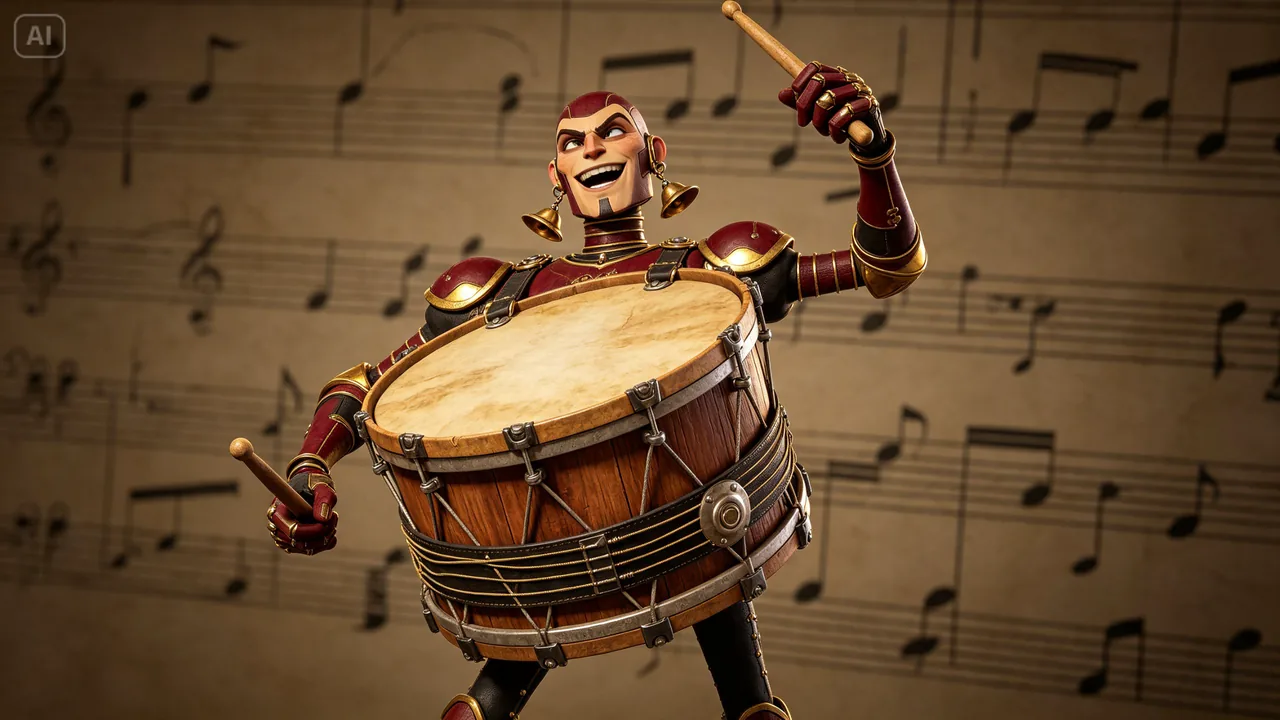
It’s tempting to humanize an instrument until its original shape disappears entirely. The most charming designs keep enough of the real instrument recognizable, like strings still running along a violin’s transformed body or valves still on a trumpet character, so viewers can tell at a glance what inspired the design.
Considering how the character would actually play its own sound
A fun exercise worth building into the design is imagining how the character would make its own music: a cello character wrapping its arms around itself to “play,” or a drum character striking its own surface. That small narrative touch adds charm beyond a simple personified object.
Final thoughts
An instrument’s shape and sound already suggest a personality waiting to be drawn out, and giving it visual life is now within reach using an AI image generator built for exactly this kind of imaginative character work.
With Dreamina’s image models handling the nuanced character rendering, an instrument’s implied character can turn into something charming and memorable.
Listen to what the instrument’s sound already suggests, translate it into physical design, and let Dreamina bring your musical character to life.