Self-Host OmniRoute: A Free AI Gateway for 500+ Models and 290+ Providers
Updated on Oct 8, 2026 · 8 min read
One command gets you a working AI gateway in about a minute, and here is the part that surprised me: before configuring a single provider or pasting a single API key, curl http://localhost:20128/v1/models came back with 99 models (on v3.8.48, which is what we ran). That includes 36 routing aliases like auto/best-coding and auto/best-free, plus a handful of no-auth provider pools that need nothing from you at all. One of them answered a real chat completion on the first try.
OmniRoute is a free, MIT-licensed AI gateway you host yourself. It puts one OpenAI-compatible endpoint in front of what its README counts as 358 providers (150+ with a free tier) spanning Claude, GPT, Gemini, DeepSeek, Kimi, GLM, Mistral, and MiniMax. Nothing sits in the request path except your own container. It went up on GitHub in February 2026 and, as of October 9, 2026, sits at 74,497 stars and 10,738 forks, with the current release being v3.8.51 from September 30, 2026. That is up from 33,908 stars and 290+ providers when we first wrote this in July. We covered the wider AI gateway category, including OpenRouter and LiteLLM, in our roundup of AI LLM routers.
A note on what was tested when. The hands-on results below (the 99-model list, container memory, the tunnel and its basic auth) are from our run of v3.8.48 in Docker. For this update we rechecked the counts, the engine and Node requirements, the default password, and the CLI commands against the v3.8.51 npm package and README, but did not repeat the container run.
Summary
- What it is: a free, MIT-licensed, self-hosted AI gateway from diegosouzapw/OmniRoute - one OpenAI-compatible endpoint, 358 providers, 150+ with a free tier.
- Run it:
npm install -g omniroute && omniroute, ordocker run -p 20128:20128 diegosouzapw/omniroute. Dashboard and API both live on port 20128. - Fix one thing first: set
INITIAL_PASSWORD, or the dashboard admin login defaults to the literal stringCHANGEME. - Why bother: free-tier aggregation (~1.62B tokens/month across 35 pools) and Combos that fail over between providers automatically when one runs out of quota.
- Share it:
ssh -p 443 -R0:localhost:20128 free.pinggy.iofor a public HTTPS URL; add-tbefore the host andb:user:passwordafter it (ssh -p 443 -R0:localhost:20128 -t free.pinggy.io b:user:password) to password-protect the tunnel.
Getting it running
Two commands, either of which works:
# npm - check the engines field first, it is narrow:
# node >=22.22.2 <23 || >=24.0.0 <27, so Node 23 is excluded
npm install -g omniroute
omniroute

# Docker - nothing else needed
docker run -p 20128:20128 diegosouzapw/omniroute
The first boot writes its own secrets. This is the actual log from a fresh container:
[bootstrap] JWT_SECRET auto-generated (first run)
[bootstrap] STORAGE_ENCRYPTION_KEY auto-generated (first run)
[bootstrap] API_KEY_SECRET auto-generated (first run)
[bootstrap] Secrets persisted to: /app/data/server.env
[bootstrap] INITIAL_PASSWORD is not set - using default 'CHANGEME'. Change it in Settings!
Next.js 16.2.10
- Local:         http://localhost:20128
Ready in 0ms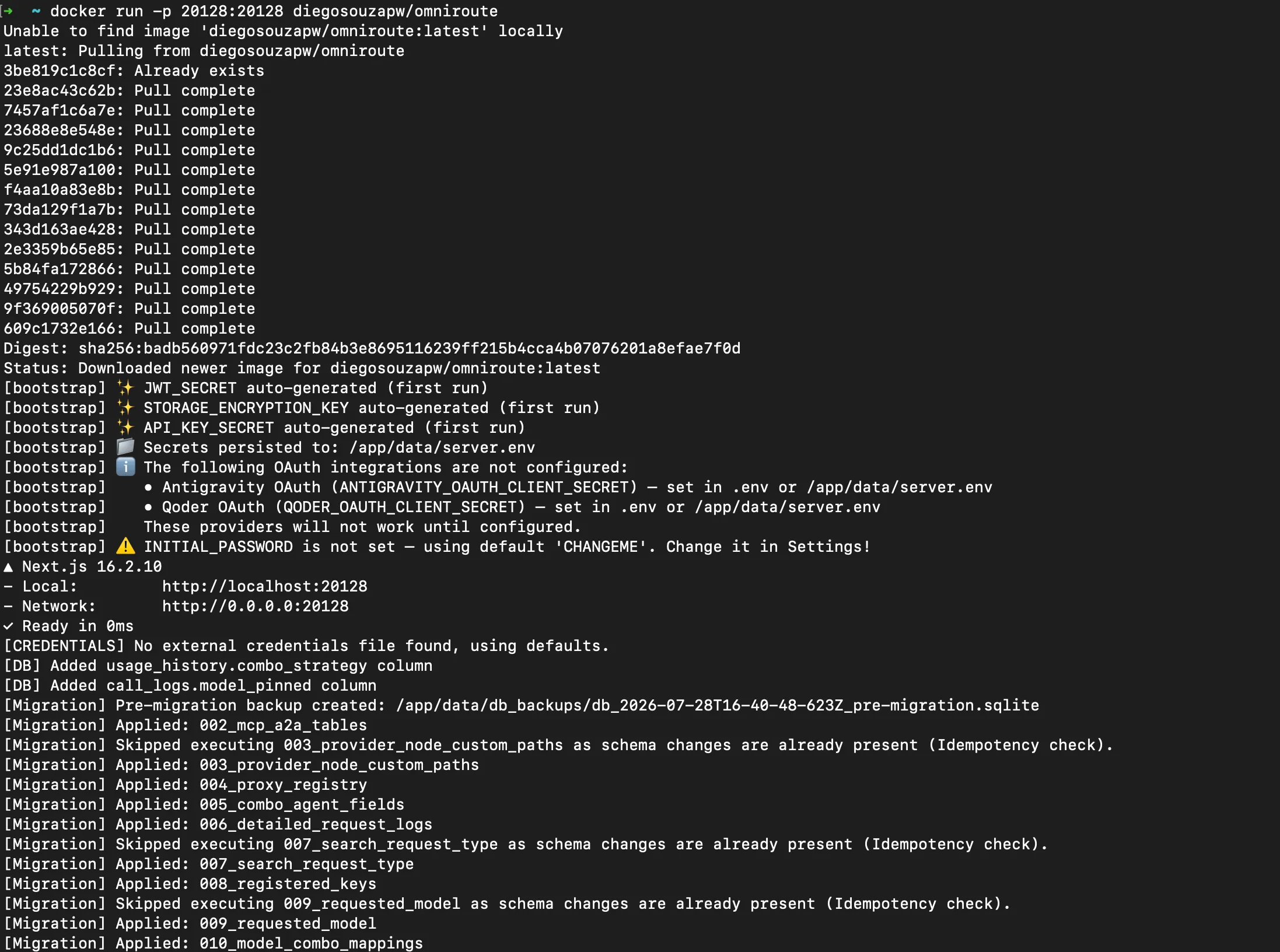
Three of those four secrets are handled for you. The fourth line is the one thing to fix before anything else:
export INITIAL_PASSWORD=$(openssl rand -base64 24)With that set, the CHANGEME warning does not appear. For anything you intend to leave running, use a named container with a persistent volume and a 40 second stop timeout, since OmniRoute checkpoints its SQLite database on shutdown:
docker run -d --name omniroute --restart unless-stopped --stop-timeout 40 \
  -p 20128:20128 -v omniroute-data:/app/data \
  -e INITIAL_PASSWORD \
  diegosouzapw/omniroute:latest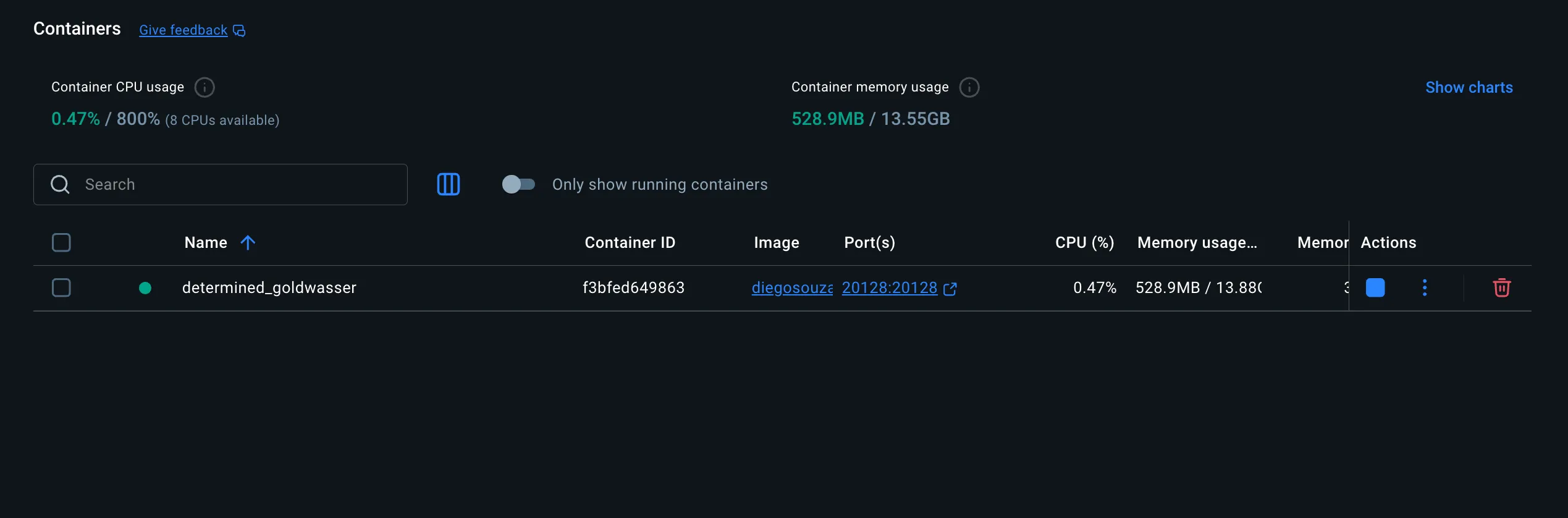
On our instance the container idled at roughly 541 MB of RAM and about 3% CPU with no traffic.
What you get before configuring anything
With zero providers connected, the model list is already populated:
curl -s http://localhost:20128/v1/models | jq '.data | length'
# 99
Of those 99, 36 are auto/* combo aliases such as auto/best-coding and auto/best-free. These are intent-based names rather than models: you ask for auto/best-coding and OmniRoute picks whichever configured provider currently satisfies that intent, so your client config does not have to change when you swap providers underneath.
The remaining 63 come from no-auth provider pools that ship enabled: theoldllm (26 models), auggie (15), opencode (8), duckduckgo-web (6), and a few smaller ones. A plain OpenAI-shaped request against one of them worked immediately and returned a normal chat.completion object with a real usage block. Being honest about the rest: of the seven no-auth providers we probed, only two responded, the others returned 403, 418, 502, or 400. Treat these as a bonus that sometimes works, not the reason to install this.
The dashboard, combos, and free-tier aggregation
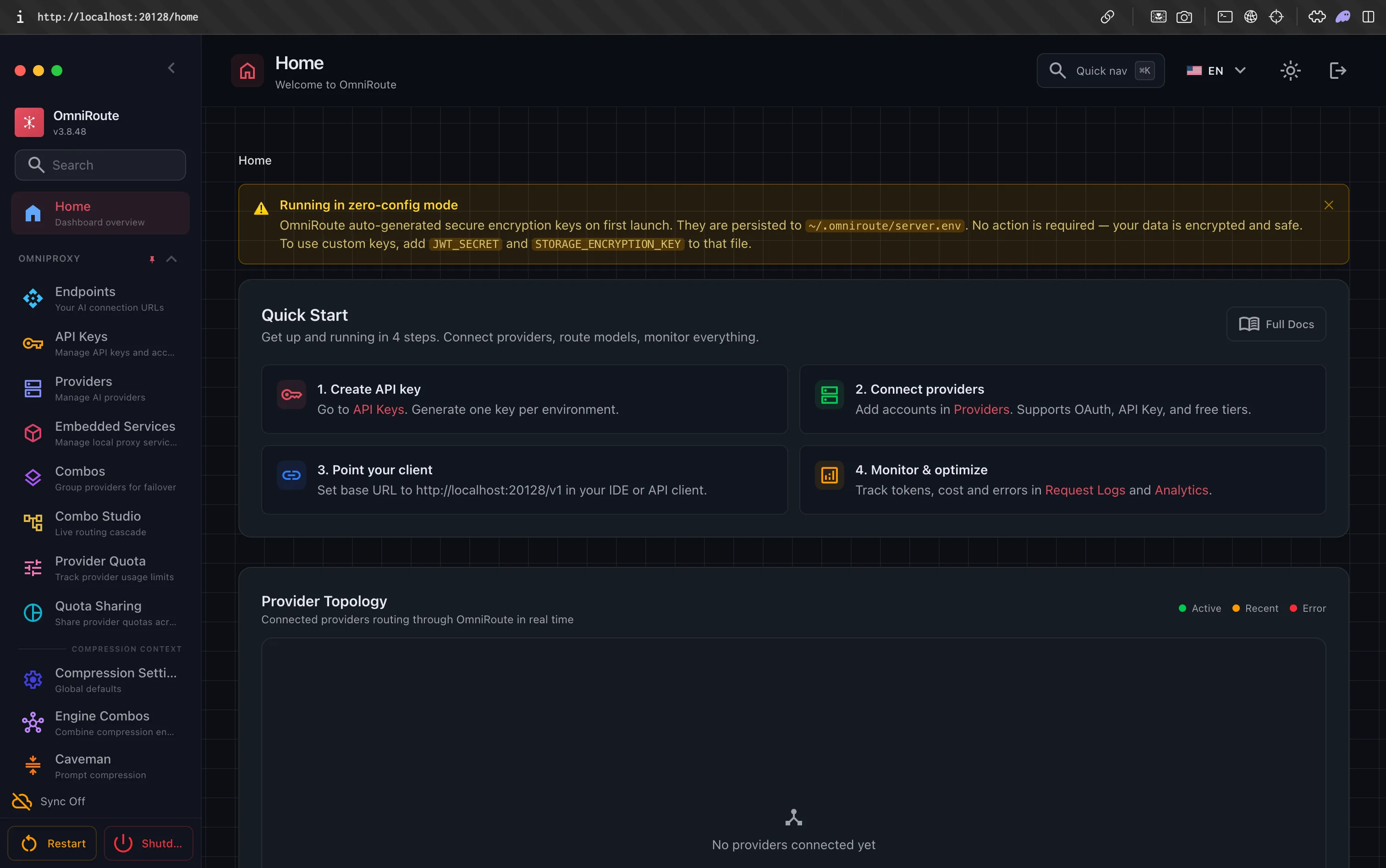
http://localhost:20128 redirects to /dashboard, which confirms the encryption banner and walks you through four steps: create an API key, connect providers, point your client at /v1, and monitor usage. Providers connect three ways: OAuth for subscriptions like Claude Code and GitHub Copilot, paste-and-save for API-key providers like GLM and Mistral, and a toggle for the free no-auth pools. Management endpoints are properly locked down; hitting /api/free-tier/summary without a key returns a clean 401.
The most useful feature is Combos, an ordered list of models plus a fallback strategy:
{
  "name": "premium-coding",
  "strategy": "priority",
  "models": [
    { "model": "cc/claude-opus-5" },
    { "model": "glm/glm-5.2" },
    { "model": "minimax/MiniMax-M3" }
  ]
}
The README now lists 19 strategies, including priority (strict order), round-robin, weighted, least-used, cost-optimized, random, cache-optimized (sends repeat requests back to the connection holding the cached prefix), and a fusion mode that fans a prompt out to several models. We only exercised the simple ones. OmniRoute tracks each provider’s quota window (5-hour and weekly resets for subscriptions, daily or monthly for API providers), and when one trips its limit the combo falls through to the next instead of erroring out to your client.
That failover is worth pairing with the project’s other big draw: free-tier aggregation. OmniRoute’s FREE_TIERS reference puts the documented recurring grant at about 1.62 billion free tokens per month across 35 deduplicated pools, led by Mistral at about 1 billion, then Nara (210M), LLM7 (150M), xKiro (150M), and Groq (30M, as five per-model caps). Treat the headline with some care. The doc says its Mistral figure is only visible inside an account console, and a September 2026 re-audit removed Gemini and Ollama Cloud from the sum because neither publishes a token figure anymore (the total dropped from ~1.94B earlier in the year for similar corrections). Expect rate limits too: OmniRoute’s own doc lists Mistral’s free tier at 2 requests per minute, while Mistral’s help center (an older page) says 1 request per second, so check your own admin console. See our guide to free AI model APIs if that is your main interest.
On top of that, compression can shave 15-95% off token usage before requests reach a provider. The default stack is two engines: Caveman compresses prose, RTK (inspired by Rust Token Killer) compresses repetitive tool output like build logs and test runs. The README now lists 12 composable engines in total, including LLMLingua-2 and a few lossy modes you opt into. Code, URLs, and JSON pass through untouched in the default stack, and every response carries an x-omniroute-compression header showing whether it fired.
Pointing your coding tools at it
This is a five-minute change if you already use a coding agent, not a new workflow. For Claude Code, set ANTHROPIC_BASE_URL=http://localhost:20128 and ANTHROPIC_AUTH_TOKEN=your-omniroute-api-key in ~/.claude/settings.json. For Codex CLI, export OPENAI_BASE_URL="http://localhost:20128" and OPENAI_API_KEY. For Cursor, Cline, Continue, and RooCode, pick the OpenAI-compatible provider type and point it at http://localhost:20128/v1. If you are still comparing agents, our roundup of the best AI tools for coding and CLI coding agents covers what each expects from a provider.
MCP, A2A, and the CLI
OmniRoute exposes itself as an MCP server (SSE, HTTP streaming, or stdio via omniroute --mcp), so an agent can drive the gateway itself, with 110 tools behind 33 scopes (scope enforcement is opt-in, so check the setting before you hand a key to an agent). See our guide on exposing an MCP server with Pinggy if you want to reach it remotely. There is also an A2A server speaking JSON-RPC 2.0 with a skills framework, though this side of the project is the least mature and thinnest on docs.
The CLI has grown to 80+ commands and covers most of what the dashboard does, which matters on headless boxes:
omniroute doctor                   # checks data dir, DB, providers, port conflicts
omniroute providers test <id>      # live round-trip against one provider
omniroute quota                    # provider quota usage
omniroute combo switch <name>      # change the default combo
omniroute reset-password           # admin password recovery
omniroute doctor is the first thing to reach for when something is wrong. If OmniRoute runs on a VPS, omniroute connect <host> logs the same CLI into the remote server with a scoped token, so you can drive it from your laptop.
Reaching your gateway from another machine with Pinggy
localhost:20128 is reachable from exactly one computer. A Pinggy tunnel fixes that without opening a router port:

Both the dashboard and the API work through it. On our tunnel, /v1/models returned the same 99 models and a chat completion streamed back normally. Loading that URL in a browser even updates OmniRoute’s Quick Start card to show it as the client base URL, since the dashboard reads whatever it is actually being reached on.
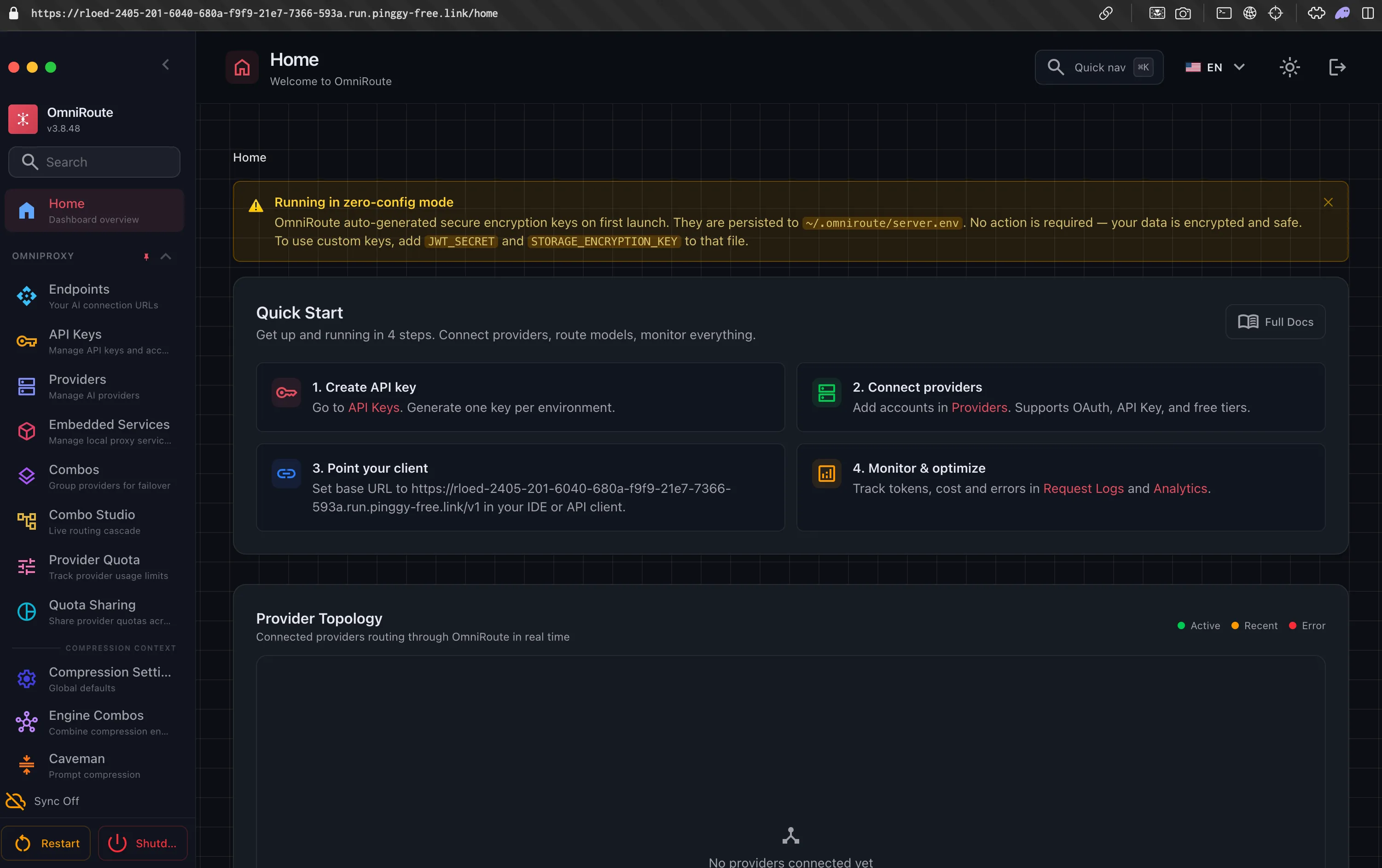
Since your gateway now holds every provider key you have configured, put a password on the tunnel itself:
ssh -p 443 -R0:localhost:20128 -t free.pinggy.io b:user:temporarypassThis is the syntax from the basic auth docs. In our July test, requests with no credentials or wrong credentials both got 401, and only correct ones reached OmniRoute. That gives you two independent layers, the tunnel password and INITIAL_PASSWORD. Close the SSH session when you are done rather than leaving a permanent link open.
Conclusion
Set INITIAL_PASSWORD, mind the image size, and put a Pinggy tunnel with basic auth in front when you need to reach it from elsewhere. Combos, quota-aware failover, MCP/A2A support, and a free-tier catalog worth roughly 1.62B tokens a month make this a lot of working software for an MIT license.