In this article
Self-hosting means running the software yourself, on your own box or a cheap VPS, instead of renting access to someone else’s cloud. You keep the data, you set the rules, and most of these tools are free and open source. The catch is that you become the sysadmin: backups, updates, and uptime are now your problem.
Here are 21 self-hosted apps worth running in 2026, grouped by what they do. A couple of them changed a lot this past year. Hoarder got renamed to Karakeep, and Plex moved remote streaming behind a paywall, so even if you’ve read an older version of this roundup, a few entries are worth a second look.
Summary
Twenty-one self-hosted apps for 2026, by category.
Files and media: Nextcloud (storage + collaboration), Plex (media server), Streamyfin (Jellyfin client), Pinchflat (YouTube archiver), Slink (image sharing).
Notes, docs, and bookmarks: Docmost (wiki), Memos (quick notes), Karakeep (bookmarks, formerly Hoarder), PDF Ding (PDF manager).
Publishing and social: Ghost (blogging), Mastodon (fediverse), Postiz (social scheduler).
Personal tracking: Beaver Habit Tracker (habits), Dawarich (location history).
Data and dashboards: Metabase (BI), WhoDB (database admin), Homepage (homelab dashboard).
Infrastructure and security: Vaultwarden (passwords), Beszel (monitoring), GoDoxy (reverse proxy), Pocket ID (passkey login).
Why run apps yourself?
The case for self-hosting comes down to a few things, and it’s worth being honest about each.
You own the data. Your files, notes, and photos live on hardware you control, not on a server you can be locked out of. That matters for privacy and for staying on the right side of rules like GDPR when you handle other people’s data.
No vendor lock-in. Open formats and your own database mean you can move, back up, or migrate whenever you want. Nobody can deprecate a feature you depend on or triple the price overnight (more on that under Plex).
It’s usually cheaper over time. Most of these tools are free and open source. A small VPS or a mini PC at home runs a dozen of them. Compare that to stacking up monthly SaaS subscriptions that each do one thing.
You can change it. Open source means you can read the code, tweak the config, write a plugin, or file a fix. You’re not stuck with someone else’s product decisions.
The flip side: you’re responsible for updates, backups, and security. If the disk dies and you had no backup, that’s on you. Plenty of the apps below are pre-1.0 and still ship breaking changes, so read release notes before you upgrade. Self-hosting trades a subscription fee for a bit of your time and attention.
Files, media, and photos
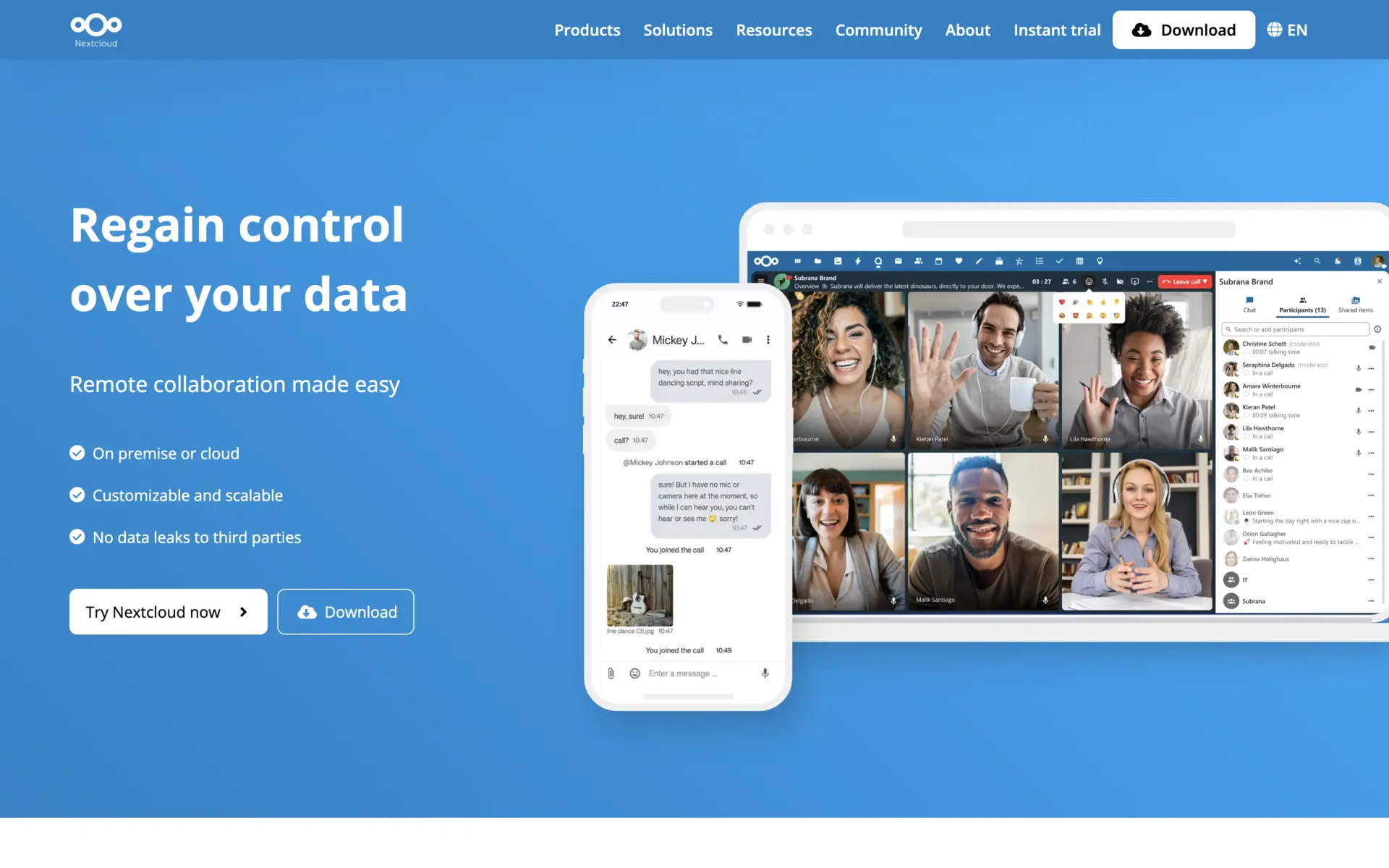
Nextcloud
Nextcloud is the closest thing to a self-hosted Google Workspace: file sync and share plus calendar, contacts, mail, video calls, and a collaborative office suite. The current release is Nextcloud Hub 26 (server v33), with the next major version landing on the usual four-month cadence.
- Sync clients for Windows, macOS, Linux, iOS, and Android, plus WebDAV, CalDAV, and CardDAV.
- Nextcloud Office for real-time document editing, built on the Collabora/LibreOffice engine.
- Talk for self-hosted audio/video calls and chat over WebRTC.
- External storage: mount S3, SMB, or FTP, and federate shares between instances.
A default install can feel sluggish. To make it quick you need PHP-FPM, Redis caching, and a real database (PostgreSQL or MySQL) rather than the bare minimum. The All-in-One Docker image smooths setup but hides some of the tuning.
Plex
Plex organizes your movies, shows, music, and photos, fetches metadata and artwork, and streams it (transcoding on the fly) to apps on phones, TVs, and browsers. It’s polished and easy to set up, which is why it’s been the default media server for years.
Read the fine print before you commit, though. In April 2025 Plex raised Plex Pass prices (lifetime went from $119.99 to $249.99) and, more importantly, made remote streaming a paid feature: the server owner now needs an active Plex Pass for anyone to watch outside the home network, and shared users without coverage need their own Remote Watch Pass at $1.99/mo. Lifetime Plex Pass is set to jump again to $749.99 on July 1, 2026. Local streaming stays free.
That shift, paying to stream files you already own, pushed a lot of people toward Jellyfin, the GPL-licensed alternative with no paywall and free remote access. The two can run side by side (ports 32400 and 8096) against the same media folders, which makes trying Jellyfin low-risk.

Streamyfin
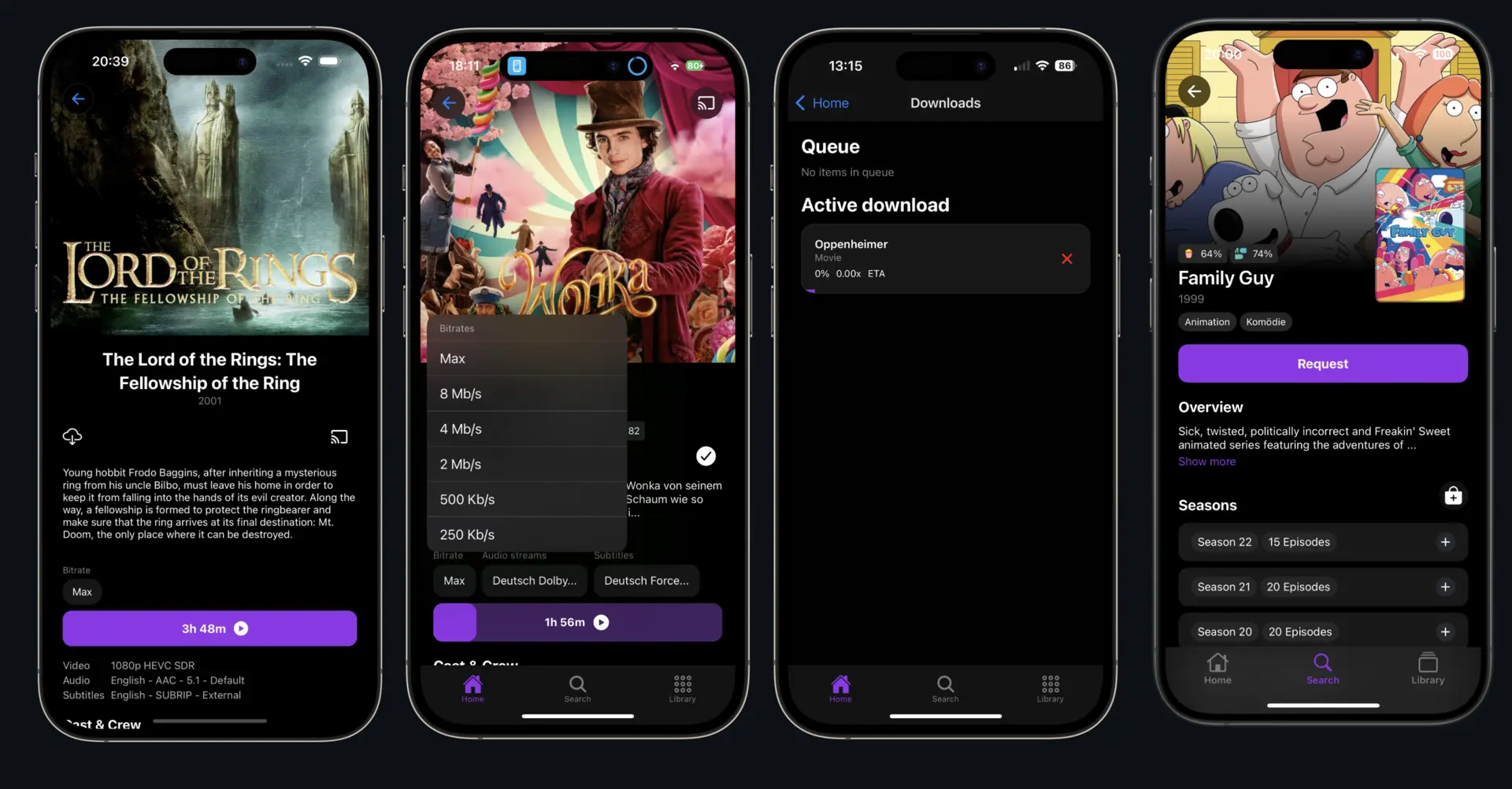
Streamyfin is a third-party Jellyfin client for iOS and Android, built with React Native. If the Jellyfin migration above appeals to you, this is the mobile app that makes it pleasant. Latest is v0.51.0 (January 2026); it’s still pre-1.0.
- Chromecast support on both platforms and offline downloads with a background queue.
- Skip intro/credits and trickplay thumbnail scrubbing, even on downloaded files.
- Multiple playback backends: native, VLC, and KSPlayer on iOS (hardware decoding plus picture-in-picture).
- Jellyseerr integration so admins can approve requests from inside the app.
It’s mobile-only and being a third-party client, it occasionally trails Jellyfin server changes. Music playback is still in beta.
Pinchflat
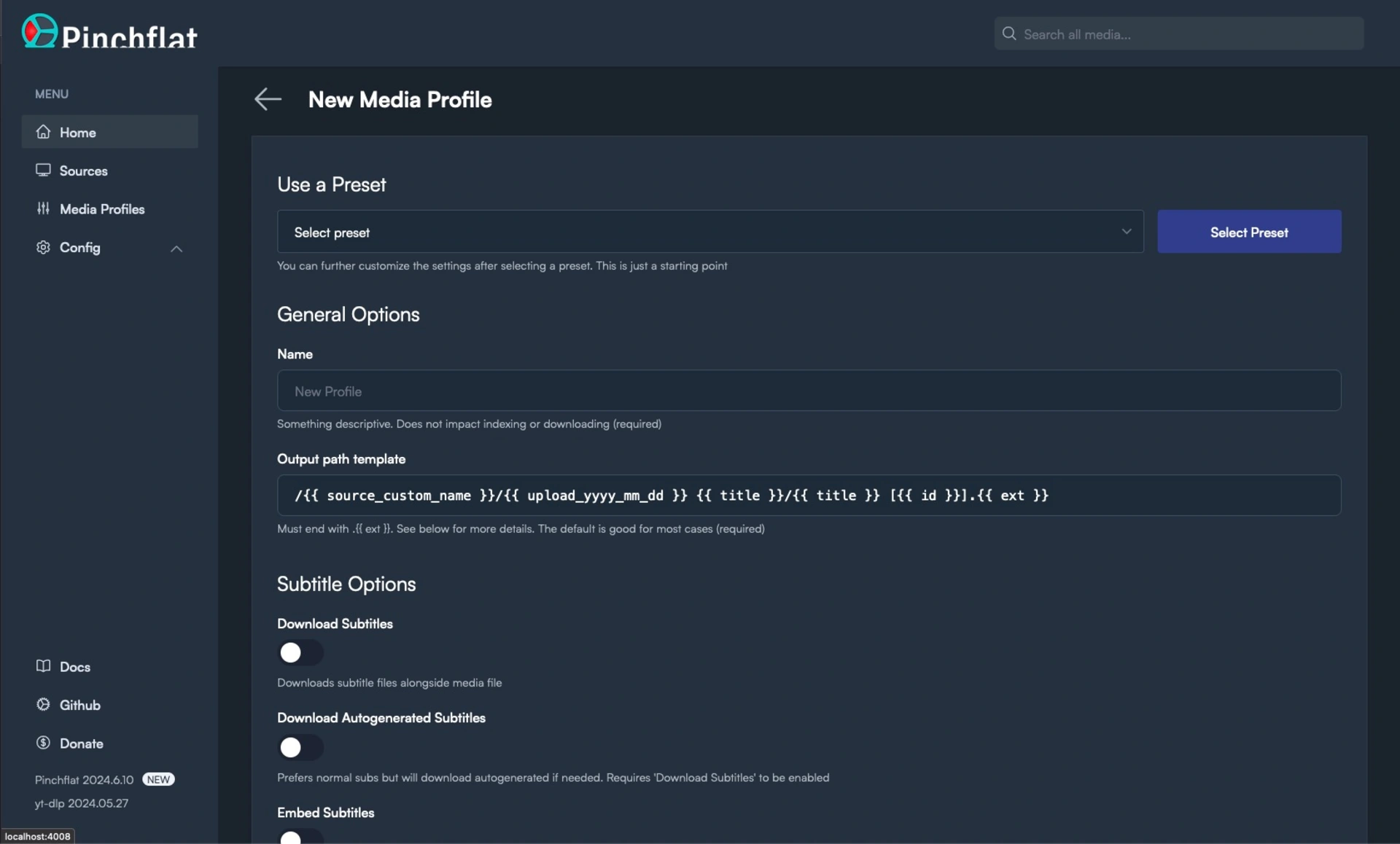
Pinchflat is a YouTube archiver built on yt-dlp. You point it at channels or playlists, and it checks for new uploads on a schedule and downloads them into an organized library. It’s a downloader, not a player, so you pair it with a media server.
- Folder layout and metadata for Plex, Jellyfin, and Kodi.
- SponsorBlock integration, plus rules to handle Shorts and livestreams differently.
- Cookie support for members-only content and multiple API keys to spread requests.
- RSS output for podcast apps and Apprise notifications.
It’s built for subscriptions, not one-off grabs. As with anything on yt-dlp, YouTube changes break extractors from time to time, so keep the bundled yt-dlp current (it can auto-update). Current release is v2025.9.26.
Slink
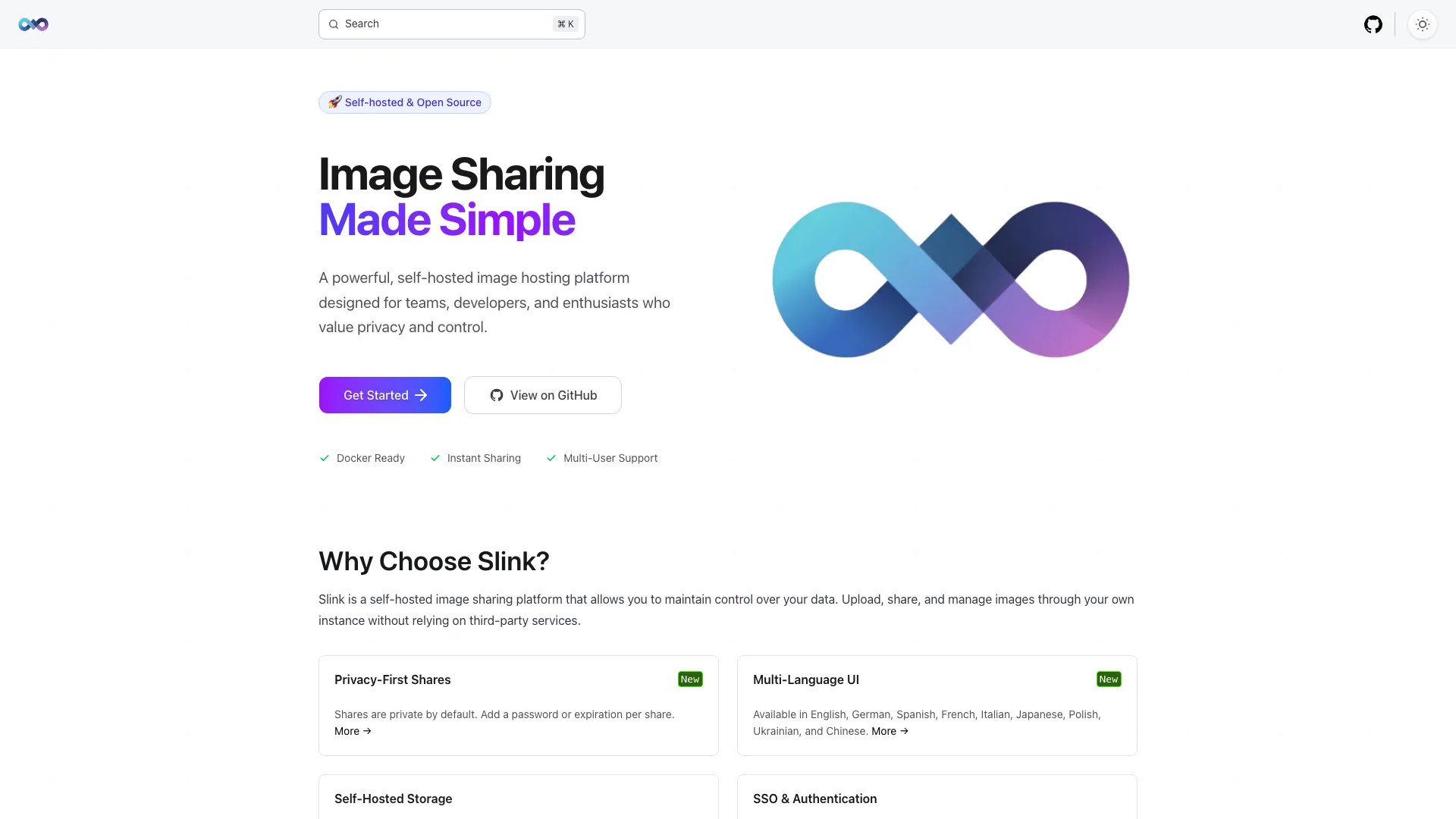
Slink is a self-hosted image host, the Imgur replacement for when you want to control where screenshots and shared images live. Symfony backend, SvelteKit frontend, shipped as Docker. Current release is v1.11.4 (as of May 2026).
- Storage on local disk, SMB, or S3 (including IAM-role auth, so no static keys on AWS).
- Wide format support (PNG, JPG, WEBP, AVIF, HEIC, GIF, and more) with compression and dedup on upload.
- Private-by-default shares, password protection, expiring links, and URL shortening.
- SSO via OIDC (Authentik, Keycloak, Authelia, Pocket ID), API keys for scripted uploads, and an admin dashboard with moderation.
It’s image-only - no video or general file hosting - and a single-maintainer project, so weigh that for anything mission-critical.
Notes, docs, and bookmarks
Docmost
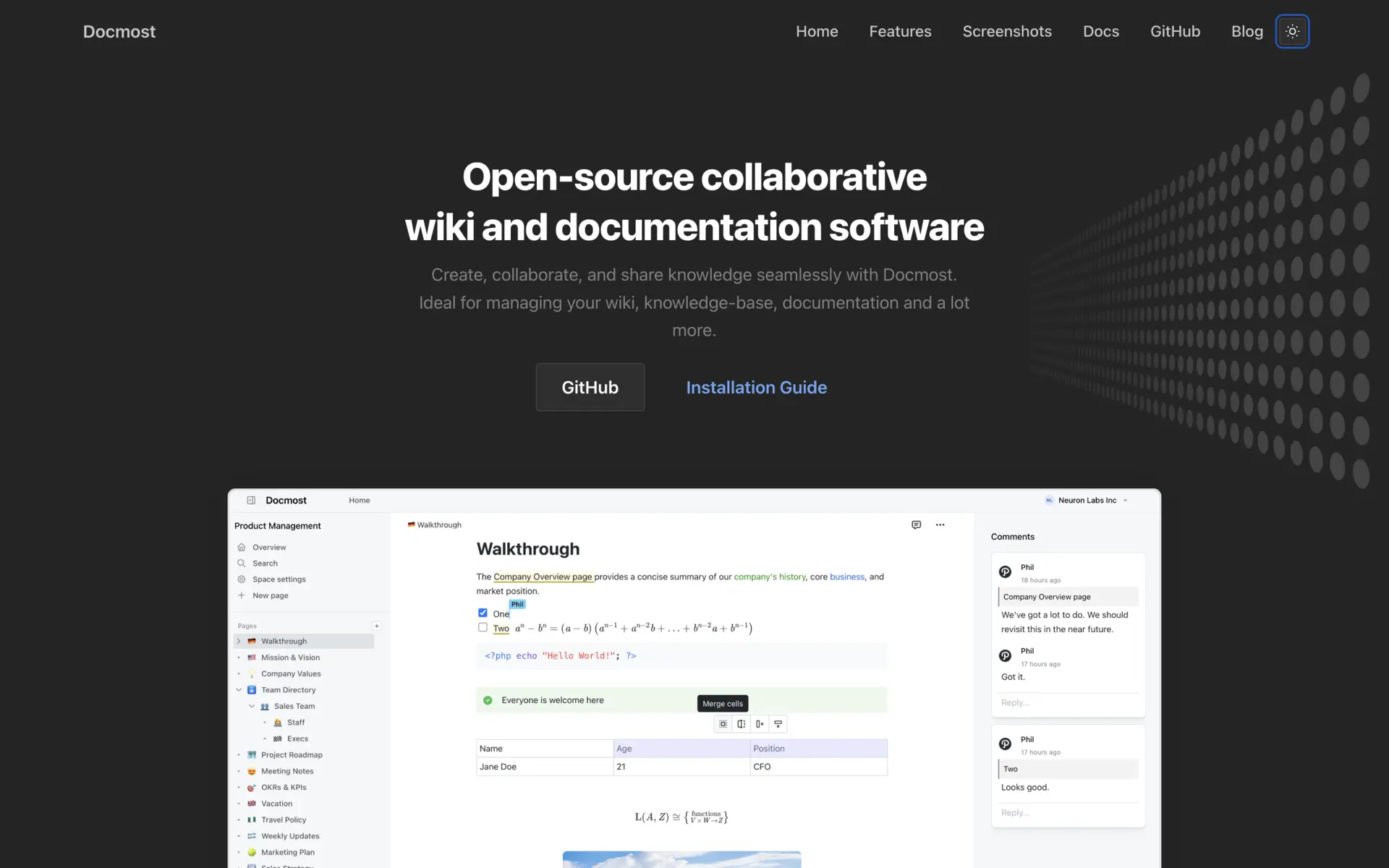
Docmost is a collaborative wiki and knowledge base, the self-hosted answer to Confluence or Notion. You organize docs into Spaces, write in a block editor, and set permissions per space or group. Current release is v0.90.0 (May 2026).
- Real-time collaborative editing backed by CRDT sync, so two people can edit the same page without clobbering each other.
- Rich editor with tables, code blocks, diagrams, synced blocks, and page labels.
- Runs fully air-gapped with no external dependencies.
It’s open-core: AI chat, approval workflows, SCIM, and PDF import sit behind a paid enterprise license. It’s also still on 0.x versioning.
Memos
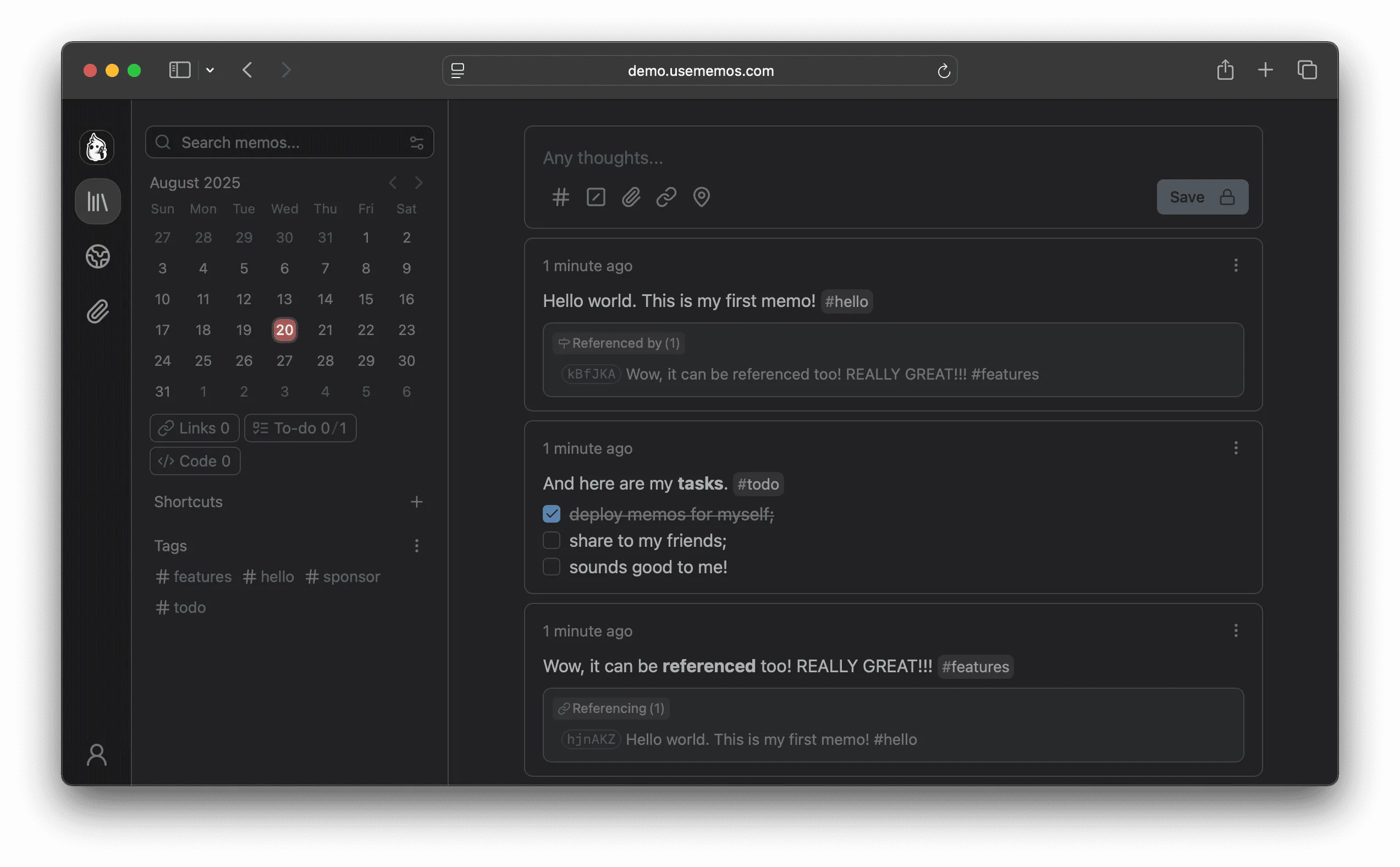
Memos is a lightweight note app built for quick capture. The UI is a timeline, like a private microblog for your own thoughts, rather than a folder tree. You open it, type, done. Current release is v0.28.0 (April 2026).
- Markdown-native storage, so notes stay portable as plain text.
- Ships as a single Go binary in a roughly 20MB Docker image.
- SQLite by default, with MySQL and PostgreSQL as options.
- REST and gRPC APIs, MIT-licensed, zero telemetry.
It’s deliberately minimal: no nested folders, no rich documents. It’s a capture tool, not Obsidian. And being pre-1.0, upgrades occasionally break things. v0.28.0 reworked SSO so existing single-sign-on users have to re-link their provider after upgrading, so back up the database first.
Karakeep (formerly Hoarder)
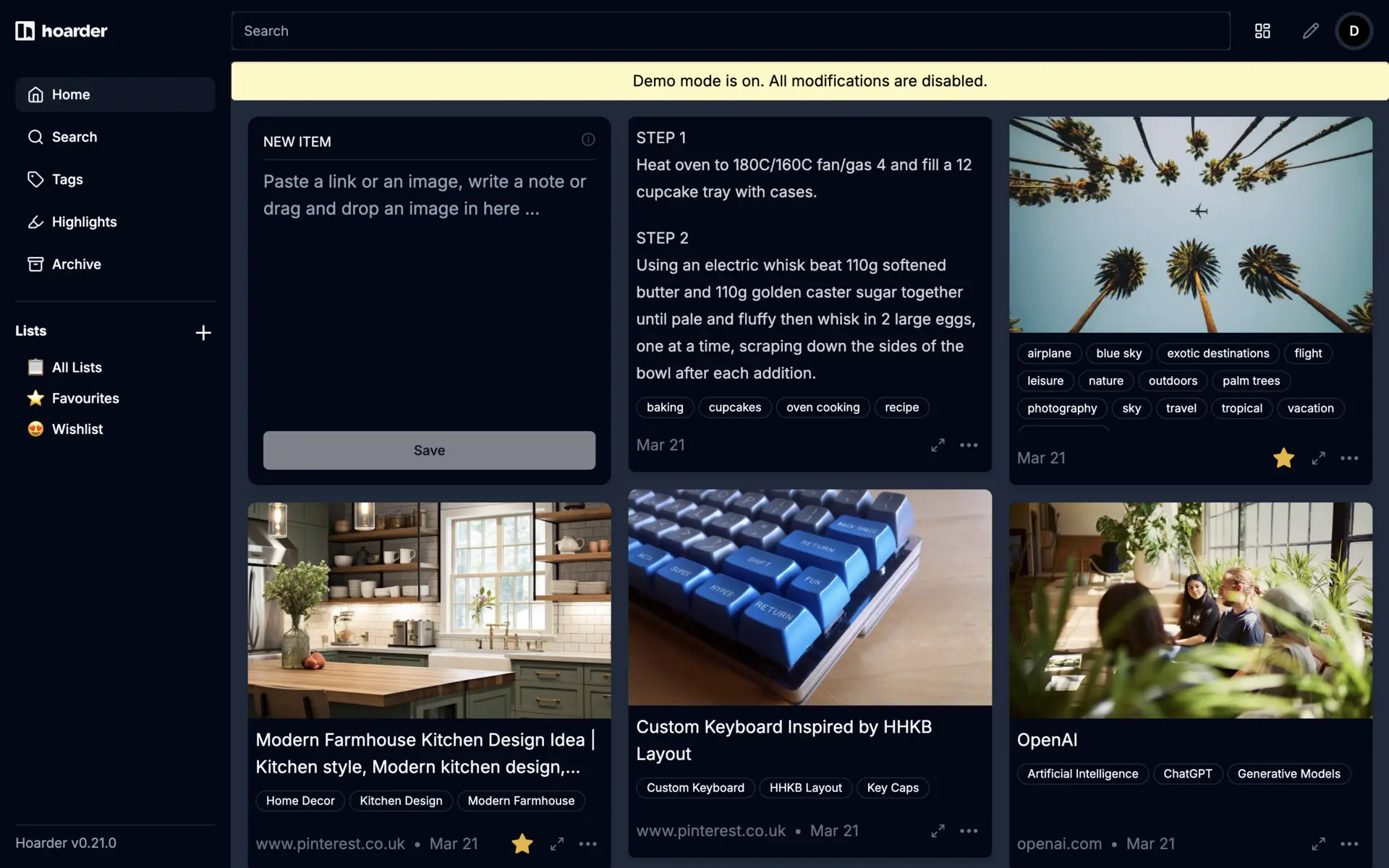
Karakeep is a “save everything” bookmark and read-later app: links, notes, images, and PDFs, all full-text searchable. If you knew it as Hoarder, that’s the same project. It was renamed Karakeep in early 2025 after a trademark issue, and the old hoarder.app domain now redirects. Current release is v0.32.0.
- AI auto-tagging and summarization through OpenAI or a local model via Ollama.
- LLM-based OCR for pulling text out of saved images.
- Full-page and video archival, RSS auto-import, and a REST API.
- Browser extensions for Chrome, Firefox, and Safari, plus iOS and Android apps.
The AI tagging needs either an API key (which costs money) or enough local hardware to run Ollama. It’s AGPL-licensed and still pre-1.0, so expect occasional breaking changes between minor versions. If you have an old install, follow the Hoarder-to-Karakeep migration notes.
PDF Ding
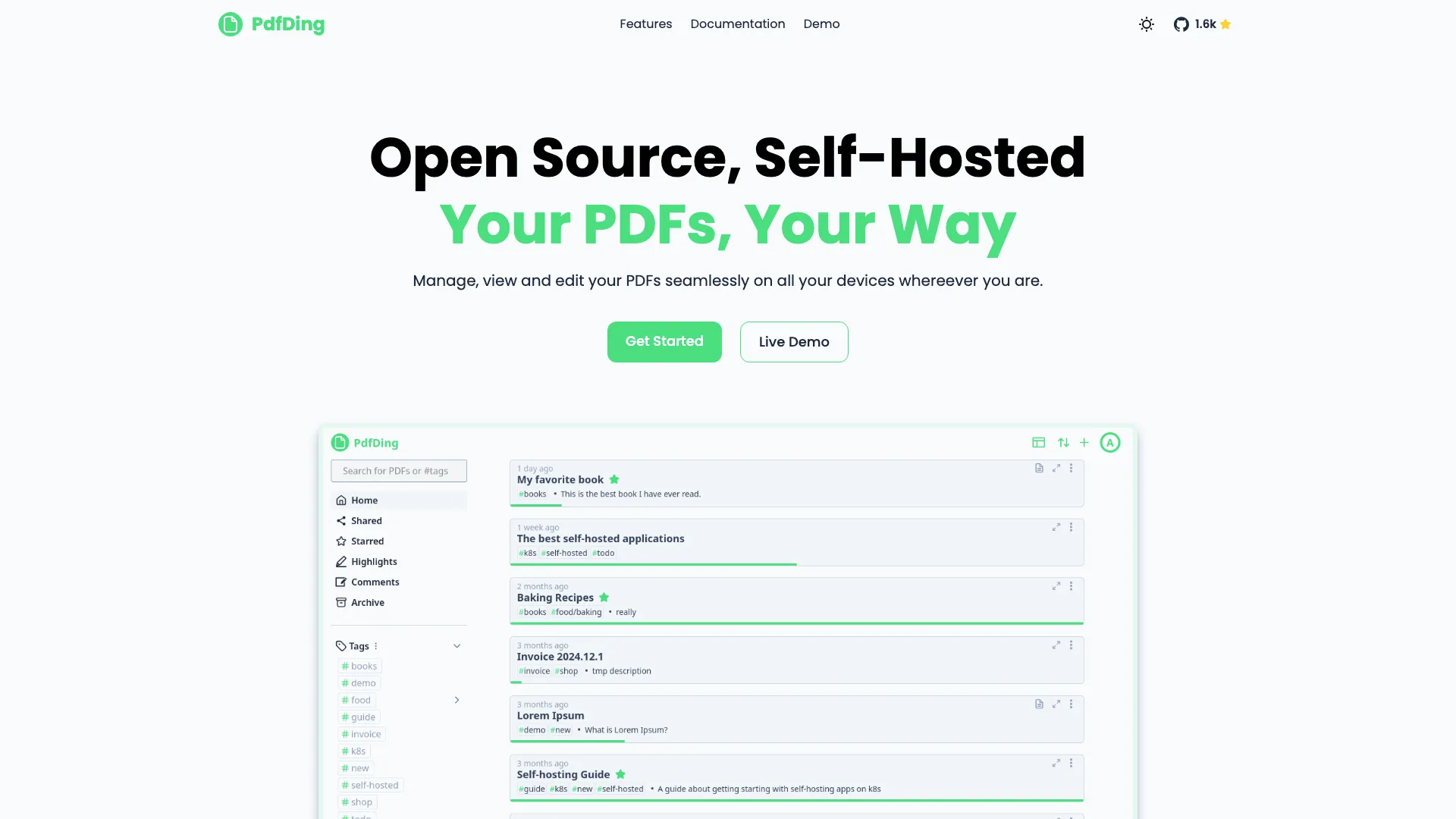
PDF Ding is a focused PDF manager and reader. Django backend, Docker deploy, SQLite by default. It’s not a full document system like Paperless-ngx (no OCR, no email ingestion); it does PDFs well and little else, which is the point. Current release is v1.7.2 (as of April 2026).
- In-browser viewer that remembers your last reading position per document across devices.
- Tags, collections, starring, and archiving for organization.
- Annotations: highlights, drawings, text, and signatures, with export.
- SSO via OIDC, plus MFA (TOTP and WebAuthn), and link sharing with expiry, view limits, and passwords.
Several recent releases were security fixes, including a shared-link bypass, so staying current matters here.
Publishing and social
Ghost
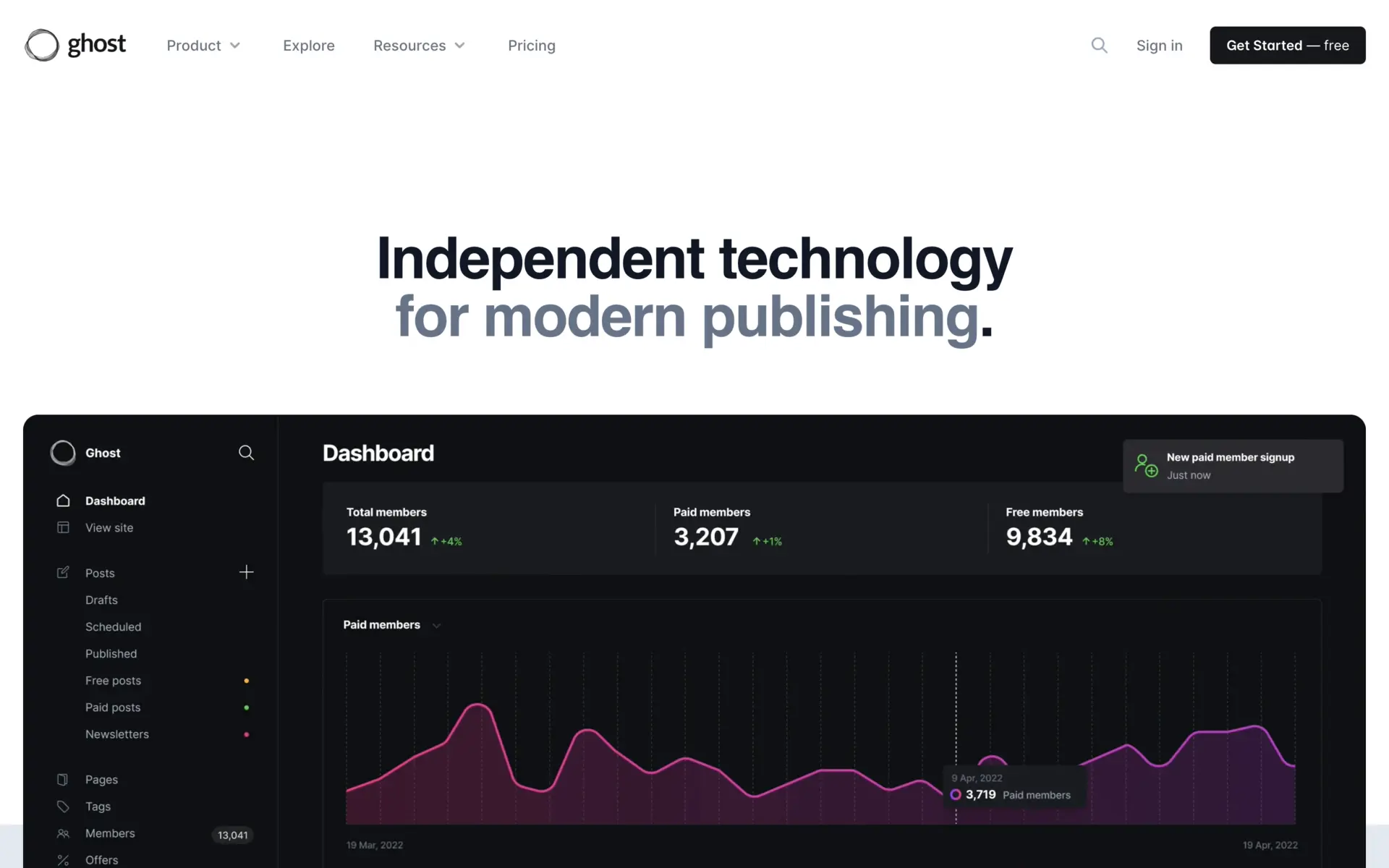
Ghost is a publishing platform for blogs, newsletters, and paid memberships, the main self-hostable Substack alternative. Node.js app, MySQL backend. The big release was Ghost 6.0 in August 2025.
- Native ActivityPub integration: your site becomes a fediverse actor, followable and boostable from Mastodon and friends.
- Notes for short-form fediverse posts that don’t hit your main feed, plus Bluesky publishing via a bridge.
- Built-in privacy-focused analytics, replacing third-party trackers.
- Memberships, paid subscriptions, and email newsletters with Stripe.
Self-hosting Ghost is more involved than WordPress: it expects Node plus MySQL, and Docker is now the recommended path over the old CLI install. The ActivityPub features are real but were still maturing in early 2026, so don’t expect full Mastodon-grade threading yet.
Mastodon
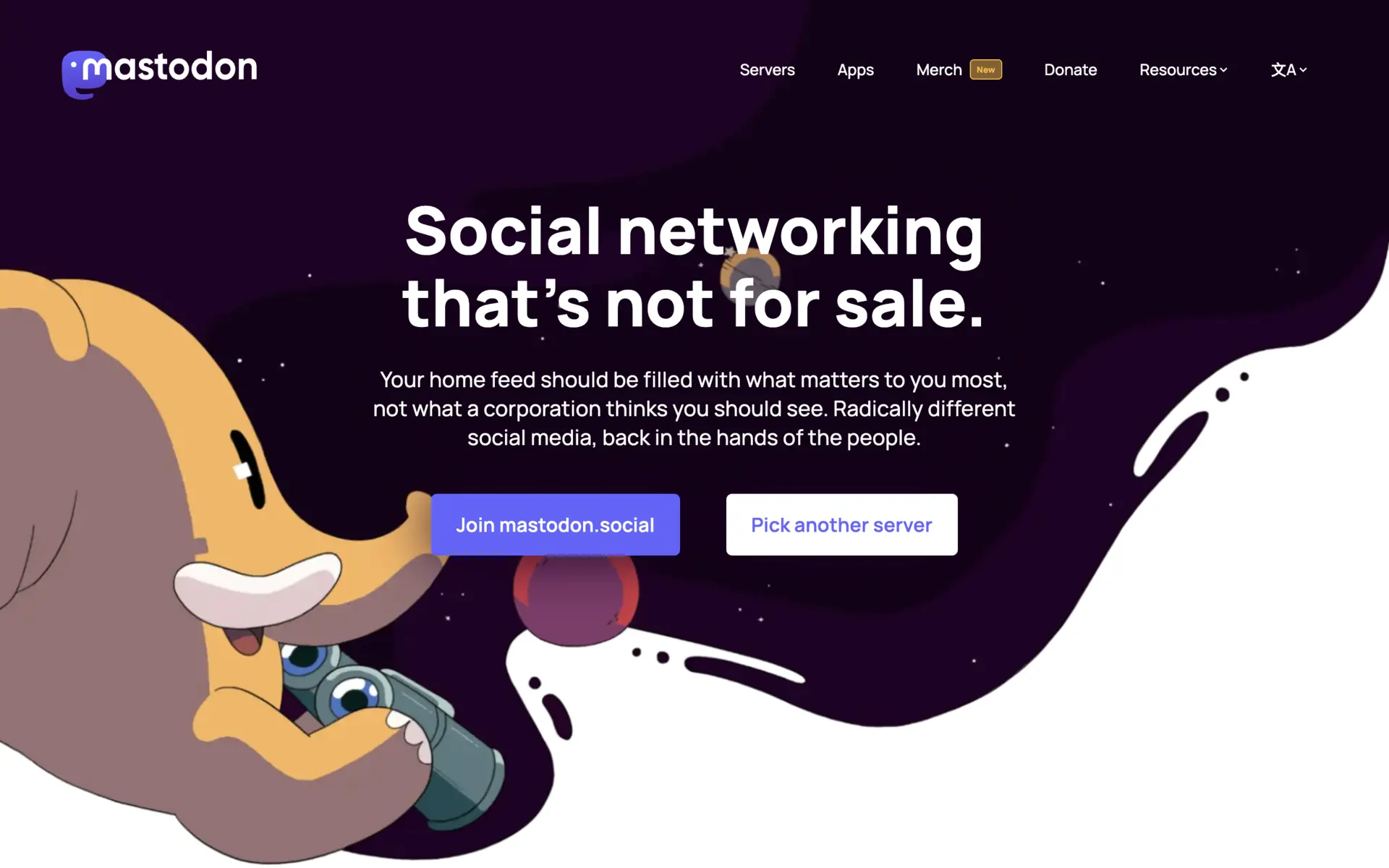
Mastodon is a self-hostable, decentralized microblogging server. Each instance federates with others over ActivityPub to form the fediverse, a Twitter/X alternative with no central owner. Latest is version 4.5 (November 2025).
- Quote posts, the headline 4.5 feature, with author controls to disable or revoke quoting.
- Federation, custom emoji, opt-in full-text search, and improved moderation tools.
- Standard fediverse interop: follows, boosts, and replies across any ActivityPub server.
Governance shifted in 2025: Mastodon moved toward a European non-profit structure, and founder Eugen Rochko stepped down as CEO into a product role, with a board now overseeing the project. Running your own instance is real work - PostgreSQL, Redis, Sidekiq workers, object storage, and the ongoing job of moderating what your users federate. A single-user instance is a lot of overhead for one account.
Postiz
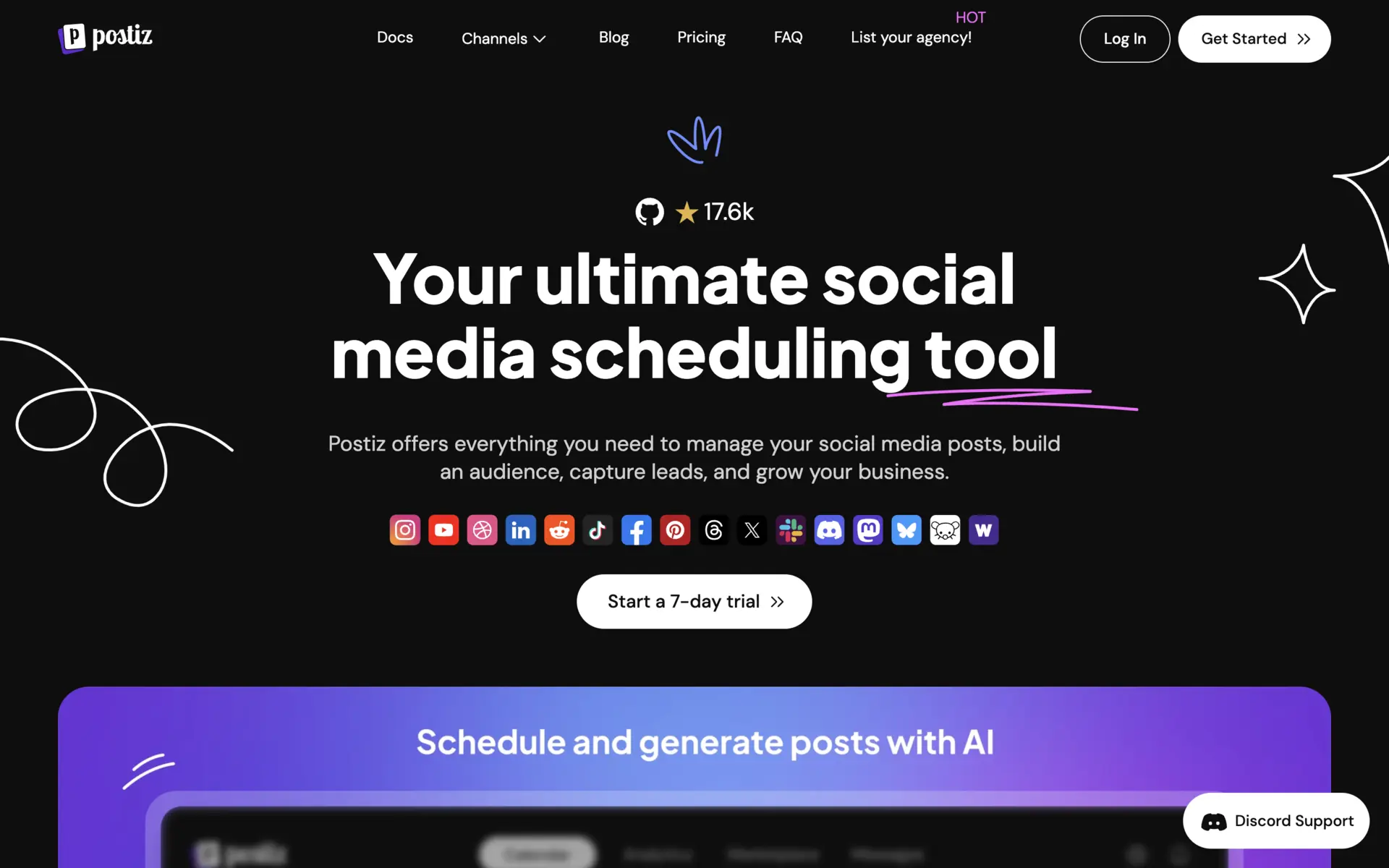
Postiz is a social media scheduler, a self-hosted Buffer or Hootsuite. Write once, schedule across many networks from one calendar, with analytics and AI assistance. It’s AGPL-licensed, and the self-hosted version has the same features as the cloud one. Current release is v2.21.8 (May 2026).
- 30-plus integrations: Instagram, Facebook, X, LinkedIn, TikTok, YouTube, Bluesky, Mastodon, Threads, Reddit, Telegram, and more.
- AI content assistant, plus an agent CLI that connects to an LLM to schedule posts.
- Scheduling calendar, analytics, and multi-account support.
The real friction in self-hosting isn’t a paywall, it’s the setup: you register your own developer apps and API keys for each social platform, which is fiddly. Recent releases have been security-focused, so keep it patched.
Personal tracking
Beaver Habit Tracker
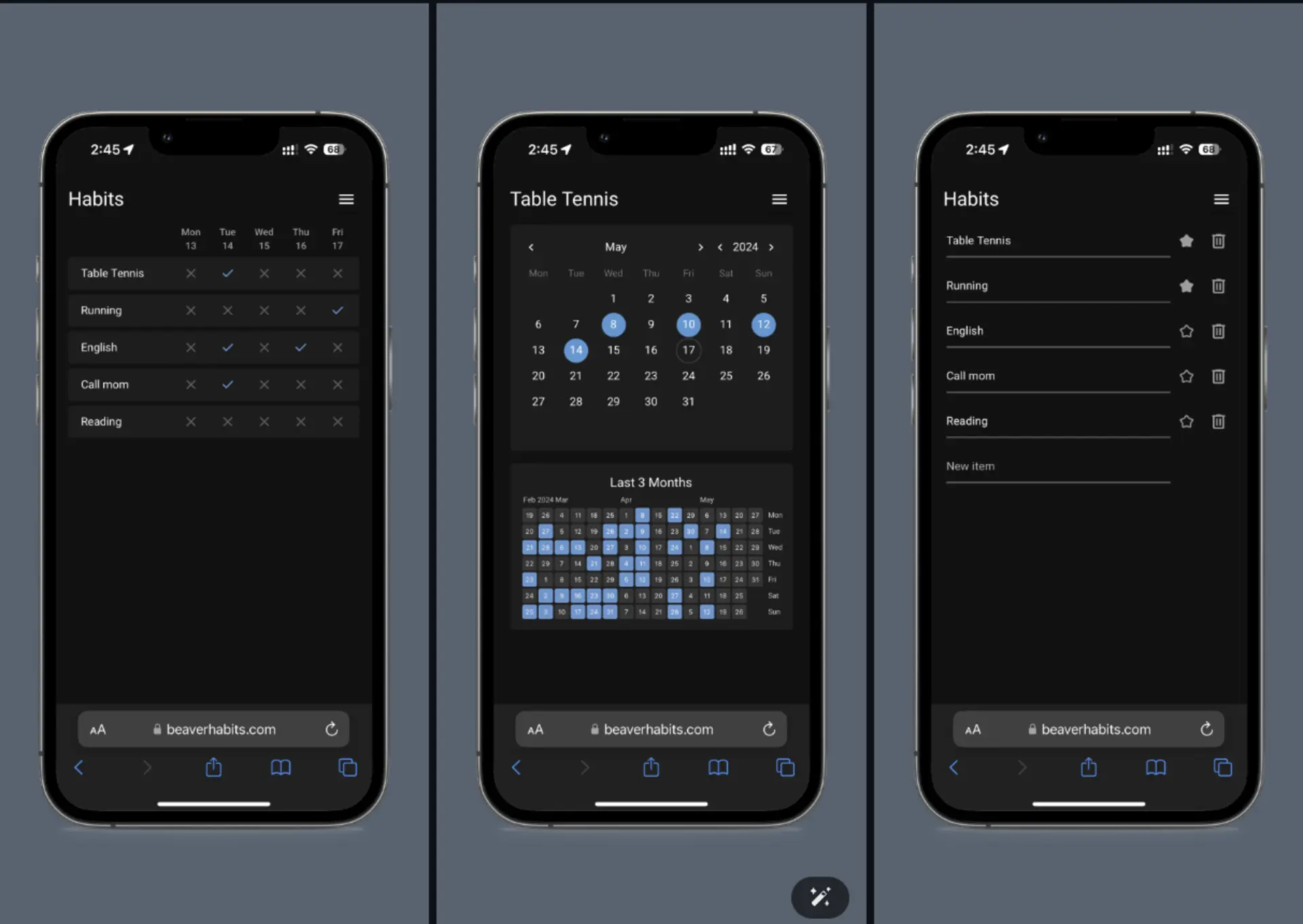
Beaver Habit Tracker is a minimalist habit tracker with a deliberate “no goals” philosophy: you just mark habits done each day rather than setting targets. Python (NiceGUI) web app. Current release is v0.9.1 (May 2026).
- A daily check-off grid with streaks, similar to a GitHub contribution graph.
- States beyond done/not-done: skip and failed.
- Installable as a PWA on iOS, with Google One Tap login.
- An AI integration (v0.9.0) for managing habits in natural language.
It’s pre-1.0 and intentionally bare. The no-targets design is the whole point, but it won’t suit you if you want “run 5km” style goals. It’s a single-developer project; v0.9.1 patched a stored-XSS bug, so stay current.
Dawarich
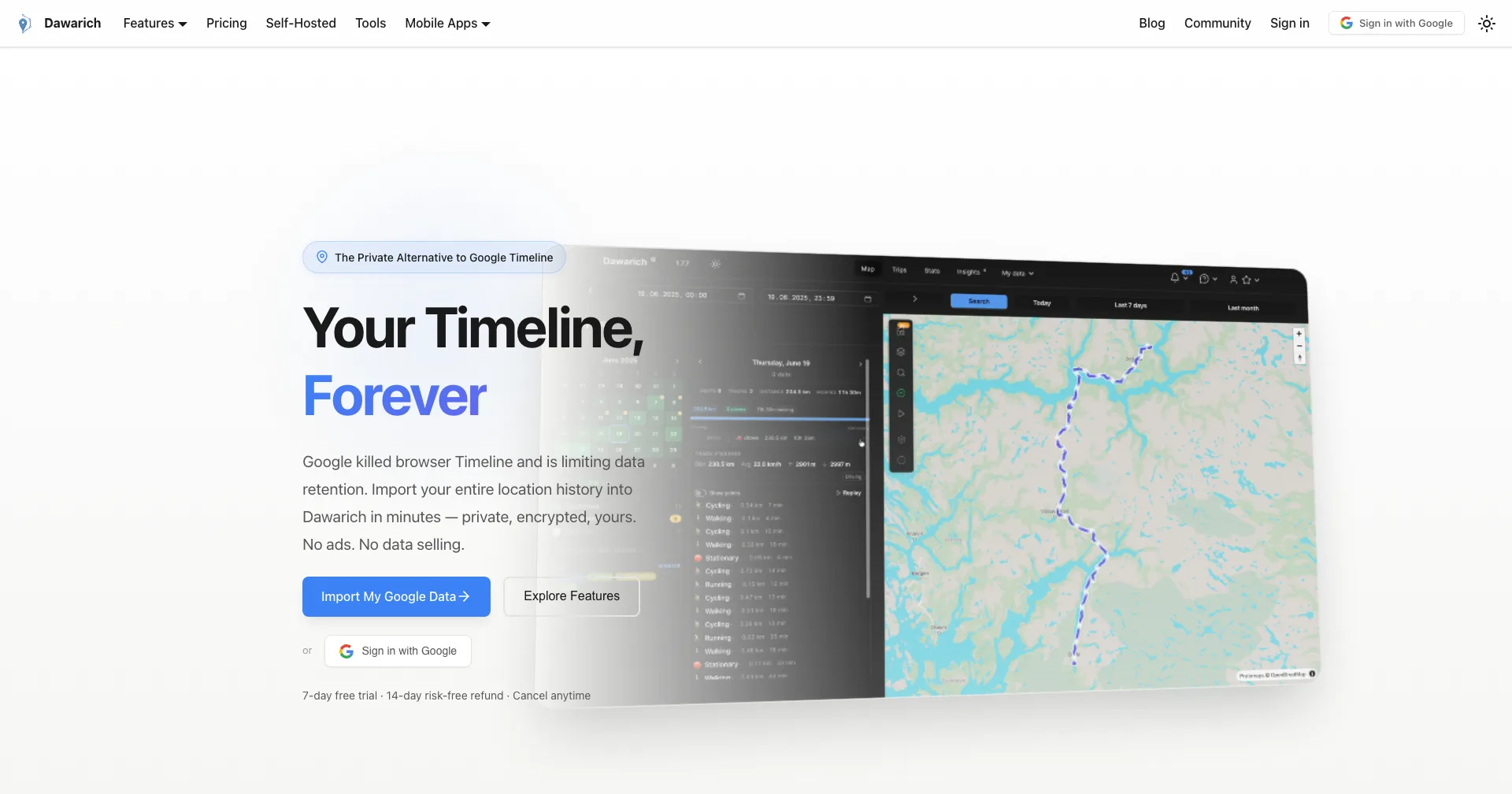
Dawarich is a self-hosted location history tracker, the replacement for Google Maps Timeline now that Google has gutted it. You import or live-record your location and see trips, visits, and stats on a map. Rails backend, runs via Docker with PostgreSQL and Redis. Current release is v1.7.8 (as of May 2026).
- Imports Google Takeout, OwnTracks, Overland, GPX, GeoJSON, KML, and more.
- Live tracking from the Dawarich iOS app, OwnTracks, Overland, or a Traccar-compatible endpoint.
- Pulls geotagged photos from Immich and PhotoPrism onto the map.
- A Google-Timeline-style view with trip export and OIDC login.
It’s a multi-container setup, so it’s heavier to run than a single binary, and it’s still pre-2.0 with frequent releases, so expect churn and the odd migration-heavy update.
Data and dashboards
Metabase
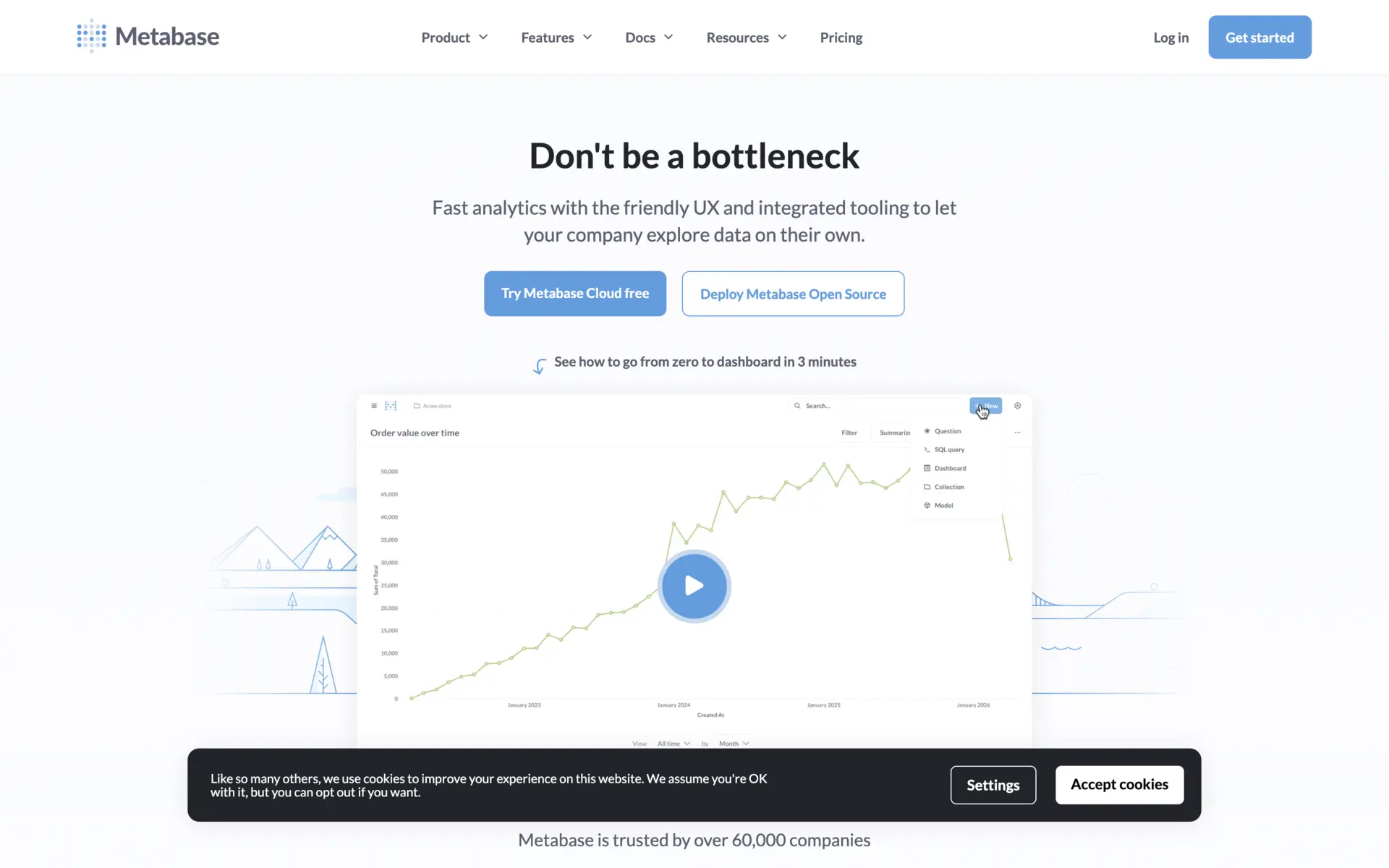
Metabase is a business intelligence tool for building dashboards and exploring data. Connect a database, then query it with a visual no-code editor or raw SQL. Non-technical folks self-serve; analysts get a proper SQL editor. The open-source edition is on v0.61 (May 2026).
- A visual query builder alongside a native SQL editor.
- Dashboards with filters, drill-through, alerts, and scheduled subscriptions.
- Metabot, an AI assistant for generating SQL, now in the open-source edition.
- Connectors for PostgreSQL, MySQL, SQL Server, Oracle, BigQuery, Redshift, Snowflake, and more.
It’s AGPL-licensed. Many of the newer AI, embedding, and governance features are gated to paid tiers, so check that what you need is in the open-source edition before you build on it.
WhoDB
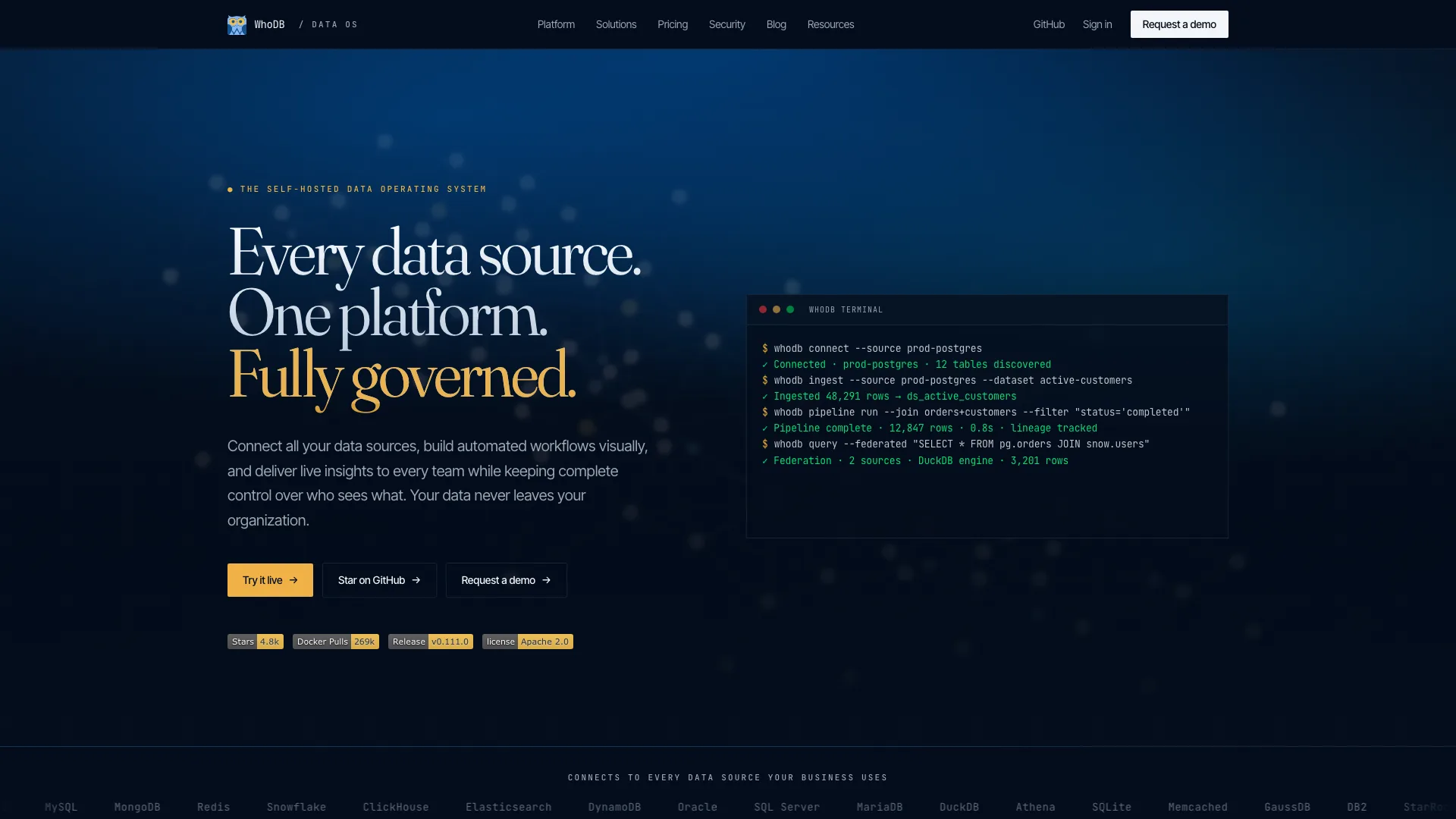
WhoDB (by Clidey) is a lightweight database admin tool, an Adminer or phpMyAdmin alternative with a built-in AI chat. Go backend, React frontend, in a Docker image under 50MB. Current release is v0.111.0 (May 2026).
- Community edition covers PostgreSQL, MySQL, MariaDB, SQLite, MongoDB, Redis, Elasticsearch, and ClickHouse.
- AI chat that turns plain English into SQL using Ollama, OpenAI, Anthropic, or any OpenAI-compatible endpoint.
- A visual schema/ER view of tables and foreign keys, with pan and zoom.
- A data viewer with inline editing, query history, and CSV/Excel export, plus an MCP server mode so assistants like Claude can query your databases.
It’s open-core (Apache 2.0): the heavier enterprise databases like Oracle, SQL Server, and Snowflake are paid. It’s pre-1.0 with rapid releases, and the AI features are still stabilizing, so the natural-language quality depends on the model you point it at.
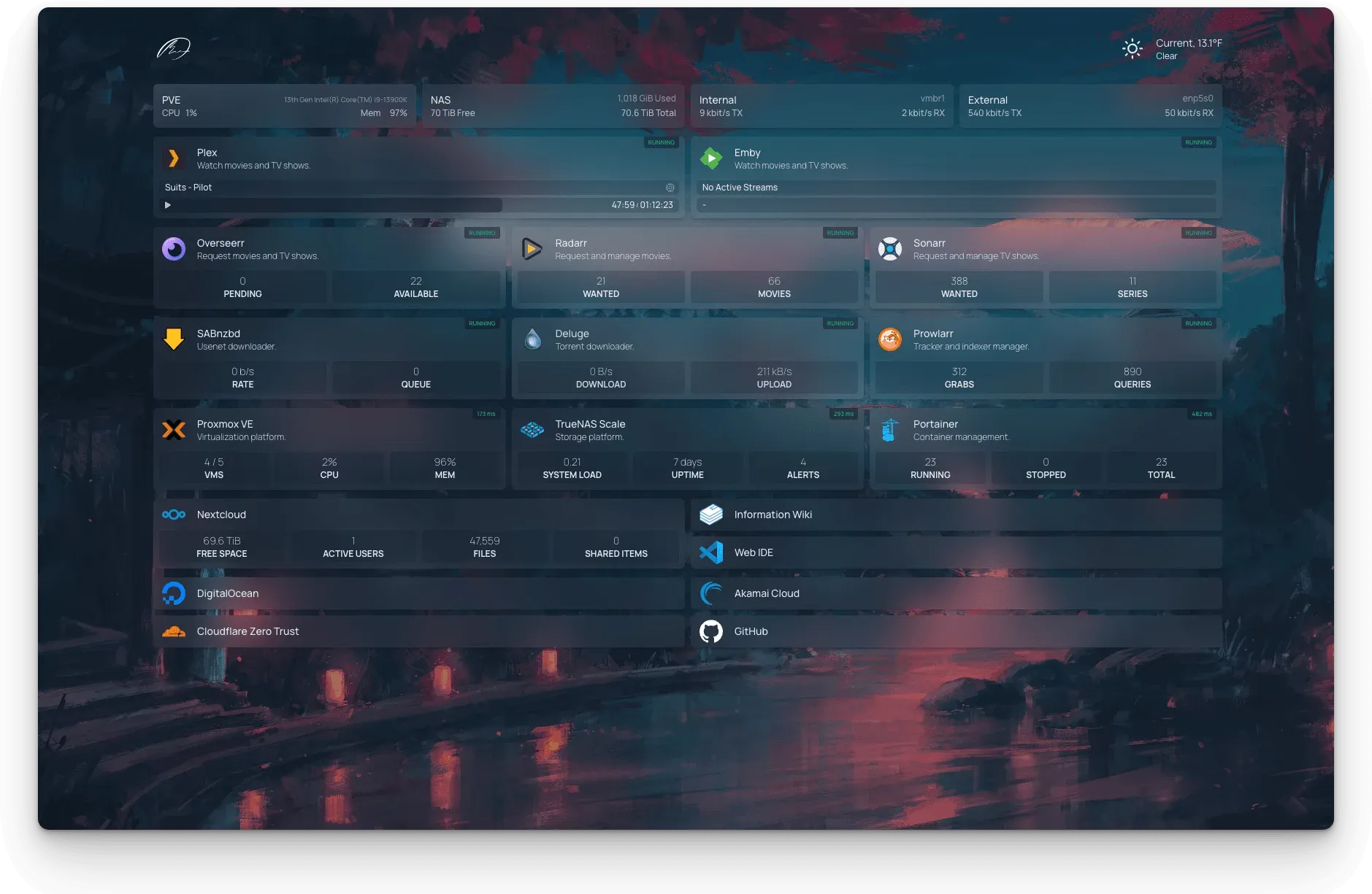
Homepage
Homepage is a dashboard and startpage for a homelab: one page that links to all your services, shows live status pulled from each one’s API, and groups everything into categories. Built on Next.js, configured entirely through YAML.
- Over 100 service integrations (Sonarr, Radarr, Plex, Jellyfin, Proxmox, Pi-hole) that pull live data.
- Docker integration to auto-discover containers and show their status.
- Info widgets for weather, time, system resources, and a search bar.
- A CustomAPI widget to wire up any JSON endpoint without code.
There’s no GUI editor: you configure it by hand in YAML files, which is flexible but has a learning curve. It’s a dashboard, not a reverse proxy or auth layer, so it pairs with the next two tools rather than replacing them.
Infrastructure and security
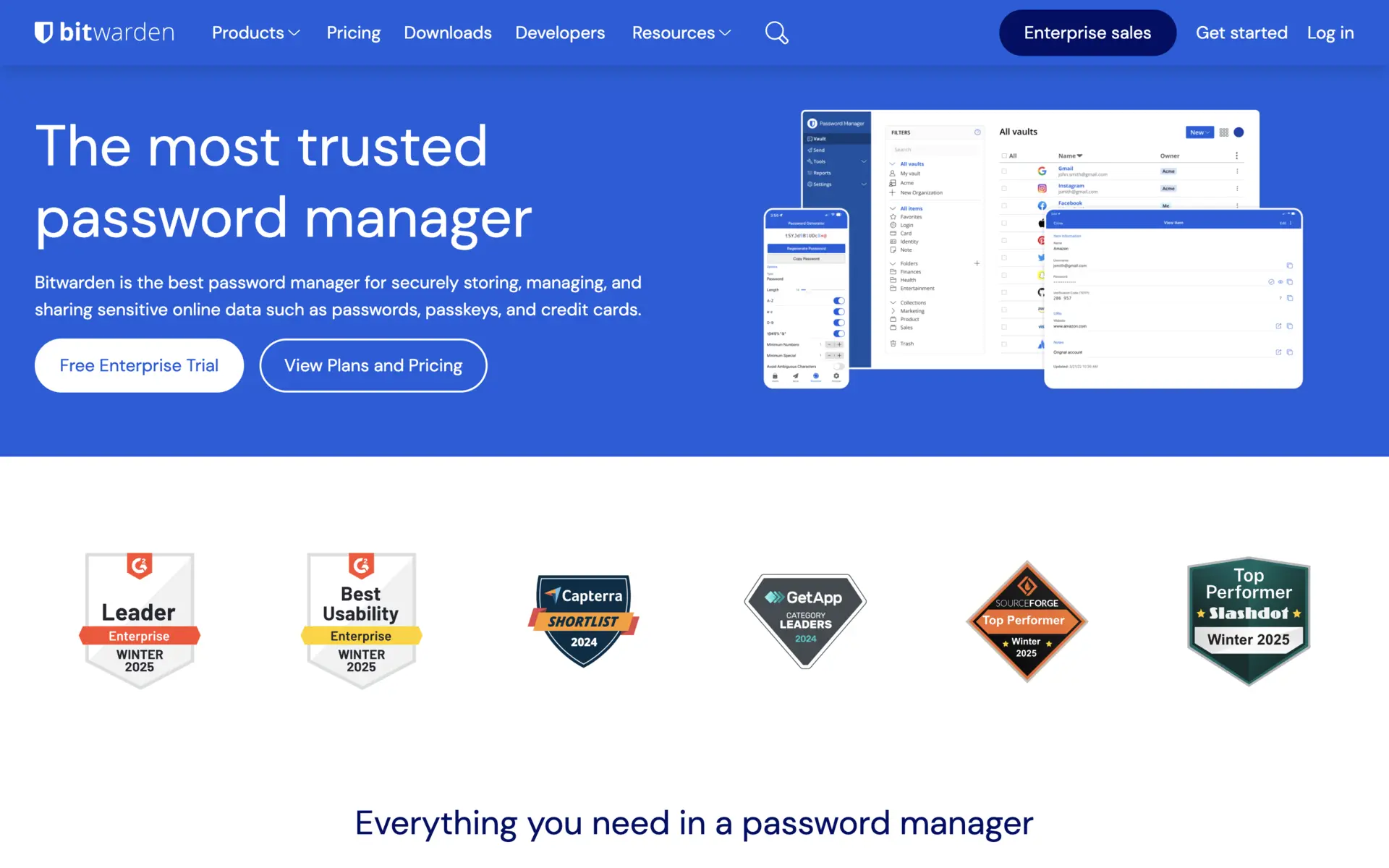
Vaultwarden (Bitwarden)
For self-hosting a password manager, most people don’t run the official Bitwarden server, which is a heavy multi-container .NET stack. They run Vaultwarden, an unofficial Rust reimplementation of the Bitwarden API. It’s a single lightweight container that runs fine on a Raspberry Pi, and the official Bitwarden client apps connect straight to it. Current release is v1.36.0.
- Organizations, collections, attachments, and Sends.
- OpenID Connect SSO and an experimental S3 backend for attachment storage.
- TOTP, WebAuthn, YubiKey, and Duo for second factors.
- Item archiving and end-to-end encryption throughout.
One thing worth knowing about the wider project: in late 2024 a packaging change made the Bitwarden client SDK look like it had broken its open-source promise. After community pushback, Bitwarden relicensed that SDK to GPLv3, so the consumer clients are unambiguously free again. Vaultwarden itself is community-maintained and unofficial, so there’s no commercial support, and you own backups and TLS.
Beszel
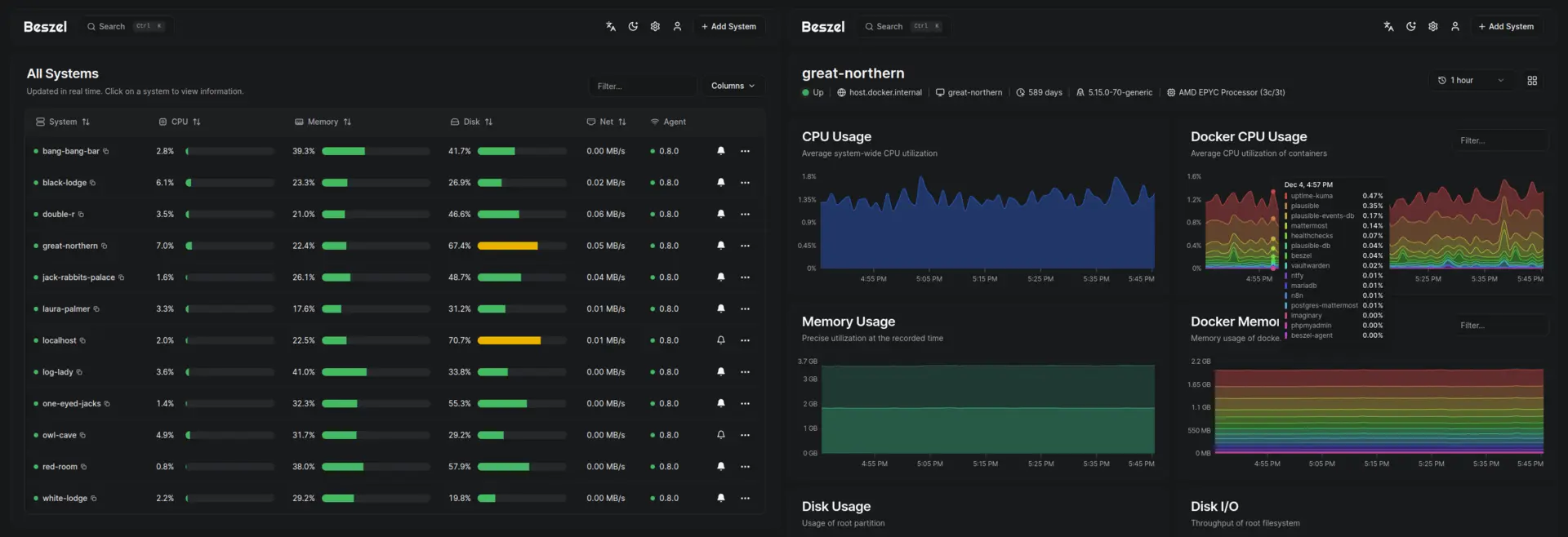
Beszel is lightweight server and Docker monitoring for people who don’t want to stand up a full Prometheus and Grafana stack. It’s a hub-and-agent design: the hub is a web dashboard (idles around 30MB of RAM), and a small agent on each machine reports metrics. Current release is v0.18.7 (April 2026).
- Tracks CPU, memory, disk usage and I/O, network, temperature, GPU, and per-container Docker stats.
- Configurable alerts on any metric, copyable between systems.
- Historical charts with low retention overhead.
- Linux, Windows, and macOS agents; Docker, Podman, or binary installs.
It’s deliberately simpler than Prometheus, Grafana, or Netdata - fewer metrics, lighter retention, less customization. Great for a homelab or a small fleet; not a full observability platform at scale. Still pre-1.0.
GoDoxy
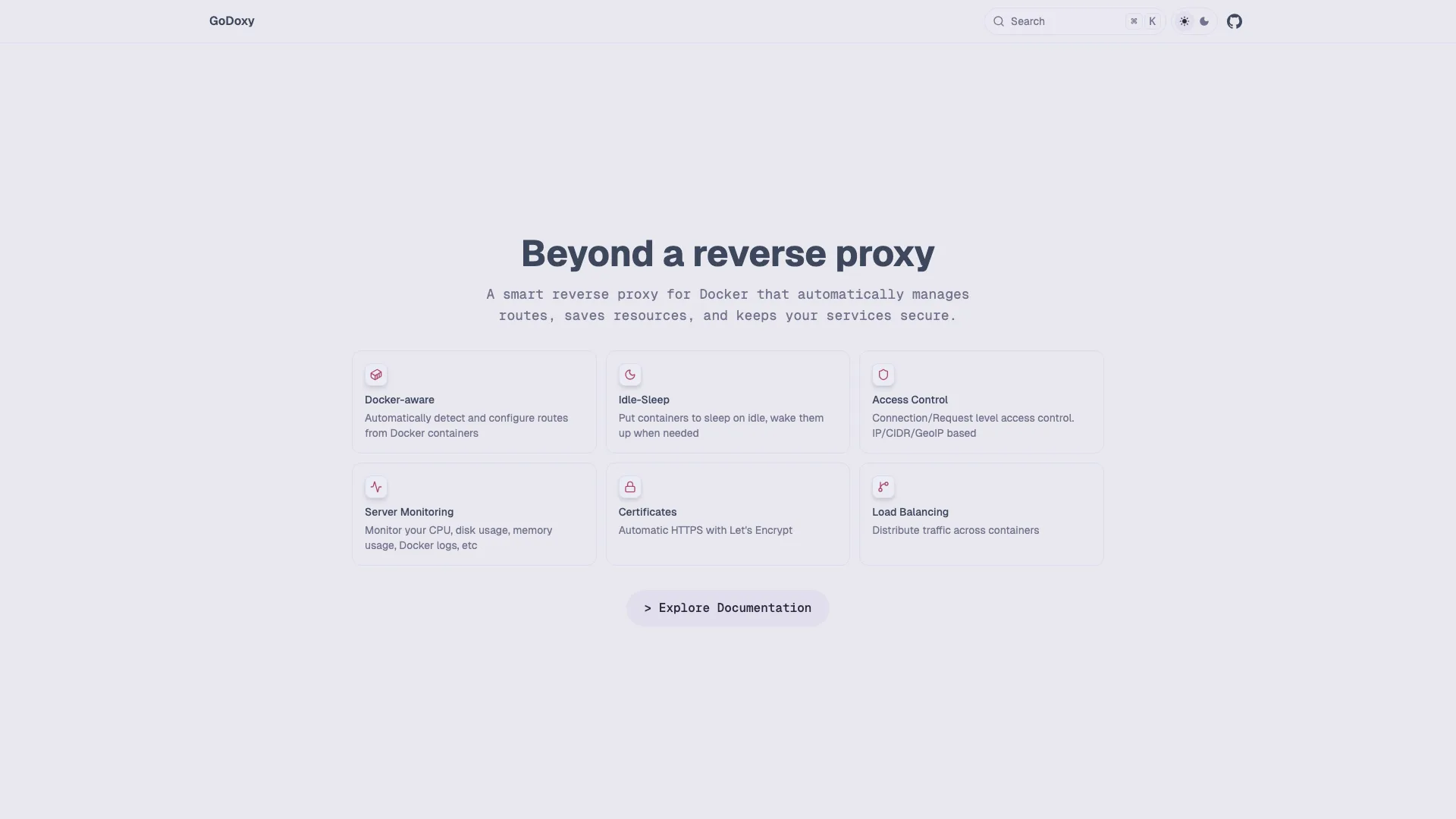
GoDoxy is a reverse proxy with a web UI, an alternative to Traefik or Nginx Proxy Manager that leans hard on Docker auto-discovery. Written in Go, deployed as a container or a single binary. Current release is v0.29.1 (May 2026), so it’s pre-1.0.
- Auto-configures routes from container labels and exposed ports, so most services need no manual config.
- Automatic HTTPS via Let’s Encrypt using the DNS-01 challenge, which works for internal services too.
- A web dashboard with container start/stop/wake controls and live logs.
- Idlesleeper: it stops idle containers and wakes them on the next request.
- Access control by IP, country, or OIDC/ForwardAuth in front of your services.
It moves fast and ships breaking changes between minor versions (v0.29.1 removed path_patterns), so check the current docs rather than old blog posts. It generally wants host network mode, and the community is smaller than Traefik’s.
Pocket ID
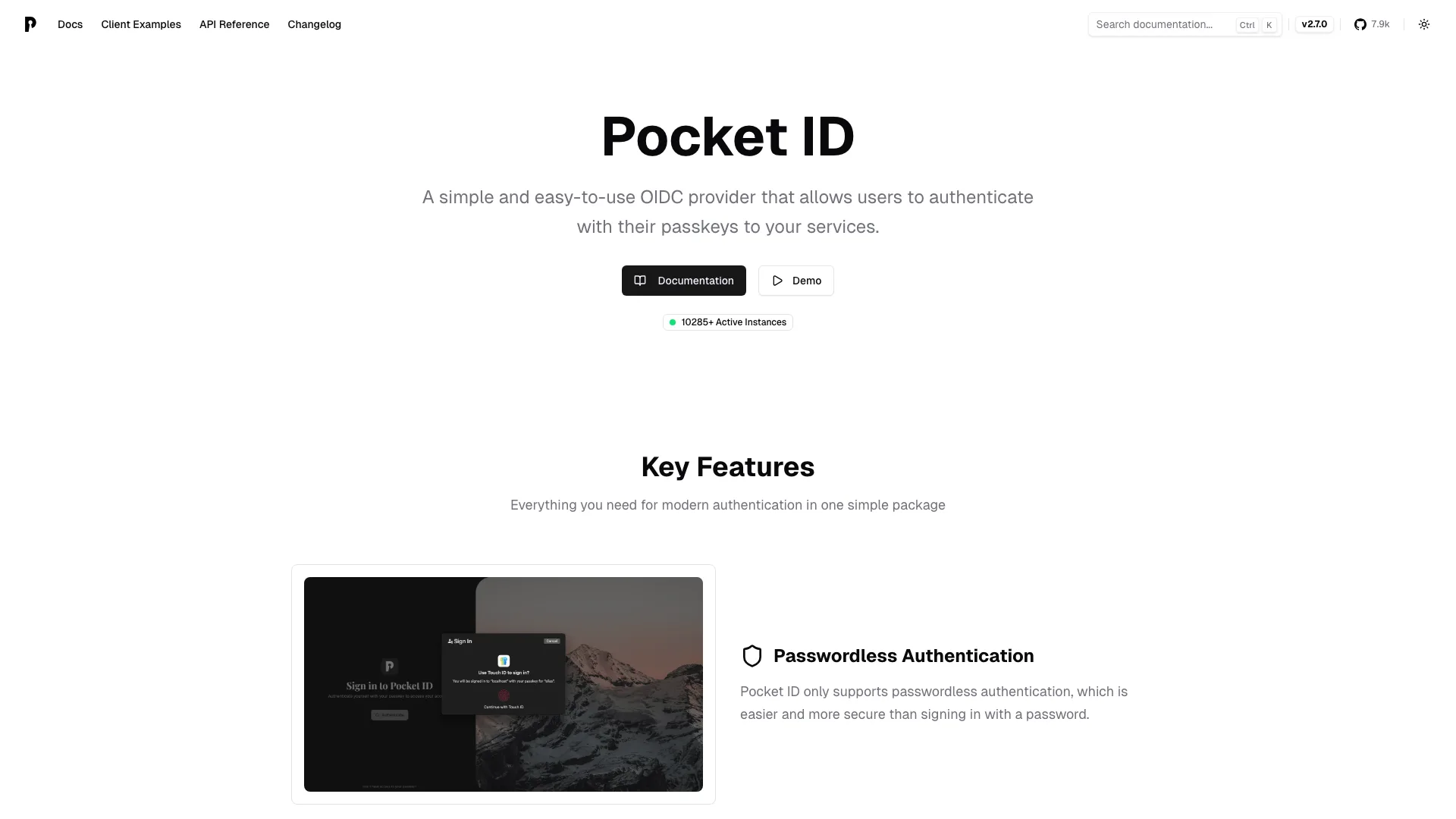
Pocket ID is a small OIDC identity provider where users log in with passkeys instead of passwords. Put it in front of your other self-hosted apps and you get one passwordless login across all of them. Go backend, single Docker image. Current release is v2.7.0 (May 2026).
- Passkey-only sign-in with platform passkeys or hardware keys like YubiKeys.
- A standards-compliant OpenID Connect provider, with per-client access by user group.
- LDAP sync (from lldap, OpenLDAP, or Active Directory) and SCIM provisioning, though login is still passkey-based, not LDAP passwords.
- A REST API with keys for automation, and a community Terraform provider.
The passwordless design is the appeal and the catch: if a user loses every passkey, recovery means an admin reset, which can trip up less technical users. It’s deliberately narrow next to Keycloak or Authentik, OIDC-focused rather than a full SAML/Kerberos suite. The repo moved to pocket-id/pocket-id, so update old links.
Reaching your apps from outside
Most of this list runs on your home network or a box behind NAT, which is fine until you want to reach it from your phone on cellular, share a link, or take a webhook from an outside service. Plex made that lesson concrete in 2025 by charging for the remote access it used to give away.
You have a few options. Open a port and run a reverse proxy like GoDoxy with Pocket ID for auth - the most control, the most setup. Or use a tunnel, which needs no open ports and no public IP. To expose a local app (say one on port 8080) over a public HTTPS URL with Pinggy, it’s one SSH command:
ssh -p 443 -R0:localhost:8080 free.pinggy.ioThat’s handy for quick remote access, sharing a demo, or testing webhooks against a service running at home, without touching your router.
Wrapping up
Self-hosting in 2026 is in good shape: there’s a mature, free alternative to most paid SaaS in this list, and several categories (photos, media, identity, monitoring) now have options that are genuinely pleasant to run. The recurring theme this year was projects either growing up (Immich and Jellyfin shipping major stable releases) or reminding everyone why they self-host in the first place (Plex’s paywall).
Pick one thing you already pay for or feel uneasy handing to a third party, host that, and get your backups sorted before you add the next. The list isn’t a checklist to complete; it’s a menu.