Self hosting a 744B param LLM with only 25 GB RAM
Updated on Jul 17, 2026 · 9 min read
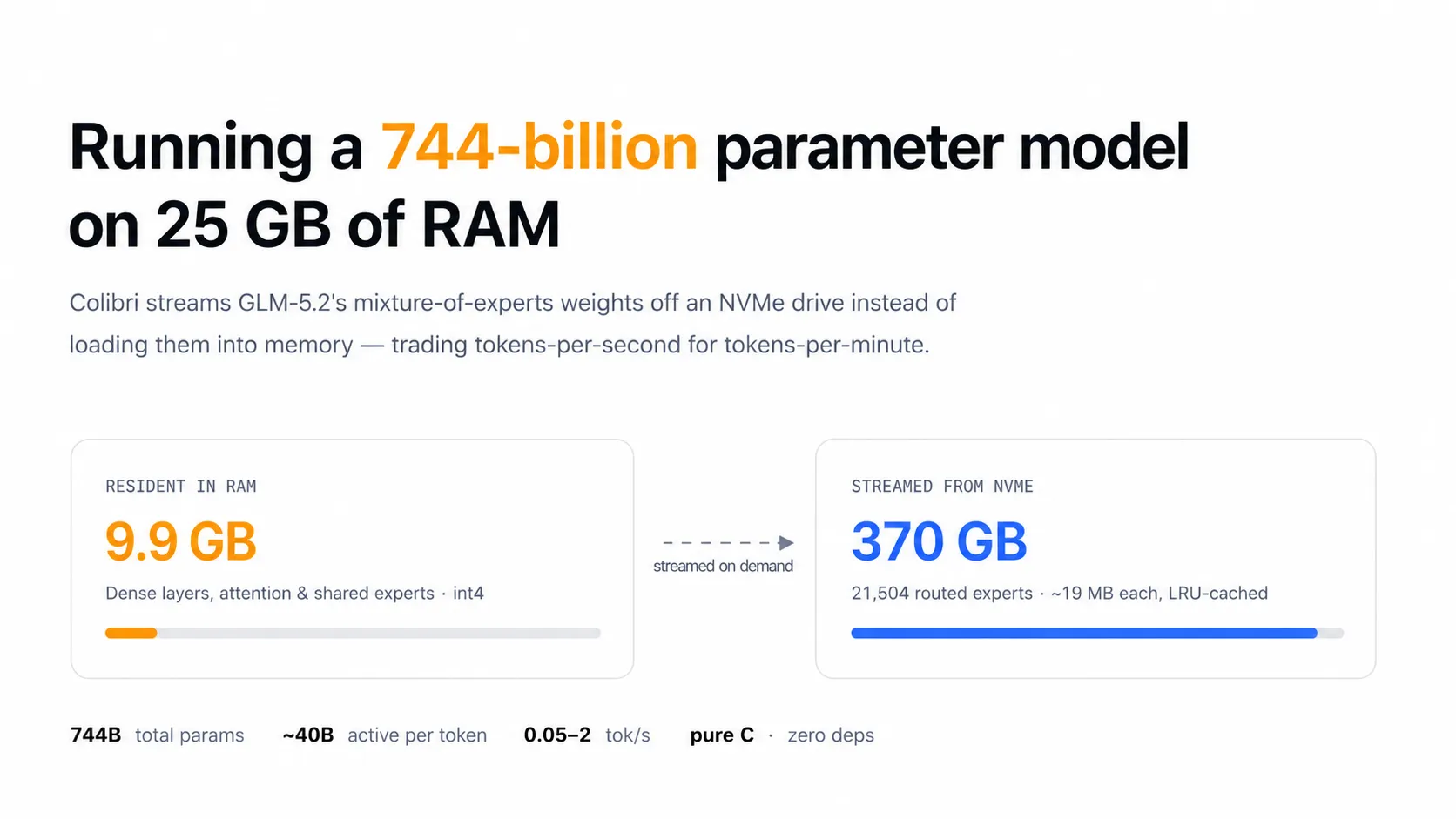
A Show HN post titled “Getting GLM 5.2 running on my slow computer” climbed past 700 points and 180 comments this week. The project, called Colibrì, does something that sounds like it shouldn’t work: it runs Z.ai’s GLM-5.2, a 744-billion-parameter mixture-of-experts model, on a 12-core laptop with 25 GB of RAM. Not a distilled 7B version, not a heavily quantized shrink. The full model, weights and all, on hardware you could buy at a regular electronics store.
The trick is that it barely uses the RAM at all. Colibrì keeps only the model’s dense backbone in memory - about 9.9 GB at int4 - and streams the 21,504 mixture-of-experts weights straight off an NVMe drive, one expert at a time, as the router picks them. It is slow. Painfully slow in the cold-cache case. But it runs, and the engine that does it is a single ~2,400-line C file with zero runtime dependencies.
Summary
- What it is: Colibrì, a pure-C inference engine that runs GLM-5.2 (744B params, ~40B active) on ~25 GB of RAM by streaming its mixture-of-experts weights from disk instead of loading them into memory.
- Performance: 0.05-0.1 tok/s cold on the author’s dev box (WSL2, 12 cores, 25 GB RAM); 2-4 tok/s once experts are pinned and warm; up to ~1.8 tok/s on faster hardware like an Apple M5 Max with a fast NVMe.
- Why it matters: it is a genuinely new trick for running frontier-scale open models on commodity hardware, not a toy demo - and it ships an OpenAI-compatible API server (
coli serve) out of the box. - The catch: at these speeds it is a queue-a-task-and-check-back-later tool, not a chat interface. The README itself recommends setting an API key before exposing the server beyond your machine.
- The practical follow-up: since
coli servebinds to localhost only, use Pinggy to get a public HTTPS URL and poll your overnight run from your phone:ssh -p 443 -R0:localhost:8000 free.pinggy.io.
GLM-5.2, briefly
If you haven’t been tracking it, GLM-5.2 is Z.ai’s flagship open-weight model, released in June 2026 under an MIT license. It has 744 billion total parameters but only about 40 billion active per token thanks to its mixture-of-experts routing, plus a 1-million-token context window made usable by an attention optimization called IndexShare that Z.ai says cuts per-token compute by roughly 2.9x at full context length. On the Artificial Analysis Intelligence Index, it currently ranks as the top open-weights model, and it reportedly beats GPT-5.5 on several long-horizon coding benchmarks while trailing Claude Opus 4.8 by a narrower margin than most open models manage. In other words, this isn’t a curiosity model - it’s close to frontier-tier, which is exactly why running the whole thing on a laptop is interesting instead of just cute.
If you want the general background on why MoE models behave this way, see our explainer on mixture of experts in LLMs.
How the disk-streaming trick works
The core idea exploits something MoE models already give you for free: only a fraction of the parameters activate for any single token. GLM-5.2 has 75 MoE layers with 256 experts each - 21,504 experts total - plus a multi-token-prediction (MTP) head, but the router only picks a handful of experts per token. Colibrì splits the model into two pieces and treats each one completely differently:
- The dense backbone - attention, shared experts, embeddings, roughly 17B parameters - stays resident in RAM at int4 quantization, weighing in around 9.9 GB.
- The 21,504 routed experts - about 19 MB each at int4, ~370 GB total - live on disk and stream in on demand, backed by a per-layer LRU cache, an optional pinned “hot store” for frequently-used experts, and the OS page cache acting as a free second-level cache.
That 370 GB has to sit on a local NVMe drive; over a network share or spinning disk this approach falls apart. The engine itself is refreshingly unglamorous: a single C file (c/glm.c), no Python at runtime, no BLAS library, no GPU required, built with GCC and OpenMP. Python only shows up once, during the initial FP8-to-int4 conversion step. An optional CUDA backend can host the resident tensors, but the experts stay CPU-streamed either way.
A few implementation details are worth calling out because they explain why this is more than a proof-of-concept toy:
- Automatic expert pinning learns which experts get hit often and keeps them resident, so a warm run gets meaningfully faster than a cold one.
- Speculative multi-token prediction adds 2.2-2.8 tokens per forward pass once the cache is primed, with a 39-59% draft acceptance rate in the author’s benchmarks.
- KV-cache persistence across sessions (~182 KB/token, crash-safe) means you don’t lose your place if the process restarts.
- Grammar-forced speculative decoding for structured output, useful if you’re planning to hit this with function-calling or JSON-mode requests instead of open-ended chat.
- An experimental router-lookahead prefetch claims 71.6% predictable routing, which is the kind of thing that could meaningfully close the speed gap if it matures.
The SSD-wear question inevitably comes up whenever someone proposes hammering a drive as a substitute for RAM. The README addresses it directly: heavy writes are limited to the KV cache, while expert loading is almost entirely reads. Reads don’t wear out flash the way writes do, so the “you’ll kill your SSD in a month” worry is less founded than it sounds at first.
The actual numbers
Here’s the benchmark table from the project, which is more useful than any single headline number:
| Machine | RAM | Disk | Measured |
|---|---|---|---|
| Dev box (WSL2, 12 cores) | 25 GB | ~1 GB/s | 0.05-0.1 tok/s cold, 2-4 tok/s warm/pinned |
| Apple M5 Max (18 cores), macOS | 128 GB | ~4 GB/s cold | 1.06 tok/s (default config), community reports up to ~1.8 tok/s with Metal backend tuning |
| Ryzen AI Max+ 395, Ubuntu | 128 GB | 3.27 GB/s buffered | 0.40 tok/s (int8 MTP head, learned expert pinning) |
The pattern is obvious once you see it laid out: this scales with disk bandwidth and RAM headroom for pinning hot experts, not with raw CPU power. Throw a faster NVMe and more spare RAM at it and the numbers improve meaningfully; throw more CPU cores at it and they don’t move much. That tracks with the architecture - the bottleneck is I/O, not compute.
Should you actually run this
Depends entirely on what “run” means to you. As a chat replacement, no - 0.1 tok/s cold is a novelty, not a tool. As a way to satisfy curiosity about whether a 744B model can even boot on hardware you already own, absolutely, and it’s a genuinely interesting engineering exercise to read through even if you never run it yourself.
Where it gets more defensible is the batch-job framing the HN commenters landed on. If you have a task that doesn’t need a human staring at a cursor - summarizing a document overnight, generating a first draft of something you’ll edit in the morning, running an agentic loop that checks in every few minutes instead of every few tokens - then tokens-per-minute instead of tokens-per-second stops being disqualifying. You queue the job before bed and read the output with coffee.
That framing only works, though, if you can actually check on the job without sitting at the same machine the whole time. Which is where the second half of this post comes in.
Running it and checking on it from anywhere
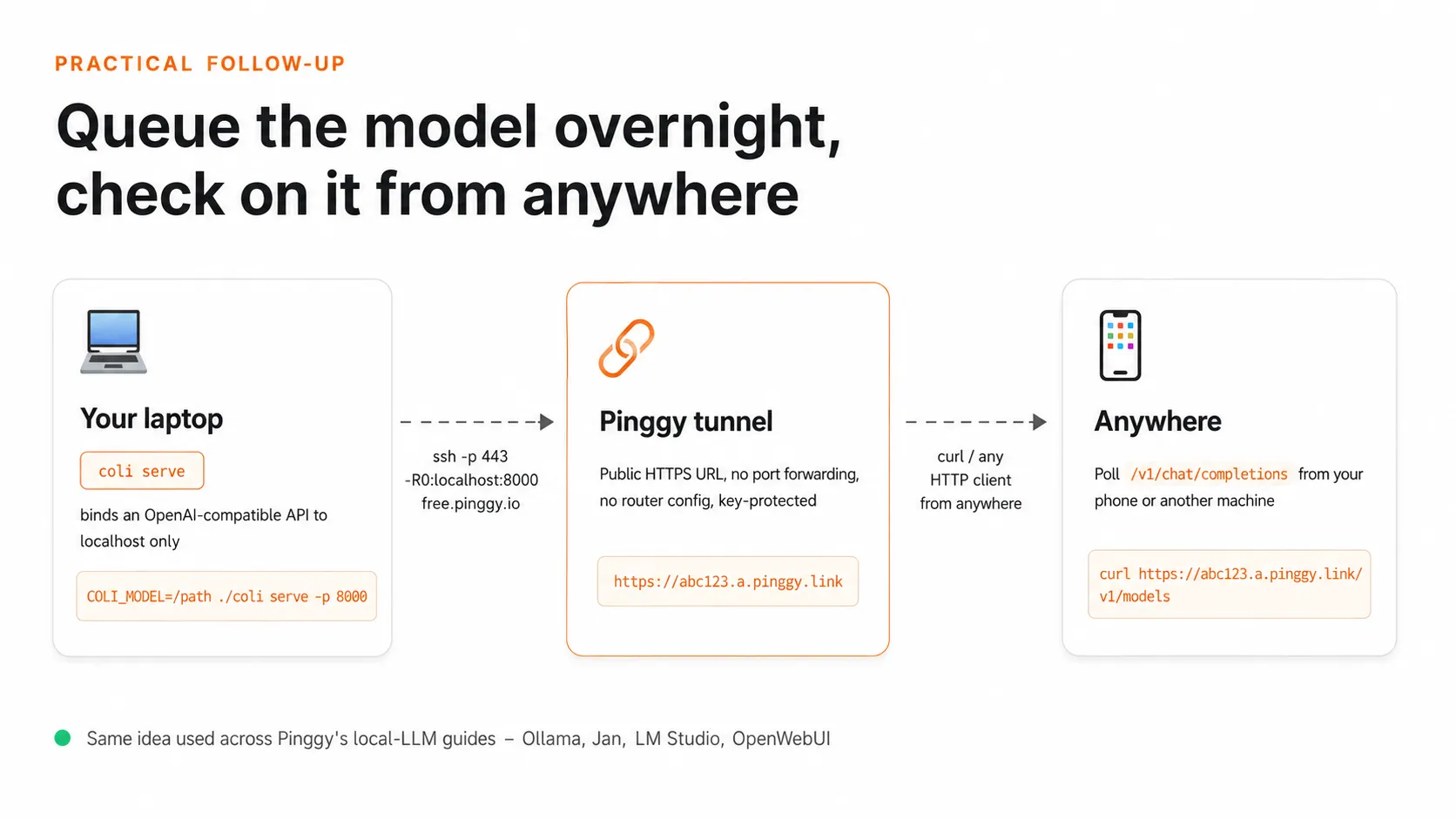
Colibrì ships coli serve, an OpenAI-compatible HTTP server with /v1/chat/completions, /v1/completions, and /v1/models endpoints, SSE streaming, and support for temperature and top-p controls. That means anything you’ve already written against the OpenAI SDK works against it with a base URL change.
Build and set it up first:
git clone https://github.com/JustVugg/colibri.git
cd colibri/c
./setup.sh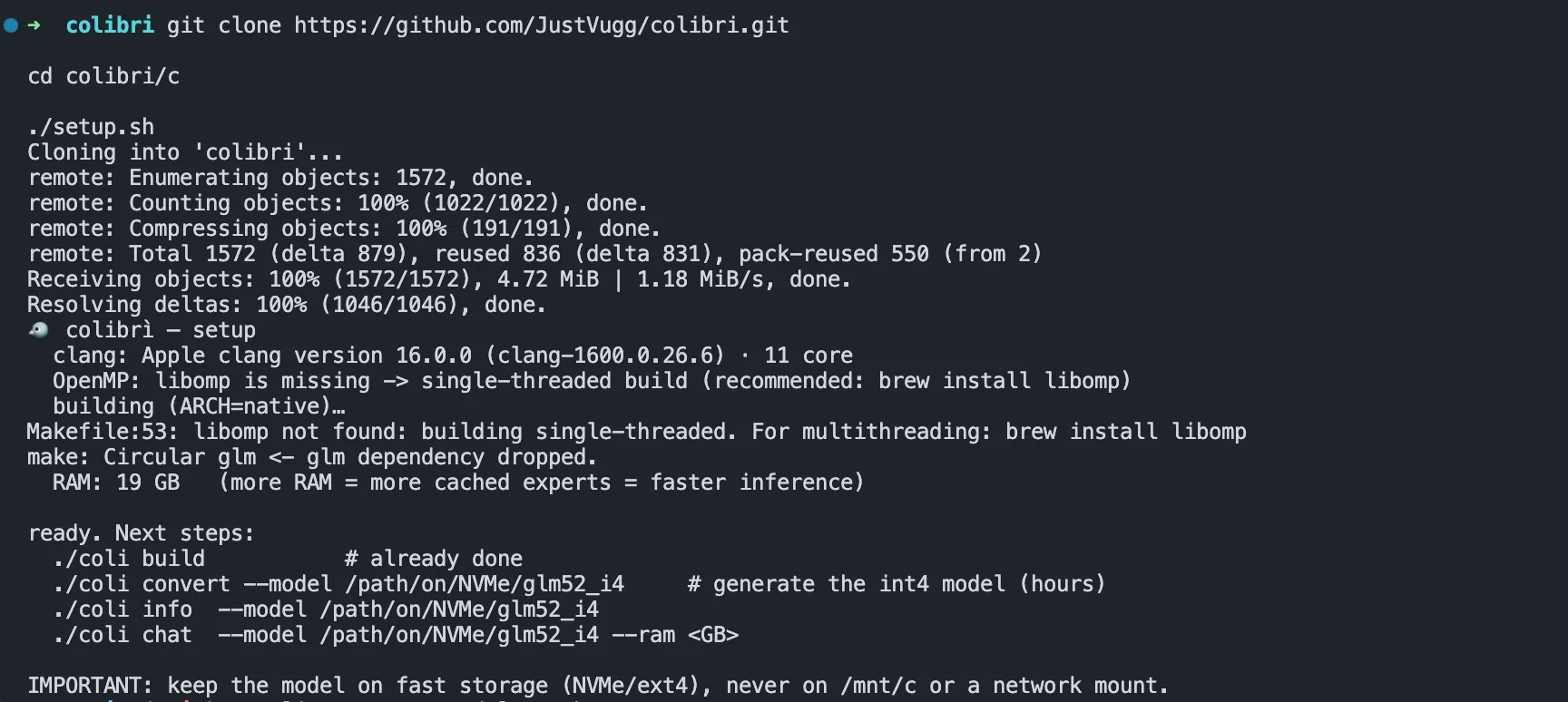
Either convert the weights yourself or grab the pre-quantized version from Hugging Face to skip the conversion step:
# convert from the original FP8 checkpoint
./coli convert --model /path/to/store

# or use the pre-converted int4 weights directly
# huggingface.co/jlnsrk/GLM-5.2-colibri-int4
Start the server. The README is explicit that the default bind address is localhost, and recommends setting an API key before you expose it any further than that:
COLI_MODEL=/path/to/store COLI_API_KEY=your-secret-key ./coli serve --host 127.0.0.1 --port 8000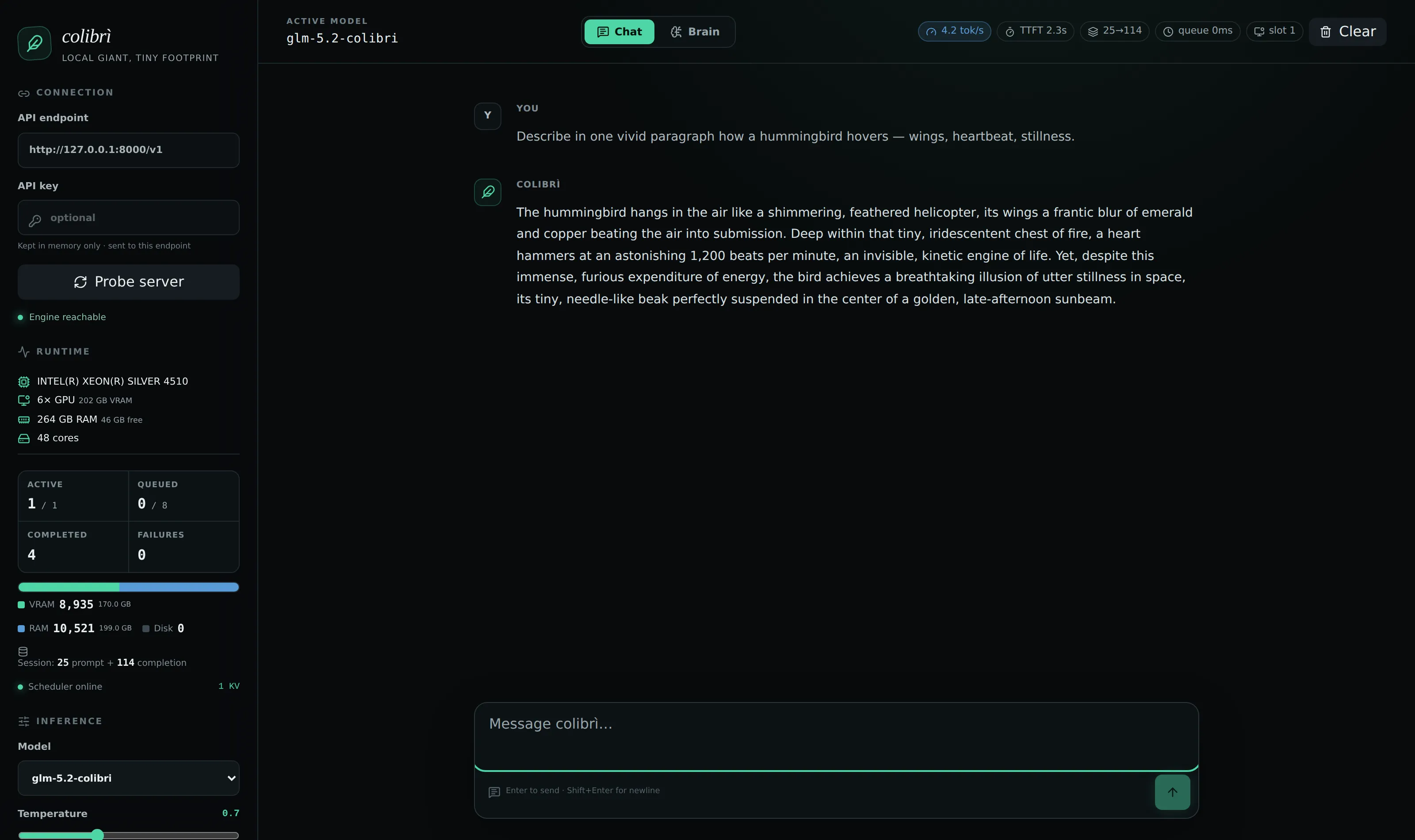
That last part - “before exposing the server beyond the machine” - is the whole reason a tunnel is useful here. 127.0.0.1 means nothing outside your laptop can reach it, which is safe by default but also means you can’t check on your overnight run from your phone without opening a separate terminal on the same machine. Pinggy closes that gap without you touching your router:
ssh -p 443 -R0:localhost:8000 free.pinggy.ioPinggy responds with a public HTTPS URL:
You are assigned a random subdomain: https://abc123.a.pinggy.link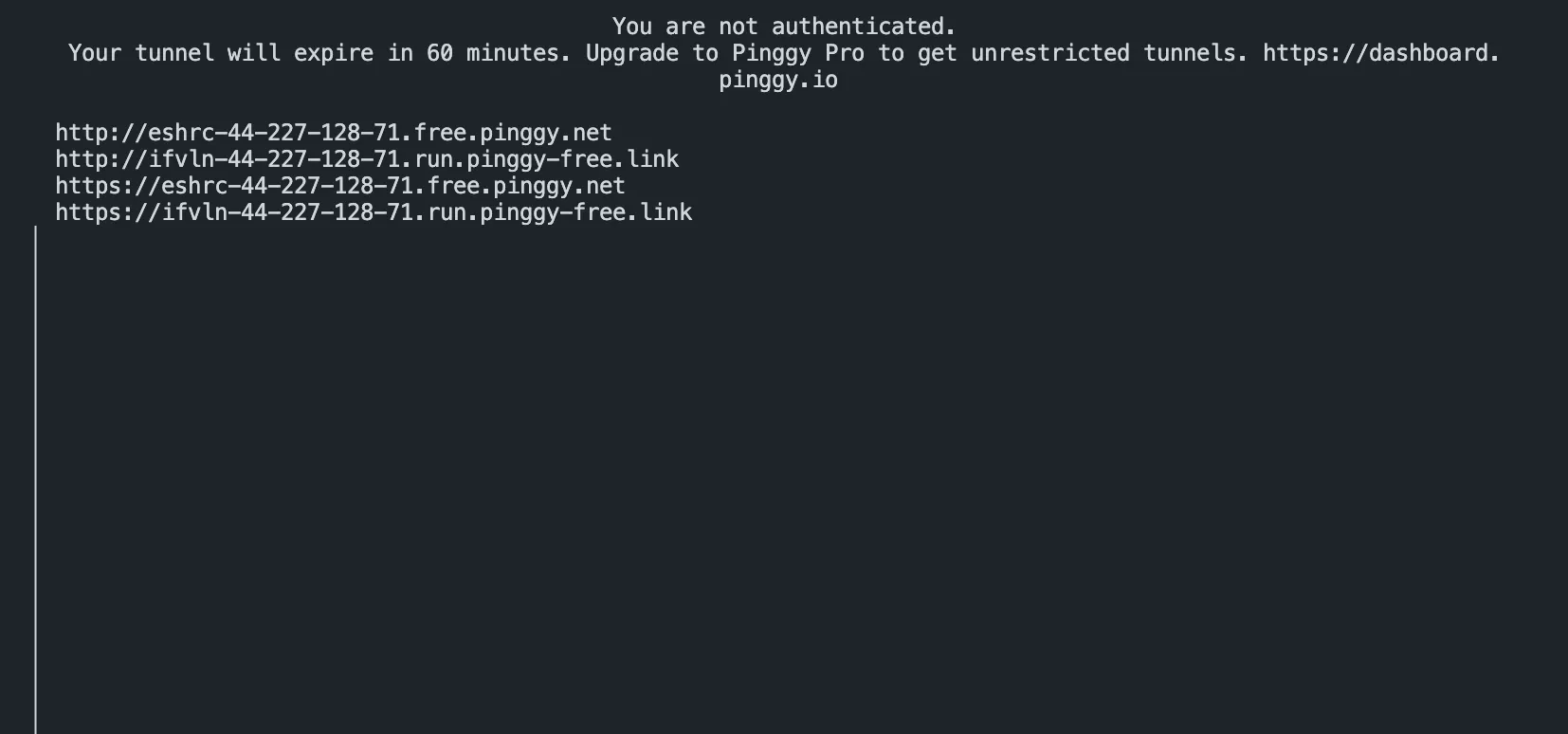
An unauthenticated free tunnel like this actually prints four URLs (HTTP and HTTPS, on two different domains) and a note that it expires in 60 minutes - fine for checking on a run once, less fine for an overnight job. Signing in or moving to a paid plan removes that expiry.
Now poll it from wherever you actually are:
curl https://abc123.a.pinggy.link/v1/chat/completions \
  -H "Authorization: Bearer your-secret-key" \
  -H "Content-Type: application/json" \
  -d '{
    "model": "glm-5.2",
    "messages": [{"role": "user", "content": "Summarize the attached notes."}],
    "stream": false
  }'
Queue the job before you go to bed, check the response from your phone in the morning, and you never had to leave a browser tab or an SSH session open on the machine actually doing the work. The tunnel stays up independently of whatever client you’re using to check on it.
If you want a fixed subdomain instead of a random one each time you restart the tunnel, Pinggy’s paid plans support that, along with basic-auth on top of your COLI_API_KEY if you want a second layer between the internet and a 370 GB model you’d rather not have strangers hammering:
ssh -p 443 -R0:localhost:8000 a.pinggy.io -t "b:myuser:mypassword"This is the same pattern we’ve used for other local-inference setups - see our guides on exposing an Ollama API and self-hosting any LLM - it just matters more here because the whole point of Colibrì is that the model is doing something slow enough that you genuinely want to walk away while it works.
Conclusion
The most interesting thing about Colibrì isn’t the specific tok/s numbers, which will look dated within a few months as NVMe drives get faster and someone inevitably tunes the expert-pinning heuristics further. It’s that “RAM as a hard requirement” is being actively challenged by more than one project at once - Colibrì and antirez’s ds4 arrived at similar architectures independently, working on different model families, within weeks of each other. That’s usually a sign an idea’s time has come rather than a coincidence.
Whether disk-streamed MoE inference ends up as a permanent fixture of the local-LLM toolkit or a clever stopgap that gets obsoleted by cheaper high-RAM hardware, it’s worth trying at least once if you have a spare NVMe drive and a task that doesn’t mind waiting. The Colibrì repository has the full benchmark methodology and build instructions if you want to reproduce the numbers on your own machine.
This post is a write-up of the Show HN thread “Getting GLM 5.2 running on my slow computer”, where the discussion described above played out.