5 Best Enterprise Search Platforms With AI Agents
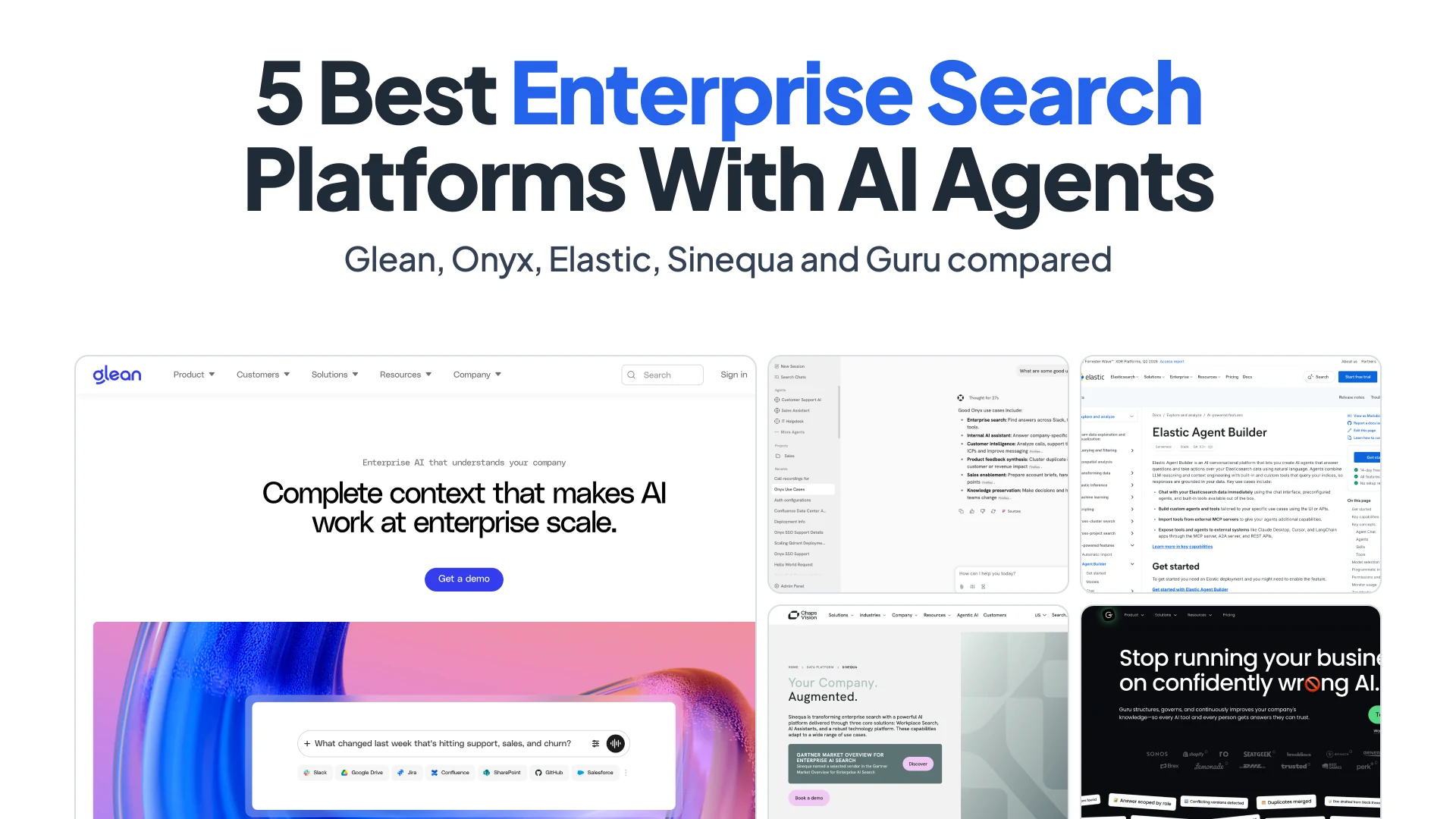
Glean passed $300 million in annual recurring revenue in May 2026, 15 months after it reached $100 million. What its customers pay for is easy to describe and hard to build: one search box that reads Confluence, Jira, Slack, Google Drive and hundreds of other apps, returns only what the person asking is allowed to see, and then acts on the answer by filing the ticket or drafting the reply.
That combination, permission-aware search plus agents that work on top of it, is what this list compares. Glean is first because it’s the most complete product in the category. The other four each win a different job: Onyx if you want to run it yourself, Elastic Agent Builder if you want to build it, Sinequa if your data can’t leave the building, and Guru if answers need a human sign-off. We left the big-suite assistants from Microsoft, Google and Amazon out on purpose, and explain why near the end.
Summary
- Glean is the most complete option. It advertises 275+ connectors (counting MCP-based ones), permission-aware search, an Agent Builder with scheduled and content triggers, and an MCP server for Claude, ChatGPT and Cursor. There’s no public price; buyer data puts the median contract near $99k a year.
- Onyx is the open-source pick. The MIT Community Edition ships 54 connectors, custom agents with MCP actions, and works with any LLM, including Ollama. Per-user permission sync needs the Enterprise Edition or Onyx Cloud ($20/user/month). Zoom acquired the company in September 2026.
- Elastic Agent Builder is for teams that want to build their own. It’s been GA since Elastic 9.3 and exposes its tools over MCP and its agents over A2A, but it needs the Enterprise tier and you build the employee-facing app yourself.
- Sinequa is for data that can’t leave your network. It has 200+ connectors, on-prem and air-gapped deployment, an MCP server that mirrors directory permissions, and ChapsAgents (April 2026) for no-code agents.
- Guru is for answers someone has signed off on. Knowledge lives in verified Cards with owners and expiry dates, Knowledge Agents flag stale content, and its MCP server serves the same governed knowledge to outside AI tools.
How enterprise search with agents works
Every product here runs the same pipeline. Connectors pull content from each app, along with its metadata and its access control lists (ACLs). An index stores all of it, usually hybrid, with keyword and vector search side by side. At query time the platform knows who is asking and filters results by the ACLs it copied from the source. An LLM then writes an answer with citations. Agents are the newer layer: they run multi-step tasks over that retrieval and call tools that write back to other apps.
To keep the comparison concrete, we run one question through every platform:
“Where’s the rollback runbook for payments-api, and what did the team decide in Slack after Tuesday’s failed deploy? Open a Jira ticket to update the runbook.”
The runbook lives in Confluence, the decision lives in a Slack thread, and the follow-up belongs in Jira. That’s three apps, three permission models and one write action, which is a fair miniature of what these products are sold to do.
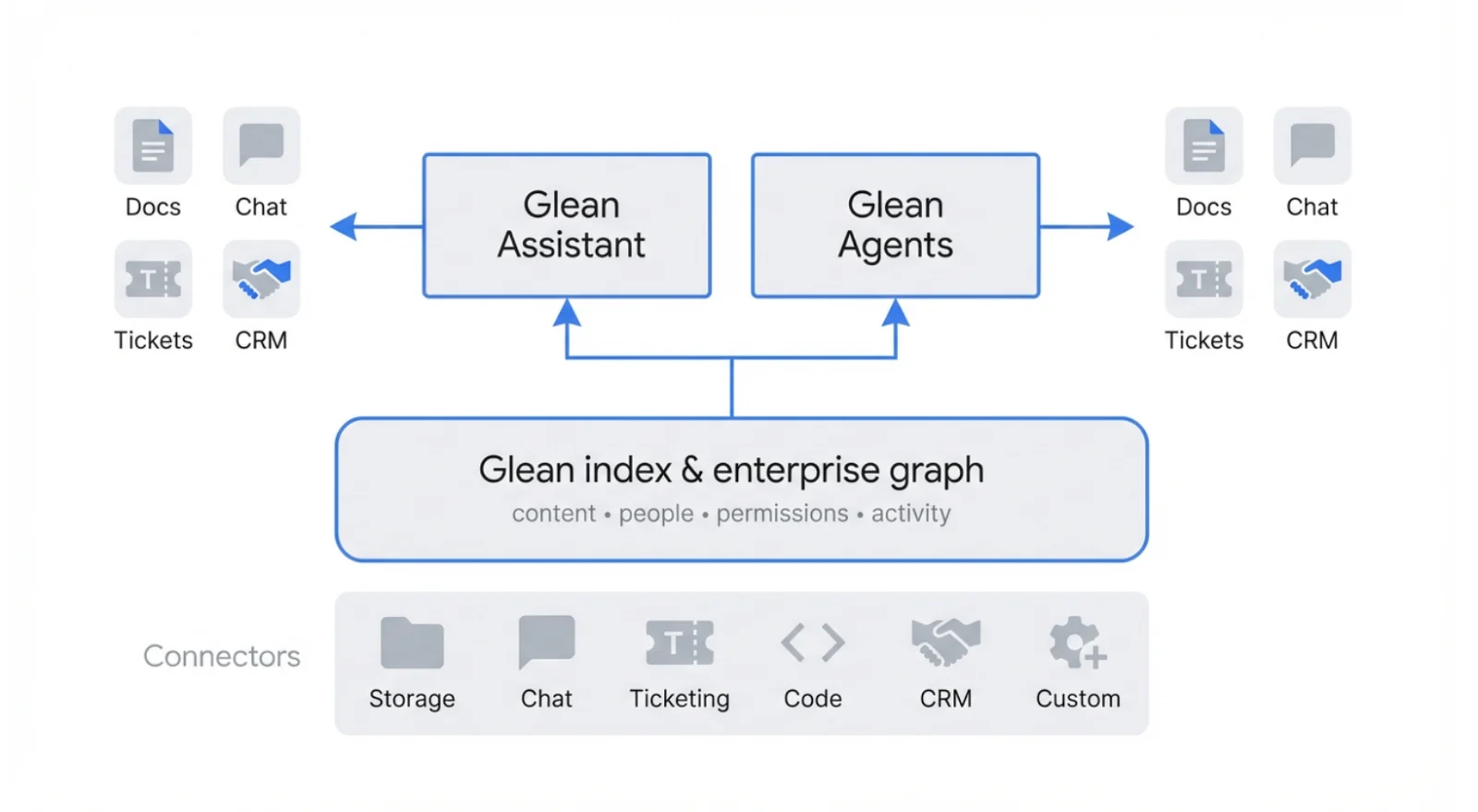
Glean’s own diagram of the pipeline: connectors feed one index of content, people, permissions and activity, and Assistant and Agents read from it and write back to docs, chat, tickets and CRM. Screenshot: docs.glean.com, October 2026.
The hard parts aren’t the LLM. They’re permission fidelity (a page restricted yesterday must not show up today), freshness (how many minutes behind the source the index runs), and connector depth (whether a “Slack connector” reads private channels and threads or just public messages). The other shift in the last year is MCP, the Model Context Protocol. Every platform below now uses it in at least one direction: as a server, so Claude, ChatGPT or Cursor can search company knowledge, or as a client, so its agents can call your tools, or both.
Enterprise search platforms compared
Pricing and feature details are from vendor pages and docs as of October 12, 2026, and change often.
| Platform | Deployment | Best Fit | Agents and MCP | Pricing Snapshot |
|---|---|---|---|---|
| Glean | Single-tenant SaaS, or Customer Hosted in your AWS/GCP account | Mid-size and large companies with knowledge spread across many apps | Agent Builder (natural language or step-by-step), schedule and content triggers, custom tools, remote MCP servers, A2A, its own MCP server | Not published; seats plus pooled FlexCredits; buyer data shows a ~$99k/year median |
| Onyx | Self-hosted (Docker, Kubernetes) or Onyx Cloud | Teams that want to own the stack and choose the LLM | Custom agents, MCP and OpenAPI actions, deep research, its own MCP server | Community Edition free (MIT); Cloud Business $20/user/month annually; Enterprise custom |
| Elastic Agent Builder | Self-managed, Elastic Cloud Hosted, or Serverless | Engineering teams building their own search and agents | Built-in and custom tools, external MCP tools, tools served over MCP, agents over A2A | Enterprise tier only; Cloud Hosted Enterprise listed from $184/month, resource-based |
| Sinequa | On-prem, private cloud, or air-gapped | Regulated industries: life sciences, defense, energy, legal | ChapsAgents no-code builder, MCP server over 200+ connectors with permission mirroring | Not published |
| Guru | SaaS | Support, sales and ops teams that need verified answers | Knowledge Agents that answer, verify and flag stale content; MCP server | Custom, scoped per organization |
The 5 best enterprise search platforms with AI agents
1. Glean
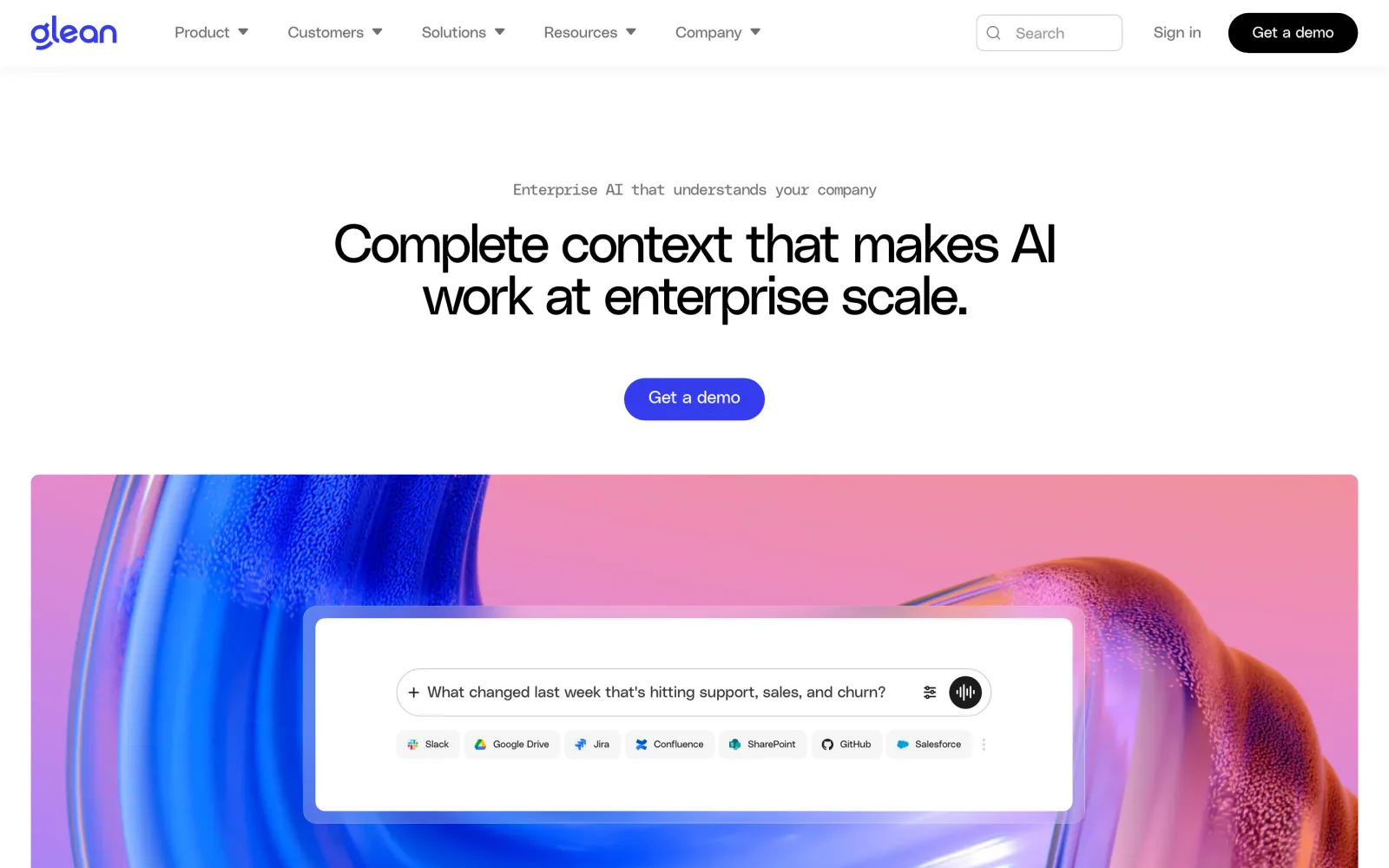
Screenshot: glean.com, October 2026.
Glean is a work AI platform that connects to a company’s apps, data and people, so employees can find information, get answers, generate content and automate work from one place. Its connectors sync content, metadata, identities and each app’s ACLs into a per-tenant index, and Glean enforces those permissions at query time. The marketing page counts 275+ connectors, a figure that includes MCP-based integrations; Glean’s own press releases still said “over 100” in December 2025. Freshness depends on the source. Per Glean’s refresh-rate docs, Jira changes arrive by webhook in under 5 minutes, Google Drive and Box update every 10 minutes, and GitHub runs an hourly incremental crawl.
On top of the index sits the Enterprise Graph, launched in September 2025, which maps how people, projects and documents relate, plus a per-employee personal graph of who you work with and what you’re working on. That’s what lets “the payments-api runbook” resolve to the right page and not the five stale copies. Glean is model-agnostic. It routes to OpenAI, Anthropic, Google Gemini, Amazon Nova and open models, and you can bring your own key for OpenAI, Azure OpenAI, Vertex, Bedrock or Anthropic.
Agents are where Glean has moved fastest. In Agent Builder you either describe the outcome in plain language and let the agent pick its tools, or lay out explicit steps, branches and loops. Agents run from a chat message, a form, a schedule, or a content trigger such as a new Jira issue or Salesforce change, which fires within a few minutes. Tools (Glean renamed “actions” to tools) cover Jira, Salesforce and the other usual apps, and you can add your own from an OpenAPI spec. Agents can also call remote MCP servers (still beta inside agents) and other agents over A2A. In the other direction, Glean runs a permission-aware MCP server at https://<company>-be.glean.com/mcp/default, with OAuth 2.1 sign-in, so Claude Code, ChatGPT, Cursor or VS Code can search company knowledge as the signed-in user.
Our test question is a good fit for Glean, with one wrinkle. The Confluence runbook comes from the index. The Slack thread doesn’t: since March 3, 2026 Glean no longer indexes Slack and instead fetches messages live through Slack's Real-Time Search API, a change that followed Salesforce tightening Slack’s API terms for AI use in 2025. An agent with the Jira tool then files the ticket. Deployment is either Glean Hosted, single-tenant SaaS on GCP, or Customer Hosted in your own GCP or AWS account, still operated by Glean. Glean lists SOC 2 Type II, ISO 27001 and ISO 42001.
Pricing is the main thing to plan around. There’s no public price list, no self-serve plan and no trial. The Enterprise Flex model combines per-user seats with a pooled FlexCredits allowance: search and agent building are unlimited, while agent runs, API calls and MCP calls use credits (a median agent run costs about 7 credits, the 90th percentile about 114). Buyer data on Vendr puts the median contract around $98,890 a year, with minimums of roughly 100 to 250 users. Developers will also hit some limits: custom tools take a single endpoint with flat parameters, retrieval responses over about 8,000 characters get truncated, and 726 of the 881 MCP server templates in Glean’s catalog are unvetted “Preview” entries.
If you’re a company of a few hundred people or more, with engineering, support, sales and IT all asking the same questions across a dozen apps, Glean is the default to beat. Its customers include Booking.com, Comcast, eBay, Intuit, LinkedIn, Pinterest, Samsung and Zillow, and it’s the only product here that matches broad connector coverage with a mature agent layer. If you’re 40 people on Notion and Slack, the minimums will rule it out.
2. Onyx
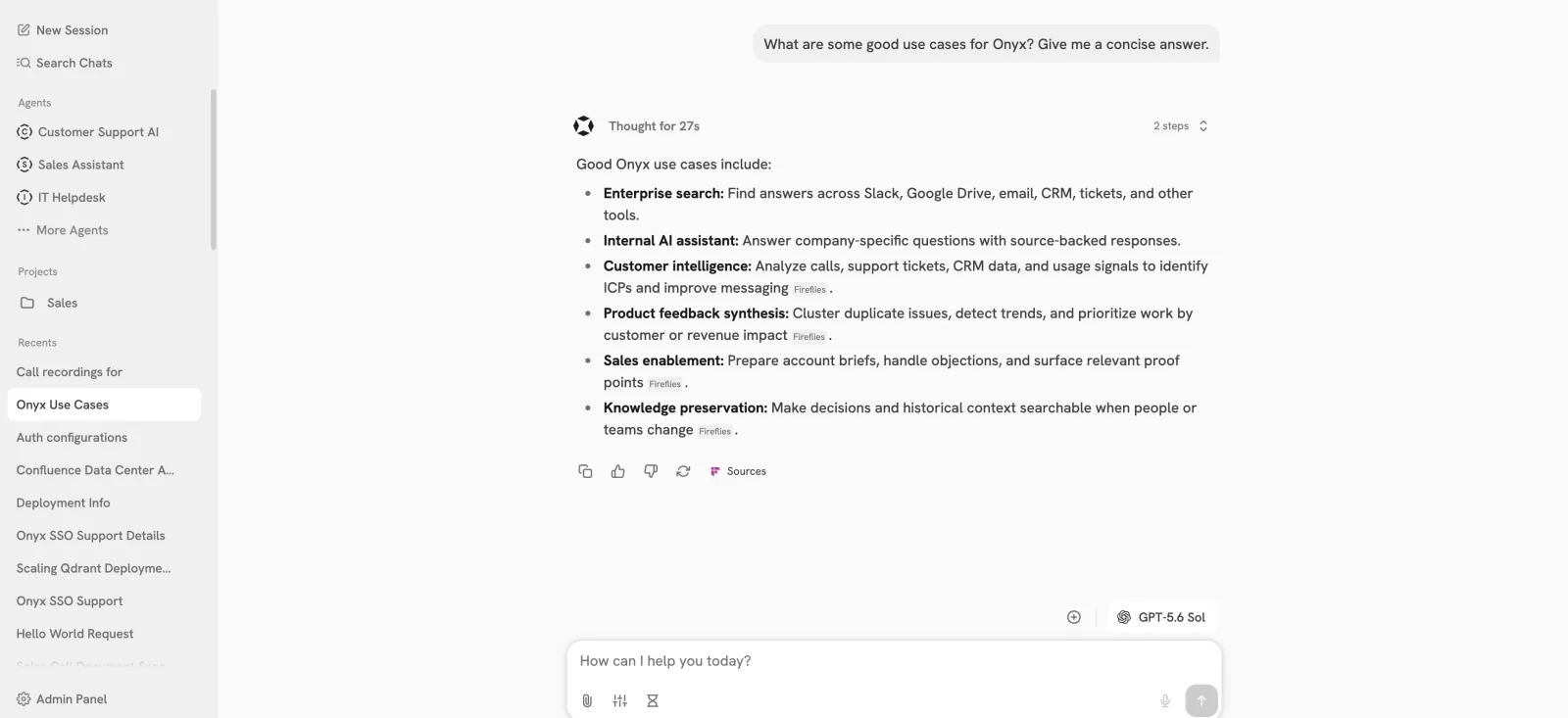
Image: the Onyx README, github.com/onyx-dot-app/onyx, October 2026.
Onyx (formerly Danswer) is the closest open-source equivalent to Glean: connectors, a search index, chat, agents and deep research, all in one app you can run on your own hardware. The connector docs list 54 sources, including Confluence, SharePoint, Google Drive, Jira, Slack, Teams, Salesforce, GitHub and Zendesk. In v4.0.0 (May 26, 2026) Onyx replaced its Vespa index with OpenSearch, citing lower baseline resources. It runs hybrid search with optional reranking, and it works with any LLM: OpenAI, Anthropic, or self-hosted models through Ollama, vLLM or LiteLLM. If you already run models locally, that last point matters; see our guide to self-hosting an LLM.
Agents in Onyx are custom assistants, each with its own slice of the index, instructions and actions. Actions come from MCP servers (HTTP or SSE) or OpenAPI specs, and there are built-in tools for web search and a code sandbox. Onyx also runs its own MCP server, at https://cloud.onyx.app/mcp on Cloud or on port 8090 when self-hosted, so outside clients can search the index. The documented quick start is a one-line install script, curl -fsSL https://onyx.app/install_onyx.sh | bash, after which the UI is at http://localhost:3000. Budget at least 4 vCPU and 10 GB of RAM, plus disk of about 2.5 times your indexed data.
For our test question, the connectors are all there, but per-user permission sync is an Enterprise Edition feature. The code under ee/ is under a proprietary license; everything else is MIT. On the free Community Edition each connector is simply public or private, so a thread from a private Slack channel either shows up for everyone with access to that connector or for no one. Permission sync covers 13 connectors in EE, including Confluence, Jira, Slack, Google Drive and SharePoint. The Jira ticket is an MCP or OpenAPI action you wire up yourself.
Onyx Cloud’s Business plan is $20/user/month billed annually and lists permission inheritance; Enterprise, at a custom price, adds SSO and on-prem or region-specific deployment. The project has about 32,400 GitHub stars as of October 12, 2026, and shipped v4.9.0 on October 7. The big open question is ownership: Zoom acquired Onyx around September 23, 2026, and the founders say it stays open source, model-agnostic and self-hostable. Pick Onyx when data sovereignty or LLM choice outweighs a polished admin experience, and when someone on the team is happy to run Postgres, OpenSearch and model servers.
3. Elastic Agent Builder
Screenshot: elastic.co docs, October 2026.
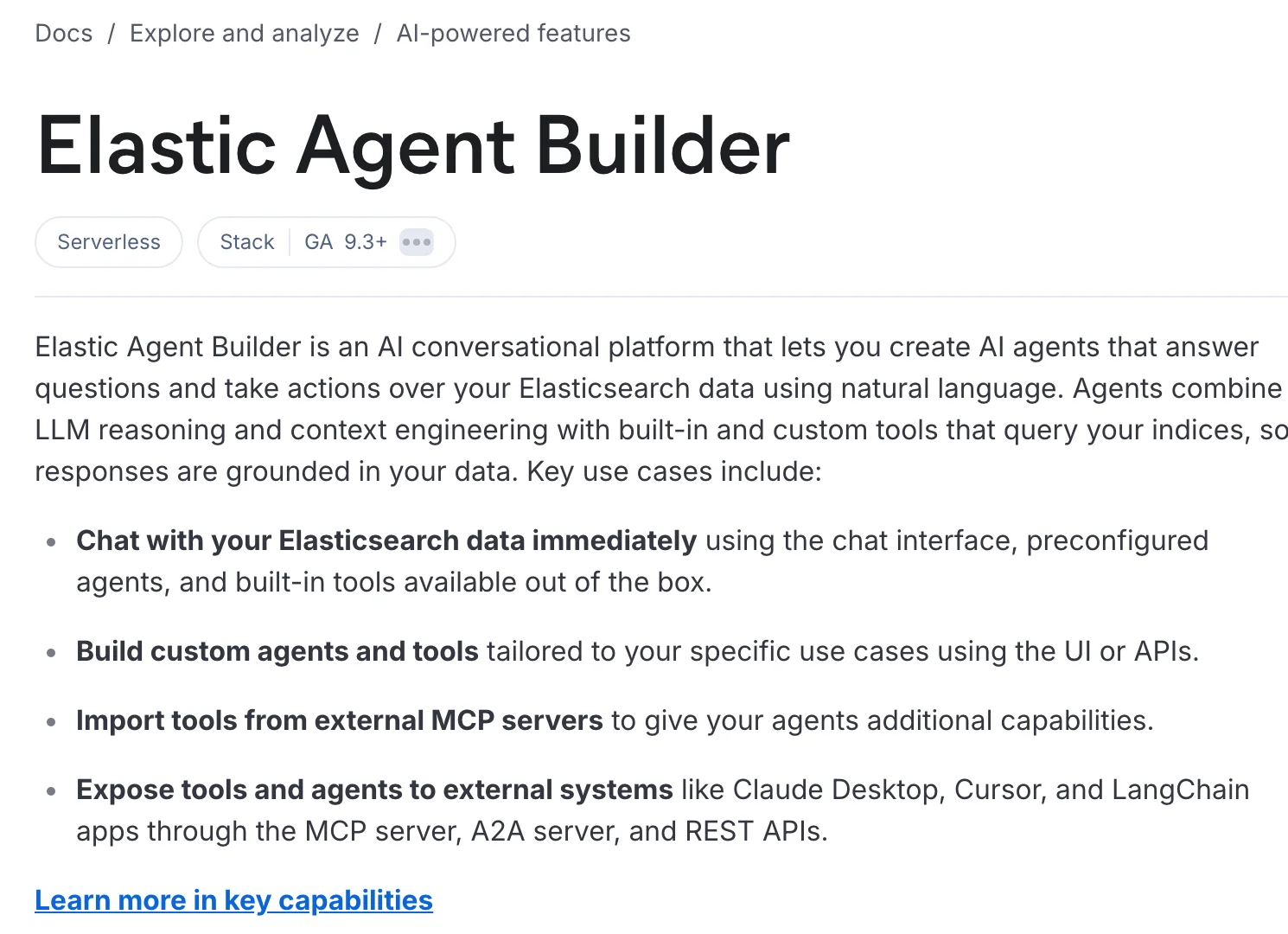
Elastic Agent Builder is the build-it-yourself option. You don’t get a finished employee search app. You get Elasticsearch, which most teams already know, plus a framework for agents that reason over your indices with built-in tools, custom tools (index search, ES|QL queries) and tools imported from external MCP servers. Agent Builder went GA in Elastic 9.3 in January 2026, and in 9.4 it replaced the old AI Assistant by default. Kibana serves your Agent Builder tools to outside MCP clients at {KIBANA_URL}/api/agent_builder/mcp, authenticated with an API key, and your agents over A2A for agent-to-agent calls.
Data comes in through Elastic’s 33 search connectors. Many support document-level security, including Confluence Cloud, Jira Cloud, Google Drive, SharePoint Online, GitHub, Salesforce and ServiceNow. That covers two-thirds of our test question. The gap is Slack: the Slack connector is still in preview with no document-level security, so you’d either limit it to public channels or enforce access yourself. Elastic also dropped its ready-made Workplace Search app in 9.0, so the UI your employees use, and the agent that files the Jira ticket, are yours to build and maintain.
Agent Builder is only in the Enterprise subscription. On Elastic Cloud Hosted that tier is listed from $184/month for a 120 GB, two-zone production deployment, and real costs scale with the resources your index needs. On Cloud and Serverless, preconfigured models are ready out of the box; self-managed, you connect your own LLM. Elastic has the strongest analyst backing on this list: it says it was named a Leader in Gartner’s first Magic Quadrant for Enterprise AI Search (October 2026), and it was a Leader in the Forrester Wave for Cognitive Search Platforms (Q4 2025).
Choose Elastic when you have search engineers, an existing Elasticsearch cluster, or requirements no packaged product meets, such as custom ranking or a domain-specific corpus. If what you want is a search box for the whole company by next quarter, the other four will get you there faster.
4. Sinequa
Screenshot: chapsvision.com, October 2026.
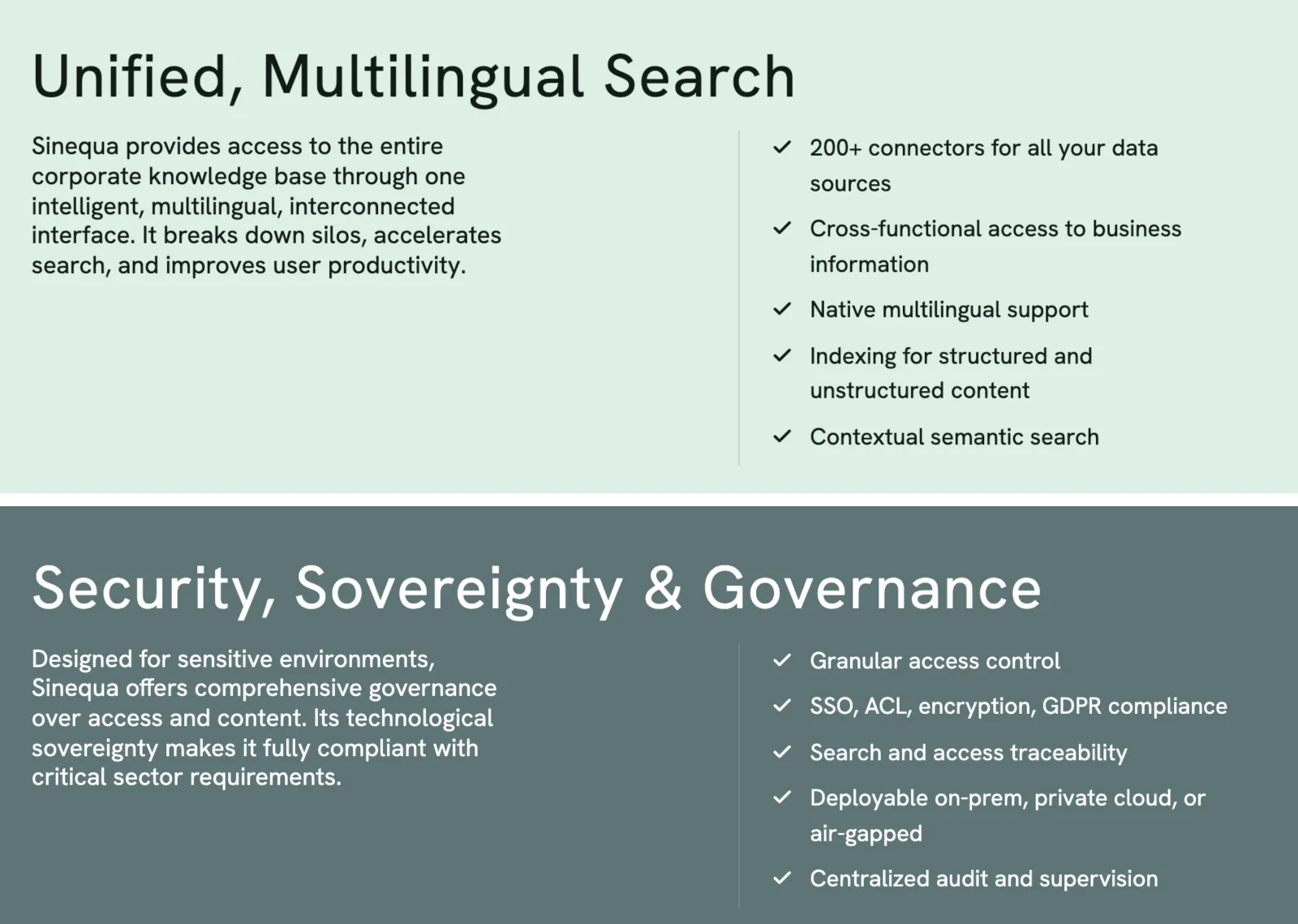
Sinequa has been in enterprise search far longer than the AI wave, and in November 2024 it was acquired by the French software group ChapsVision. It connects to more than 200 structured and unstructured sources, enforces ACLs with SSO and audit trails, and is deployable on-prem, in a private cloud, or air-gapped. That last option is rare in this category and is why its customer list looks the way it does: Pfizer, AstraZeneca, NASA, Airbus Helicopters, Siemens, TotalEnergies and the law firm Skadden.
The agent layer is newer. ChapsAgents, launched on April 22, 2026, adds a no-code builder, works with any LLM, connects to enterprise systems through MCP servers, and can be triggered from Slack or Teams. Separately, the Sinequa MCP server exposes the connectors and search to any MCP client, including Claude, ChatGPT, Microsoft Copilot and Gemini, mirroring corporate directory permissions so “agents only see what the user is authorized to see”. It returns snippets and metadata, and the client’s own model writes the answer.
How Sinequa handles our test question depends on where it runs. In a private-cloud deployment it can reach SaaS apps like everyone else. Air-gapped, only systems inside the network are in reach, so the Slack half of the question is out unless your chat runs on-prem too. Pricing isn’t published, and with an agent product that’s about six months old, ask for references that use ChapsAgents in production, not just the search.
Sinequa makes sense when legal or security requirements rule out SaaS, the corpus is large and document-heavy (research, engineering, regulatory filings), and you have an IT team that already runs on-prem infrastructure.
5. Guru
Screenshot: getguru.com, October 2026.
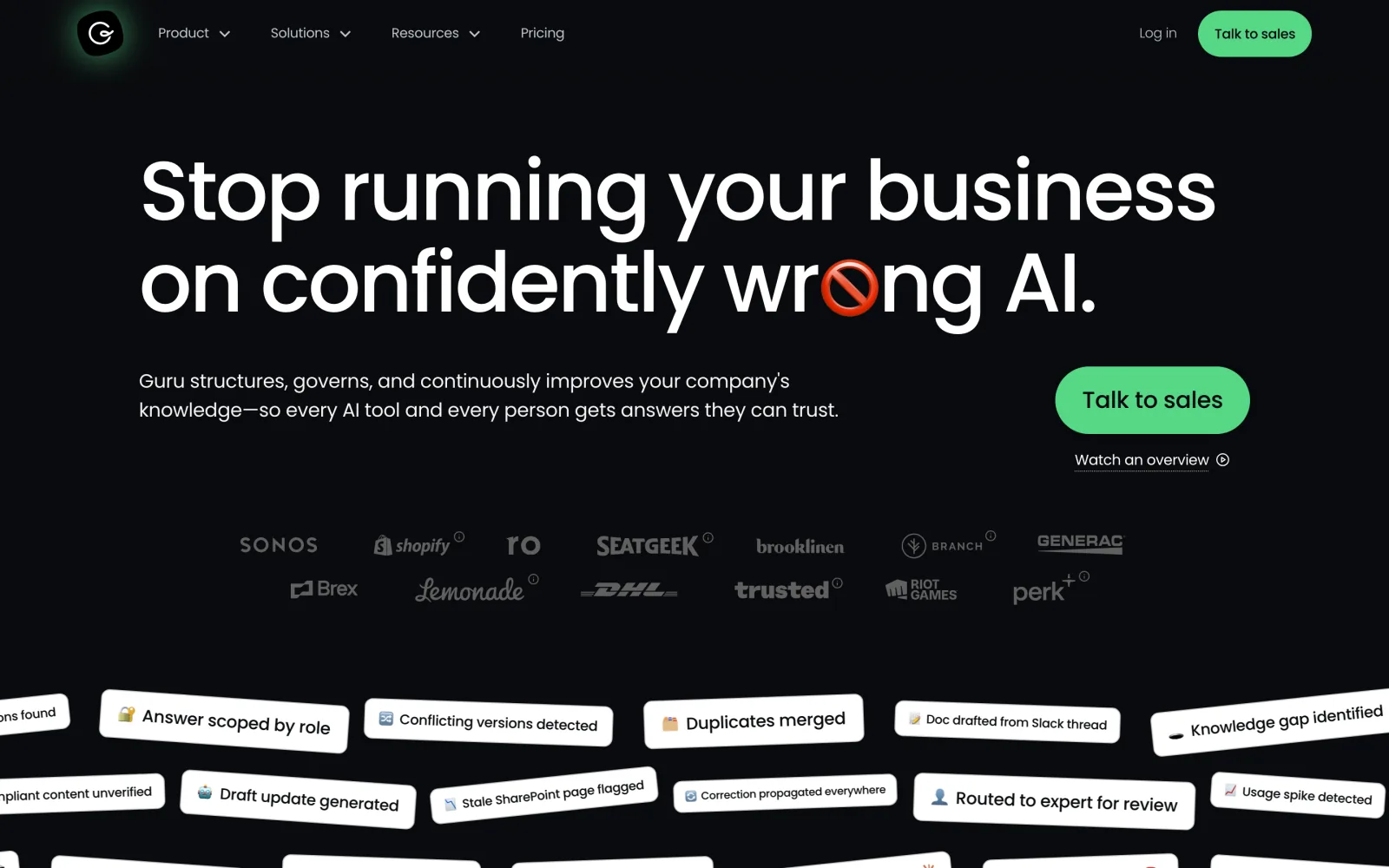
Guru comes at the problem from the other end. Instead of indexing everything and hoping the best document wins, Guru keeps a layer of verified knowledge: Cards with an owner and a verification date that expires, so somebody is responsible for each answer being right. It calls itself “the governed knowledge layer for enterprise AI”. Its Knowledge Agents give cited, permission-aware answers and also do the maintenance work: verifying content, unverifying stale content, and drafting updates.
Guru connects to 100+ apps, including Slack, Teams, Salesforce, Zendesk, Confluence and SharePoint, so answers can draw on sources beyond the Cards. Permissions need a closer look. The pricing page says permissions are inherited and enforced in real time, but Guru’s own help docs say inheritance applies to some sources, while others connect as a single user and are scoped with Guru Groups. Check each source you care about. Guru’s MCP server lets Claude, Cursor and other clients ask questions, search, run research, and draft or update Cards, with edits going through Guru’s normal review. Claude and Cursor sign in with OAuth; other clients use API tokens.
For our test question, Guru is strongest on the first half. If the runbook is a verified Card, the answer comes with its owner and the date it was last checked, which is exactly what you want before running a rollback. Guru’s agents are aimed at the knowledge itself, not at actions in other apps, so filing the Jira ticket isn’t what it’s built for. Pricing is custom, with no public tiers. It’s SaaS only, with SOC 2 Type II and HIPAA, and its homepage shows customer logos including Shopify, DHL, Brex and Riot Games.
Guru is the right pick when wrong answers are expensive, as in support macros, sales claims or HR policy, and when you have subject-matter experts willing to own and re-verify content. If nobody will do that work, the verification layer goes stale like any wiki.
Why Microsoft, Google, Amazon and Atlassian aren’t on this list
If your company lives almost entirely inside one suite, try that suite’s assistant before anything here. Microsoft 365 Copilot searches the Microsoft Graph, Gemini Enterprise covers Google Workspace, Amazon Quick sits on AWS, and Atlassian Rovo comes bundled with Atlassian Cloud plans. All four have connectors and agent builders now. We left them out because each is at its best inside its own ecosystem, and this list compares platforms whose job is to sit across all of your apps.
A few names from older “Glean alternatives” lists are gone as standalone products. HubSpot bought Dashworks (April 2025), Workday bought Sana (closed November 2025), ServiceNow bought Moveworks for about $2.85 billion (closed December 2025), Zendesk bought Unleash (December 2025), and ClickUp bought Qatalog. Three runners-up are worth a look:
- Dust is a strong agent platform with published pricing, but access follows admin-defined Spaces rather than each user’s source permissions.
- GoSearch is the closest like-for-like Glean replacement with a public price ($20/user/month Pro, plus a free tier). It’s a small vendor with no analyst coverage yet.
- Coveo has solid document-level security and a hosted MCP server, but most of its new business comes from commerce search.
How to choose an enterprise search platform
- Map where the answers live. Count the apps your test questions touch. One suite points to that suite’s assistant. Ten SaaS apps point to Glean, Onyx or Guru. A mix of on-prem systems and file shares points to Sinequa or Elastic.
- Decide who runs it. Glean and Guru are run by the vendor, Glean also offers a Customer Hosted option in your AWS or GCP account, Onyx and Elastic run anywhere you can run containers, and Sinequa runs air-gapped.
- Test permissions before relevance. In the trial, restrict a Confluence page to two people, wait for a sync, and search for it as a third person. Then revoke someone’s access and time how long until the page stops appearing. That one test separates real ACL sync from “everyone sees the connector”.
- Price the agents, not just the seats. Glean meters agent runs and API calls in FlexCredits, Elastic bills by cluster resources, and Onyx self-hosted costs your hardware plus LLM tokens. Run a week of realistic agent usage before you sign.
- Check how agents reach your own systems. Every platform here can call custom tools or MCP servers. The hosted ones (Glean, Onyx Cloud, Elastic Cloud) make that call from their own servers to an HTTPS URL, which is easy in production and awkward while you’re still building the tool on a laptop. That’s the next section.
Testing a custom MCP tool against Glean from your laptop
Say you’re building a small MCP server that looks up on-call schedules and deploy history, so a Glean agent can answer the second half of our test question with live data. It runs on your laptop on port 8000, at /mcp (the default path for the Python MCP SDK’s streamable HTTP transport). Glean can’t reach it there, because the call comes from Glean’s servers, not from your laptop. The docs require an “HTTPS URL reachable from Glean directly or via allowed proxy”. Private servers have to be allowlisted with your Glean Solutions Engineer, which is fine for production and slow for a test.
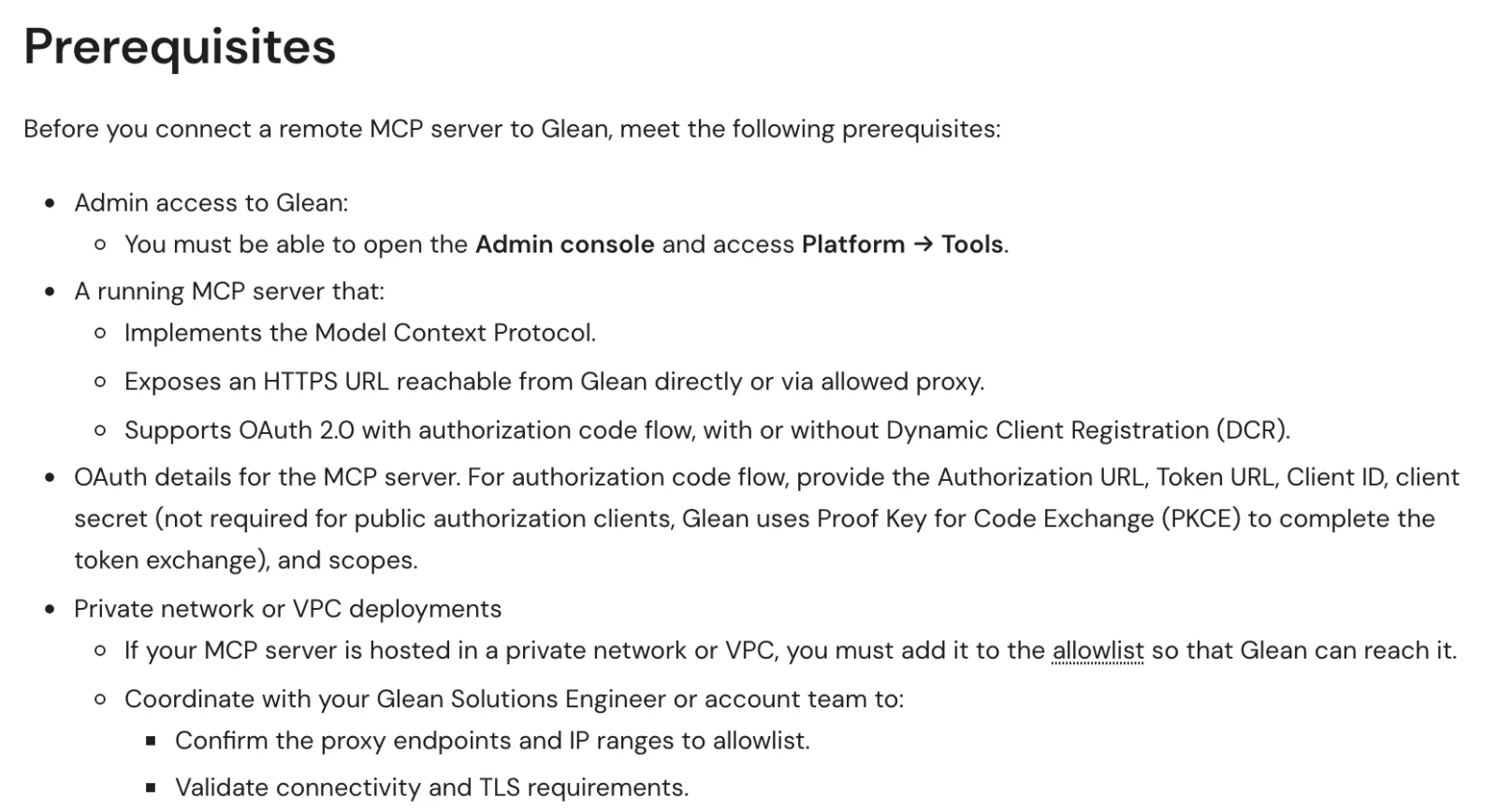
Glean’s prerequisites for a remote MCP server. Screenshot: docs.glean.com, October 2026.
A tunnel gives your laptop that URL for the length of the test. Pinggy does it over plain SSH, with nothing to install, and the k: option makes the tunnel itself reject any request that doesn’t carry a bearer key:
ssh -p 443 -R0:localhost:8000 free.pinggy.io -T -- k:change-this-keyAllocated port 7 for remote forward to localhost:8000
You are not authenticated.
Your tunnel will expire in 60 minutes. Upgrade to Pinggy Pro to get unrestricted tunnels. https://dashboard.pinggy.io
https://abcde-203-0-113-10.run.pinggy-free.link
https://fghij-203-0-113-10.free.pinggy.netWhen we tried it, a request without the key got 401 from Pinggy before it ever reached the laptop, and the same request with Authorization: Bearer change-this-key got 200. That lines up with Glean’s API Key auth option, which sends the key as a bearer token in the Authorization header by default. Your server isn’t in Glean’s Connectors catalog, so in the admin console go to Platform, then Tools, then the Vendor Provided Tools (via MCP) tab, and choose Add and “Import tools from MCP server”. Enter https://abcde-203-0-113-10.run.pinggy-free.link/mcp, pick Streaming HTTP, choose API Key auth with the same key, connect once so Glean discovers the tools, enable them for Agents, and run a test agent in Agent Builder.
Two caveats. A free tunnel lasts 60 minutes and gets a new URL on every reconnect, which breaks the URL saved in Glean. For anything longer than one session, use a Pinggy Pro token with a persistent subdomain from the dashboard. And this is a development setup. In production, deploy the MCP server properly or go through Glean’s allowlisted proxy. The same pattern works for Glean’s custom tools and trigger webhooks, which also need an https:// URL, and for MCP actions in Onyx Cloud and Elastic Cloud. Our guides to exposing a local MCP server and sharing one securely cover building the server side.
Conclusion
Shortlist two platforms, not five, and run the same two checks in each trial: the three-app test question (or your own version of it) and the restricted-page permission test. Those two checks expose most of the differences that matter, like a Slack connector that only reads public channels, a permission change that takes a day to propagate, or an agent that can find the runbook but can’t file the ticket. For most mid-size and large companies spread across many SaaS apps, Glean is the product to measure the others against. If you need to own the stack, start with Onyx; if you need to build it, Elastic; if the data can’t leave your network, Sinequa; and if every answer needs an owner, Guru.