Port 0: The Port That Doesn't Exist
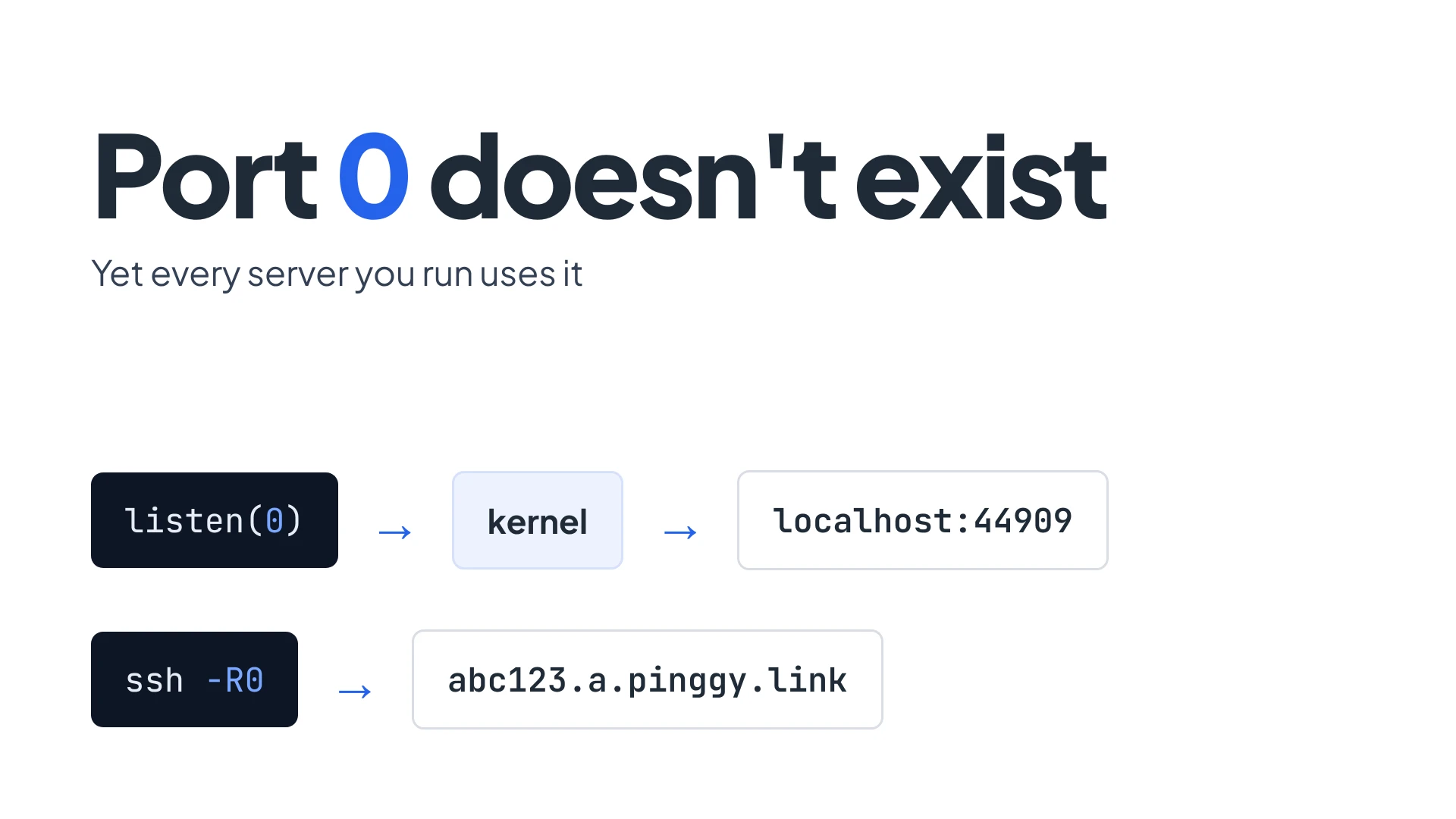
Port 0 is reserved. A TCP segment is not supposed to carry it, and on Linux connect() to it fails with ECONNREFUSED. Yet bind(0) is one of the most-used socket calls there is, and the 0 in ssh -R0:localhost:3000 is the same number doing a similar job. In both cases 0 does not mean a port. It means “you choose.”
I ran a few small experiments on a Linux 6.18 box to see where that holds, where it breaks, and what it has to do with tunnels. All the output below is real unless it says otherwise.
Summary
- In the sockets API,
bind(0)asks the kernel for a free ephemeral port. You read the port back withgetsockname(). On Linux the pool is32768-60999by default. - On the wire, port 0 is reserved. TCP has no use for it, and trying to connect to it fails. UDP is the one oddity: RFC 768 lets a sender put 0 in the source port when it does not want a reply.
ssh -R0:...uses the same trick on a remote machine. The SSH protocol lets the client ask the server to pick the listening port and report it back, which is how a Pinggy TCP tunnel gets its port.- The practical rule: ask for port 0 when you do not care which port you get, then read the real port back before you tell anyone else about it.
What bind(0) does
Binding a socket normally means “listen on this exact port.” Passing 0 changes the question to “give me any free one.” The kernel picks a port from its ephemeral range, binds the socket to it, and you ask the socket afterwards what it got.
Python shows it in four lines:
import socket
s = socket.socket()
s.bind(("127.0.0.1", 0))
print(s.getsockname())('127.0.0.1', 60681)Run it again and you get a diferent number (my second socket got 44627). Node does the same through listen(0):
const s = require('net').createServer().listen(0, '127.0.0.1', () => {
  console.log('listening on', s.address().port)
})listening on 44909The range comes from a sysctl. On the machine I used:
cat /proc/sys/net/ipv4/ip_local_port_range32768 60999That is the Linux default. IANA’s suggested ephemeral range in RFC 6335 is 49152-65535, and Windows and the BSDs follow that one, so the same program lands in a different part of the port space depending on the OS.
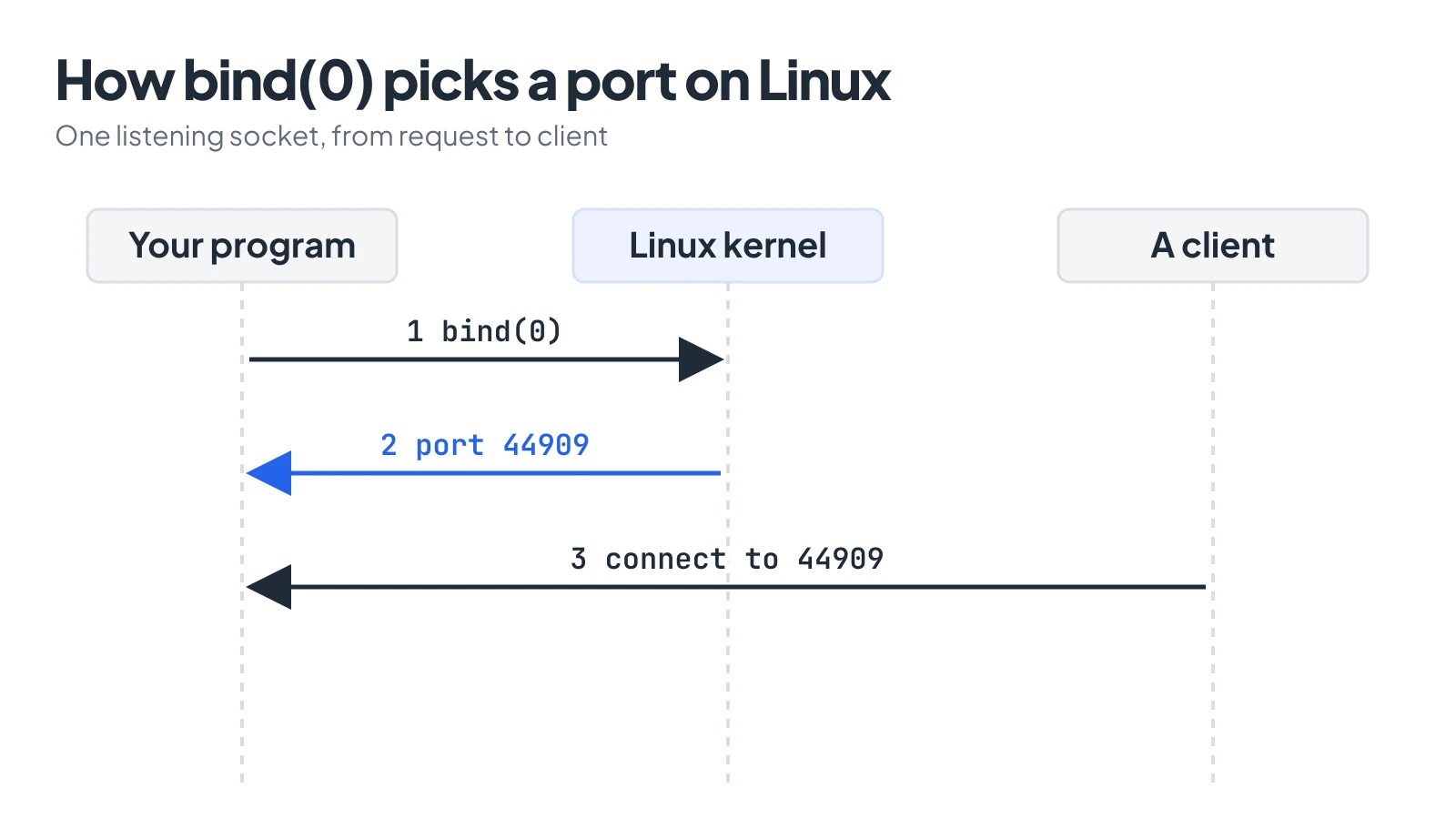
The port number exists only after bind returns, so the program has to read it back.
Why bother? Because hard-coded ports collide. Test suites that start a server per test, CI jobs that share a runner, and two dev servers that both want 3000 all trip over each other. Letting the kernel choose means nobody collides, since the kernel will not hand out a port that is already bound.
There is a catch: the port is only free at the moment you bind. Code that picks a port with bind(0), closes the socket, and then passes the number to another process has a race. Something else can take it in between. Keep the socket open and hand the process the socket, or have the server itself listen on 0 and report the port.
Why you can’t connect to port 0
The sockets convention is a local trick. Port 0 is still marked reserved in the IANA registry, and TCP does not use it. If you try to connect to it:
socket.create_connection(("127.0.0.1", 0), timeout=2)ConnectionRefusedError: [Errno 111] Connection refusedA UDP sendto() to port 0 is rejected before it leaves the machine, with EINVAL (“Invalid argument”) in my run. So 0 is a valid argument to bind and an invalid destination for everything else.
The nuance is the UDP source port. RFC 768 calls the source port optional: it indicates the port of the sending process, and if it is not used, a value of zero is inserted. In practice it means “do not reply to me.” It is legal on the wire, and some firewalls drop it anyway. The IETF mailing lists have argued for years over whether “reserved” means “forbidden” or just “unassigned”; one FreeBSD thread covers the firewall angle, and an Austin Group bug report covers whether POSIX should specify the bind behaviour at all (it does not say much).
For SCTP the rule is stricter: RFC 4960 section 3.1 forbids 0 as a source or destination port.
The takeaway: nobody should be listening on port 0 and nobody should be dialing it, and no real service will recieve your packets if you do. When you see traffic to port 0 in a firewall log, it is almost always a probe or fragments that lost their port information, not a service.
The other port 0: ssh -R0
If you have used Pinggy, you have typed this:
ssh -p 443 -R0:localhost:3000 free.pinggy.ioThe 0 in -R0 is the remote port to listen on, and it is the same idea as bind(0). The format is -R [bind_address:]port:host:hostport, so -R0:localhost:3000 reads as “listen on any free port on the server, and send what arrives to localhost:3000 on my machine.”
The SSH protocol has this built in. In RFC 4254, section 7.1, the client sends a tcpip-forward request, and if the port to bind is 0 and the client asked for a reply, the server allocates the next available unprivileged port and returns it. The client then knows where the forward lives.
With a plain OpenSSH server, you can see it directly (this is OpenSSH’s own behaviour, not something Pinggy-specific):
Allocated port 41873 for remote forward to localhost:3000OpenSSH prints that line on stderr when the server picks the port. With a Pinggy HTTP tunnel the port is hidden behind a hostname, so you get a URL such as https://abc123.a.pinggy.link. For a TCP tunnel you get the host and port itself:
ssh -p 443 -R0:localhost:22 tcp@free.pinggy.ioPinggy prints a tcp:// address with a port the server allocated, and that port is what a friend types into their SSH client. I could not run the tunnel from the sandbox I wrote this in (it has no ssh client), so the output of those two Pinggy commands is untested here. The command forms match the Pinggy docs.
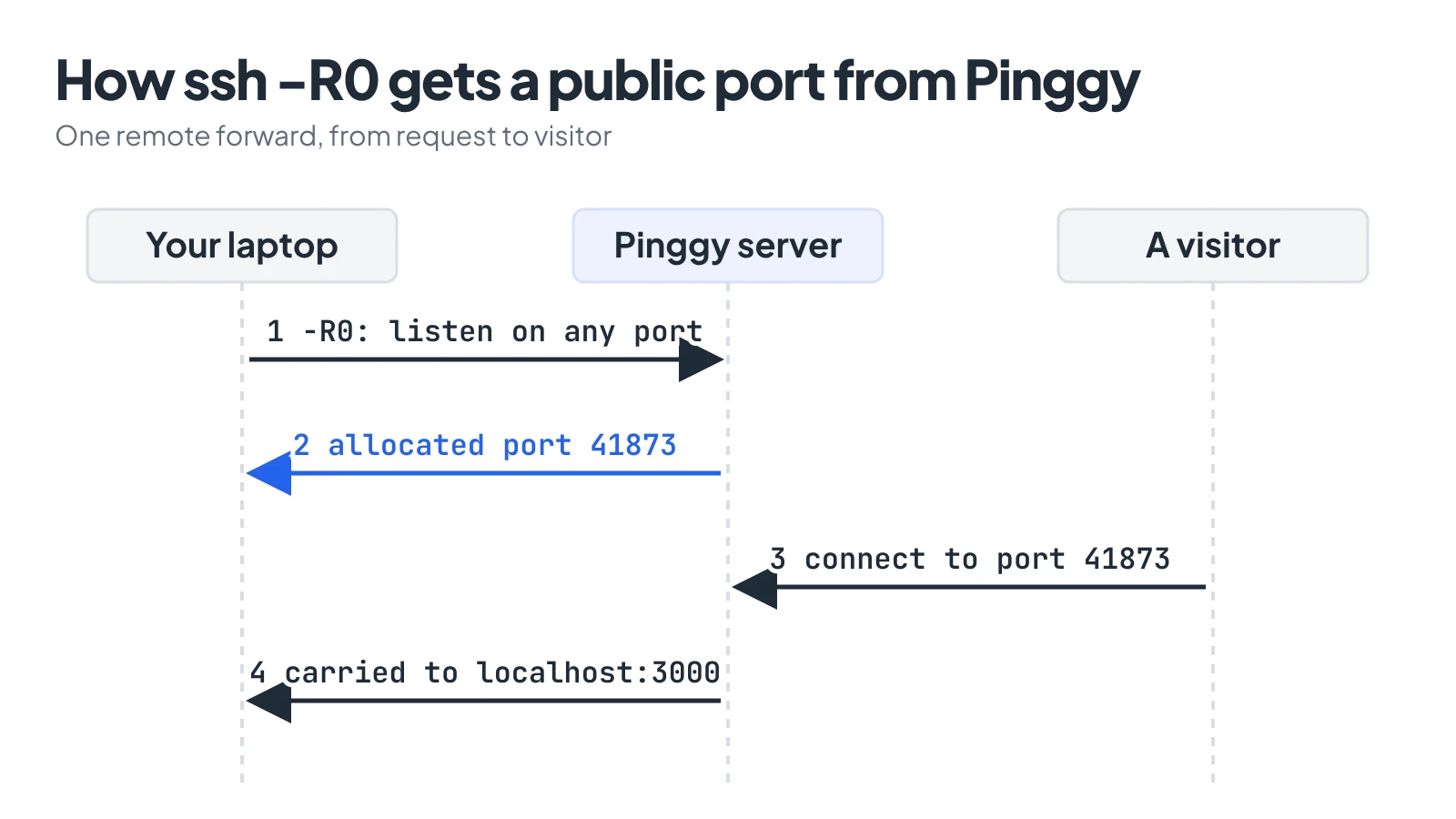
With -R0 the Pinggy server picks the public port and tells the client which one it got.
Using both zeros in one workflow
Here is the worked example: a Node dev server that picks its own port, then a tunnel that points at whatever port it got.
// server.js
const http = require('http')
const s = http.createServer((req, res) => res.end('hello\n'))
s.listen(0, '127.0.0.1', () => console.log(s.address().port))
Run the server in one terminal and read the port it prints:
node server.js44909Then start the tunnel from another terminal:
ssh -p 443 -R0:localhost:44909 free.pinggy.ioSwap 44909 for the port your server printed. Two kinds of “pick a port for me” are now stacked: the kernel chose 44909 locally, and the Pinggy server chooses the public side. Neither number was in your config, and nothing had to be free in advance.
The main thing to watch is the local race from earlier. If you script this, have the server write the port to a file after it is listening, and start the tunnel after the file exists.
Seeing it on your own machine
Three quick checks, all of which work without root:
# which ports did the kernel hand out?
python3 -c "import socket;s=socket.socket();s.bind(('127.0.0.1',0));print(s.getsockname()[1])"

# what range does your OS use?
cat /proc/sys/net/ipv4/ip_local_port_range      # Linux
sysctl net.inet.ip.portrange.first net.inet.ip.portrange.last   # macOS

# who is listening where?
lsof -iTCP -sTCP:LISTEN -P -n
Run the first one several times and watch the number change. Then try nc 127.0.0.1 0. The copy of netcat on my box rejected it before touching the network (nc: port number too small: 0), so the Python connect() above is the better test.
Conclusion
Port 0 is not a port you use. It is a request. Locally it means “kernel, choose,” remotely it means “server, choose,” and in both cases the real number only shows up in the reply. If you write servers or test harnesses, listen(0) and a read-back cures most port clashes. If you tunnel, remember that the 0 in -R0 is why you did not have to pick a public port at all.