oMLX: A Local LLM Server for Apple Silicon, Reachable From Anywhere with Pinggy
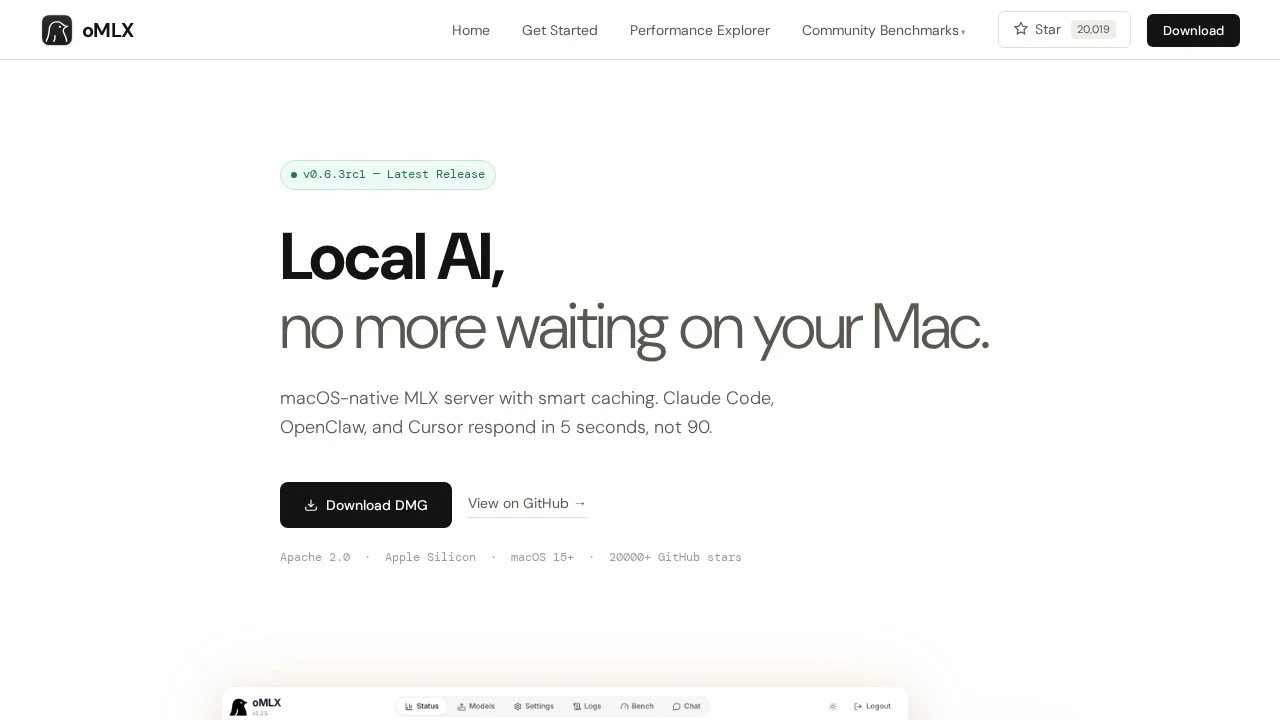
oMLX is a local inference server for Apple Silicon that treats a Mac less like a laptop running a chatbot and more like a small, self-managed model host. It speaks the OpenAI and Anthropic APIs, batches concurrent requests instead of queuing them one at a time, and keeps a model’s KV cache alive on disk so a long conversation does not have to reprocess its own history on every turn. As of this week it is on release 0.6.3rc1, its 118th tagged release since a February launch, sitting at just over 20,000 GitHub stars.
What makes it worth a closer look isn’t the existence of another mlx-lm wrapper. Plenty of those exist. It’s the specific problem oMLX is built around: coding agents like Claude Code, Cursor, and Codex CLI now routinely burn through tens of thousands of tokens of context per turn, tool call included, and a naive local server recomputes all of that from scratch every single message. oMLX’s whole design, the batching, the two-tier cache, and now a distributed mode across multiple Macs, is aimed squarely at making that stop being slow.
Summary
- What it is: an OpenAI/Anthropic-compatible inference server for Apple Silicon (
/v1/chat/completions,/v1/messages,/v1/embeddings,/v1/rerank), managed from a macOS menu bar app or theomlxCLI. - Install:
brew tap jundot/omlx https://github.com/jundot/omlx && brew install jundot/omlx/omlx, or grab the.dmgfrom the releases page. - Run it:
omlx serve --model-dir ~/modelsstarts a server onhttp://localhost:8000/v1.omlx startruns it as a managed background service instead. - The interesting part: a hot RAM / cold SSD tiered KV cache keeps prefix context across requests and even server restarts, which matters a lot for agentic tool-calling sessions.
- New in 0.6.0: experimental distributed serving splits one model across two Macs over Thunderbolt, roughly doubling throughput on a 27B model in the project’s own benchmark.
- Reach it remotely:
ssh -p 443 -R0:localhost:8000 free.pinggy.iogets you a public HTTPS URL for the local API in seconds, no port forwarding required.
What oMLX actually serves
Under the hood oMLX is a FastAPI process wrapping Apple’s MLX framework, with an EnginePool that can hold several models in memory at once and evict the least-recently-used one when memory gets tight. Request scheduling is first-come-first-served with a configurable concurrency cap, and the batching engine is explicitly modeled on vLLM’s approach: block-based paged KV cache management with prefix sharing and copy-on-write, so two requests that share a common prompt prefix do not each pay the full prefill cost.
That covers LLMs, but the same batching and caching stack also runs vision-language models (Qwen3.5-VL, GLM-4V, Pixtral), OCR models (DeepSeek-OCR, DOTS-OCR, GLM-OCR), and embedding/reranker models (BGE-M3, ModernBERT variants). All of it comes back through the same OpenAI-shaped endpoints, plus /v1/messages for anything written against Anthropic’s Messages API. There is also an admin dashboard at /admin with live serving stats, per-model settings, a built-in chat client, and a benchmarking tool, which is where the screenshot at the top of this post comes from.
The cache is the actual product
The headline feature, and the one that explains why coding-agent users specifically have latched onto this project, is the tiered KV cache. A “hot” tier keeps recently used context blocks in RAM for the fastest possible reuse. A “cold” tier offloads less-active blocks to SSD in safetensors format. When a later request shares a prefix with something already cached, oMLX restores the matching blocks from disk instead of recomputing them, and it does this even across server restarts, since the cache persists on disk rather than living only in process memory.
Anyone who has pointed a local model at an agentic CLI knows why this matters. A tool like Claude Code doesn’t send one prompt and get one answer; it sends the entire running transcript, tool outputs included, on every single turn, and that transcript only grows. Without persistent prefix caching, a naive local server reprocesses the whole thing from token zero each time, so a session that starts fast gets slower every message. The 0.6.1 changelog specifically calls out restoring “reasoning-effort compatibility and Qwen vision loading while preserving prefix-cache reuse across tool-heavy sessions,” and 0.6.3rc1 fixes a regression that had broken prefix-cache reuse in “long Claude Code sessions.” That is a server being tuned against a very specific, very current workload, not a generic benchmark number.
Multiple Macs, one model
The other thing that stands out is how fast this project ships. Five releases went out between August 15th and 19th alone, and the biggest of them, 0.6.0, added experimental distributed inference: a single downloaded model gets split across two or more Macs using MLX pipeline parallelism over a Thunderbolt link, with a Ring or RDMA-based transport called JACCL handling the cross-machine communication. One Mac acts as the API coordinator and holds the later transformer layers; peers load the earlier layers and keep their portion of the KV cache locally to cut down on network chatter.
The project’s own numbers for this are concrete enough to be worth quoting directly: a Qwen3.6-27B model ran at 28.6 tokens/sec split across two Macs, against 16.1 tokens/sec on one. That is not linear scaling, cross-machine communication never is, but going from “barely usable” to “actually fine” on a 27B model by cabling a second Mac to the first over Thunderbolt is a genuinely useful trick for anyone who owns, say, an M-series Mac mini and a MacBook that both sit idle most of the day. Setup is guided through the admin dashboard: plug in the Thunderbolt cable, the coordinator detects the peer, SSH key-based trust is established with new hosts recorded automatically (changed keys are refused, not silently accepted), and an auto-benchmark calibrates both machines before you commit to a shard layout.
Getting it running
Homebrew is the fastest path if you’re comfortable with the CLI:
brew tap jundot/omlx https://github.com/jundot/omlx
brew install jundot/omlx/omlx
omlx start
omlx start runs the server as a background service you manage from the menu bar, downloading and swapping models through the admin UI without touching a terminal again. If you’d rather see logs directly, or you’re scripting this, run it in the foreground instead:
omlx serve --model-dir ~/modelsThat starts the API on http://localhost:8000/v1. A few flags worth knowing before you go further: --memory-guard safe caps how much system memory the process is allowed to claim (it defaults to total RAM minus 8GB, which is generous but not infinitely so on a 16GB Mac), --paged-ssd-cache-dir lets you point the cold cache at a specific disk, and --max-concurrent-requests controls the batching ceiling. Requirements are macOS 15.0 or newer, Python 3.11 to 3.13 if you’re building from source, and any Apple Silicon chip from M1 through M5.
Reaching it from anywhere with Pinggy
None of this is useful if the only thing that can reach localhost:8000 is the Mac it’s running on. A local inference server is exactly the kind of thing you want to reach from other places: your phone’s ChatGPT-style client while you’re not at your desk, a laptop you’re working from at a coffee shop that wants to hit the beefier Mac back home instead of paying for cloud tokens, or a coding agent running somewhere else entirely that needs an OpenAI-compatible endpoint it can actually reach over the internet.
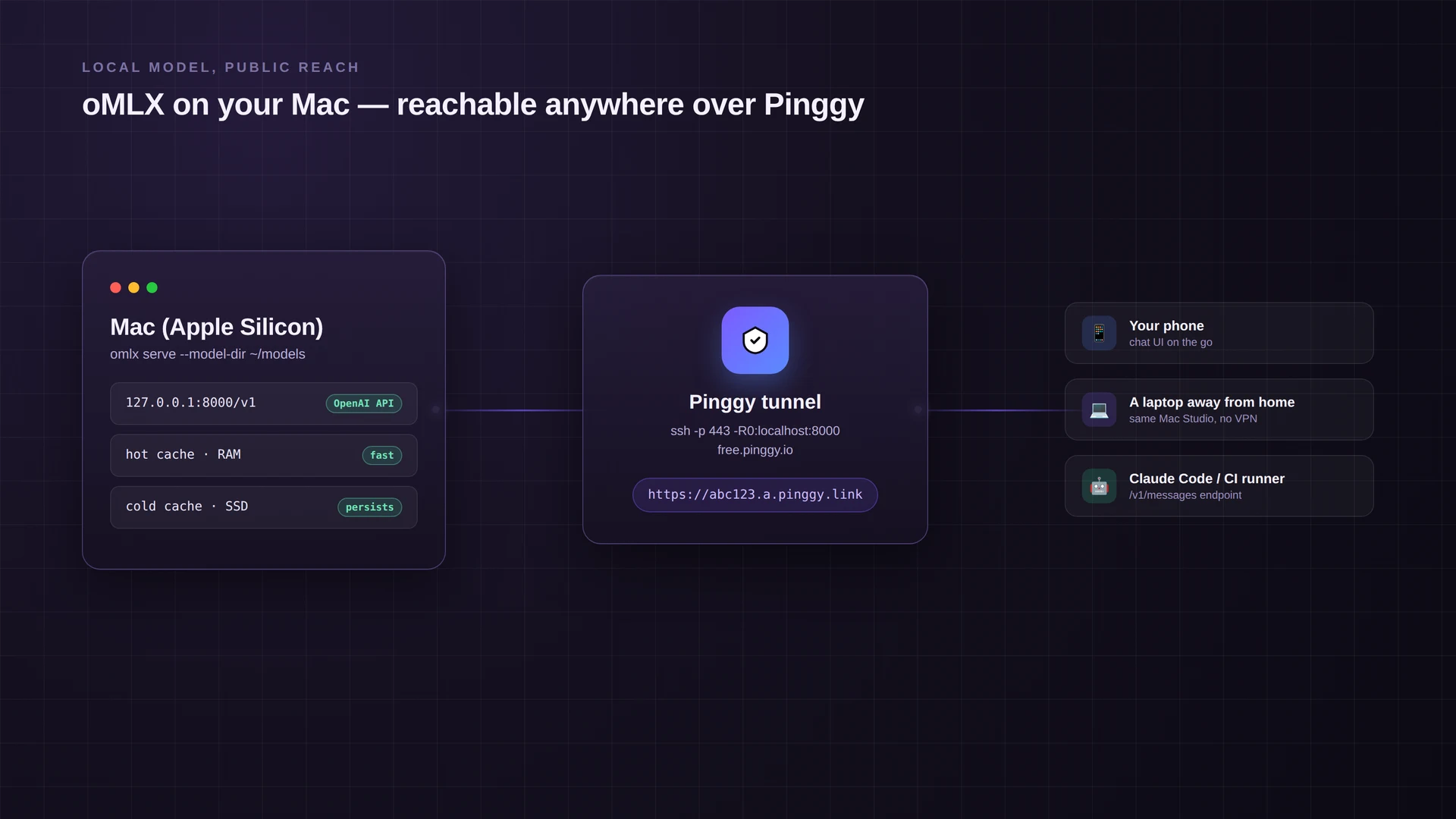
With the server running, open a second terminal and run:
Pinggy prints a public HTTPS URL, something like https://abc123.a.pinggy.link. Every request to that URL forwards straight to the oMLX server on your Mac. Point any OpenAI-compatible client at https://abc123.a.pinggy.link/v1 the same way you’d point it at http://localhost:8000/v1, and it works identically, just with your Mac’s own GPU doing the inference instead of a cloud API. That includes tools that expect /v1/messages too, so a Claude Code instance running on a remote machine or in CI can be pointed at your local model for a specific task without you deploying anything.
Do not skip authentication once the server is reachable from the open internet. Start oMLX with an API key:
omlx serve --model-dir ~/models --api-key your-secret-keyand every request through the tunnel now needs an Authorization: Bearer your-secret-key header. It’s also worth layering Pinggy’s own HTTP basic auth on top for anything you’re leaving running longer than a quick test:
ssh -p 443 -R0:localhost:8000 a.pinggy.io -t "b:reviewer:temporarypass"That combination means a scraped or guessed URL alone isn’t enough to burn your compute or read your model’s responses.
What this is and is not good for
Good for: using a beefier Mac’s inference server from a laptop or phone away from home, giving a coding agent running elsewhere access to a local model without deploying infrastructure, demoing a fine-tuned model to a teammate without exposing your home network, or hitting the admin dashboard remotely to check serving stats mid-run.
Not good for: leaving the tunnel open indefinitely as a substitute for a real deployment. oMLX’s admin dashboard has global controls, model management, and download tooling built for one trusted operator, not a multi-tenant setup with separate accounts. Treat a Pinggy tunnel here as a temporary, single-purpose bridge, on for as long as you need the remote access and off when you don’t, the same way you’d treat any other dev server you didn’t build to be public.
Conclusion
The interesting story with oMLX isn’t “you can run an LLM on a Mac,” that’s been true for a while. It’s that the caching and batching work has been aimed specifically at the workload developers actually have right now: long, tool-heavy agent sessions that punish naive prefix handling, on hardware people already own. A tunnel is the missing piece that turns a fast local server into one you can actually use from wherever you happen to be working. If you’re running local models already, it’s worth checking out our broader roundups of local LLM tools and hardware for self-hosting them for more context on where oMLX fits.