CloudNord Review: Best DDoS-Protected Minecraft Hosting for Public SMPs?
The night an SMP’s IP goes into a Discord announcement or a Twitch overlay, two new kinds of traffic show up. One is players, more of them than you sized the server for. The other is someone with a booter subscription who wants to see what happens when your server’s uplink fills up. A $3 shared plan often handles the second one by null-routing your IP, which takes the server offline to protect the rest of the node.
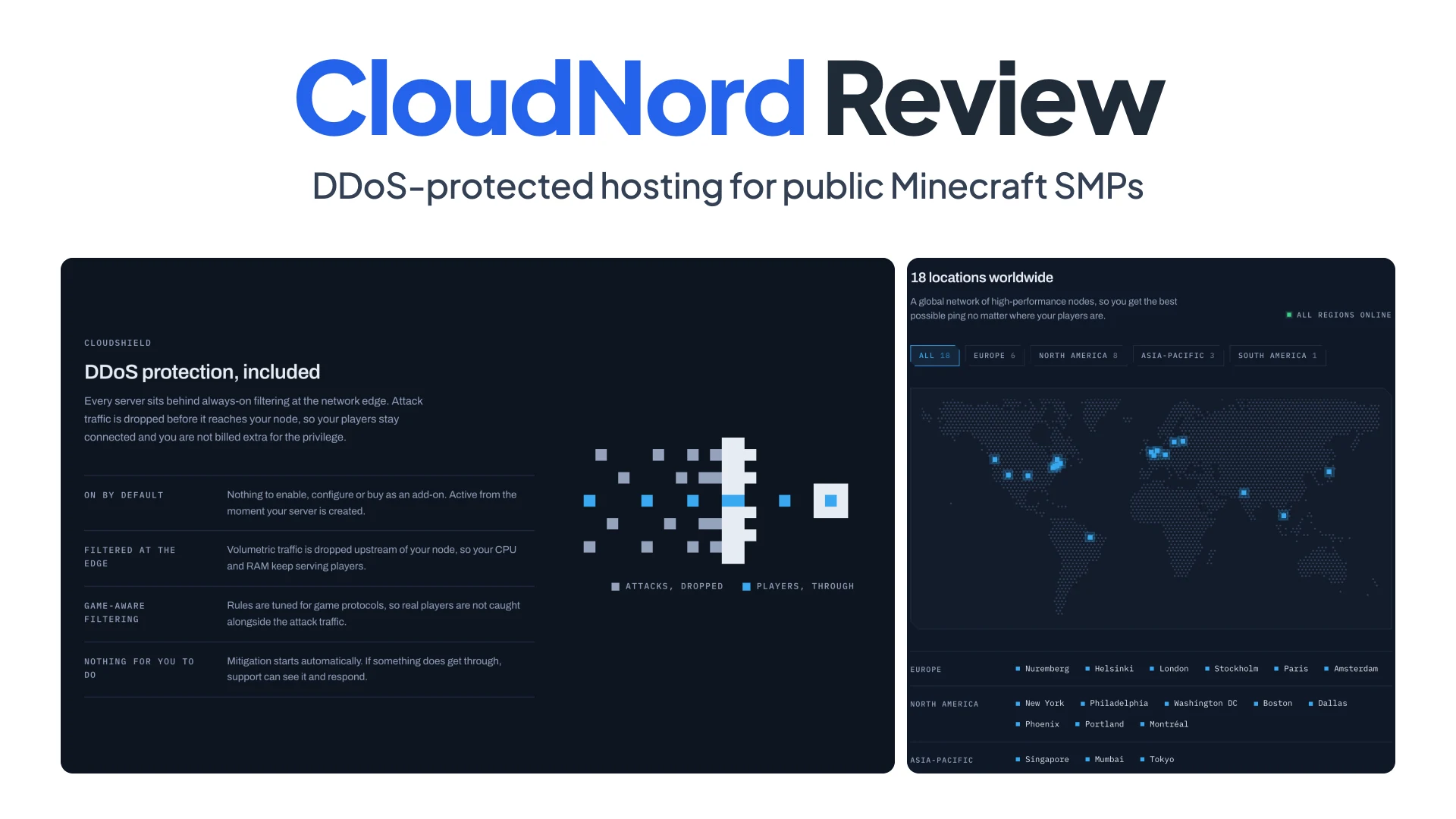
CloudNord is a small UK game host (CLOUD NORD LIMITED, Manchester) built for exactly this moment: in-house CloudShield DDoS protection that is always on, AMD Ryzen nodes kept below capacity, and 18 locations at the same price. This review looks at each of those through the lens of a public SMP. Specs and prices were checked on November 3, 2026.
Summary
- CloudShield is in-house, always on and included. Game-aware filtering at the network edge drops attack traffic before it reaches your node, so legitimate players stay connected mid-session.
- The hardware is picked for tick rate. AMD Ryzen CPUs for single-thread speed, DDR5 ECC memory and RAID 1 NVMe storage, with nodes kept below capacity to avoid noisy-neighbour lag.
- The panel covers the weekly work. One-click modpack installer and switcher, Java and Bedrock crossplay, automated off-site backups, a full file manager and SFTP on every plan.
- 18 locations on four continents, with 24/7 support. First replies to tickets average under 15 minutes.
- The trade-off is a short refund window. Refunds are limited to 3 days, so start with the free 2-hour trial.
What changes when an SMP goes public
A public server gets three kinds of load, and an oversold budget host is built for one.
Volumetric floods (L3 and L4). UDP floods, SYN floods and amplification attacks just try to fill the pipe. If one is bigger than the node’s uplink, every server on the machine lags, so cheap hosts null-route the target: they drop all traffic to your IP, attack and players alike, untill it stops.
Protocol-level junk (L7). Bots open real TCP connections to port 25565 and send handshakes, status pings or login attempts, thousands a second. Each looks like a player starting to join, so a generic firewall either lets them through or rate-limits real joins too.
Real player spikes. A streamer’s chat logs in at once and generates chunks in eight directions. Java Edition runs the world tick on one thread with a 50ms budget, and once a tick runs longer, TPS drops below 20 and everyone feels it.
A host for a public SMP has to filter the first two upstream and give the third enough single-thread CPU and headroom.
The hardware behind CloudNord’s tick rate
CloudNord picks its CPUs for single-core clock speed rather than core count, because a game tick runs on one thread. The About page lists the spec every server is built on:
- CPU: AMD Ryzen, “Ryzen 7 7700 or equivalent”, with the newest nodes on Ryzen 9 7900, Ryzen 9 7950X and EPYC 4545P.
- Memory: DDR5 ECC, “for stability under load”.
- Storage: NVMe SSDs with RAID 1 mirroring.
- Network: 10 Gbps, with 10 to 25 Gbit uplinks on the newest nodes.
Each part maps to a failure a public SMP actually hits. A Ryzen 7 7700 boosts to 5.3 GHz and a 7950X to 5.7 GHz, which is the headroom that keeps a tick under 50ms when farms are running and fresh chunks are loading. ECC memory corrects single-bit errors instead of letting them crash the JVM or corrupt a save. RAID 1 keeps a mirror of every drive, so one dead SSD doesn’t take the world with it.
The other half is neighbours. CloudNord says it leaves “capacity spare rather than filling a machine to the limit”. That’s the right policy for tick stability, because what kills TPS on oversold hosts is rarely your own server. It’s the other servers on the node hitting their evening peak at once.
Plans are sold by RAM, from 2 to 32GB. List prices on November 3, 2026 were $6.99/month for 2GB, $28.19 for 8GB and $112.89 for 32GB, with a Halloween code taking 15% off for life. CloudNord’s sizing guide suggests 4GB for 5 to 15 players, 8GB for 10 to 25, and 12 to 16GB past 25 players or with a heavy pack.
One thing to ask before you buy: hardware varies by city, and the homepage notes that some older nodes still run Ryzen 5 5600X or Xeon E-series with DDR4. Support can tell you which CPU your chosen location runs.
How CloudShield filters attacks without dropping players
CloudShield is CloudNord’s in-house DDoS protection, and it sits in front of every server on every plan. The homepage says each server “sits behind always-on filtering at the network edge”, that attack traffic “is dropped before it reaches your node, so your players stay connected”, and that it’s part of the price, not an add-on. The rules are game-aware, tuned for game protocols. Both properties matter.
Always on means there’s no detection delay. On-demand mitigation waits for traffic to cross a threshold, then reroutes it through a scrubbing centre. Until that happens, players see “Timed out”, and the reroute itself can drop sessions. With filtering already in the path, there’s nothing to switch on, and nobody gets kicked mid-session.
Game-aware is how a filter tells real logins from L7 junk. A rule that understands the Minecraft handshake can drop malformed packets and connection floods while letting a real client through, where a generic rate-limit blocks both.
CloudNord’s DDoS knowledgebase article also covers the part that’s on you:
- Don’t post the raw IP. Point a domain at it with an SRV record, so you can move hosts without telling everyone.
- Put a Velocity proxy in front, so the backend’s address stays private.
- Whitelist while the server is small, and rate-limit joins with a plugin.
Two smaller notes. Ports are assigned at random by default, and a dedicated IP add-on lets you take 25565. And CloudNord doesn’t publish a mitigation capacity figure, so if your community has a history of very large attacks, ask support about it before you move.
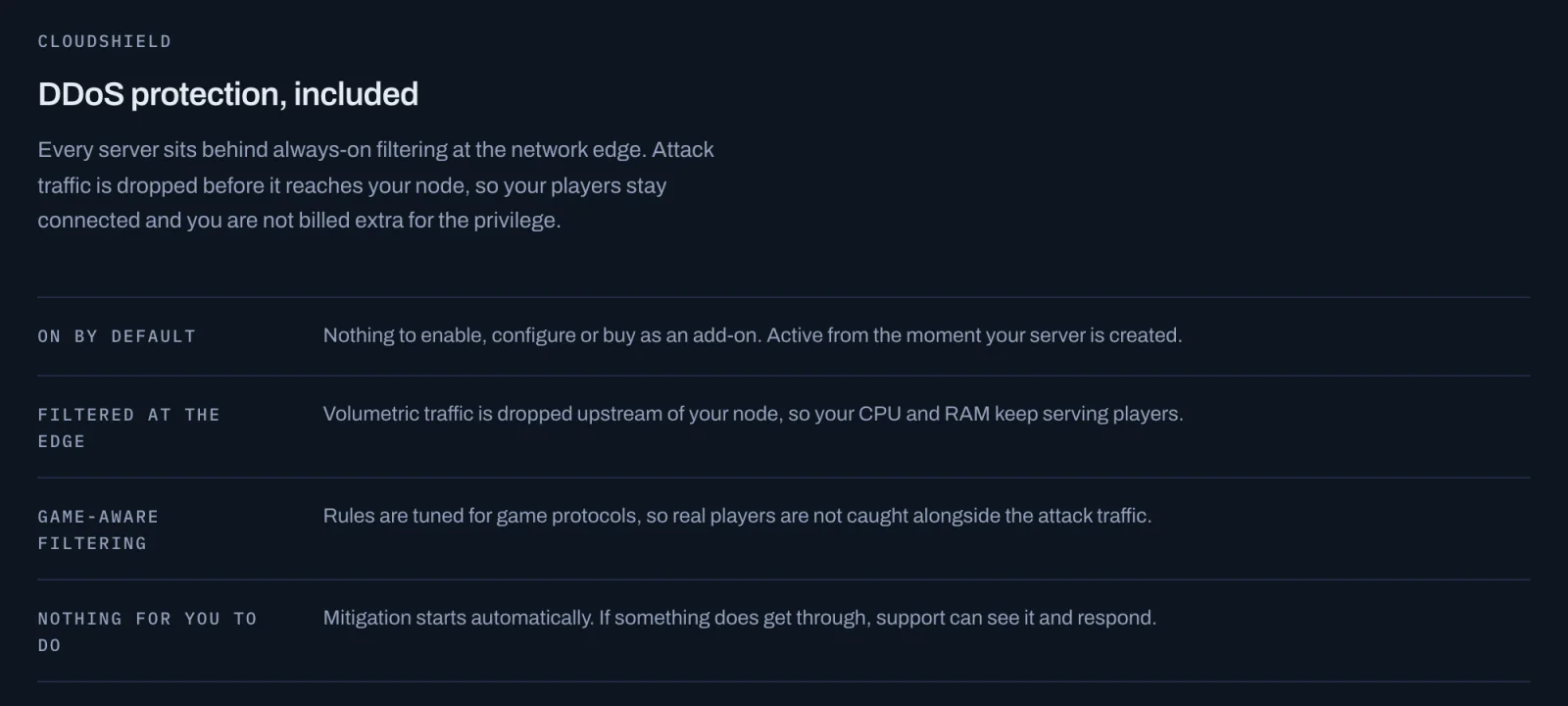 Screenshot: cloudnord.net, November 2026.
The panel: modpacks, crossplay, backups and SFTP
Every plan gets the same panel, and it covers what an SMP admin does in a normal week.
Modpacks. A one-click installer covers over 1,200 packs from CurseForge, Modrinth, FTB, Technic, ATLauncher and VoidsWrath. The switcher works the same way: pick a different pack or version and “the server reinstalls itself without wiping your worlds”. The one switch it blocks is to an older Minecraft version than your world was saved in, because that corrupts worlds. Vanilla, Paper, Forge, Fabric and custom JARs are a dropdown away.
Crossplay. Java and Bedrock players can share a world through the Minecraft: Crossplay server type, at the same starting price. It runs Paper with Geyser, which translates Bedrock packets into Java ones, and Floodgate, which lets Bedrock players join with their Xbox account and no Java licence. Budget about 1GB more RAM than a Java-only server, and plan around plugins rather than mods, since Bedrock players can’t load Forge or Fabric content.
Backups. Backups are automated and kept off-site. On top of the backups you take or schedule in the panel, CloudNord keeps daily snapshots of every node for 14 days, for “the days nobody pressed the button”. Restores are one click, and you can lock a backup so it never rotates out.
Files. A full file manager and SFTP come with every plan. You can also split an 8GB server into 6GB of Minecraft and a 2GB MariaDB instance on the private network, handy for CoreProtect or LuckPerms data.
18 locations and 15-minute support
Distance decides ping more than CPU does. CloudNord lists 18 cities on four continents, at the same price in each:
- Europe (6): Nuremberg, Helsinki, London, Stockholm, Paris, Amsterdam
- North America (8): New York, Philadelphia, Washington DC, Boston, Dallas, Phoenix, Portland, Montréal
- Asia-Pacific (3): Singapore, Mumbai, Tokyo
- South America (1): Brasília
For a mixed EU and US crowd, a US East city or London is the usual compromise. The locations page gives good advice: have players in different regions ping the candidates and pick the best worst case.
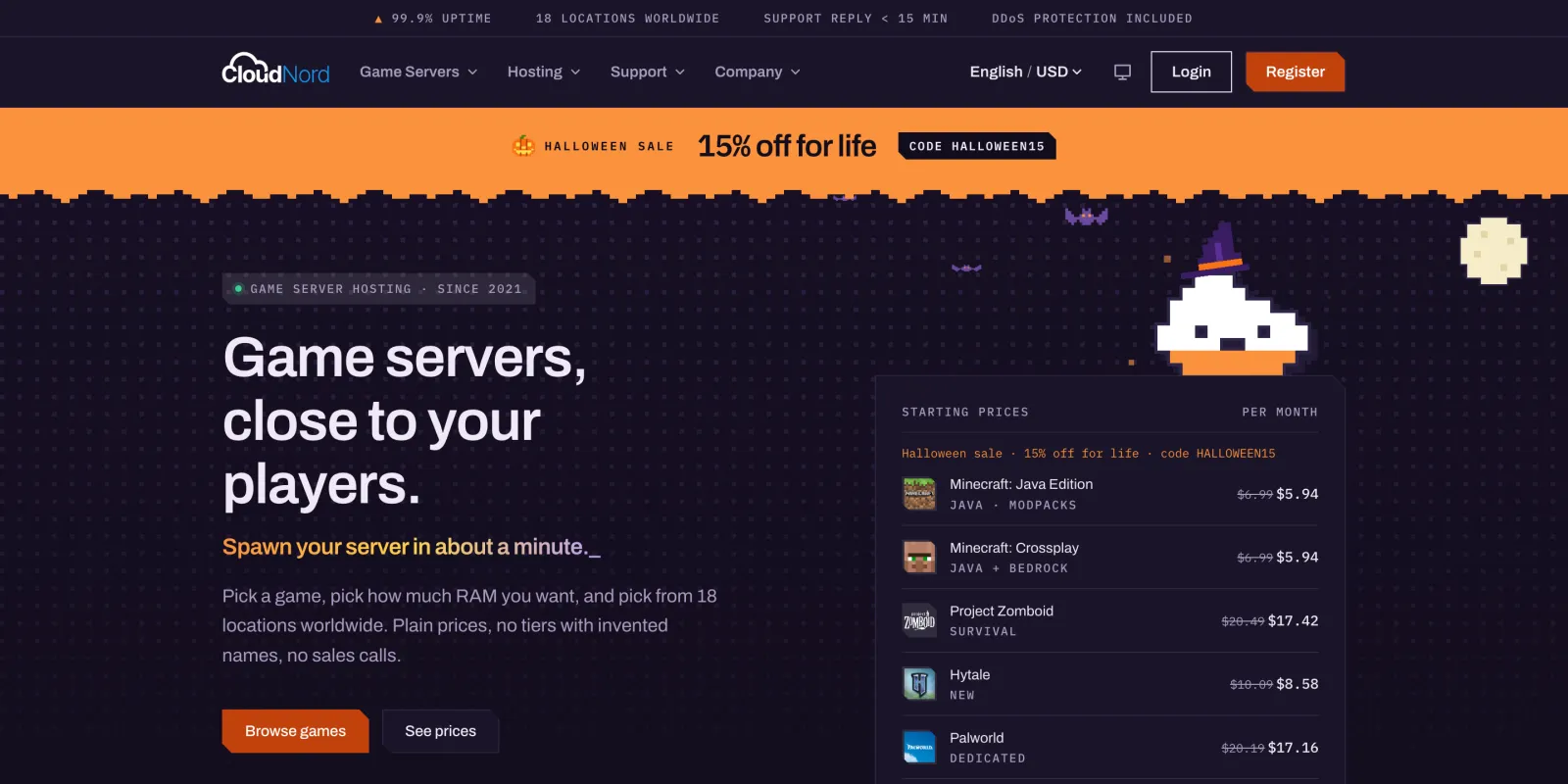
Support runs 24/7 by ticket and on Discord, and “most tickets get a first reply within 15 minutes, day or night”. The reply you recieve comes from someone who can see your node, which matters at 2am when the server won’t start and you need someone to look at the actual machine. The About page also lists a 99.9% uptime guarantee.
Pros and cons
Pros
- In-house CloudShield filtering, always on, game-aware and included on every plan.
- AMD Ryzen CPUs, DDR5 ECC and RAID 1 NVMe, with nodes kept below capacity.
- One-click modpack installer and switcher, crossplay, automated off-site backups and SFTP.
- 18 locations at one price, including Tokyo, Mumbai and Brasília.
- 24/7 support with first replies averaging under 15 minutes.
- A free 2-hour trial with no card.
Cons
- The refund window is 3 days from server creation, and dedicated servers are excluded.
- No Australian location.
- Hardware varies by city, with a few older Ryzen 5 and Xeon nodes still in the fleet.
- Random ports unless you buy the dedicated IP add-on.
- A Java server with nobody online for two full days goes to sleep until you press Start.
Verdict: who should pick CloudNord
Pick CloudNord Minecraft server hosting if your server’s IP is public or about to be: a streamer’s community, an SMP on server lists, a creator group with thousands of Discord members. Always-on, game-aware filtering removes the worst failure of budget hosting, which is your host switching your server off to protect its other customers. Add Ryzen nodes with spare capacity and fast support, and you get a host built for the night your server gets popular.
Budget shared hosts still make sense for a private world that nobody outside the friend group knows about. If your players are mostly in Australia, the ping will matter more than anything above. For a wider look, our best Minecraft server hosting comparison covers seven hosts side by side.
How I’d check it before paying:
- Start the 2-hour trial in the city closest to your players.
- Have three players from different regions join and note their ping.
- Load a fresh area with a few players at once and watch TPS with
/tpson Paper or Spark’s/spark tps. - Ask support which CPU your location’s node runs.
If the SMP is still five friends and nobody is streaming it, you don’t need DDoS filtering yet. Run the server at home and share it with a TCP tunnel: ssh -p 443 -R0:localhost:25565 tcp@free.pinggy.io prints a public host:port your friends can join, no router config needed (full walkthrough). Free tunnels last 60 minutes, so it’s for trying things out. Once the IP is public, move to a host that filters at the edge.