Cloud in a Bottle Wants Self-Hosting to Feel Like Using a Smartphone
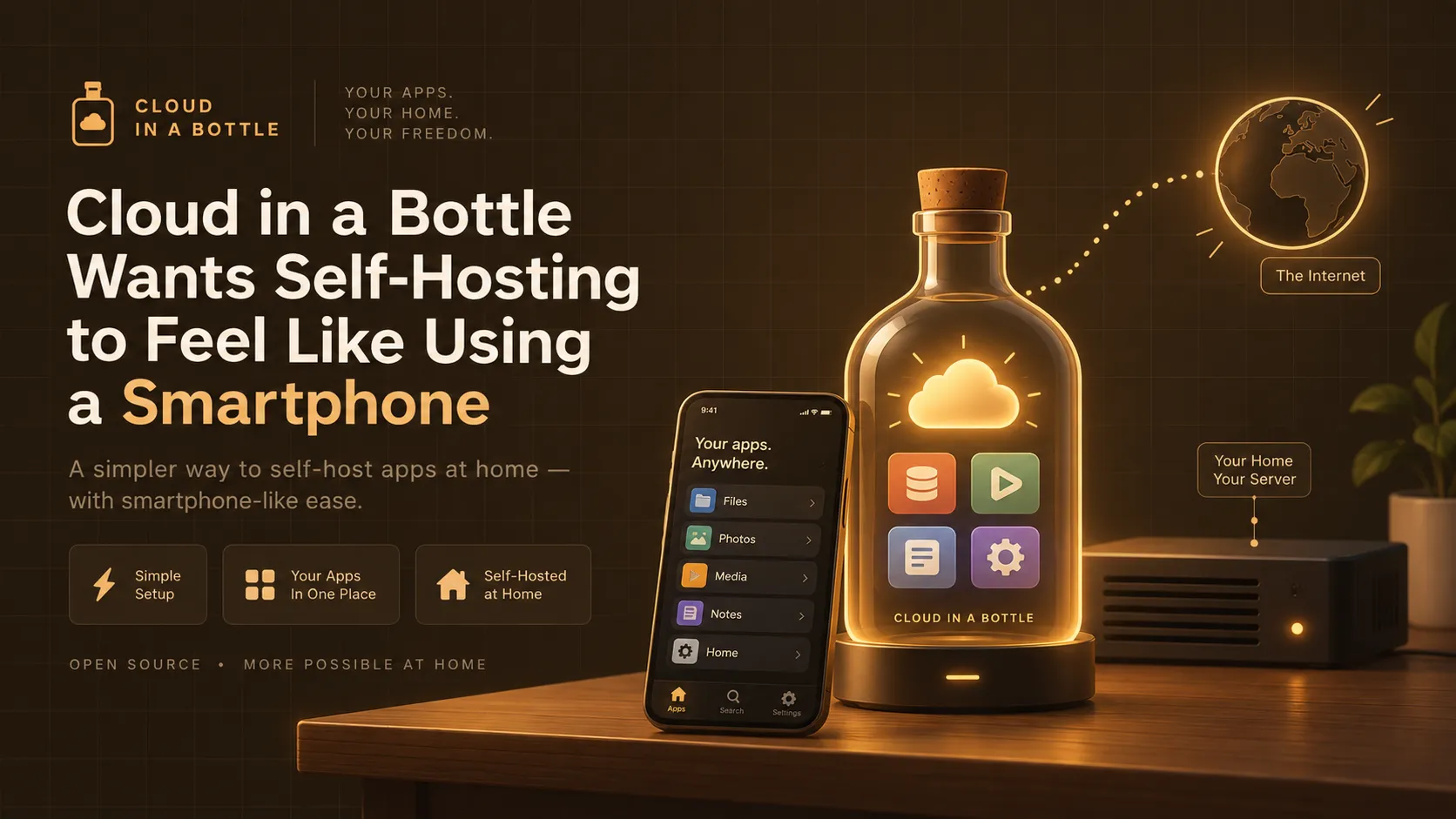
A small Ubuntu machine, a web server, and a dashboard that routes HTTP requests to a pile of containers. That’s the entire pitch behind Cloud in a Bottle, a new open-source project from Imbue that wants self-hosting to stop being a sysadmin hobby and start being something you do the way you install an app on your phone.
It’s not a small ambition. Self-hosting has had plenty of attempts before, and the project’s own launch post is refreshingly blunt about why most of them didn’t stick: Sandstorm “required significant changes to existing software to run on their platform” and is now abandoned; Nextcloud is “slow and unreliable, and more enterprise-targeted now”; YunoHost runs apps directly on the host with no sandboxing, so “one insecure app compromises the entire server”; and Coolify hosts containers fine but “every app is an island with its own login and little integration.” Cloud in a Bottle is Zack Polizzi and Imbue’s attempt to fix all four problems at once, and the architecture is interesting enough to be worth a look on its own. But there’s a second, more practical story underneath it: the project’s own documentation is candid about a networking gap it hasn’t closed, and that gap happens to be exactly the problem a tunnel is built to solve.
Summary
- What it is: an open-source (AGPL-3.0), self-hostable “personal cloud OS” - one Ubuntu machine running a router service that reverse-proxies HTTP traffic to rootless Podman containers, one per app, with unified login and a permissioned API for apps to talk to each other.
- Why it’s different: unlike Coolify or CapRover, apps aren’t isolated islands - logging into your instance logs you into every app on it, and there’s a cross-app service layer modeled loosely on how iOS or Android expose sensors and notifications to apps.
- The catalog is small on purpose: 38 curated apps (Nextcloud, Jellyfin, Forgejo, Vaultwarden, a Matrix homeserver, Open WebUI, a Minecraft server, and more), because the project would rather ship fewer apps that feel polished than a long list of rough ones.
- The networking gap, in their own words: their docs recommend Cloudflare Tunnel for getting a home instance online, but say plainly that it “only works for HTTP-based traffic” and that “any apps specifying non-standard ports in the manifest won’t work properly.” Tailscale is private-only. Their own IPv4 tunnel service “should be available soon” but has not shipped. Plain ISP dynamic IP plus port forwarding is explicitly “not an officially supported path.”
- The fix that already exists: Pinggy’s SSH-based tunnels handle both HTTP and raw TCP out of the box, work the same whether you’re behind CGNAT or a router you don’t control, and don’t require delegating a domain’s DNS to a third party first.
What’s actually running on the box
Strip away the marketing framing and Cloud in a Bottle’s architecture is refreshingly concrete, and it’s documented in enough detail that you can draw the whole request path from memory. One service, openhost.service, is the router: it “serves the dashboard and the API, proxies every request to the right app, builds and runs app containers, and manages domains and certificates.” It listens on :8080. In front of it, Caddy terminates TLS on :443 and redirects port 80 to HTTPS (skipped entirely on HTTP-only installs). CoreDNS runs as the zone’s authoritative nameserver when you delegate a domain to the machine, which is what lets one wildcard certificate cover every app subdomain without you touching a DNS record per app.
Every app gets its own container: “one rootless Podman container per app, each in its own user namespace, with only the data directories it asked for mounted in.” That single design choice is the whole answer to the YunoHost complaint above. A compromised app is a compromised container, not a compromised host.
Routing is by hostname. notes.mycooldomain.com resolves to the app named notes because the router reads the Host header, matches it against a domain it owns, and proxies to that container’s port with identity headers attached. Auth is handled once, centrally, before a request ever reaches an app: a session cookie for browsers (four weeks, revocable, scoped to the whole domain so one login covers every app), an API token for the bottle CLI and scripts, and a per-container app token for calls between apps. That last piece is the part that makes the “smartphone” comparison land: there’s a real, if young, permission model for one app to ask another for data, similar in spirit to how a mobile OS gates access to contacts or notifications, rather than every self-hosted app pretending it’s the only thing on the machine.
The catalog, and who it’s actually for
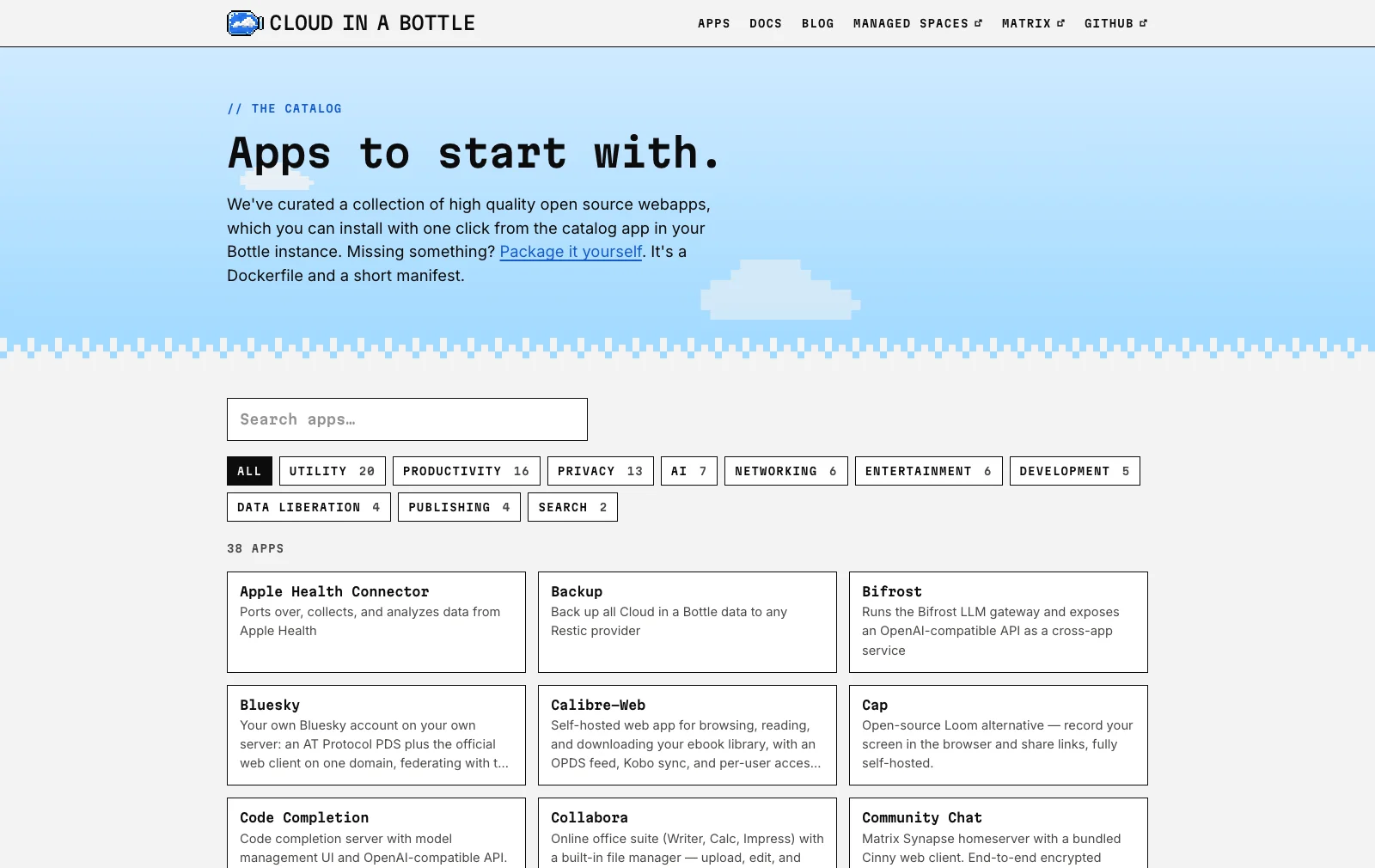
The app catalog currently runs to 38 entries, and it reads like a fairly deliberate cross-section of “software people actually want to self-host”: Nextcloud for files and calendar, Jellyfin and Navidrome for media, Forgejo for git hosting, Vaultwarden for passwords, Pi-hole, Uptime Kuma, SearXNG, Miniflux, and on the newer end, Open WebUI and a Bifrost LLM gateway for people running local models. Chat is listed as “Community Chat”, which is a Matrix Synapse homeserver with a bundled Cinny web client. A fair number of the entries are Imbue’s own (Catalyst, Sculptor, OpenClaw, OpenChamber, Apple Health and Oura connectors), which is worth knowing when you read the catalog as a measure of third-party adoption. There’s also a Minecraft server in there, which turns out to matter more than it sounds like it should - more on that shortly.
Polizzi is upfront that the list is small on purpose: “our curated app catalog… aim to maintain a high bar, only adding things that actually deliver a great user experience, so it’s pretty small right now.” That’s a defensible bet against the alternative failure mode, a 500-app catalog where half the entries are broken Docker Compose files nobody’s tested in a year, but it does mean the project is currently more interesting to the kind of person reading this post than to the “friends and parents” audience it says it’s ultimately aiming at.
You get three ways to run it: a managed instance through Imbue, a rented cloud VPS you administer yourself, or your own hardware, a spare desktop, an old laptop, or a Raspberry Pi, either in a VM or bare metal. Managed pricing starts at $5/month for a 2GB, 2-vCPU instance, with $10/month and $20/month tiers above it and a $10 starter credit, so the small tier is effectively free for the first couple of months. The bare-metal install is a single provisioning script run over SSH as root, and it’s the option most in the spirit of the project’s own pitch, since it’s the one where you genuinely own the box the data lives on.
Where the story gets honest: getting a home instance online
Here’s the part of the docs worth reading closely, because it’s unusually candid for a launch. Once you’ve provisioned an instance on a spare machine at home, the dashboard is reachable only over an SSH tunnel to localhost:8080 until you “take it public.” The manual then lays out, in order, exactly what’s available for that step and what’s wrong with each option:
Cloudflare Tunnel is what they recommend today: “Using a HTTP(s) tunnel like the (free) Cloudflare Tunnels is the easiest way to get your instance online, currently.” But the docs immediately explain the mechanism and its limit: HTTP tunnels are cheap to run because a single shared IP can be split across many customers by reading the hostname out of each HTTP request and reverse-tunneling to the right firewalled machine. That trick only works when there’s a hostname to read. Quoting the manual directly: “This only works for HTTP-based traffic, because it needs to know how to differentiate between traffic for different users on the shared IP, which is impossible to do in general for arbitrary non-HTTP protocols that don’t carry hostnames.” And then the line that matters for anyone planning to run more than a web app: “any apps specifying non-standard [[ports]] in the manifest won’t work properly.” The routing docs explain why: apps that need something other than plain HTTP can declare extra ports in their manifest, and those “bypass the router and are exposed directly on the machine.” A Cloudflare Tunnel pointed only at the router’s HTTP port on :8080 never sees that traffic at all. The Minecraft server in the catalog is the obvious casualty here; Minecraft’s protocol runs on raw TCP port 25565, with no HTTP hostname anywhere for a tunnel to route on.
Tailscale is the other officially documented path, but it isn’t actually exposing anything publicly: “This approach does not make the instance publicly accessible. It makes the instance available only to devices on your tailnet.” Fine for reaching your own NAS from your own laptop, useless the moment you want to hand a link to a friend who isn’t running Tailscale.
Their own IPv4 tunnel service is what they’d rather ship instead of leaning on Cloudflare, and the reasoning is worth quoting in full because it’s a precise description of the gap: “It ought to be possible to operate a service that attaches an IP address to a server and forwards any traffic arriving at that IP to your firewalled Bottle instance over a reverse proxy connection, thus avoiding any need for an IP from your ISP and fiddling with router settings. Unfortunately, we can’t find any service that actually does this for an individual for reasonable price - so we’re building this ourselves, to make it easier for users to get their self-hosted instances online. This feature should be available soon!” As of this update it still hasn’t shipped: the roadmap lists “IP tunnels, for easier setup of self-hosted instances without a static IPv4” among planned opt-in managed services with no date attached, and the managed pricing page mentions no IP tunnel or static IP option at all.
Plain ISP dynamic IP with router port forwarding is explicitly waved off: “This isn’t an officially supported path,” and the docs list exactly the reasons anyone who’s tried this knows firsthand - CGNAT means you may not have your own public IP at all, residential IPs move around so DNS needs constant updating, ISPs commonly block inbound ports like 25 for SMTP, and you still have to go configure your router either way.
Read those four options back to back and the honest summary is: the only thing that actually works today for a non-HTTP app on a home connection is a general-purpose tunnel that forwards TCP, not just HTTP, and the project hasn’t shipped its own version of that yet.
The part that’s a little funny if you already run a tunneling service
That “we can’t find any service that actually does this for an individual for reasonable price” line is the interesting one, because a service that “attaches” a reachable address to a firewalled machine and forwards arbitrary traffic to it over a reverse connection is a reasonably precise description of what Pinggy already does, today, for both HTTP and raw TCP. To be fair to Imbue, what they’re describing (a dedicated IPv4 forwarded wholesale to your box) is a slightly different shape than a per-service reverse proxy tunnel, and there’s a real difference between “give me an IP” and “give me a URL.” But for the actual problem the docs are solving, getting inbound traffic to a firewalled home server without router changes, a reverse SSH tunnel already closes almost the entire gap they list, months before their own service ships.
Here’s the same Minecraft server that breaks under Cloudflare Tunnel, exposed with one command instead:
That opens an outbound SSH connection from the home server to Pinggy’s edge and hands back a public host and port that forward straight to localhost:25565, no router configuration, no CGNAT workaround, no Cloudflare-managed domain required first. The command behind the widget is just:
ssh -p 443 -R0:localhost:25565 tcp@free.pinggy.ioAnd for the router’s own dashboard, or any of the HTTP apps in the catalog, the same idea applies without the tcp@ prefix:
ssh -p 443 -R0:localhost:8080 free.pinggy.ioThat’s the exact same ssh -L 8080:localhost:8080 instinct the setup docs already use to reach the dashboard privately during install, just pointed outward instead of at your own laptop.
One caveat worth being straight about: the anonymous free tunnel in both commands above runs for 60 minutes and hands back a new random address every time it reconnects. That’s fine for checking that the Minecraft server is reachable from outside your network, and wrong for a box you intend to leave online. A Pro token drops the timeout and pins the address, the CLI reconnects on its own if the link drops, and with plain SSH you’ll want -o ServerAliveInterval=60 so an idle connection doesn’t get closed under you. Sign in on Pinggy's dashboard and you can attach a persistent custom domain to either tunnel, which sidesteps the other awkward requirement in Cloud in a Bottle’s Cloudflare Tunnel guide: delegating your entire domain’s nameservers to Cloudflare before you can even start. If you’d rather keep DNS with your current registrar, that’s not a hard requirement here the way it is with the wildcard-zone-delegation approach the docs walk through for both Cloudflare and the manual acme.sh route.
None of this replaces the IPv4 tunnel service Imbue is building. A dedicated address forwarding everything, including protocols that don’t run over a single TCP connection per client, is a genuinely different and in some ways more complete answer, and there’s real value in a self-hosting platform owning that piece end to end instead of telling users to go find a third-party service. But “coming soon” isn’t a networking story you can build a home server on this week, and for anyone who wants to run the Minecraft server or a Matrix homeserver in that catalog today rather than in a future release, a TCP tunnel is the thing that makes it reachable in the meantime.
The other detail worth noting: it’s built with coding agents in mind
One more piece that fits the moment: Cloud in a Bottle ships a bottle CLI specifically so a coding agent can “package a project as a Bottle app, deploy it, read the build log, fix what broke, and reload” without ever touching a raw credential, because the CLI “injects auth so the agent never handles a token.” The docs lean the same way: the whole manual is served as plain Markdown at /docs/all.md so an agent can pull it in one request instead of scraping rendered HTML, any individual page is available the same way by appending .md, and there’s an installable agent skill for the platform. It’s a small feature, but it’s a sign of who the project expects to be doing a chunk of the app-porting and glue work going forward, and it lines up with Polizzi’s own admission that early users will “likely need a bit of technical familiarity (or a coding agent)” to adapt software to run on the platform.
How the launch landed
The launch post reached the Hacker News front page on 6 September and finished at 652 points across 321 comments, a strong showing for a self-hosting project. Much of the praise was for the writeup itself, the same candour that makes the docs worth reading. The criticism clustered in four places, and it’s worth knowing before you commit a weekend to this.
The most repeated objection was that the space is crowded and the launch post didn’t engage with it. Cloudron came up again and again, usually from people noting it already does packaged apps with unified auth and has years more operational polish, alongside Umbrel, CapRover, and runtipi. Second was the catalog, with Immich and Home Assistant the two most-missed entries, and more than one commenter describing it as a rather tiny mobile app store. Third was backups, which the managed plans don’t really answer yet; Polizzi’s reply in the thread put instances at roughly 50GB of disk with an S3 archive tier as the plan. Fourth, and most relevant if you’re running this at home, several people balked at CoreDNS answering on port 53 as the zone’s authoritative nameserver, which is a real ask for a machine on a residential connection.
There was also a self-inflicted one. Shortly before launch, an account filed eleven issues on unrelated projects asking them to support a cloudinabottle.toml manifest. It turned out to be an Imbue employee and the pattern looked agent-generated. Polizzi addressed it in the thread, called it a mistake, and said it would stop. Worth noting mainly because a project asking for trust with your personal data gets judged on how it handles that kind of thing.
Should you try it
If you already run a homelab and are tired of Nextcloud’s performance or Coolify’s per-app logins, Cloud in a Bottle is worth an afternoon on a spare Raspberry Pi. The architecture is sound, the security model (rootless containers, centralized auth, a real permission boundary between apps) is a step up from the YunoHost approach a lot of current self-hosters are used to, and the code is AGPL-3.0 and genuinely open, not open-core with the good parts held back for the managed tier.
The repository backs that up: about 1,100 stars, v0.2.0 tagged the day before launch, and commits landing steadily through the week after it. The committers are almost entirely Imbue staff, though, and Imbue is an AI research lab that raised $200M at a billion-plus valuation to build coding agents, with several of its own tools sitting in the catalog. That cuts both ways. The project is unlikely to run out of money, and it is also a side product of a company whose main business is something else.
If you’re coming to it cold, go in with the right expectations: the catalog is intentionally small, the project only went public on 5 September 2026 after six-plus months of private development, and the networking layer that gets your instance onto the actual internet is, by the maintainers’ own admission, not finished. That last part just happens to be a solved problem already, and not one you need to wait on a roadmap item for. Point a tunnel at it and it’s a solved problem today.
Conclusion
Cloud in a Bottle is a serious, well-reasoned attempt at a problem a lot of people have tried and mostly abandoned, and reading its docs is a rare treat: a project that tells you exactly what doesn’t work yet instead of papering over it with a marketing page. The container isolation and unified-login model are the real contribution here, and worth watching regardless of what happens to the networking piece. But if the goal is self-hosting that “feels like using a smartphone,” the last mile, actually getting a URL that works from any device, on any protocol, without asking a third party to run your DNS, is exactly the kind of infrastructure problem that shouldn’t need reinventing. It’s already solved. Bring your own tunnel and the rest of the platform gets to shine.