Best Self-Hosted Open Source DNS Servers in 2026 (PowerDNS, BIND, Unbound & More)
Every time a device on your network looks up a hostname, that query goes to whatever DNS server you’ve configured - and for most people, that is still a resolver run by their ISP, Google (8.8.8.8), or Cloudflare (1.1.1.1). Self-hosting your own DNS server hands that control back to you: no third party sees your lookup history, you can block ads and trackers before they ever reach a device, and you get to decide exactly how internal hostnames, split-horizon zones, and DNSSEC are handled on your network.
The open source DNS ecosystem splits into two fairly different categories, and mixing them up is the most common mistake people make when picking a server. The first category is authoritative nameservers and infrastructure-grade software - PowerDNS, BIND, NSD, Knot DNS, and CoreDNS - built to host zones, sign them with DNSSEC, and answer millions of queries a second. The second is home and small-office friendly resolvers and forwarders - Unbound, Pi-hole, AdGuard Home, Blocky, and SmartDNS - most of which sit between your devices and an upstream resolver, cache responses, and block known ad/tracker domains, with Unbound as the exception that resolves recursively on its own instead of forwarding. Technitium DNS Server straddles both categories. This guide covers all of them with verified GitHub stats, licenses, and features.
Summary
Infrastructure-grade (authoritative/recursive): CoreDNS, Technitium DNS Server, PowerDNS, BIND 9, NSD, Knot DNS - full DNS servers for hosting zones or resolving recursively.
Home/lab-grade (resolvers, forwarders & ad-blocking): Unbound, Pi-hole, AdGuard Home, SmartDNS, Blocky, dnsmasq - most sit in front of an upstream resolver and block ads/trackers, though Unbound resolves recursively on its own.
Quick test any of them: dig @<server-ip> -p <port> example.com +short
Why Self-Host Your Own DNS Server
The most immediate reason is privacy. Every domain you resolve tells your DNS provider what site you’re about to visit, and that log persists somewhere outside your control unless you run the resolver yourself. The second reason is blocking - a DNS server that refuses to resolve known ad and tracker domains protects every device on your network (phones, smart TVs, IoT gadgets) without installing an extension anywhere, something browser-based ad blockers can’t do. The third reason is control: split-horizon DNS for a homelab or VPN, custom internal TLDs, Response Policy Zones for threat intel, or just not being at the mercy of a public resolver’s outage. And if you run any kind of internet-facing service, an authoritative server you manage yourself is how you actually own your zone data instead of trusting a registrar’s default nameservers. For the fundamentals of how any of this resolution actually works, see our explainer on what problems DNS solves.
Comparison Table: Authoritative & Recursive DNS Servers
| Server | GitHub Stars | License | Language | Mode |
|---|---|---|---|---|
| CoreDNS | 14.2K+ | Apache-2.0 | Go | Both (plugin-dependent) |
| Technitium DNS Server | 9.3K+ | GPL-3.0 | C# | Authoritative + Recursive + DHCP |
| PowerDNS | 4.4K+ | GPL-2.0 | C++ | Authoritative + Recursive |
| BIND 9 | 756+ | MPL-2.0 | C | Authoritative + Recursive |
| NSD | 565+ | BSD-3-Clause | C | Authoritative only |
| Knot DNS | 313+ | GPL-2.0-or-later | C | Authoritative only |
Comparison Table: DNS Forwarders, Caches & Resolvers
| Server | GitHub Stars | License | Language | Mode |
|---|---|---|---|---|
| Pi-hole | 60.1K+ (core) / 1.7K+ (FTL) | EUPL-1.2 | Shell (core) / C (FTL) | Forwarder + blocking + DHCP |
| AdGuard Home | 35.8K+ | GPL-3.0 | Go | Forwarder + blocking + DHCP |
| SmartDNS | 11.1K+ | GPL-3.0 | C | Forwarder (fastest-IP racing) |
| Blocky | 6.8K+ | Apache-2.0 | Go | Forwarder + blocking |
| Unbound | 4.7K+ | BSD-3-Clause | C | Recursive only |
Authoritative & Recursive DNS Servers
These are the servers you reach for when you need real internet-facing DNS infrastructure: hosting your own zones, running a validating recursive resolver, or both.
1. CoreDNS - Kubernetes’ Default Cluster DNS
CoreDNS takes a completely different architectural approach: instead of one monolithic daemon with built-in features, it’s a Caddy-style plugin chain, where each plugin does one job and you compose them into a Corefile. The kubernetes plugin turns it into cluster-wide service discovery, the forward plugin makes it a recursive forwarder, and the file/auto plugins let it serve authoritative zones with DNSSEC - so whether CoreDNS is “authoritative” or “recursive” depends entirely on which plugins you load. This flexibility, plus being a CNCF-graduated project (graduated January 2019), is why it has been the default DNS server inside Kubernetes since version 1.13, though it works perfectly well as a standalone general-purpose DNS server outside of Kubernetes too.
Beyond Kubernetes service discovery, useful plugins include autopath (which mitigates the resolution-latency penalty of Kubernetes’ ndots:5 default), cache, and prometheus/metrics for exposing query metrics on port 9153. CoreDNS ships frequent patch releases - v1.14.6 in July 2026 fixed an ARM/MIPS build regression from the previous patch.
Key Features:
- Caddy-style plugin-chain architecture - compose exactly the features you need
kubernetesplugin for native cluster service discoveryautopathplugin to reduce Kubernetes DNS resolution latencyforwardandcacheplugins for recursive/forwarding behavior- On-the-fly DNSSEC signing via the
file/autoplugins - Prometheus metrics on port 9153 out of the box
License: Apache-2.0 | Language: Go | GitHub Stars: 14.2K+ | GitHub
2. Technitium DNS Server - The Most Feature-Complete Self-Hosted Option
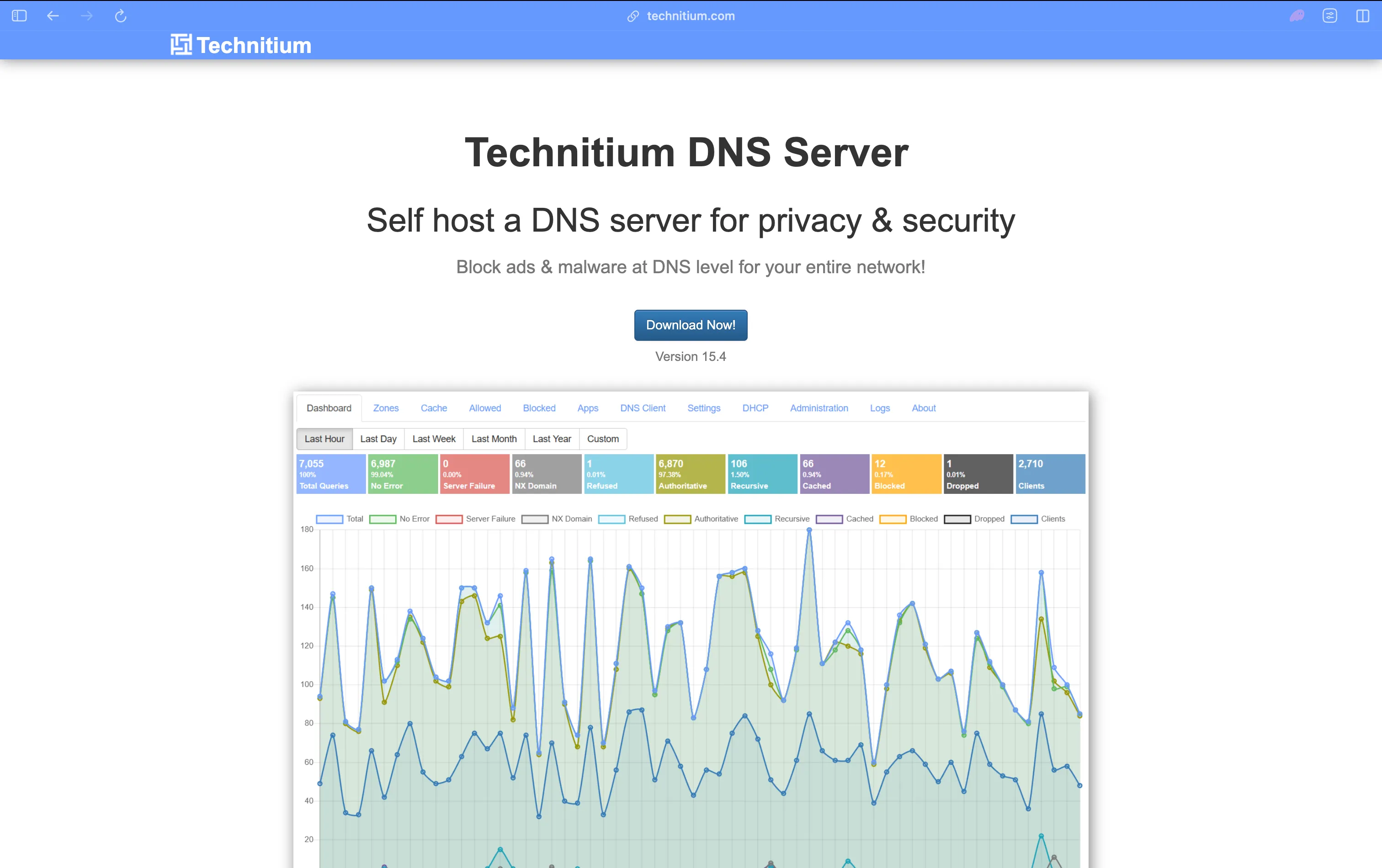
Technitium DNS Server is the one server in this guide that genuinely straddles both categories: it’s a real recursive resolver that walks the DNS hierarchy from the root down (not just a forwarder), it can serve as an authoritative server for zones you own with primary/secondary/stub/conditional-forwarder zone types, and it ships a built-in DHCP server, all behind a full web console. For admins who want Pi-hole-style ease of use without giving up authoritative DNS or genuine recursion, this is the closest thing on the market.
Protocol support is comprehensive: DoT, DoH (HTTP/1.1, HTTP/2, HTTP/3), and DoQ as both a client and a server, DNSSEC validation across RSA/ECDSA/EdDSA, DANE/TLSA, and zone transfers over TLS or QUIC. Its “DNS Apps” plugin system enables split-horizon and geolocation-based responses. Version 15.0 (April 2026) added Single Sign-On via OpenID Connect, letting it plug into Authelia, Authentik, or Keycloak-based homelab auth stacks - a notable step toward enterprise-style access control for a project this approachable.
Key Features:
- Genuine root-to-authoritative recursive resolution, not just forwarding
- Primary/Secondary/Stub/Conditional-Forwarder zone types with AXFR/IXFR
- DoT/DoH/DoQ as both client and server; DNSSEC with RSA/ECDSA/EdDSA
- Built-in DHCP server alongside DNS
- HTTP API, multi-user RBAC, non-expiring API tokens, and TOTP 2FA
- SSO login via OpenID Connect (added in v15.0)
License: GPL-3.0 | Language: C# (.NET) | GitHub Stars: 9.3K+ | GitHub
3. PowerDNS - Database-Backed Authoritative DNS With a REST API
PowerDNS actually ships three separate products from one project: the Authoritative Server for hosting zones, the PowerDNS Recursor for recursive resolution, and dnsdist, a DNS-aware load balancer and firewall. What sets the Authoritative Server apart from BIND or Knot DNS is that it stores zone data in a real database - MySQL, PostgreSQL, SQLite, or LMDB - instead of flat zone files, which makes it a natural fit if you’re already managing domains through a web app or provisioning system. A built-in HTTP/JSON REST API lets you create records and zones programmatically without touching a config file, and Lua scripting hooks in both the Authoritative Server and Recursor let you customize query handling.
On the recursive side, the PowerDNS Recursor supports DoT, DoH, and DoQ for encrypted queries, DNS cookies to harden outgoing queries against spoofing, and, as of the 5.4 line, OpenTelemetry trace emission for observability. Both components support DNSSEC with automatic signing. ISC and PowerDNS both maintain an active security-release cadence - the Recursor shipped Security Advisory 2026-10 in July 2026 - so plan for regular patching regardless of which PowerDNS component you run.
Key Features:
- Pluggable backends: MySQL, PostgreSQL, SQLite, LMDB, or BIND-style zone files
- Built-in HTTP/JSON REST API for zone and record management
- Lua scripting hooks in the Authoritative Server and Recursor
- DoT/DoH/DoQ support and DNS cookies on the Recursor
- Automatic DNSSEC signing with key rollover
- dnsdist for DNS-aware load balancing, rate limiting, and firewalling in front of either component
License: GPL-2.0 | Language: C++ | GitHub Stars: 4.4K+ | GitHub
4. BIND 9 - The Reference DNS Implementation
BIND 9 from the Internet Systems Consortium (ISC) has been the reference implementation of DNS since the late 1980s, and it still runs a very large share of the internet’s authoritative and recursive infrastructure, particularly at ISPs and TLD registries. The named daemon handles both authoritative and recursive roles in a single binary, with a feature set built up over decades: DNSSEC signing and validation, DoT and DoH (since BIND 9.18), zone transfers over TLS (XoT), Response Policy Zones for policy-based filtering, catalog zones for managing many zones as a group, and GSS-TSIG for secure dynamic updates in Windows/Active Directory environments.
2026 has been an unusually active year for BIND security. ISC moved to a near-monthly release cadence after LLM-assisted code audits surfaced a historically high number of latent bugs - the July 2026 release (9.20.26) alone patched nine CVEs - and the next major stable line, 9.22, has been pushed back to at least Q4 2026 as a result. If you run BIND in production, budget for that patch cadence rather than assuming quarterly updates. Development happens primarily on ISC’s own GitLab instance; the GitHub repository is a read-only mirror.
Key Features:
- Full authoritative and recursive resolution in one daemon
- DNSSEC signing and validation, with a dedicated key-signing-request (KSR) utility
- DoT and DoH support (RFC 7858/8484), plus zone transfers over TLS (XoT)
- Response Policy Zones (RPZ) for reputation/threat-intel-based filtering
- Catalog zones for managing large numbers of zones as a single unit
- GSS-TSIG for secure dynamic DNS updates in Active Directory environments
License: MPL-2.0 | Language: C | GitHub Stars: 756+ (mirror) | GitHub
5. NSD - Authoritative-Only, Built for Root and TLD Operators
NSD (Name Server Daemon), also from NLnet Labs, takes the opposite approach from Unbound: it is authoritative-only by design, with no recursive resolution code at all. That narrow focus is deliberate - fewer code paths means a smaller attack surface and predictable, very high query throughput, which is why NSD is used by several DNS root server operators (including RIPE NCC’s k.root-servers.net) and a number of ccTLD and gTLD registries. It’s commonly deployed alongside Unbound from the same organization, one box handling authoritative zones and another handling recursive lookups.
NSD supports AXFR/IXFR zone transfers with DoT, catalog zones, and nsd-control for remote management, and recent releases have focused on operational polish: 4.15.0 (July 2026) improved Prometheus metrics to use per-zone labels instead of per-zone metric names, and 4.14.3 (June 2026) was a four-CVE security release fixing a heap overflow, a DoT crash, an APL-record handling bug, and a TLS certificate-validation bypass.
Key Features:
- Authoritative-only architecture with a minimal attack surface
- Multi-threaded query serving optimized for very high queries-per-second
- AXFR/IXFR zone transfers with DNS-over-TLS support
- Catalog zone support for managing many zones as a group
- Prometheus metrics export with per-zone labels
nsd-controlfor remote, scriptable server management
License: BSD-3-Clause | Language: C | GitHub Stars: 565+ | GitHub
6. Knot DNS - High-Performance Authoritative DNS With AF_XDP
Knot DNS is built by CZ.NIC, the registry that runs the .cz ccTLD, and like NSD it is authoritative-only (CZ.NIC ships a separate product, Knot Resolver, for recursive lookups). What makes Knot DNS distinctive among the servers in this guide is its AF_XDP fast-path: it can filter and forward DNS packets close to the network interface, bypassing the normal OS network stack, which lets it sustain very high packets-per-second rates under load - a real differentiator if you’re serving a busy zone from commodity hardware rather than specialized appliances.
Beyond raw performance, Knot DNS handles automatic DNSSEC signing with automatic key management and rollover (or a manual-key mode if you want full control), catalog zone generation and interpretation, GSS-TSIG, and response-rate limiting to blunt reflection/amplification abuse of your own authoritative answers. Like BIND, its primary development happens off GitHub - on CZ.NIC’s own GitLab instance - with GitHub hosting a mirror.
Key Features:
- AF_XDP packet processing for very high queries-per-second on commodity hardware
- Automatic DNSSEC signing with automatic or manual key rollover
- Catalog zone generation and interpretation
- Response-rate limiting to reduce abuse of authoritative answers
- GSS-TSIG support for secure dynamic updates
- EDNS0 and Extended DNS Errors (EDE) support
License: GPL-2.0-or-later | Language: C | GitHub Stars: 313+ (mirror) | GitHub
DNS Forwarders, Caches & Resolvers
Most of the servers in this section sit between your devices and an upstream resolver (often 1.1.1.1, 8.8.8.8, or Quad9), cache answers, and block ad and tracker domains before they ever resolve - the home-lab-friendly counterpart to the infrastructure servers above. Unbound, grouped here for its similar home-network footprint, is the exception: it performs real recursive resolution rather than forwarding, and has no blocking feature at all.
7. AdGuard Home - The Most Polished Web UI for Network-Wide Blocking
AdGuard Home is a DNS forwarder and cache with network-wide ad, tracker, and phishing/malware blocking built in, plus an optional DHCP server. It ships as a single static Go binary that runs on more than 20 platform/architecture combinations, configured through a flat YAML file and a genuinely polished built-in web dashboard - which is the main reason people choose it over Pi-hole once they’ve outgrown the basics. It supports DoH, DoT, DoQ, and DNSCrypt as an upstream client, and can serve encrypted DNS itself for clients that support it.
AdGuard Home explicitly collects no telemetry or usage statistics by design, which matters if privacy is the whole point of self-hosting DNS in the first place. Recent 2026 releases (both the v0.107.x stable channel and the v0.108.0 beta) have focused heavily on security hardening for DoH/DoQ handling and path-traversal fixes, so it’s worth keeping this one on auto-update or at least checking releases regularly if you expose the encrypted-DNS endpoints publicly.
Key Features:
- DoH/DoT/DoQ/DNSCrypt client support, plus encrypted DNS serving
- Network-wide blocking with parental controls and phishing/malware filtering
- Polished built-in web UI with per-client configuration and a REST API
- No telemetry or usage-stat collection by design
- Built-in DHCP server
- Single static binary across 20+ platform/architecture combinations
License: GPL-3.0 | Language: Go | GitHub Stars: 35.8K+ | GitHub
8. Pi-hole - The Default Answer for Home Ad Blocking

Pi-hole is the project most people mean when they say “self-hosted DNS ad blocker,” and it has the largest community and blocklist ecosystem of anything in this guide by a wide margin. Since Pi-hole’s v6 architecture, the resolver engine (dnsmasq’s code) is compiled directly into FTL rather than running as a separate process, and the project actually ships three coordinated version numbers per release: FTL (the resolver), Web (the dashboard), and Core (install/update scripts) - for example, the July 2026 release was FTL v6.7, Web v6.6, Core v6.4.3.
Pi-hole uses the EUPL-1.2 license, an EU-originated copyleft license that’s genuinely uncommon in this space compared to the GPL/MIT/Apache licenses everything else here uses - worth knowing if your organization has a license-approval process. The July 2026 FTL v6.7 release patched six vulnerabilities (four rated High), including a local privilege-escalation path via /etc/pihole/logrotate and a CivetWeb config-injection RCE, which is a useful reminder that “simple to set up” doesn’t mean “safe to leave unpatched.” Pi-hole runs comfortably on a Raspberry Pi Zero, which is a large part of its appeal.
Key Features:
- Simplest, most widely documented ad-blocking DNS sinkhole to set up
- Huge community-maintained blocklist ecosystem
- Web dashboard plus a scriptable
piholeCLI - Optional built-in DHCP server with group/client management
- FTL v6+ has dnsmasq’s resolver code embedded directly (no separate process)
- Runs well on minimal hardware, including a Raspberry Pi Zero
License: EUPL-1.2 | Language: Shell (core) / C (FTL) | GitHub Stars: 60.1K+ (core), 1.7K+ (FTL) | GitHub
9. Blocky - Lightweight, YAML-Configured, Built for Observability
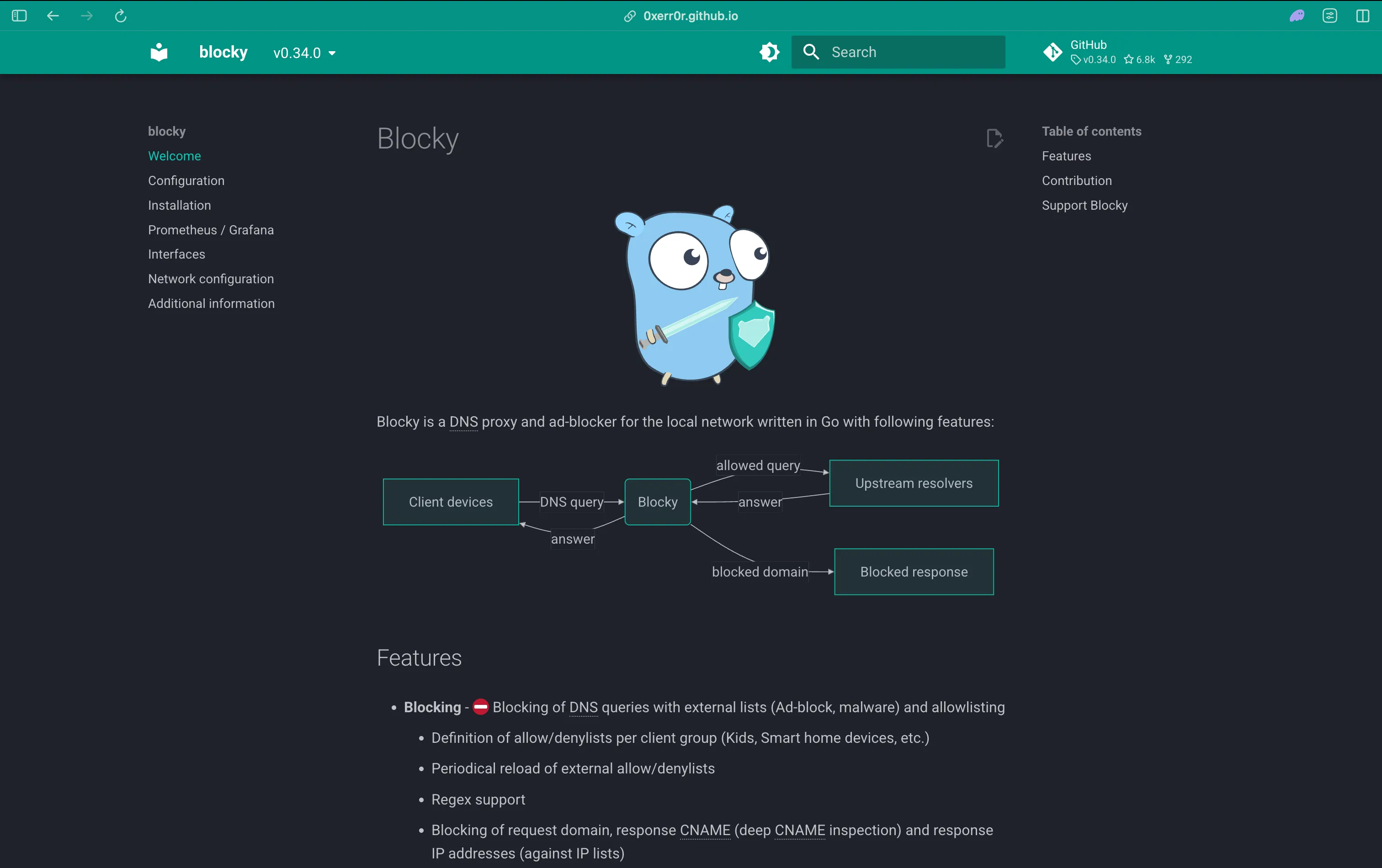
Blocky is a config-file-first alternative to AdGuard Home and Pi-hole aimed at people who want Prometheus/Grafana observability and Kubernetes-friendly deployment more than a heavyweight web UI. It’s entirely YAML-driven, stateless by default (no database required to run), and ships as a small multi-arch Docker image with a community Helm chart for cluster deployment.
Feature-wise, Blocky supports DoH, DoT, DoQ (RFC 9250), and DoH3 (RFC 9114) as an upstream client, per-client-group allow/deny lists with regex matching, deep CNAME inspection to catch cloaked tracker domains, and conditional forwarding across multiple simultaneous upstreams with prefetching. It has been iterating quickly through 2026 - recent releases added DNS rebinding protection, on-disk list caching, a native blocky stats CLI command, and dnstap logging - and query logs can be written to CSV, MySQL, Postgres, or TimescaleDB for longer-term analysis than Pi-hole or AdGuard Home offer out of the box.
Key Features:
- DoH, DoT, DoQ, and DoH3 upstream client support
- Per-client-group allow/deny lists with regex and deep CNAME inspection
- Conditional forwarding across multiple simultaneous upstreams with prefetch caching
- Prometheus metrics with prebuilt Grafana dashboards
- Query logging to CSV, MySQL, Postgres, or TimescaleDB
- Stateless operation - no database required just to run it
License: Apache-2.0 | Language: Go | GitHub Stars: 6.8K+ | GitHub
10. SmartDNS - Fastest-IP-Wins Resolution
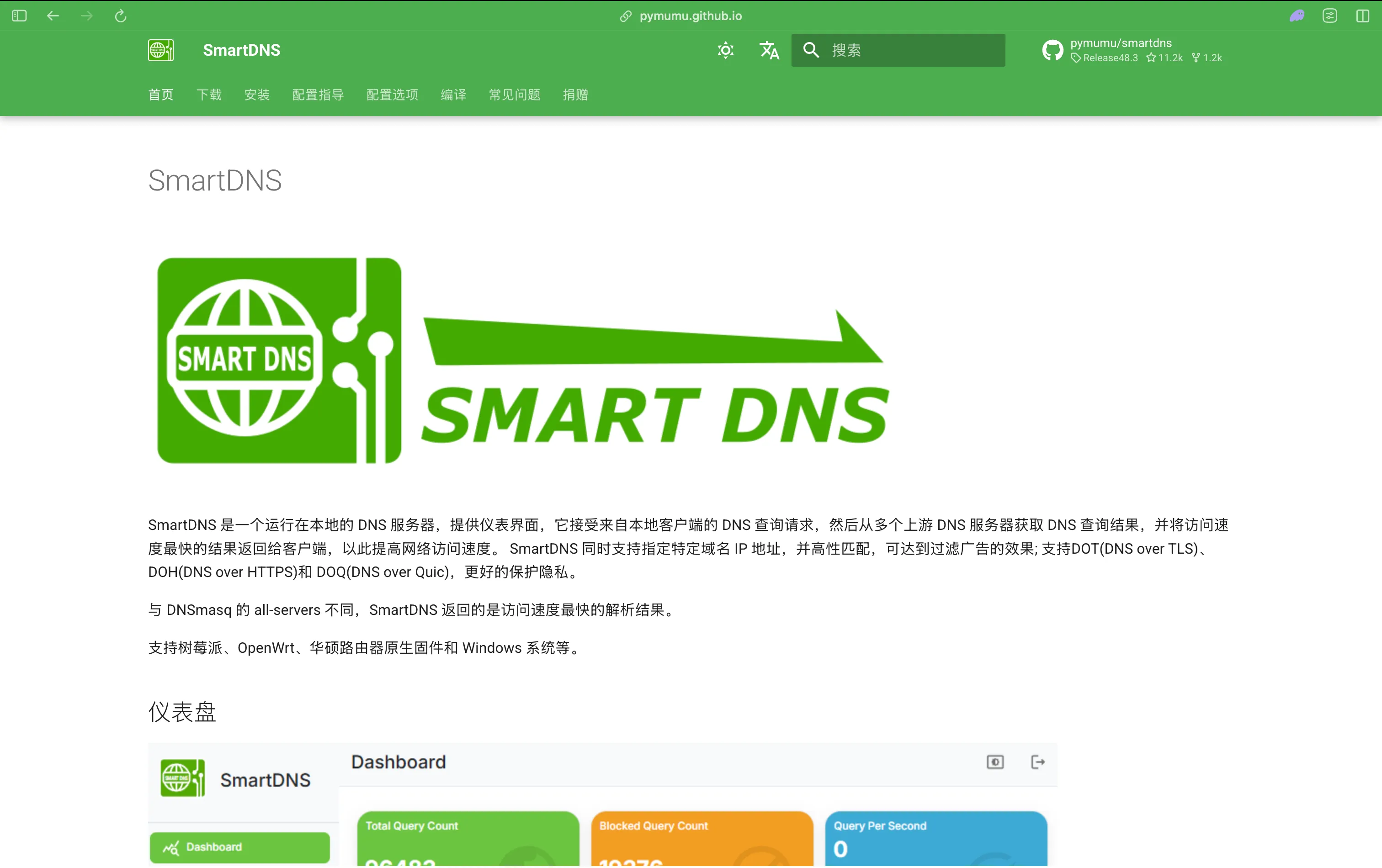
SmartDNS solves a different problem than the ad-blocking tools above: instead of blocking domains, it queries multiple upstream resolvers in parallel for the same domain and returns whichever answer resolves to the fastest-responding IP address. That makes it popular on OpenWrt routers and in homelab setups where picking the lowest-latency CDN edge per domain matters more than filtering - a genuinely different design goal from Pi-hole, AdGuard Home, or Blocky, even though all four sit in the same “DNS forwarder” category.
SmartDNS supports DoT, DoH, DoQ, and DoH3 as upstream client protocols, DNS64 for IPv4-to-IPv6 gateway setups, per-client policy control by MAC or IP address, and a domain-suffix matching engine the project claims can evaluate 200,000+ rules in under a millisecond. Recent 2026 releases (Release 48 in May, with point releases through July) added HTTP/2 upstream support, DNS Discovery of Designated Resolvers (DDR, RFC 9462), and a standalone Rust-based web UI plugin for query monitoring on port 6080.
Key Features:
- Queries multiple upstreams in parallel, returns the fastest-responding result
- DoT/DoH/DoQ/DoH3 upstream client support
- DNS64 for IPv4-to-IPv6 gateway scenarios
- Per-client (MAC/IP) policy control
- Domain-suffix matching engine claimed to handle 200K+ rules in under 1ms
- Standalone web UI plugin for query monitoring and stats
License: GPL-3.0 | Language: C | GitHub Stars: 11.1K+ | GitHub
11. Unbound - The Default Validating Resolver on BSD and pfSense
Unbound from NLnet Labs is a recursive-only, validating, caching DNS resolver - it does not serve authoritative zones at all, which keeps its codebase and attack surface smaller than a full-service server like BIND. That focus is exactly why it ships as the base-system resolver on OpenBSD and as the default DNS resolver behind pfSense and OPNsense firewalls, making it a common home-lab pairing alongside the forwarders above even though, unlike them, it does real recursion instead of forwarding to an upstream. It validates DNSSEC by default, supports DoT, DoH, and DoQ as a server, and can act as a DNSCrypt endpoint. Aggressive NSEC caching reduces the number of queries it needs to send upstream, and EDNS Client Subnet support lets it pass along approximate client location for CDN-friendly answers when needed.
Unbound has had an active 2026 on the security front: the 1.25.x line shipped three releases (1.25.0 in April, 1.25.1 in May, 1.25.2 in July) driven largely by DoS and buffer-overflow fixes in its newer QUIC transport code and DNSCrypt-over-TCP handling. If you’re running Unbound as a validating resolver in front of a network, staying current on patch releases matters more here than feature-chasing.
Key Features:
- DNSSEC validation on by default, with aggressive NSEC caching
- DoT, DoH, and DoQ support, plus DNSCrypt
- EDNS Client Subnet support for CDN-friendly resolution
- Optional Redis-backed shared response cache for resolver clusters
- Extensive runtime statistics and a
cache_lookupcontrol command - Small, focused codebase (recursive-only, no authoritative code path)
License: BSD-3-Clause | Language: C | GitHub Stars: 4.7K+ | GitHub
Honorable Mentions
A few adjacent projects are worth knowing about even though they didn’t make the main list:
Knot Resolver - CZ.NIC’s recursive counterpart to Knot DNS, built around a modular, Lua-scriptable core with DNS-over-TLS and DNSSEC validation. Worth pairing with Knot DNS if you want one vendor for both authoritative and recursive roles.
dnsdist - PowerDNS’s dedicated load-balancer and firewall component, useful for spreading query load across multiple backend resolvers or authoritative servers and filtering abusive traffic before it reaches them. GPL-2.0, C++.
Stubby (getdns) - a DNS Privacy stub resolver that forwards local queries to an upstream DoT resolver, useful for adding encrypted DNS to a machine or network segment without running a full server.
How to Choose the Right DNS Server
If you’re hosting zones for a domain you own - your own website, a small business, a registrar-style operation - PowerDNS is the most practical starting point because of its database backends and REST API; reach for Knot DNS or NSD if raw authoritative throughput and a minimal attack surface matter more than ease of integration. If you need a validating recursive resolver in front of a network, Unbound is lean and well-audited, while BIND is the safer choice if you also need authoritative zones on the same box and don’t mind its larger footprint. If you’re running Kubernetes, you already have CoreDNS - the only decision is which plugins to enable.
For a home network or small office where the goal is “block ads everywhere and stop leaking my browsing history to my ISP,” Pi-hole remains the easiest on-ramp thanks to its documentation and community blocklists, AdGuard Home is the better choice if you want a more modern web UI and native encrypted-DNS support, and Blocky fits best if you’re already running Prometheus/Grafana and want your DNS metrics alongside everything else. If you want one server that does real recursion and authoritative hosting and DHCP with a genuinely full-featured web console, Technitium DNS Server is the most capable single option in this guide.
For related infrastructure decisions, see our guides on WireGuard vs OpenVPN for self-hosting and fixing DNS_PROBE_FINISHED_NXDOMAIN if you run into resolution errors while switching resolvers.
Remotely Manage Your Self-Hosted DNS Server With Pinggy
Once your DNS server is running, you’ll likely want to check its dashboard or adjust a blocklist without being on the same network - from your phone, from work, or while traveling. Pinggy can expose that admin web UI over HTTPS with a single SSH command, without opening a port on your router.
For example, if AdGuard Home’s dashboard is running on localhost:3000:
ssh -p 443 -R0:localhost:3000 a.pinggy.io -- b:admin:change-meThe b:admin:change-me flag adds HTTP basic auth in front of the tunnel, which matters here since you’re exposing an administrative interface. This works the same way for Technitium’s console on port 5380 or Pi-hole’s dashboard on port 80.
One important caution: this pattern is for the web UI, not the raw DNS port. Publicly exposing port 53 itself turns your resolver into an open DNS server that anyone on the internet can query - and if it performs recursion, that’s a well-known vector for DNS amplification abuse. Keep port 53 reachable only from networks you trust, and use a tunnel like this only for the management interface, with authentication enabled.
Conclusion
There’s no single “best” open source DNS server - it depends on whether you need real infrastructure (PowerDNS, BIND, NSD, Knot DNS, CoreDNS, Technitium) or a home-network resolver or ad blocker (Unbound, Pi-hole, AdGuard Home, Blocky, SmartDNS). Whichever you pick, keep it patched, restrict who can query it, and verify it’s resolving correctly with dig before switching your network over.