Best Open-Weight AI Image Models to Self-Host in 2026, Ranked
Updated on Nov 25, 2026 · 17 min read
AI image generation is no longer a hosted-API-only game. Open-weight models now match hosted services on photorealism and prompt following, and self-hosting them is a practical option rather then a weekend experiment, with no rate limits and costs you can predict. If you’d rather not manage GPUs, a hosted AI Image Generator like Higgsfield, a full AI creative suite, buys you convenience, not better model quality.
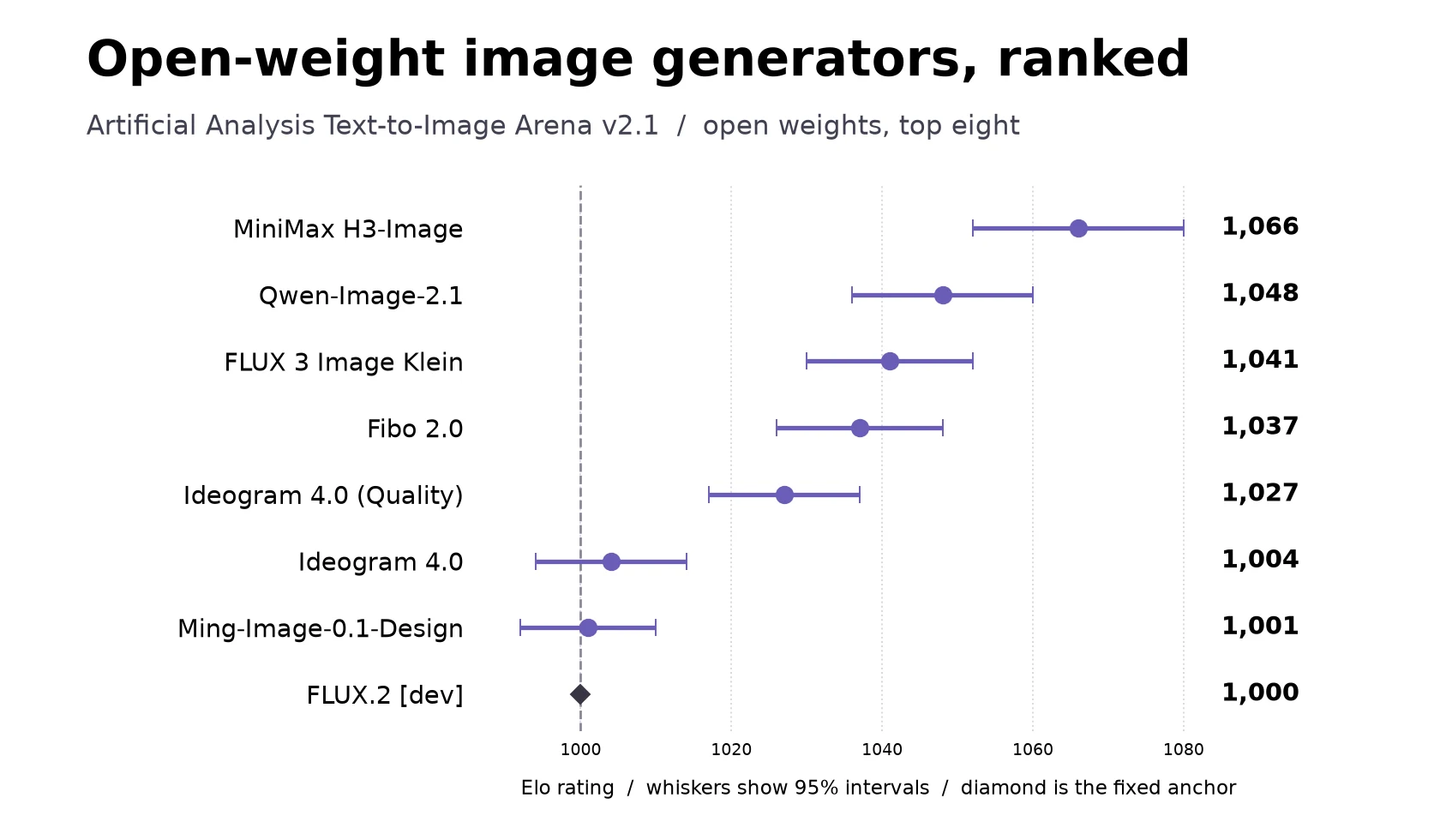
MiniMax’s H3-Image leads the open-weight board on the Artificial Analysis Text-to-Image Arena at 1,066 Elo, ahead of Qwen-Image-2.1 (1,048) and FLUX 3 Image Klein (1,041). Topping the board doesn’t make it the easy pick: H3-Image’s reference pipeline is about a 135 GB download, while Klein has an INT8 workflow that fits an 8 GB GeForce card. The bigger catch is licensing: many of the strongest “open” models ship under non-commercial, revenue-capped or region-limited terms. This guide covers the models worth self-hosting, what each license realy allows, and how to run them.
Summary
- For a local workstation: Try FLUX 3 Image Klein for editing and layout control. If you need Apache 2.0 weights on a 16 GB card, start with Z-Image Turbo.
- For high-resolution work: H3-Image generates roughly 16 megapixels directly. Check the territory and hosting terms before downloading the weights.
- For posters and interfaces: Ming-Image-0.1-Design carries an MIT license. Qwen-Image-2.1 handles transparent output and multi-image editing under a research license. Fibo 2.0 Dev accepts structured composition instructions under non-commercial terms.
- For occasional use without a GPU: A hosted AI Image Generator like Higgsfield avoids maintaining a local pipeline.
How the open-weight models rank
Artificial Analysis ranks text-to-image systems using blind, head-to-head human preferences. These are the first eight entries in its AA-Image-T2I v2.1 open-weights view, where H3-Image’s rating rests on 3,344 samples. The live scores move as votes arrive. Each row represents the configuration voters saw. The board keeps FLUX.2 [dev] fixed at 1,000.
| Arena rank | Model or configuration | Elo | Published weight license |
|---|---|---|---|
| 1 | MiniMax H3-Image | 1,066 | MiniMax-H3-Image Community |
| 2 | Qwen-Image-2.1 | 1,048 | Qwen Research |
| 3 | FLUX 3 Image Klein | 1,041 | FLUX Kommunity |
| 4 | Fibo 2.0 | 1,037 | CC BY-NC 4.0 for the Dev weights |
| 5 | Ideogram 4.0 (Quality) | 1,027 | API configuration |
| 6 | Ideogram 4.0 | 1,004 | Ideogram 4 Non-Commercial |
| 7 | Ming-Image-0.1-Design | 1,001 | MIT |
| 8 | FLUX.2 [dev] | 1,000 | FLUX non-commercial |
Qwen, FLUX 3 Klein and Fibo 2.0 have overlapping 95% Elo intervals. For a choice that close, try the same prompt on each model. If you need to place type on a label, test the exact wording and spacing. The Arena score covers text-to-image preference across many prompts and says little about editing or GPU memory. Ideogram’s Quality entry uses its API, so use the plain entry as a separate reference when evaluating the downloadable release. Artificial Analysis open-weights leaderboard.
Leading open-weight models
MiniMax H3-Image
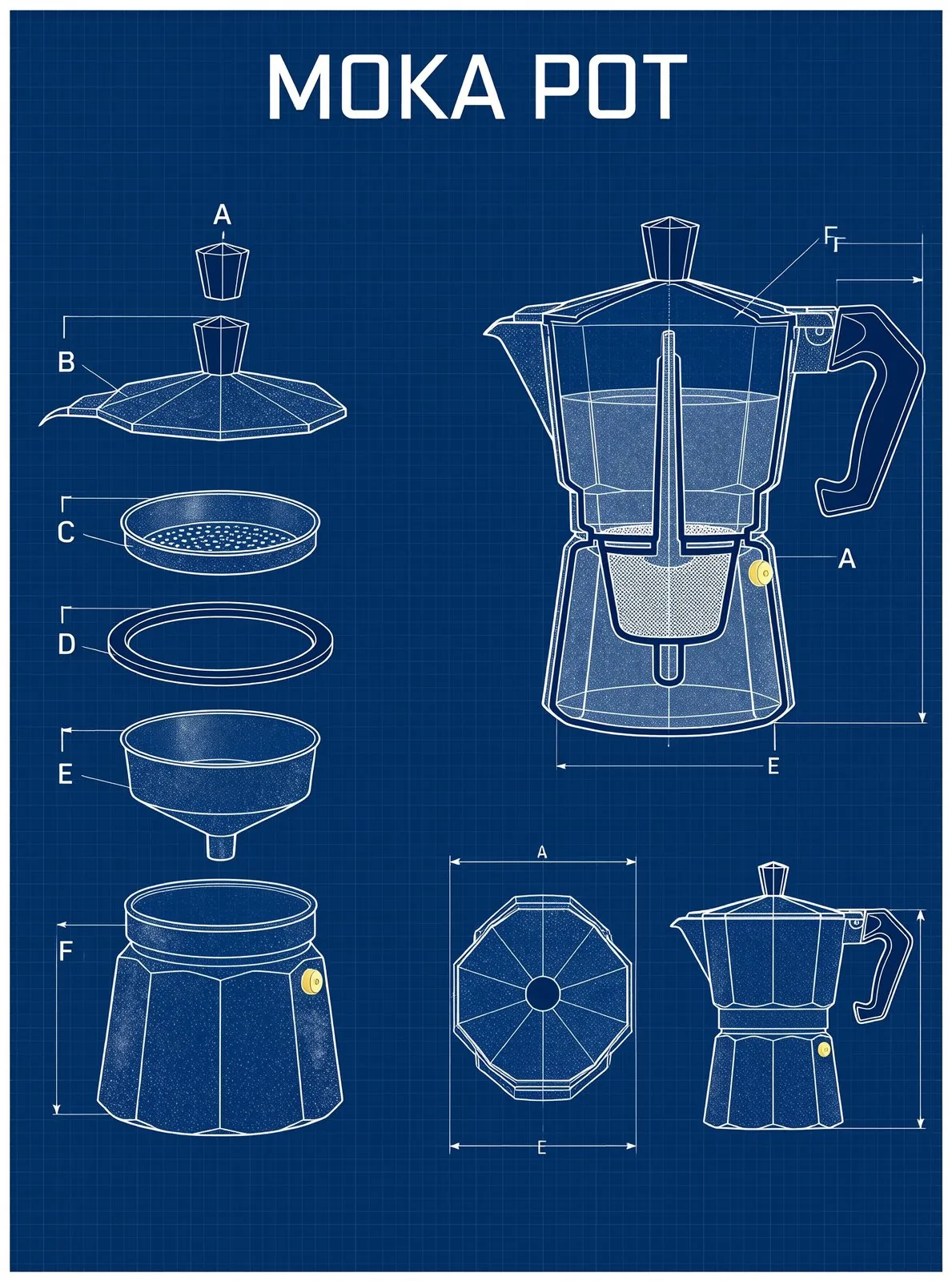
H3-Image turned two reference images of a moka pot and its parts into this blueprint-style poster. Source: MiniMax.
H3-Image generates a 4096 x 4096 square image in six sampling steps and can edit from up to 16 references. For a fresh installation, budget 68.65 GB of storage for the image checkpoint and another 66.7 GB for the shared H3 text encoder. These are download sizes. Peak VRAM depends on resolution, precision and offloading. MiniMax links to local ComfyUI templates and serving recipes, and offers an optional local prompt expander for short prompts. MiniMax model card.
The image model’s license excludes the US, EU, UK and South Korea, and restricts use of outputs in those territories. Elsewhere, third-party hosting or annualized revenue exceeding US$1 million for you and/or your affiliates requires prior written authorization. That makes the distinction between running an internal experiment and offering customers a generator particularly important. MiniMax-H3-Image Community License.
FLUX 3 Image Klein
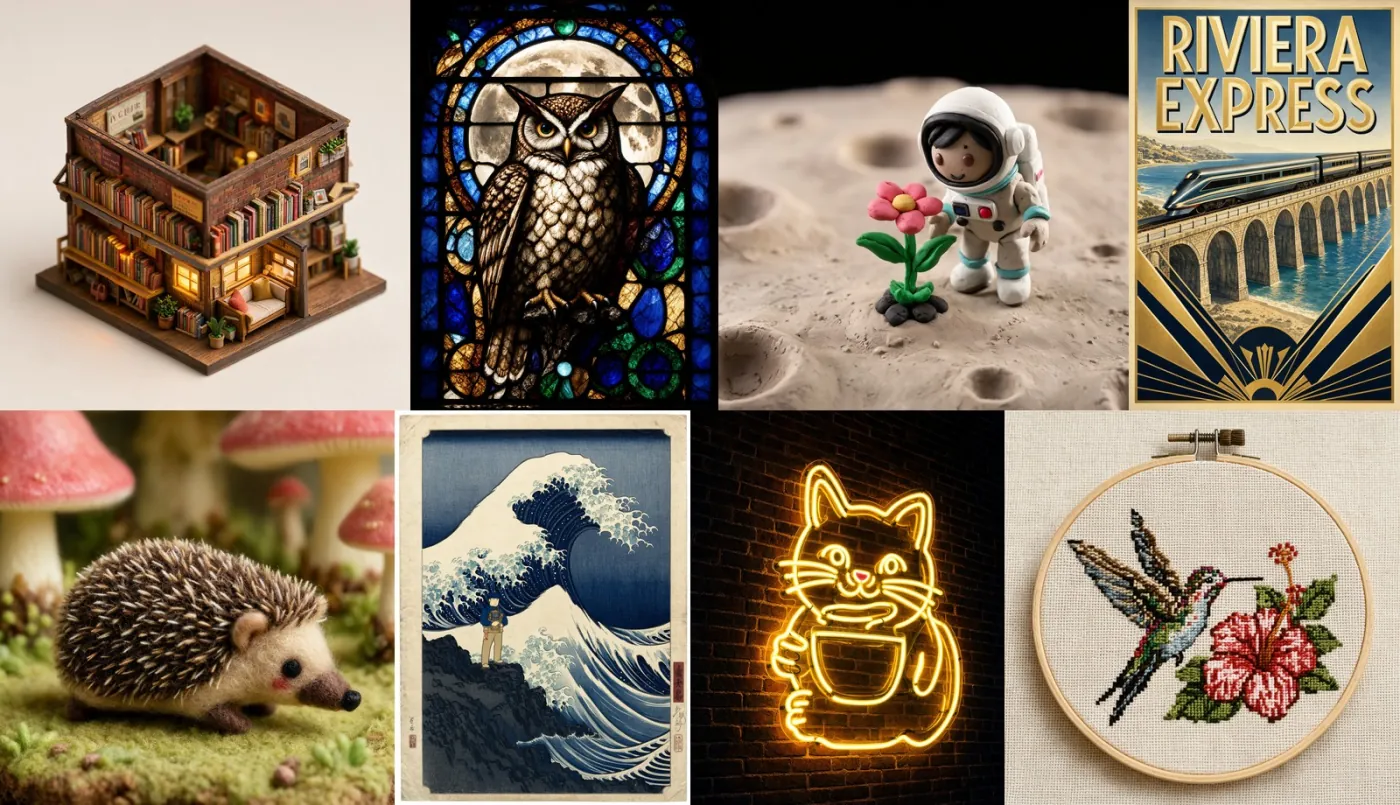
The same model renders the owl as stained glass and the hummingbird as embroidery in these text-to-image examples. Source: Black Forest Labs.
Klein’s 5.6B image generator supports up to ten reference images and accepts bounding boxes for placing an object or confining an edit. Pick the base release for fine-tuning or the step-distilled checkpoint for interactive work. BFL reports about four seconds for a 1 MP image on an RTX 5090 with INT8 in ComfyUI. Its 8 GB compatibility claim applies to the optimized INT8 workflow. Generator weight size alone leaves out the encoder, activations and prompt upsampler used in the recommended pipeline. BFL’s release notes and GPU measurements.
The Kommunity license grants qualifying users below US$5 million in annualized gross revenue, including affiliates, commercial output-generation rights. The grant requires content filtering or output review and any AI disclosures required by law. If you want permissive weights for a general-purpose service, the older FLUX.2 [klein] 4B carries Apache 2.0. FLUX Kommunity License.
Qwen-Image-2.1 (Alibaba)
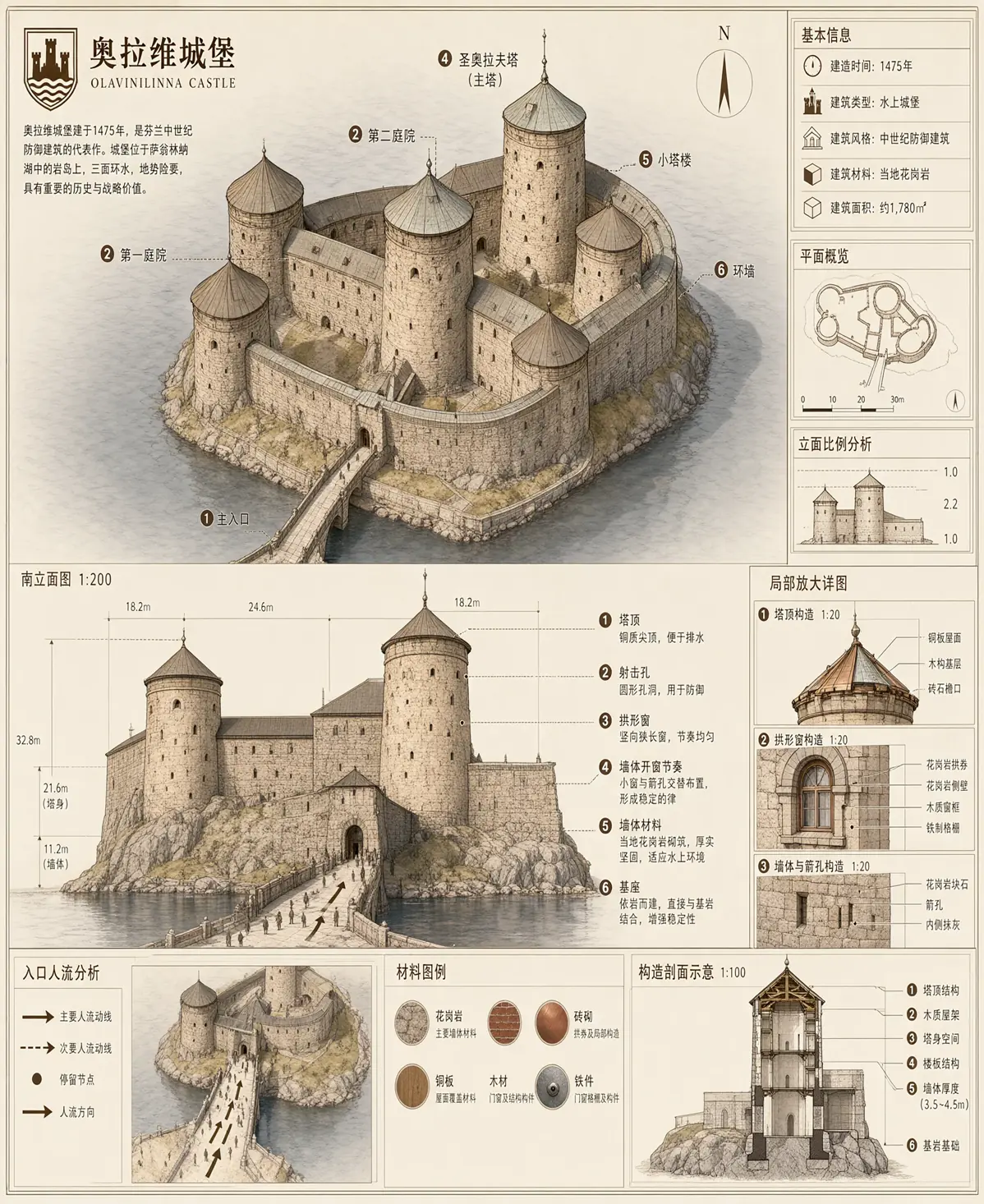
Text-rendering sample from the Qwen-Image-2.1 model card. Source: Qwen on Hugging Face.
Qwen-Image-2.1 is a unified text-to-image and image-editing model that scores 1,048 on the open-weight Arena. Its visual generation component is 7B parameters (32 single-stream DiT layers). Three features stand out. It generates native transparent (RGBA) images, so logos and stickers need no background-removal step. It accepts up to 10 reference images for editing and composition, which is how the model card’s group photo was built from six separate portraits. And one checkpoint handles both generation and editing, through the QwenImage21Pipeline, which ships in the stable Diffusers v0.41.0 release with CPU offload for smaller GPUs.
The catch is the license. The Qwen Research License allows use “FOR NON-COMMERCIAL PURPOSES ONLY”, which it defines as research or evaluation, and commercial use needs a separate license from Alibaba. That’s a step back from Qwen-Image-2512’s Apache 2.0, so if you’re building a product, consider Qwen-Image-2512. The Qwen-Image-2.1-Turbo checkpoint uses eight denoising steps for both generation and editing under the same research license. The ranking above is for the original checkpoint.
Best for research and evaluation, especially transparent assets and multi-reference editing. Weights: Qwen-Image-2.1 on Hugging Face.
Ideogram 4.0 (Ideogram)
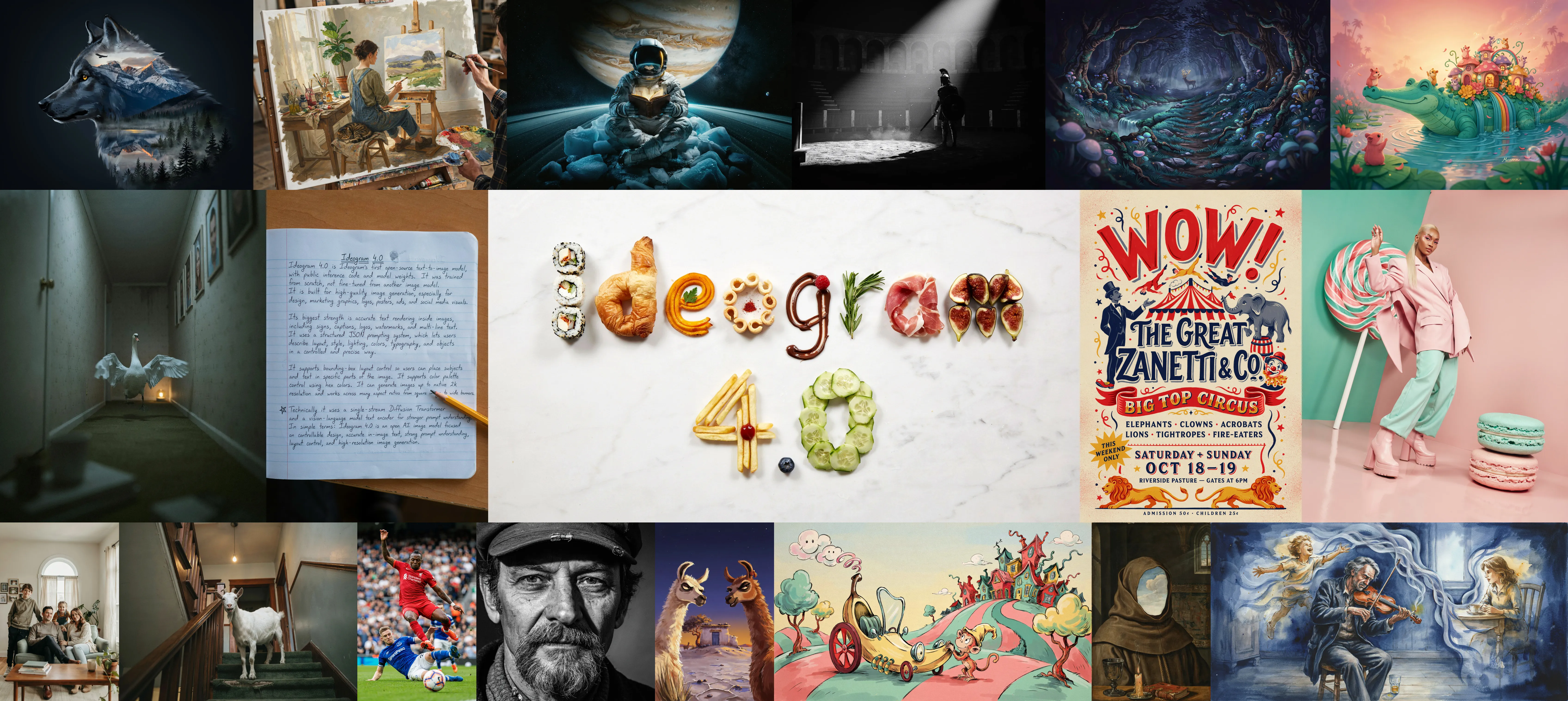
For creators who prefer a hosted solution instead of managing open-weight models themselves, Ideogram AI offers an accessible platform for generating high-quality images with precise text and layout control.
Ideogram’s first open-weight release is a 9.3B diffusion transformer built around structured JSON prompts: you specify layout, color palettes and text placement directly, with bounding boxes, instead of hoping the model interprets your wording. The nf4 quantized checkpoint fits a single 24GB consumer GPU, and there’s an fp8 checkpoint too. On the Arena, the Quality entry (generated through Ideogram’s API) scores 1,027, and the plain entry scores 1,004. Ideogram also offers newer models through its hosted API, including 4.6. For self-hosting, use the 4.0 repository below.
Read the license before you deploy anything: the weights are under the Ideogram 4 Non-Commercial license, which counts generating material to advertise or promote revenue-generating products as commercial use. With a commercial agreement from Ideogram in place, the marketing layouts, product brochures and brand assets it produces can be assembled into an interactive digital flipbook.
Best for posters, logos, UI mockups and any job where exact text and layout placement matter more than photorealism. Code: ideogram-oss/ideogram4 on GitHub.
FLUX.2 (Black Forest Labs)
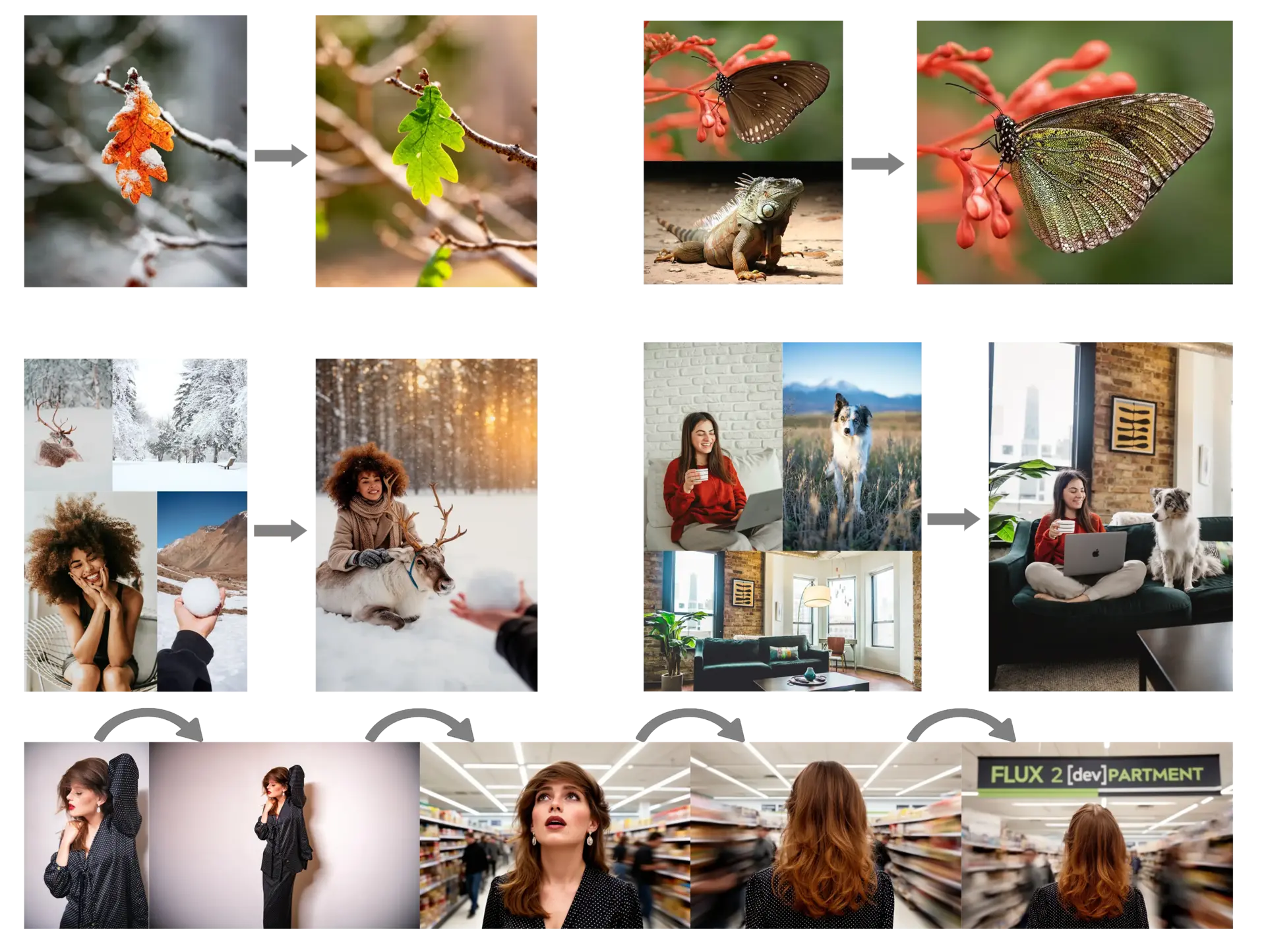
FLUX.2 succeeds the FLUX.1 architecture that set the bar for open-weight quality. FLUX.2 [dev] is a 32B-parameter model with 4-megapixel output and built-in multi-reference support: pass up to 10 reference images (a character, an art style, a product) and it combines them without fine-tuning or LoRAs. It runs well on NVIDIA RTX hardware with FP8 quantization, and it’s the reference point the whole Arena is scored against (exactly 1,000).
FLUX.2 [dev] ships under the FLUX non-commercial license, which permits certain commercial uses of outputs subject to its restrictions. Running the model as a commercial service requires separate rights. See the FLUX.2 [dev] license. If you need a permissive license or a small GPU, look at FLUX.2 [klein] 4B: 4 billion parameters, Apache 2.0, multi-reference editing, and as little as 13GB of VRAM (Black Forest Labs names the RTX 3090 and 4070). The larger [klein] 9B scores 931 but goes back to the non-commercial license.
Best for high-resolution assets, character consistency and multi-reference composition ([dev]), and commercial work on a consumer GPU ([klein] 4B). Weights: Black Forest Labs on Hugging Face.
Qwen-Image-2512 (Alibaba)
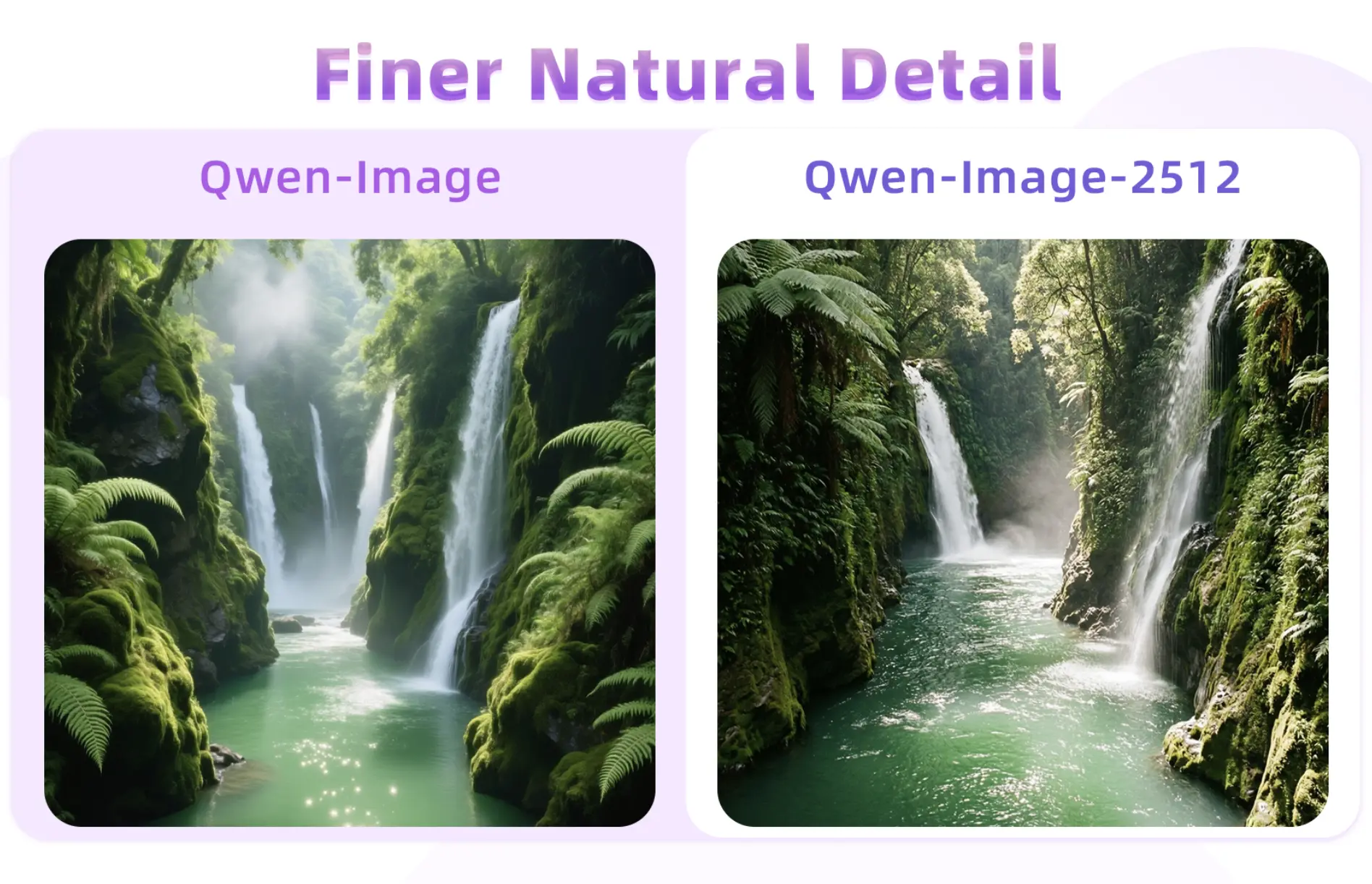
Qwen-Image-2512 is an update of the original Qwen-Image, a roughly 20B-parameter model under Apache 2.0. The open-weights board does not list this exact checkpoint. The update brought three improvements: more realistic people (less of the waxy, over-smoothed “AI look”), finer natural detail in landscapes and fur, and better text rendering for slides, infographics and posters.
Qwen-Image-2512 has an Apache 2.0 license for teams that need commercial use. One naming note: “qwen-image-max” is also a hosted model on Alibaba Cloud’s API, and Alibaba doesn’t say whether it runs these exact weights, so use the Hugging Face name when you self-host.
Best for photorealistic portraits, commercial marketing material and text-heavy designs under a permissive license. Weights: Qwen on Hugging Face.
Ming-Image-0.1-Design (InclusionAI)

Sample outputs from the Ming-Image-0.1-Design model card. Source: InclusionAI on Hugging Face.
Ming-Image-0.1-Design, from Ant Group’s InclusionAI, is the most specialized model here: a 6B text-to-image model for UI layouts, infographics, posters and other text-rich designs. It generates complete compositions rather than single objects, supports RGBA output with transparent backgrounds, and scores 1,001 on the Arena, with a reported interval of 992 to 1,010 around the estimate. It’s MIT licensed, so commercial use is fine.
The recommended settings are 2048x2048 at 12 sampling steps in BF16, served through vLLM-Omni. The model card reports validation on one CUDA GPU with 80 GiB of VRAM. It gives no minimum for a consumer GPU.
Best for landing pages, app mockups, infographics and posters where the layout and text are the point. Weights: InclusionAI on Hugging Face.
HunyuanImage 3.0 (Tencent)
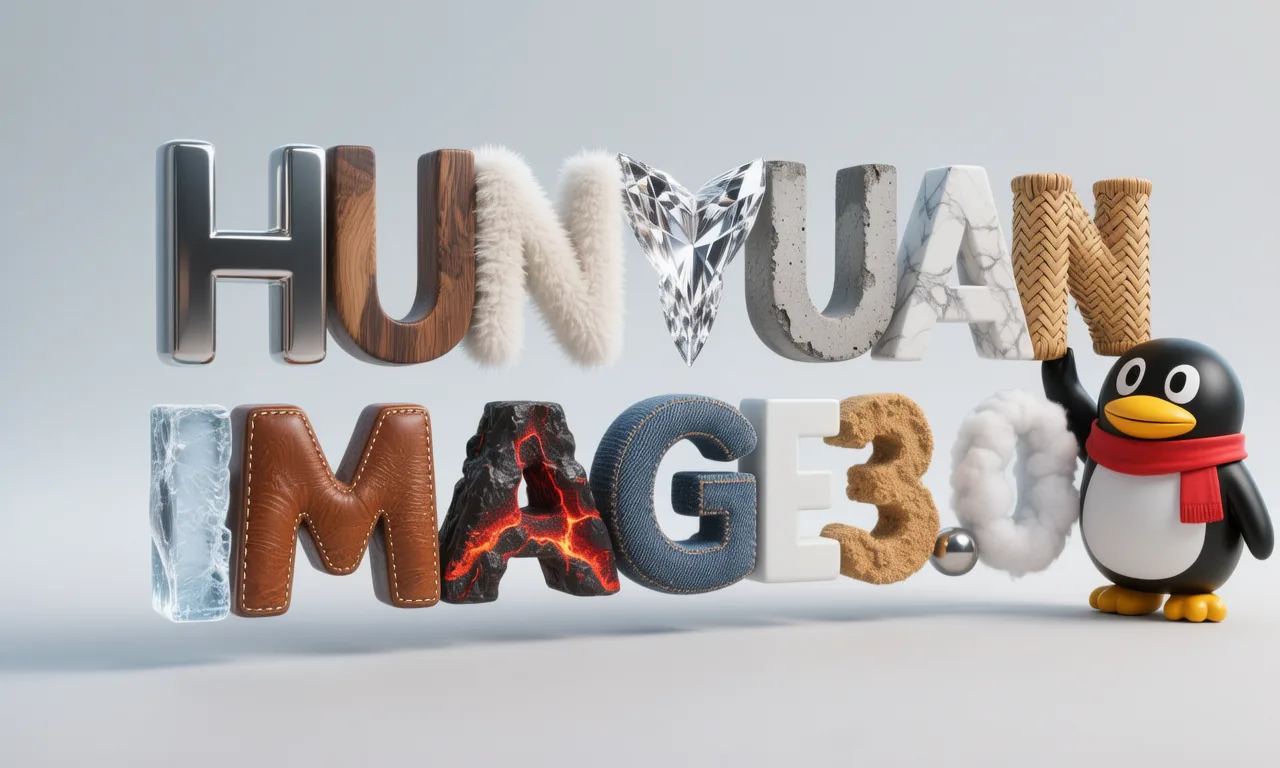
Banner from the HunyuanImage 3.0 README. Source: Tencent on GitHub.
Tencent’s HunyuanImage 3.0 uses a Mixture-of-Experts design with 64 experts and 80 billion total parameters, 13 billion active per token. Tencent later added HunyuanImage 3.0 Instruct and an Instruct-Distil variant, and Instruct scores 986 on the open-weight Arena (the base model scores 932).
Two practical constraints. Hardware: Tencent recommends at least three 80 GB GPUs for its base configuration and eight 80 GB GPUs for Instruct. License: the Tencent Hunyuan Community License doesn’t apply in the European Union, the United Kingdom or South Korea, and services with more than 100 million monthly active users need a separate license from Tencent.
Best for narrative generation, complex prompts and teams with a multi-GPU server outside the excluded regions. Code: Tencent on GitHub.
Cosmos3-Super-Text2Image (NVIDIA)
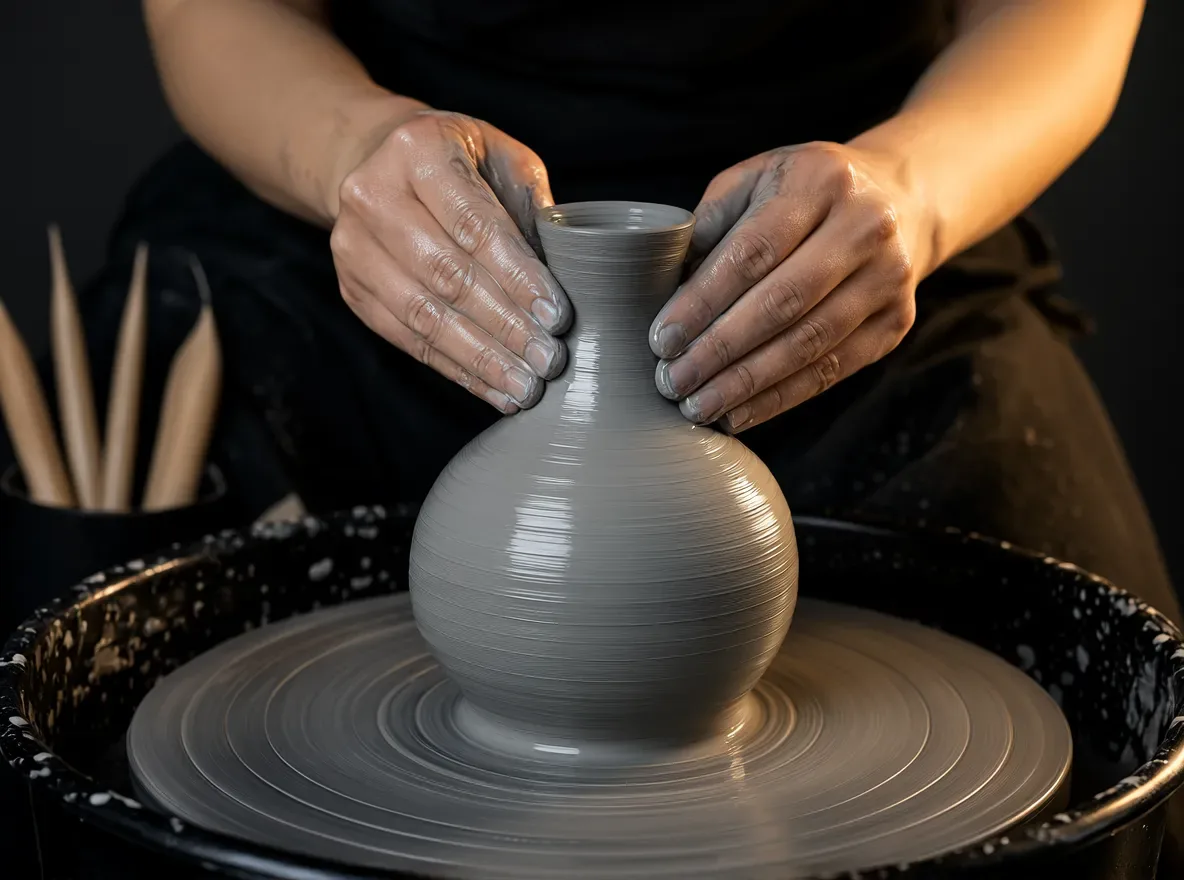
Cosmos3-Super-Text2Image is the text-to-image model in NVIDIA’s Cosmos 3 family, built for Physical AI work such as robotics, autonomous driving and simulation. It’s a 64B-parameter Mixture-of-Transformers model with an autoregressive tower and a diffusion tower, and its grounding in physical scenes shows in lighting, materials and spatial layout. Its agentic configuration scores 996 on the board.
The “(agentic)” label refers to a sampling loop, not built-in reasoning. NVIDIA’s agentic upsampling recipe generates candidates, scores each with a vision-language critic, and rewrites the prompt from the critic’s feedback, and its defaults call hosted third-party models for the rewriting and the critique. The non-agentic run scores 988, and a 4-step distilled checkpoint scores 973. The weights are under the permissive OpenMDW 1.1 license and serve through vLLM-Omni, SGLang and Diffusers, but NVIDIA recommends an 8xH100 node, or 4xH200/GB200, and has only tested BF16.
Best for physically grounded scenes, and teams with data-center GPUs who want a commercially licensed model near the top of the board. Weights: NVIDIA on Hugging Face.
Krea 2 (Krea AI)
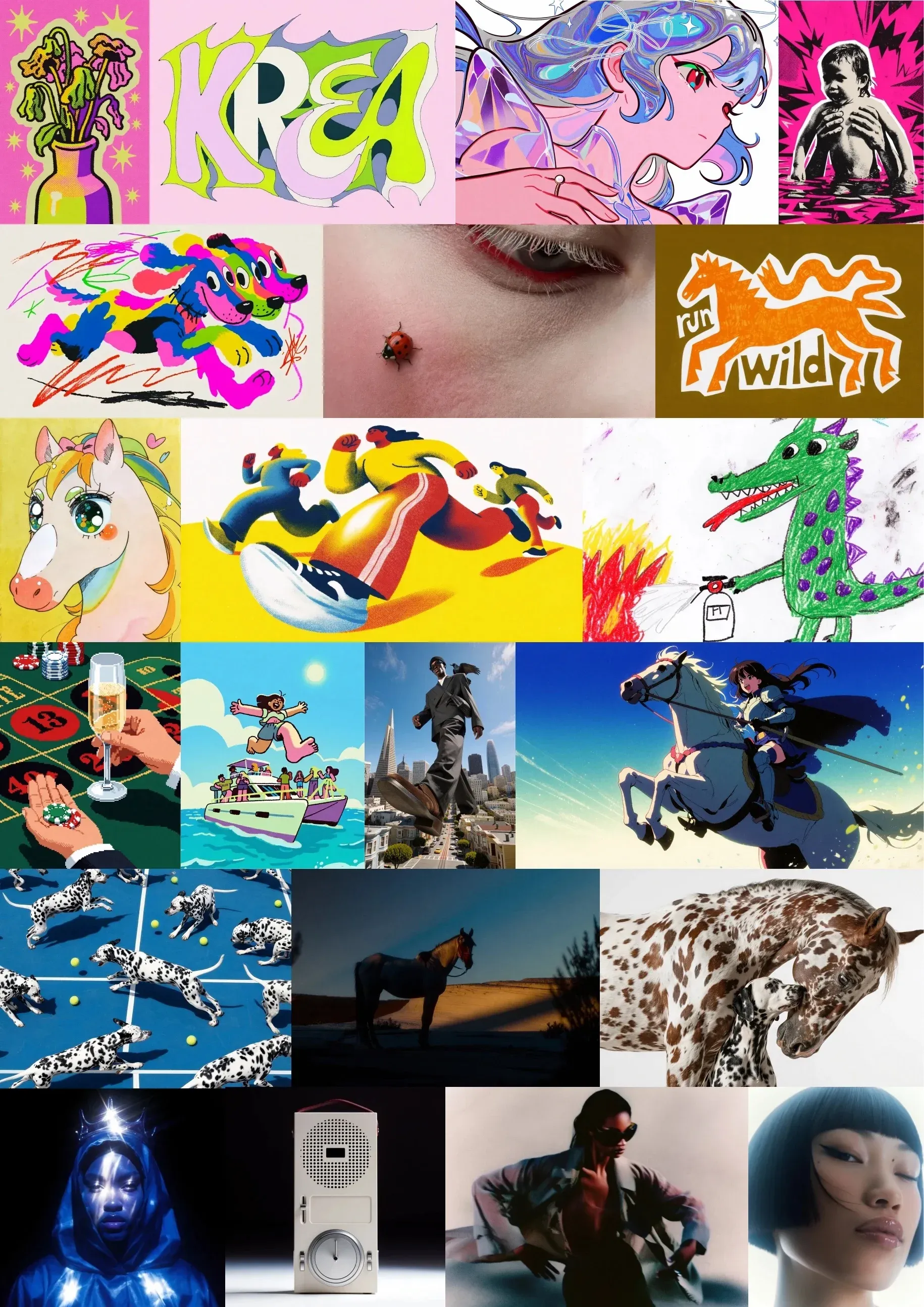
Krea 2 started out as a hosted model, and Krea later released its weights as two downloadable 12B-parameter checkpoints: Raw, an undistilled base for fine-tuning and LoRA training, and Turbo, an 8-step distilled version for fast iteration at 1K to 2K resolution. Krea pitches it on aesthetic range rather than a single polished default style. On the Arena, the Krea 2 entries are hosted builds that Artificial Analysis doesn’t list as open weights, so there’s no Arena score for the files you can download.
Read the Krea 2 Community License before deploying commercially. It’s free for organizations under $1 million in annual revenue, you must run your own content filtering, any AI model you distribute that contains or derives from it must have a name starting with “Krea”, and Krea can terminate the license on 30 days’ notice. That’s a lot more conditions than an Apache or MIT grant.
Best for aesthetic quality out of the box, LoRA training on the Raw checkpoint, and small teams under the revenue threshold. Details: Krea 2 Technical Report.
Fibo 2.0 and FIBO (Bria AI)

For a new workflow, Fibo 2.0 Dev combines generation, multi-reference editing and masked edits in one checkpoint. It uses structured prompts to describe what to draw and where to put it. That lets you keep camera and composition settings while changing one detail of a product shot. The Arena lists Fibo 2.0 at 1,037. Bria distributes the Dev weights for non-commercial use, with a separate commercial license. Bria’s Fibo 2.0 Dev model card.
The samples above come from the original FIBO, which is an 8B-parameter DiT that is JSON-native: it reads structured prompts that control parameters like camera focal length (“85mm”), lighting direction and depth of field. Bria trained it exclusively on licensed data, which is why enterprises look at it when copyright provenance matters. The open weights are non-commercial (CC BY-NC 4.0), and commercial use goes through a license from Bria. It scores 856 on the Arena.
Best for precise product and architectural visualization, and evaluating a licensed-data model before buying a commercial license. Weights: Bria AI on Hugging Face.
Stable Diffusion 3.5 (Stability AI)

Stable Diffusion 3.5 Large is an 8.1B-parameter model from an earlier generation than most of this list. It makes sense if you already use a workflow or adapter that targets this checkpoint. The Stability AI Community License permits commercial use for organizations below its $1 million annual revenue threshold, subject to the license terms.
Best for general-purpose generation, older workflows, and hardware that can’t fit the larger models. Weights: Stability AI on Hugging Face.
NVIDIA Sana
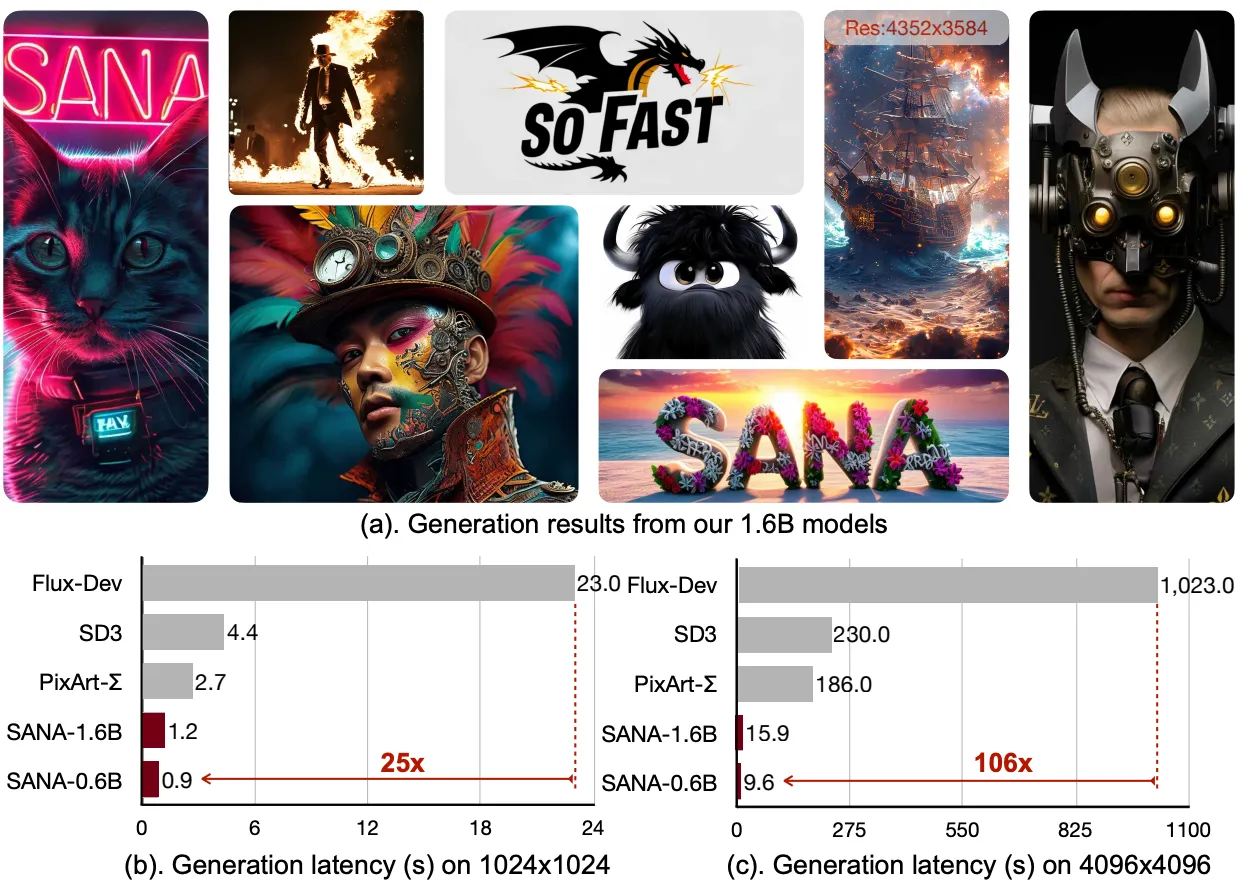
The authors report generating a 1024 x 1024 image in under a second on a 16 GB laptop GPU with Sana-0.6B. Treat that as a result for their setup. The 600M model card lists Apache 2.0 for the checkpoint and separate Gemma terms for its text encoder. Check both when deploying the pipeline. Sana-Sprint is a separate distilled release for few-step generation.
Best for consumer and laptop GPUs and rapid iteration. Code: NVlabs/Sana on GitHub.
SenseNova U1.5 (SenseTime)

SenseNova-U1.5-8B-MoT, now out of preview, uses a Mixture-of-Transformers backbone that runs understanding and generation as separate streams sharing attention, instead of bolting a diffusion head onto a language model (about 17.5B parameters in total). That split reduces the interference that usually hurts one capability when a single model is trained for both, and it shows up as native 4K generation plus multi-reference instruction editing, like merging a product shot with a separate background reference in one pass. It’s Apache 2.0 and isn’t on the Arena yet.
Best for native 4K output, multi-image instruction editing, and teams that want an Apache-licensed unified model. Weights: SenseTime on Hugging Face.
Mage-Flow (Microsoft)

Mage-Flow, from Microsoft, is a 4B-parameter model for text-to-image generation and instruction-based editing, built from a co-designed tokenizer (Mage-VAE) and diffusion transformer (NR-MMDiT). The distilled Turbo checkpoint generates a 1024px image in 0.59 seconds on an A100 with about 18-20GB of memory. Microsoft describes the family as intended for research. Its repository lists separate text-to-image and editing checkpoints, and the official Turbo model card lists MIT. We could not verify anonymous access to the Turbo weight files.
Best for studying efficient generation-plus-editing designs. Sources: microsoft/Mage on GitHub and the Mage-Flow paper.
Also worth a look
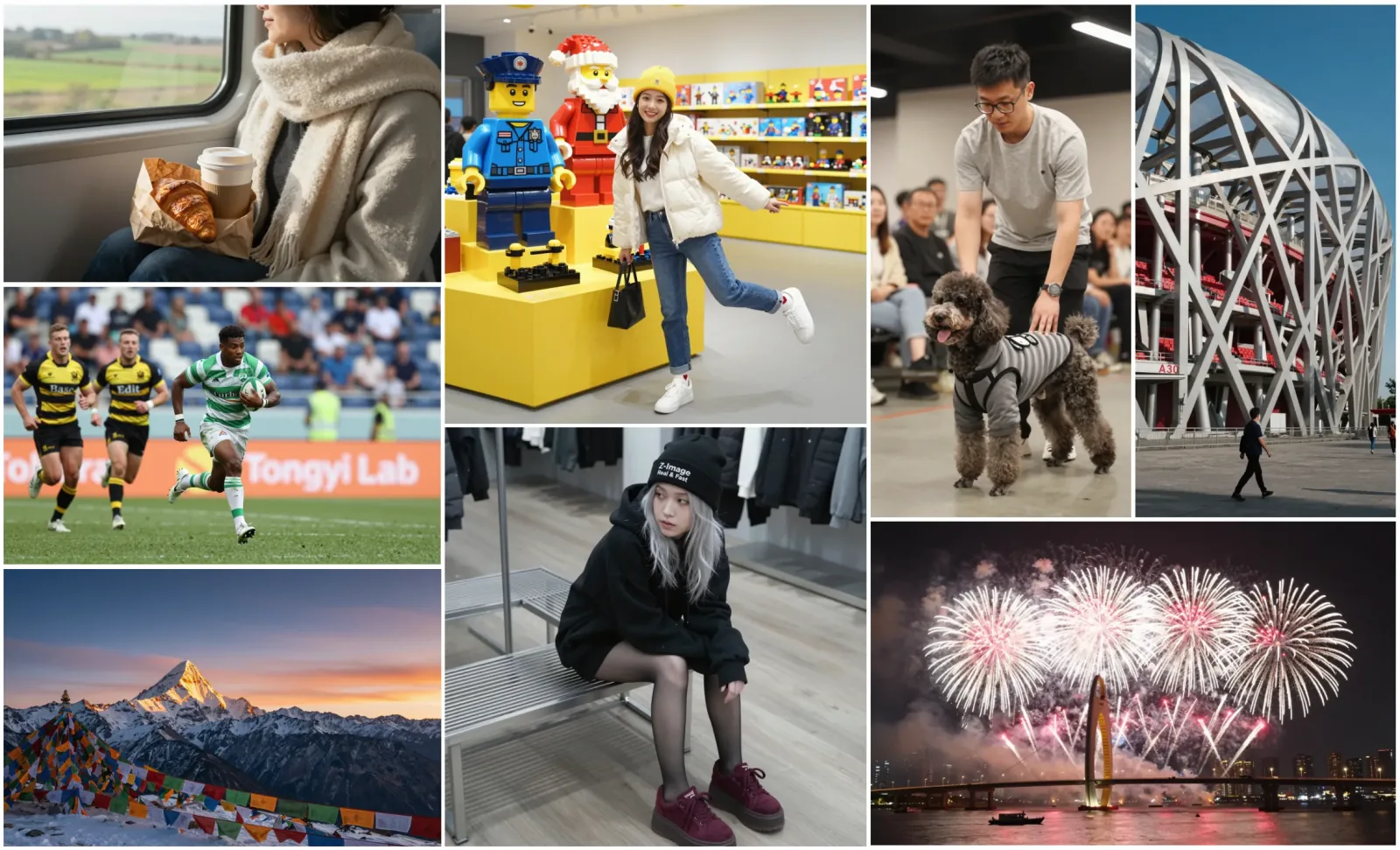
Z-Image Turbo (Alibaba Tongyi-MAI) is a 6B, Apache 2.0 model that needs only 8 function evaluations per image and “fits comfortably within 16G VRAM consumer devices”. Its 938 Elo makes it a useful comparison for anyone testing small models on a 16 GB card.
HiDream-O1-Image (about 8.8B, MIT) scores 978. ERNIE-Image from Baidu (8B, Apache 2.0) runs on 24GB consumer GPUs and scores 909, with a Turbo variant at 916.
MOSS-Image is a 5B option for posters and layouts under Apache 2.0. OpenMOSS provides Base and SFT checkpoints and demonstrates how the SFT version groups text in a whiteboard layout. Choose Base if you plan to fine-tune. OpenMOSS checkpoint comparison.
Which models you can use commercially
Licensing now separates these models more than quality does. Check each license yourself before shipping; this is a summary, not legal advice.
- Permissive (commercial use allowed): Qwen-Image-2512, Z-Image Turbo, FLUX.2 [klein] 4B, ERNIE-Image, MOSS-Image and SenseNova U1.5 (Apache 2.0); Ming-Image-0.1-Design and HiDream-O1-Image (MIT); Cosmos3-Super-Text2Image (OpenMDW 1.1).
- Model-specific grants: MiniMax H3-Image has territory, revenue and third-party hosting conditions. FLUX 3 Image Klein has a separate grant for qualifying commercial output generation. See their license links above.
- Commercial with conditions: Stable Diffusion 3.5 and Krea 2 (free under $1 million in annual revenue, plus Krea’s content-filter and naming rules); HunyuanImage 3.0 (not licensed in the EU, UK or South Korea, and a separate license above 100 million monthly users).
- Non-commercial models: Qwen-Image-2.1, Ideogram 4.0, FLUX.2 [dev] and [klein] 9B, FIBO and Fibo 2.0 Dev. All of their makers sell commercial licenses separately. For FLUX.2 [dev] and [klein] 9B, the non-commercial license treats generating images in production and using permitted outputs as separate activities.
- Research focus: Mage-Flow. Microsoft publishes separate generation and editing benchmarks and describes the family as a research project.
Essential user interfaces
To run these models locally, you need an interface. Choose one that supports the checkpoint and precision you downloaded.
1. SwarmUI
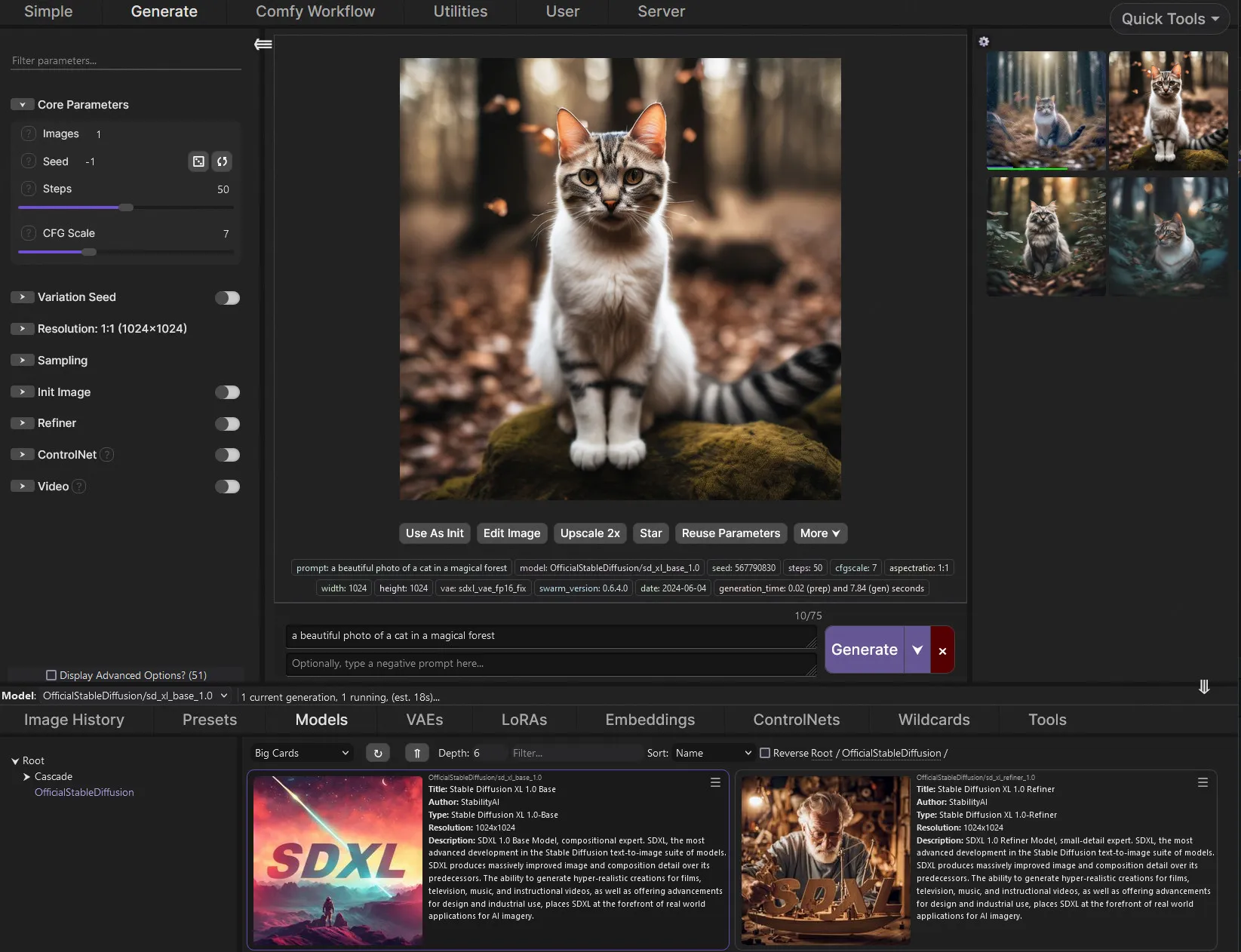
SwarmUI is built for efficiency and organization. It supports multiple backends, so you can spread generation across several GPUs or machines on your network, and its “Grid” feature is the fastest way to see how different models or settings change a prompt. It tracks new models quickly: its model support docs cover FLUX.2, Krea 2, Ideogram 4, Qwen Image 2.1, Ming, HiDream O1, ERNIE, MageFlow and SenseNova-U1. It serves on port 7801 by default.
Source: SwarmUI on GitHub.
2. ComfyUI
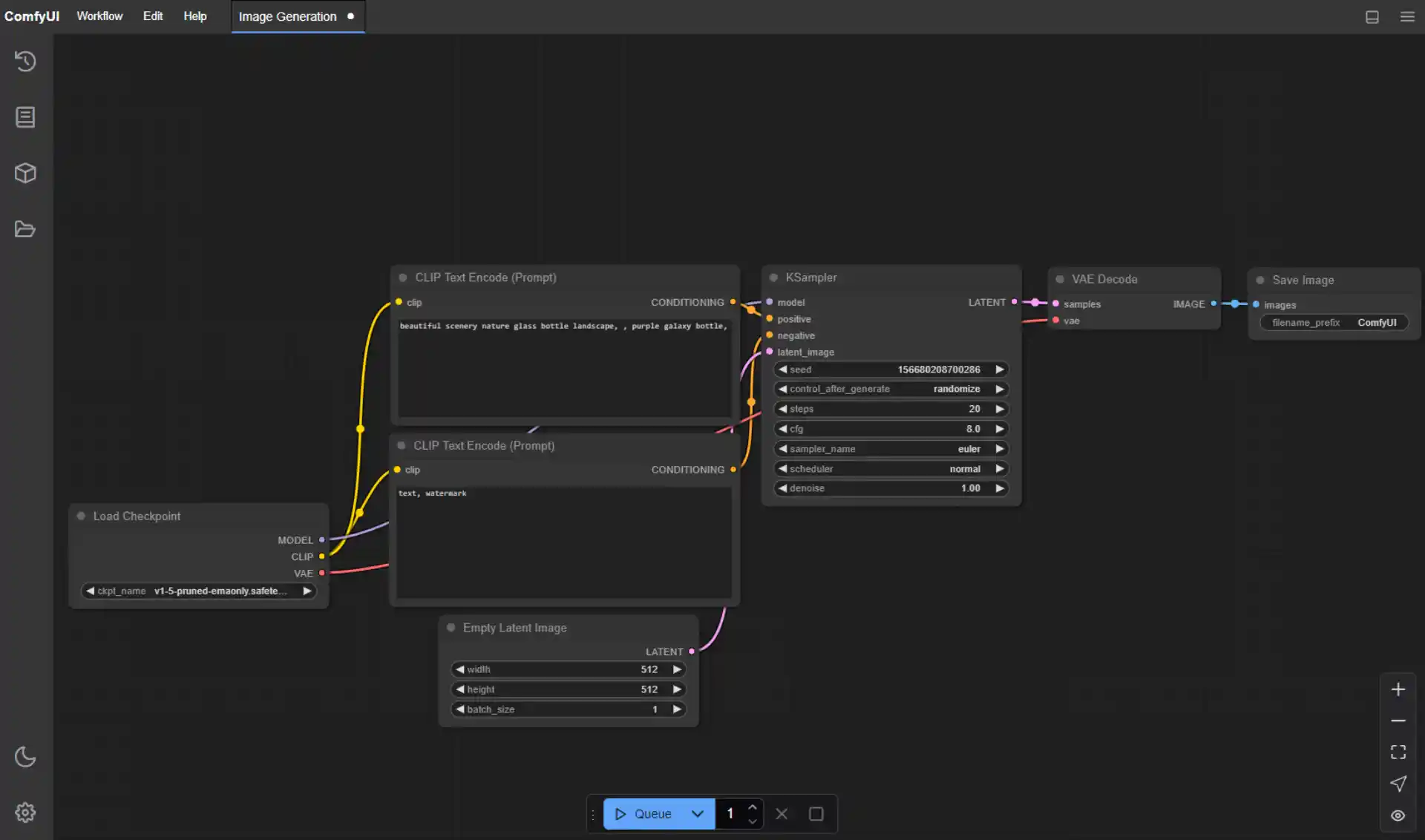
ComfyUI is the power users’ choice. Its node-based interface lets you build “workflows”, visual graphs of the generation pipeline, and it’s usually the first interface to support new model families. For H3-Image, start with the local text-to-image or editing template linked from the MiniMax model card. A Partner Node calls a hosted API even when ComfyUI itself runs locally. The ComfyUI v0.46.0 release notes list what changed in that version. It serves on port 8188.
Source: ComfyUI on GitHub.
3. Forge Neo
The original Forge, an optimized fork of the classic Stable Diffusion WebUI, is no longer maintained and never added FLUX.2 support. Its maintained successor is Forge Neo, the neo branch of Haoming02’s sd-webui-forge-classic, which describes itself as a continuation of the latest version of Forge. It keeps the familiar single-page interface on a memory-management backend rewritten from ComfyUI’s, and it supports Krea 2, Z-Image, ERNIE, Qwen-Image and FLUX.2 [klein] (but not FLUX.2 [dev]). For new users on consumer hardware, it’s still the gentlest way in. It serves on port 7860.
Source: Haoming02/sd-webui-forge-classic (Forge Neo) on GitHub.
Sharing your self-hosted instance online
Once ComfyUI, SwarmUI or Forge Neo is running on your GPU box, the next problem is access. A UI bound to localhost is reachable only from that host, which is fine solo but breaks down when a client needs to review outputs, a teammate wants to queue a render from their laptop, or you want to check a batch job from your phone.
Pinggy solves this with one SSH command, with no signup or install. For ComfyUI on its default port:
ssh -p 443 -R0:localhost:8188 free.pinggy.ioThat prints a public HTTPS URL you can hand to anyone, without opening firewall ports or setting up a reverse proxy. For SwarmUI or Forge Neo, swap in port 7801 or 7860. Free tunnels last 60 minutes and show browser visitors a one-time screening page before the UI loads. Our guides to sharing ComfyUI online and running ComfyUI on Google Colab cover password protection, custom domains, and running the whole stack on a free Colab GPU.
Conclusion
On a 16 GB workstation, start with Z-Image Turbo if you need Apache 2.0, or test the INT8 FLUX 3 Image Klein workflow if its license fits. For a design team, try Ming on an actual layout before spending time tuning a larger model. H3-Image earns its place when native 16 MP output matters enough to justify the download and your deployment falls within its license.