What Are Skills in AI Agents? Top 14 Skills You Must Know in 2026
Updated on Aug 12, 2026 · 25 min read
AI agents have become indispensable for software development, but a general-purpose agent can only take you so far. Without domain-specific knowledge, even the most powerful model will fumble on tasks that require specialized workflows, framework conventions, or toolchain-specific patterns. That is exactly the problem AI agent skills solve.
Skills are a new open standard for packaging reusable expertise into modular units that any compatible AI agent can discover, load, and apply on demand. Think of them as plugins for your agent’s brain: instead of repeating the same long prompt every time you want your AI to follow your team’s React conventions or generate a proper Dockerfile, you install a skill once and the agent applies it automatically whenever relevant.
In this guide, we will explain what skills are, how they work under the hood, and walk through the top 14 AI agent skills every developer should know in 2026.
Comparison Table for Top AI Agent Skills
| Skill | Best For | GitHub Stars | Key Strength |
|---|---|---|---|
| Superpowers | Full dev workflow enforcement | 217K+ | Plan-before-code with TDD |
| Vercel React Best Practices | React & Next.js performance | 27.5K+ | Official Vercel patterns |
| Web Design Guidelines | Frontend UI/UX standards | 27.5K+ | Consistent design systems |
| Document Skills (PDF, DOCX) | Document generation | 146k+ | Production-grade doc handling |
| Webapp Testing (Playwright) | Automated browser testing | 146k+ | Visual testing with screenshots |
| MCP Server Builder | Building tool integrations | 146k+ | MCP protocol scaffolding |
| Supabase Skills | Backend with Supabase | 2.2K+ | Postgres, RLS, Edge Functions |
| Remotion Best Practices | Programmatic video | 3.4K+ | React-based video creation |
| Trail of Bits Security | Security auditing | 5.5K+ | Vulnerability detection |
| Connect (Cross-Service) | Multi-service automation | N/A (skills.sh) | Gmail, Slack, GitHub, Notion |
| Grill Me | Pre-code project planning | 116K+ | Relentless decision-tree questioning |
| Caveman | Token optimization | 68K+ | ~65% output token reduction |
| TDD (mattpocock) | Test-driven development | 116K+ | Red-green-refactor loop enforcement |
| Graphify | Codebase understanding | 58.8K+ | Knowledge graph from any codebase |
Summary
What Are AI Agent Skills?
- Skills are self-contained folders of instructions and resources that AI agents load on demand to gain specialized expertise
- Each skill contains a
SKILL.mdfile with YAML metadata and markdown instructions - Skills are an open standard supported by Claude Code, Cursor, Codex CLI, Gemini CLI, and 20+ other AI agents
- They follow a progressive disclosure architecture: only metadata loads upfront, full instructions load when relevant
Top 14 Must-Know Skills:
- Superpowers: Enforces plan-before-code workflow with TDD and systematic debugging
- Vercel React Best Practices: Official React/Next.js performance patterns from Vercel Engineering
- Web Design Guidelines: Consistent UI/UX standards for frontend development
- Document Skills (PDF, DOCX, PPTX, XLSX): Anthropic’s production-grade document generation and manipulation
- Webapp Testing with Playwright: Automated browser testing with visual screenshot capture
- MCP Server Builder: Scaffolding for Model Context Protocol server creation
- Supabase Agent Skills: Postgres best practices, RLS, and Edge Functions
- Remotion Best Practices: React-based programmatic video generation
- Trail of Bits Security: Security auditing and vulnerability detection
- Connect (Cross-Service Automation): Automate workflows across Gmail, Slack, GitHub, Notion, and 1000+ services
- Grill Me: Matt Pocock’s structured questioning skill that stress-tests your plan through 16-50 targeted questions before writing a line of code
- Caveman: Cuts agent response tokens by ~65% using compressed caveman-speak while keeping code blocks fully intact
- TDD: Enforces a strict red-green-refactor loop so the agent always writes a failing test before any implementation code
- Graphify: Turns any codebase into a queryable knowledge graph with 71.5x fewer tokens per query than raw file context
How to Get Started: Browse skills.sh (57,000+ skills), install with
npx skillsadd owner/repo, or create your own with aSKILL.mdfile
What Are Skills in AI Agents
At their core, AI agent skills are self-contained folders of instructions, scripts, and resources that an AI agent can load dynamically to gain specialized expertise. The concept was introduced by Anthropic in late 2025 with Claude Code and has since been adopted as an open standard across virtually every major AI coding agent, including OpenAI’s Codex CLI, Google’s Gemini CLI, Cursor, GitHub Copilot, and more than 20 other platforms.
The best analogy is an onboarding guide for a new hire. When you bring a new developer onto your team, you hand them documentation about your coding standards, architecture decisions, and project conventions. Skills do the same thing for AI agents. Instead of stuffing every instruction into a single monolithic system prompt, skills break domain expertise into discrete, composable modules that the agent discovers and loads only when relevant.
Each skill lives in its own directory with a required SKILL.md file that contains two things: YAML frontmatter with metadata (name, description, configuration options) and markdown instructions that the agent follows when the skill is active. Here is what a minimal skill looks like:
---
name: my-custom-skill
description: Enforces our team's TypeScript coding conventions
---

# TypeScript Conventions

When writing TypeScript code in this project, follow these rules:

## Naming
- Use camelCase for variables and functions
- Use PascalCase for types, interfaces, and classes
- Prefix interfaces with `I` only when required by the project

## Error Handling
- Always use custom error classes extending BaseError
- Never swallow errors silently
This simplicity is intentional. Anyone who can write markdown can create a skill, and the barrier to entry is essentially zero.
How Skills Work Under the Hood
Skills use a progressive disclosure architecture that is designed to keep the agent’s context window clean. Instead of loading every skill’s full instructions at startup, the system operates in layers.
The first layer is the metadata layer. When an AI agent starts a session, it only loads the names and descriptions of all available skills into its system prompt. This is lightweight and gives the agent a “table of contents” of what it knows how to do. The second layer is core documentation. When the agent determines that a skill is relevant to the current task (based on your query or the files you are working with), it loads the full SKILL.md content into its context. The third layer includes extended resources. If the skill references additional files like forms.md, reference.md, or API documentation, those are loaded on demand as the agent encounters specific scenarios. The fourth layer covers code tools: executable scripts in Python, Shell, or JavaScript that the skill can trigger for deterministic operations like linting, formatting, or file generation.
This layered approach means a skill can have unbounded complexity through filesystem access and code execution while consuming minimal context when it is not being used. You could have 50 skills installed and the agent only pays the context cost for the two or three it actually needs for your current task.
Where Skills Live
Skills follow a scope hierarchy that determines where they apply:
| Scope | Path | Applies To |
|---|---|---|
| Enterprise | Managed settings | All users in your organization |
| Personal | ~/.claude/skills/<name>/SKILL.md | All your projects |
| Project | .claude/skills/<name>/SKILL.md | Current project only |
| Plugin | <plugin>/skills/<name>/SKILL.md | Where plugin is enabled |
Project-level skills are the most common. Drop a SKILL.md into your repository’s .claude/skills/ directory and every developer on your team who uses a compatible agent will benefit from the same conventions and workflows. Personal skills are great for your own preferences that you want across all projects, like your preferred commit message format or debugging approach.
The Open Standard and Cross-Platform Support
What makes skills particularly powerful is that they are not locked to a single vendor. Anthropic published the Agent Skills specification as an open standard and within weeks of its release, competing platforms adopted the same format. Today, a single SKILL.md file works across Claude Code, OpenAI Codex CLI, Google Gemini CLI, Cursor, GitHub Copilot, Windsurf, Cline, and many others.
This cross-platform portability means that skills you create for your team work regardless of which AI coding agent individual developers prefer. It also means the ecosystem benefits from network effects: a skill published by one developer can be used by anyone on any compatible platform.
How to Install Skills
Installing skills is straightforward regardless of which agent you use. The most universal method is the npx command supported by skills.sh:
npx skillsadd owner/repoFor example, to install the Vercel React Best Practices skill:
npx skillsadd vercel-labs/agent-skillsIn Claude Code specifically, you can also install skills through the plugin system or by manually placing SKILL.md files in the appropriate directory. Once installed, skills are either auto-invoked (the agent detects when they are relevant) or user-invoked through slash commands like /skill-name.
Top 14 AI Agent Skills Every Developer Should Know
Now that you understand what skills are and how they work, let’s explore the ten most impactful skills available in the ecosystem today. These range from development workflow enforcers to framework-specific best practices and cross-service automation tools.
1. Superpowers
Superpowers is a comprehensive software development workflow skill that fundamentally changes how your AI agent approaches coding tasks. Rather than letting the agent dive straight into writing code, Superpowers enforces a structured plan-before-code methodology with dedicated modules for brainstorming, test-driven development, and systematic debugging.
When Superpowers is active, the agent first creates a detailed implementation plan, identifies edge cases, and writes tests before touching any production code. This mirrors how experienced engineers actually work and dramatically reduces the number of back-and-forth iterations needed to get working code. The skill includes sub-modules for different development phases: a brainstorming module that explores multiple approaches, a TDD module that writes tests first and implements code to pass them, and a debugging module that uses systematic hypothesis testing rather than random fixes.
For teams that have struggled with AI agents producing code that “works but isn’t right,” Superpowers is transformative. It brings engineering discipline to the agentic workflow.
Key Features:
- Enforces plan-before-code methodology across all coding tasks
- Built-in TDD workflow with test-first development
- Systematic debugging with hypothesis-driven troubleshooting
- Multiple sub-modules for different development phases
- Reduces iteration cycles by encouraging upfront design
Installation:
npx skillsadd obra/superpowers2. Vercel React Best Practices
Vercel React Best Practices comes directly from Vercel’s engineering team and encodes the performance optimization patterns they use to build some of the web’s fastest React and Next.js applications. With over 131,000 installs on skills.sh, it is one of the most popular skills in the entire ecosystem.
This skill teaches your AI agent the right way to structure React components, manage state, handle data fetching, and optimize bundle sizes. It covers patterns like proper use of Server Components versus Client Components, when to use useCallback and useMemo (and when not to), how to structure route handlers for optimal caching, and how to implement streaming with Suspense boundaries.
What makes this skill particularly valuable is that it reflects real-world production experience rather than textbook theory. The patterns come from Vercel’s own internal engineering guidelines and the lessons they have learned from working with thousands of Next.js applications in production.
Key Features:
- Official patterns from Vercel’s engineering team
- Server Component and Client Component boundary guidance
- Data fetching and caching optimization strategies
- Bundle size analysis and code splitting patterns
- Streaming and Suspense implementation guidelines
- Performance profiling and monitoring best practices
Installation:
npx skillsadd vercel-labs/agent-skills3. Web Design Guidelines
The Web Design Guidelines skill has amassed over 98,000 installs by addressing a gap that many developers face: producing consistent, professional-looking UI without a dedicated designer on the team. This skill provides your AI agent with a comprehensive set of design standards covering typography, color systems, spacing, layout grids, responsive breakpoints, and accessibility requirements.
When this skill is active, the agent stops generating generic-looking interfaces and instead follows a coherent design system. It enforces consistent spacing scales, proper heading hierarchies, accessible color contrast ratios, and responsive patterns that work across devices. The skill is especially useful for solo developers and small teams who need their AI agent to double as a design-aware frontend engineer.
The guidelines are framework-agnostic, working equally well whether you are building with React, Vue, Svelte, or plain HTML and CSS. They focus on universal design principles rather than framework-specific implementation details.
Key Features:
- Comprehensive typography and color system guidelines
- Responsive design patterns with standard breakpoints
- Accessibility-first approach with WCAG compliance
- Consistent spacing and layout grid systems
- Component design patterns for common UI elements
- Framework-agnostic design principles
Installation:
npx skillsadd vercel-labs/agent-skills4. Document Skills (PDF, DOCX, PPTX, XLSX)
The Document Skills are Anthropic’s production-grade implementations for generating and manipulating documents directly from your AI agent. This is not a community contribution but the actual code that powers Claude’s document capabilities in production. The suite includes four skills: pdf for PDF generation, docx for Word documents, pptx for PowerPoint presentations, and xlsx for Excel spreadsheets.
These skills give your agent the ability to create professional documents programmatically. Need a project report as a PDF? A technical specification as a Word document? A sprint review presentation? Financial data in a spreadsheet? Instead of writing code to interact with document libraries yourself, you describe what you need and the agent generates the document using the appropriate skill.
The document skills are particularly valuable for automating repetitive document creation workflows. Teams that regularly produce status reports, client deliverables, or data exports can save significant time by letting their agent handle the formatting and generation.
Key Features:
- Production-grade document generation used by Claude internally
- PDF, Word, PowerPoint, and Excel support
- Professional formatting with proper styles and layouts
- Data-driven document generation from structured inputs
- Template-based creation for consistent branding
- Source-available code for transparency and customization
Installation:
Document skills are included in the official Anthropic skills repository. Install them from github.com/anthropics/skills.
5. Webapp Testing with Playwright
The Webapp Testing skill from Anthropic’s official repository turns your AI agent into a QA engineer. It uses Playwright to test local web applications by launching a real browser, navigating through your application, taking screenshots, and verifying that everything works as expected.
What makes this skill powerful is its visual testing capability. The agent does not just assert that elements exist in the DOM. It takes actual screenshots and analyzes them to verify that the UI renders correctly. This catches visual regressions, layout issues, and rendering bugs that traditional unit tests miss entirely. The skill handles the full Playwright lifecycle: installing browsers, configuring test runners, writing test scripts, executing them, and reporting results with annotated screenshots.
For teams that have been putting off end-to-end testing because of the setup overhead, this skill removes that barrier. Your agent handles the Playwright configuration and test writing while you focus on describing what behavior you want to verify.
Key Features:
- Automated browser testing with Playwright integration
- Visual screenshot capture and analysis for UI verification
- Full lifecycle management from setup to test execution
- Cross-browser testing across Chromium, Firefox, and WebKit
- Headless and headed mode support for debugging
- Detailed test reports with annotated failure screenshots
Installation:
Available in the official Anthropic skills repository at github.com/anthropics/skills.
6. MCP Server Builder
The Model Context Protocol (MCP) has become the standard way for AI agents to integrate with external tools and services. The MCP Server Builder skill guides your agent through the process of creating new MCP servers, essentially giving you a way to extend your agent’s capabilities with custom tool integrations.
When you need your agent to interact with an API, database, or external service that it does not natively support, the MCP Server Builder skill provides scaffolding and best practices for building that integration. It covers the MCP specification, handles boilerplate code generation, implements proper error handling and input validation, and follows security best practices for handling credentials and sensitive data.
This skill is particularly valuable for teams building custom developer tooling or integrating proprietary internal systems with their AI workflows. Instead of manually reading the MCP specification and building servers from scratch, the agent uses the skill’s guidelines to produce well-structured, production-ready MCP servers.
Key Features:
- Complete MCP protocol scaffolding and boilerplate generation
- Best practices for tool definition, input validation, and error handling
- Security guidelines for credential management
- Testing patterns for MCP server verification
- TypeScript and Python server templates
- Integration with the broader MCP ecosystem
Installation:
Available in the official Anthropic skills repository at github.com/anthropics/skills.
7. Supabase Agent Skills
The Supabase Agent Skills package teaches your AI agent everything it needs to know about building applications with Supabase. With over 1.3k stars on GitHub, it covers Postgres best practices, Row Level Security (RLS) policies, Edge Functions, database schema design, and performance optimization.
Rather than your agent guessing at Supabase and Postgres patterns (and getting RLS policies or query optimization wrong, which are common and dangerous mistakes), this skill ensures it follows Supabase’s recommended approaches. The Postgres best practices module organizes optimization guidelines across eight prioritized categories covering query performance, connection management, schema design, concurrency, security, and monitoring. Each category contains impact-weighted rules from Critical to Low priority, designed for AI agents to evaluate multiple optimization paths during code generation.
For developers building full-stack applications with Supabase as their backend, this skill turns your AI agent into a Supabase and Postgres expert that knows the platform’s conventions, edge cases, and recommended patterns.
Key Features:
- Postgres query performance optimization with impact-weighted rules
- Correct Row Level Security policy generation
- Connection management and pooling best practices
- Schema design with proper types, indexes, and relations
- Edge Function development patterns
- Concurrency, locking, and monitoring guidelines
Installation:
npx skillsadd supabase/agent-skills8. Remotion Best Practices
Remotion lets developers create videos programmatically using React, and the Remotion Best Practices skill (with 89,000+ installs) teaches your AI agent how to do it properly. This skill covers component composition for video scenes, animation timing, audio synchronization, rendering optimization, and deployment to Remotion’s Lambda rendering service.
Programmatic video generation is a growing use case for marketing teams, content creators, and SaaS products that need personalized video at scale. While these skills help developers build custom video workflows through code, teams looking to simplify the broader production process can also use invideo Agent to turn ideas, briefs, and creative direction into complete videos, with scenes, visuals, voiceovers, music, and editing handled through an AI-powered workflow.
Key Features:
- React-based video composition patterns
- Animation timing and easing function guidelines
- Audio synchronization and mixing
- Rendering optimization for Lambda deployment
- Component architecture for reusable video scenes
- Data-driven video generation from dynamic inputs
Installation:
npx skillsadd remotion-dev/skills9. Trail of Bits Security Auditing
Trail of Bits is one of the most respected security research firms in the industry, and their security auditing skill brings that expertise into your AI agent’s workflow. When active, this skill makes your agent security-aware during code generation and review, flagging potential vulnerabilities before they make it into your codebase.
The skill covers common vulnerability patterns from the OWASP Top 10, language-specific security pitfalls (like SQL injection in Python, XSS in JavaScript, memory safety issues in C/C++), and infrastructure security concerns. It is not a replacement for a professional security audit, but it raises the baseline security awareness of your AI agent significantly. During code reviews, the agent will flag insecure patterns and suggest secure alternatives, acting as a first line of defense against common vulnerabilities.
Key Features:
- OWASP Top 10 vulnerability detection and prevention
- Language-specific security pattern analysis
- Secure coding guidelines for authentication and authorization
- Input validation and sanitization best practices
- Dependency vulnerability awareness
- Security-focused code review guidelines
Installation:
Install via the Claude Code plugin marketplace:
claude plugin marketplace add trailofbits/skills10. Connect (Cross-Service Automation)
The Connect skill extends your AI agent beyond code and into cross-service automation. It enables your agent to interact with over 1,000 services including Gmail, Slack, GitHub, Notion, Jira, Google Sheets, and many more. This turns your coding agent into a general-purpose automation tool that can send emails, create Slack messages, file GitHub issues, update Notion databases, and orchestrate complex multi-service workflows.
For developers who frequently context-switch between coding and coordination tasks (updating project boards, sending status updates, creating issues from TODOs in code), Connect eliminates that friction. You can tell your agent to “create a GitHub issue for this TODO, assign it to the team, and post a summary in the #engineering Slack channel” and it handles all three actions in sequence.
Key Features:
- Integration with 1,000+ services via API connections
- Multi-step workflow orchestration across services
- Gmail, Slack, GitHub, Notion, Jira, and Google Sheets support
- Event-driven automation triggers
- Credential management with secure token storage
- Template-based workflows for common automation patterns
Installation:
Available through the skills.sh registry and community marketplaces.
11. Grill Me
Grill Me from Matt Pocock’s viral skills collection solves one of the most reliable causes of wasted AI effort: starting to code before you actually understand what you are building. Instead of letting the agent dive straight into implementation, Grill Me puts you in the hot seat first - subjecting your plan to a systematic round of questioning that forces every ambiguity to be resolved before a single line of code is written.
When you invoke /grill-me, the agent maps out your project’s entire decision tree - covering architecture choices, data models, UX flows, and edge cases - then walks down each branch with targeted questions, one at a time. It offers recommended answers to guide the discussion and resolves dependencies between decisions iteratively. In practice, sessions run 16 to 50 questions. Some users have described it as the single highest-ROI change they have made to their agent workflow this year. The mattpocock/skills repository, which includes Grill Me, crossed 101K GitHub stars in under 90 days from its February 2026 release - one of the fastest growth rates for any developer tool repository this year.
The mechanism is simple but effective: by forcing shared understanding before code, Grill Me eliminates the gap between what you meant and what the agent built. You spend 10 minutes answering questions up front and save hours of revision cycles later.
Key Features:
- Systematic decision-tree questioning before any implementation starts
- One question at a time with recommended answers to guide the discussion
- Covers architecture, data models, UX flows, and edge cases in full
- Resolves inter-dependencies between decisions iteratively
- Sessions typically run 16-50 questions depending on project complexity
- Works across Claude Code, Cursor, Codex CLI, and 40+ other compatible agents
Installation:
npx skillsadd mattpocock/skillsInvoke with /grill-me when starting any non-trivial feature or project.
12. Caveman
The Caveman skill by Julius Brussee tackles a different problem: the verbosity of AI responses. By default, language models produce polished prose for every reply, even when you just need a quick status update or a one-line explanation. Caveman switches the agent’s communication mode to something like “write test. run test. red. now fix.” - short, direct, stripped of filler.
The practical impact is measurable. Real benchmarks across 10 prompts showed an average 65% reduction in output tokens, with individual sessions ranging from 22% to 87% fewer tokens. This matters for cost and speed when running agents at scale. A March 2026 research paper that tested 31 LLM models on 1,485 problems found that imposing brevity constraints actually improved accuracy by 26 percentage points on problems where verbosity had been causing errors. Forcing conciseness also forces clarity.
Caveman only affects prose. Code blocks are left exactly as generated - no truncation, no modification. The skill ships with multiple intensity levels (lite, full as default, and ultra) for different situations, plus a wenyan series that models the brevity of classical Chinese writing if you want to go further.
Key Features:
- ~65% average reduction in output token usage across typical sessions (range: 22-87%)
- Code blocks remain fully intact - only prose communication is compressed
- Intensity levels:
lite,full(default),ultra, andwenyan-lite/full/ultravariants - No accuracy trade-off - brevity constraints often improve response precision
- Cross-platform support: Claude Code, Cursor, Cline, Copilot, Gemini CLI, and 40+ agents
- Particularly useful in cost-sensitive or high-throughput agentic pipelines
Installation:
npx skillsadd JuliusBrussee/cavemanInvoke with /caveman or configure it to activate automatically. Use ultra mode when token budget is the primary constraint.
13. TDD
The TDD skill, also from Matt Pocock’s collection, enforces one of software engineering’s most valuable disciplines at the agent level: write a failing test first, then write the code that makes it pass. Without this skill, AI agents have a strong tendency to skip straight to implementation, treat tests as an afterthought, and produce tests that are brittle because they target implementation details rather than observable behavior.
The skill enforces a strict red-green-refactor loop. The agent must produce a failing test first (red), implement just enough code to make it pass (green), then clean up (refactor) - one vertical slice at a time. It specifically requires testing through public interfaces, which prevents the common pattern of AI-written tests that break during refactoring simply because the internal structure changed.
TDD pairs naturally with Grill Me: use Grill Me to nail down what you are building before writing any code, then activate TDD to build it with discipline. Combined, they represent the most structured engineering workflow currently available in the AI skills ecosystem. For teams where AI-generated code has been technically correct but hard to maintain or extend, this combination addresses the root cause directly.
Key Features:
- Strict red-green-refactor loop enforced at the agent level
- Tests must be written and run before any implementation code is produced
- Vertical slice approach: one test-implementation cycle at a time
- Behavior-driven tests through public interfaces, not implementation details
- Prevents brittle tests that break on refactoring without behavioral changes
- Natural companion to Grill Me for end-to-end disciplined development
Installation:
npx skillsadd mattpocock/skillsInvoke with /tdd when starting any feature that has behavioral requirements to verify.
14. Graphify
Graphify solves a problem that becomes acute the moment your codebase grows past a few files: AI agents do not understand your project’s structure - they read one file at a time and miss the relationships between them. Graphify fixes this by turning your entire codebase into a queryable knowledge graph that the agent can navigate structurally rather than file-by-file.
When you run /graphify ., the skill reads your codebase, extracts concepts and relationships using tree-sitter AST parsing (locally, with no external API calls), and produces three outputs: an interactive HTML visualization of the graph, a markdown report highlighting key concepts and surprising cross-module connections, and a JSON graph for programmatic queries. The result is that your agent can answer questions about your codebase’s architecture, dependencies, and coupling patterns in a single query rather than reading dozens of files. Graphify claims 71.5x fewer tokens per query compared to passing raw file context, which matters significantly for larger projects.
The skill supports 33 programming languages including Python, JavaScript, TypeScript, Go, Rust, Java, C, C++, Ruby, and more. It also handles non-code inputs: PDFs, markdown docs, images, screenshots, whiteboard photos, and even video - all processed through your agent’s model API for semantic extraction. Graphify identifies “god nodes” (the most-connected concepts in your codebase) and flags cross-module relationships that are easy to miss during manual code review. All inferred relationships carry confidence tags (EXTRACTED, INFERRED, AMBIGUOUS) so you know what the agent is certain about versus what it is guessing.
Key Features:
- Converts any folder of code, docs, PDFs, images, and videos into an interconnected knowledge graph
- 71.5x token reduction per query compared to passing raw file context
- Local AST parsing via tree-sitter - no API calls for code extraction
- Generates HTML visualization, markdown report, and JSON graph as output
- Supports 33 programming languages including Python, TypeScript, Go, Rust, and Java
- Identifies “god nodes” and cross-module relationships that are hard to spot manually
- Confidence tags on all inferred relationships (
EXTRACTED,INFERRED,AMBIGUOUS) - Works with Claude Code, Codex, Cursor, Gemini CLI, GitHub Copilot CLI, Aider, and more
Installation:
uv tool install graphifyy
graphify install
Then invoke with /graphify . inside your project directory.
Skills Registries and Marketplaces
The skills ecosystem has matured rapidly, and several registries now make it easy to discover, evaluate, and install skills.
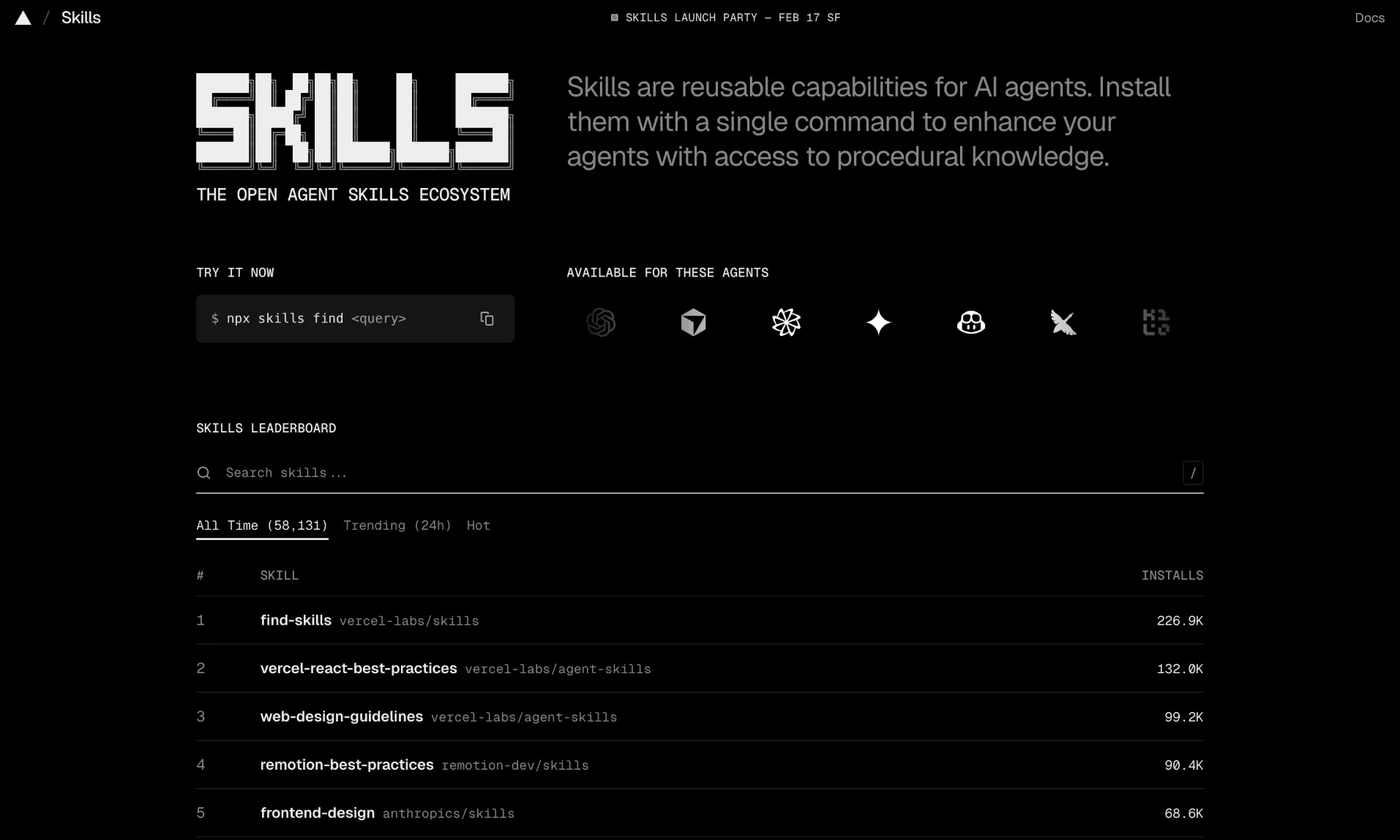 skills.sh is the primary registry, maintained by Vercel, with over 57,000 indexed skills. It features leaderboards sorted by all-time installs, trending (24 hours), and hot skills. Every skill page shows install counts, platform compatibility, and a direct installation command.
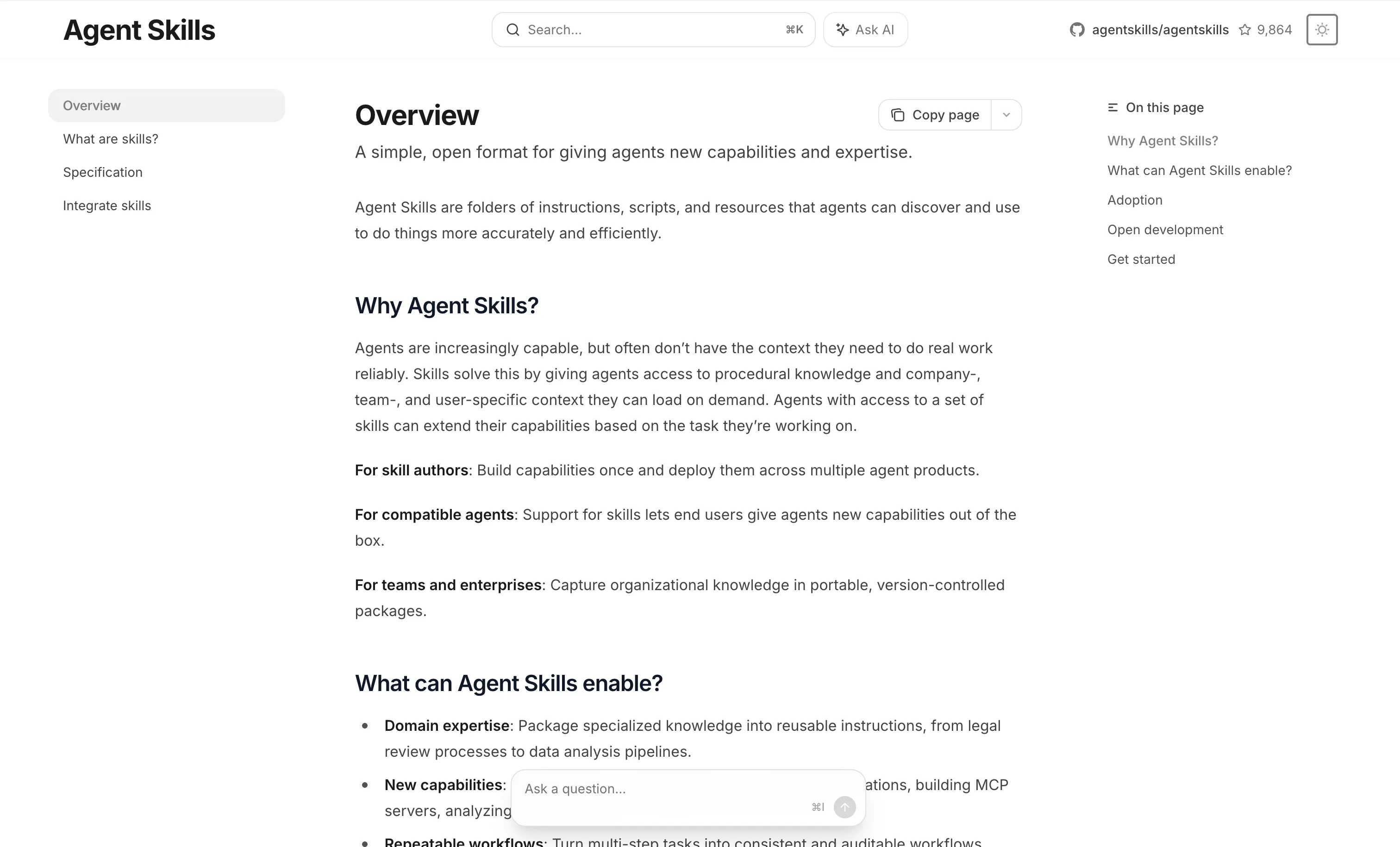 Anthropic official repository on GitHub (69,000+ stars) contains reference implementations and the production-grade skills that power Claude’s capabilities. This is the best source for understanding how high-quality skills should be structured.
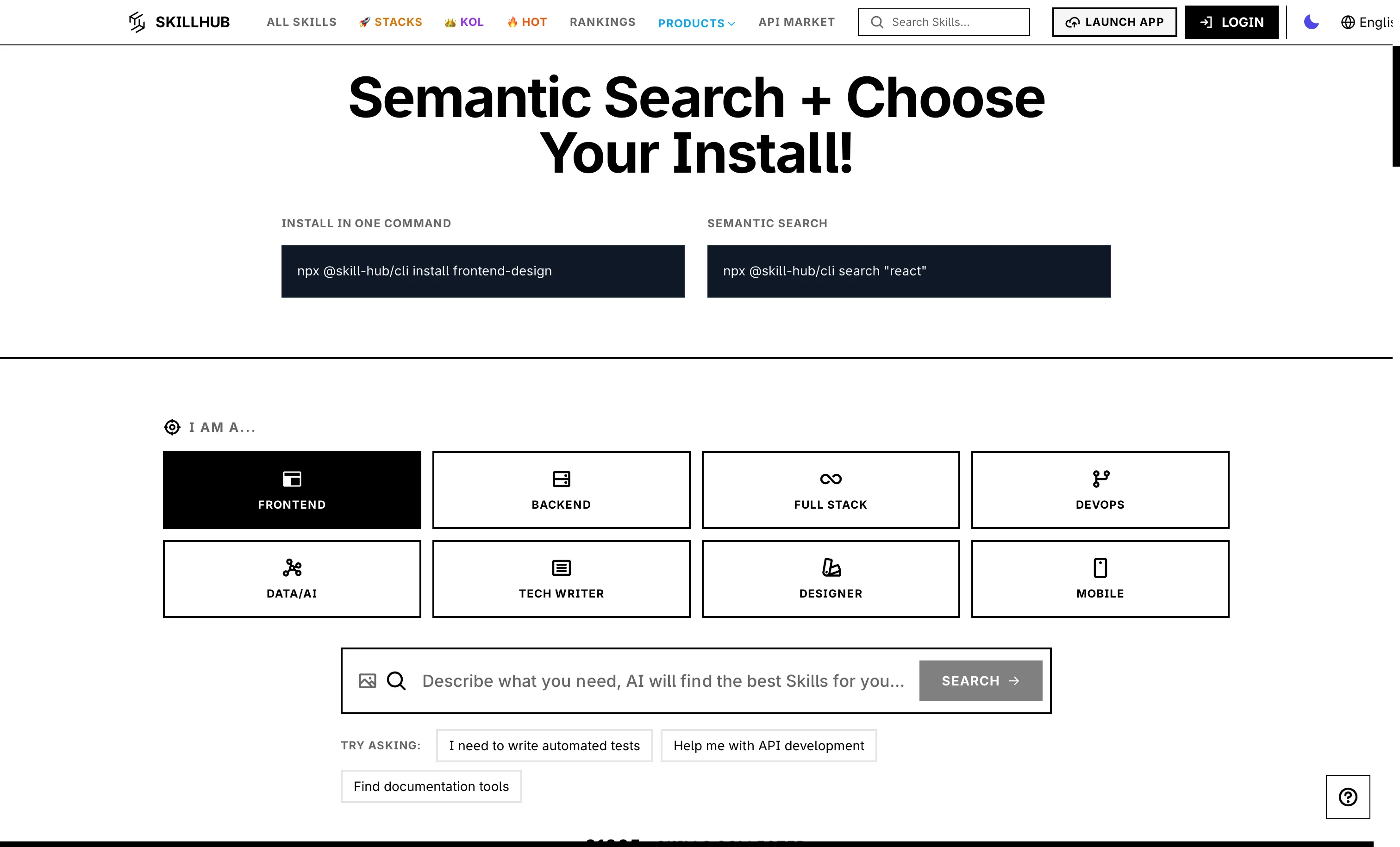 SkillHub takes a different approach by using AI to evaluate and score skills across five quality dimensions, helping you identify the best options among similar skills. SkillsMP (skillsmp.com) offers smart search with category filtering and quality indicators. Community-curated collections like awesome-agent-skills on GitHub provide hand-picked recommendations organized by category.
How to Create Your Own Skills
Creating a custom skill is straightforward. Start by creating a directory with a SKILL.md file:
mkdir -p .claude/skills/my-team-conventionsThen write your SKILL.md:
---
name: my-team-conventions
description: Enforces our team's coding standards and project conventions
---

# Team Coding Conventions

## Architecture
- Follow the hexagonal architecture pattern
- Keep business logic in the domain layer
- Use dependency injection for external services

## Code Style
- Maximum function length: 30 lines
- Maximum file length: 300 lines
- Use descriptive variable names, no abbreviations

## Git
- Commit messages follow Conventional Commits
- Feature branches use the pattern: feature/TICKET-description
- All PRs require at least one review
Once the file is in place, your AI agent will automatically discover and apply these conventions whenever you work on the project. The skill will appear in the agent’s available skills list and can be invoked explicitly with /my-team-conventions or applied automatically when the agent detects relevant context.
For more advanced skills, you can add extended resource files that the skill references, executable scripts for deterministic operations, and configuration options in the YAML frontmatter like allowed-tools, model overrides, and context: fork for isolated subagent execution.
Skills vs. Other AI Agent Concepts
If you are new to the AI agent ecosystem, it helps to understand how skills differ from related concepts:
Skills vs. CLAUDE.md: Your project’s CLAUDE.md file is always loaded into context and contains persistent project memory. Skills are loaded on demand and represent specialized capabilities. Use CLAUDE.md for project-wide conventions and skills for specific workflows.
Skills vs. MCP Servers: MCP servers provide external tool integrations (APIs, databases, services) via the Model Context Protocol. Skills provide knowledge and behavioral guidelines. They are complementary. A skill might instruct the agent on when and how to use an MCP server.
Skills vs. System Prompts: System prompts are monolithic and always present. Skills are modular and loaded only when relevant. Skills are the evolution of putting everything in a single system prompt.
Conclusion
AI agent skills represent a fundamental shift in how we interact with coding assistants. Instead of generic agents that need constant guidance, skills create specialized agents that already know your frameworks, follow your conventions, and apply best practices automatically.
The ecosystem has grown from a Claude Code-specific feature to an open standard adopted by every major AI coding tool. With over 57,000 skills available across registries like skills.sh, there is likely a skill for whatever framework, workflow, or toolchain you use. And if there is not, creating one is as simple as writing a markdown file.
Start by installing two or three skills that match your primary workflow. If you build React or Next.js apps, start with the Vercel React skill. If backend development is your focus, start with Supabase. If you want to fix how your agent thinks before it codes, Superpowers or Grill Me are the highest-leverage starting points. And if token costs or verbosity are getting in the way, Caveman is a one-command fix.
The most impactful combination many developers have settled on in 2026: Grill Me to resolve ambiguity before writing anything, TDD to enforce test-first discipline, and Caveman to cut the noise out of the responses in between. Once you experience the difference between a generic agent and a skilled one, you will not want to go back.