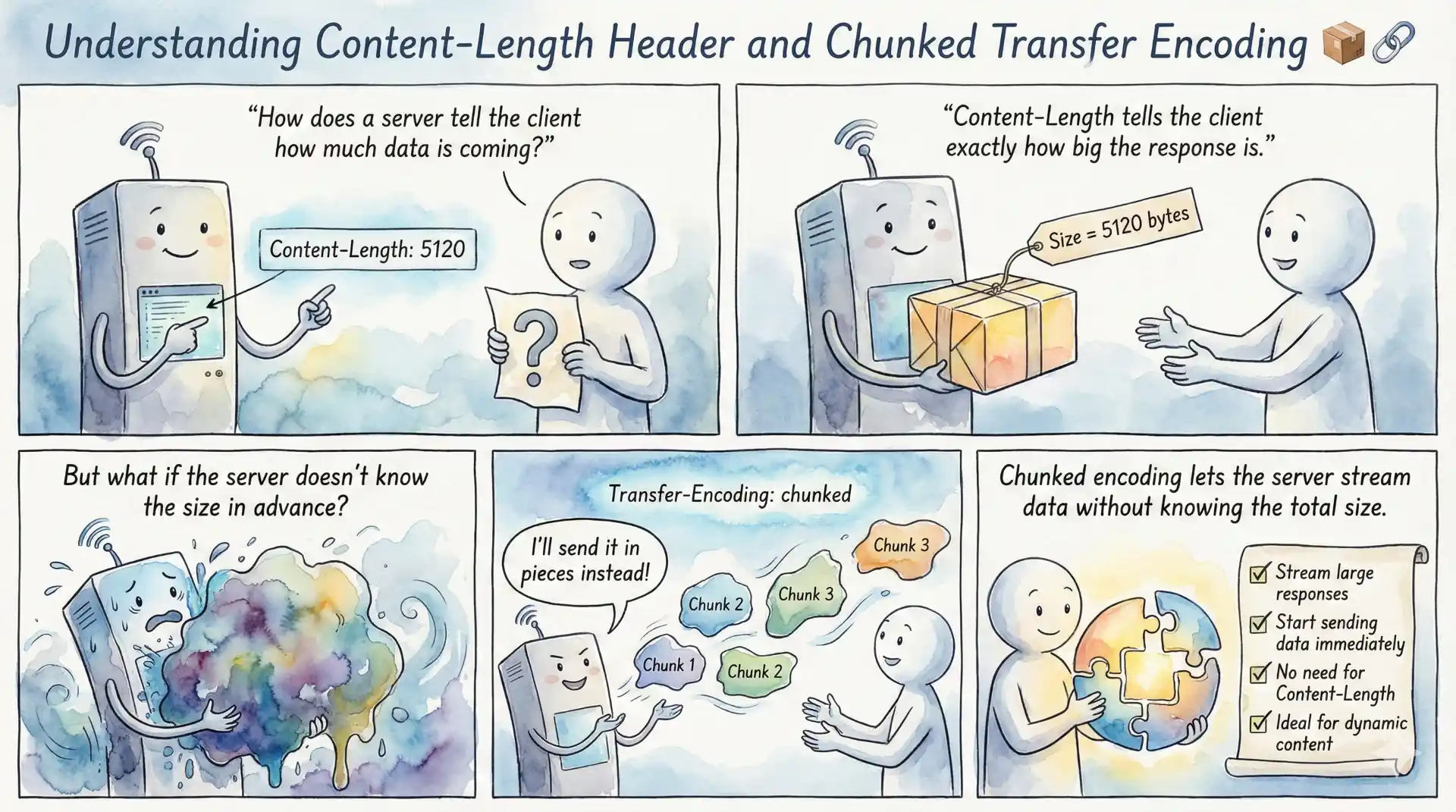
When building web applications or debugging HTTP traffic, you’ve likely encountered these two HTTP headers: Content-Length and Transfer-Encoding: chunked. These headers serve a fundamental purpose they tell the client how much data to expect and when the response is complete. Understanding the difference between these two approaches is essential for developers working with APIs, streaming data, or optimizing web performance.
The Content-Length header specifies the exact size of the response body in bytes, allowing the client to know precisely how much data to read. In contrast, chunked transfer encoding breaks the response into smaller pieces, each prefixed with its size, making it ideal for dynamic content where the total size isn’t known upfront. This guide explores both mechanisms in depth, helping you understand when to use each and how they work under the hood.
Summary
Content-Length Header:
- Specifies the exact size of the HTTP message body in bytes
- Required when the server knows the response size before sending
- Allows clients to show accurate progress bars and allocate memory efficiently
- Cannot be used with
Transfer-Encoding: chunked
Chunked Transfer Encoding:
- Defined in RFC 9112 §7.1 for HTTP/1.1
- Breaks data into chunks, each prefixed with its size in hexadecimal
- Ends with a zero-length chunk (
0\r\n\r\n) - Perfect for streaming APIs, live data, and dynamically generated content
- Not supported in HTTP/2 or HTTP/3 (they use binary framing instead)
When to Use Each:
- Use Content-Length for static files, cached responses, and known-size content
- Use Chunked Encoding for streaming, real-time updates, and server-sent events
Quick Example (Chunked Response):
HTTP/1.1 200 OK
Transfer-Encoding: chunked

5\r\n
Hello\r\n
6\r\n
 World\r\n
0\r\n
\r\n
The Content-Length header is one of the most fundamental HTTP headers. It indicates the size of the message body in bytes, sent in decimal format. When a server includes this header, it’s making a promise to the client: “I’m going to send you exactly this many bytes of data.”
Here’s a simple example of an HTTP response with Content-Length:
HTTP/1.1 200 OK
Content-Type: text/html
Content-Length: 13

Hello, World!
In this example, the server declares that exactly 13 bytes of data follow the headers. The client reads precisely 13 bytes and knows the response is complete.
How Content-Length Works
When a client receives a response with Content-Length, it follows a straightforward process. First, the client parses the headers and extracts the Content-Length value. Then it reads exactly that many bytes from the connection. Once all bytes are received, the client knows the message is complete and can proceed to process the data or reuse the connection for the next request.
This approach works perfectly for static content, files with known sizes, or any response where the server can calculate the total size before starting transmission. Web servers like
NGINX and
Apache automatically calculate and include Content-Length for static files.
Key Characteristics of Content-Length
Accuracy is Critical: If the Content-Length value doesn’t match the actual body size, problems occur. A value too small causes truncation—the client stops reading before receiving all data. A value too large causes the connection to hang, as the client waits for bytes that never arrive.
Single Value Only: Unlike some headers that accept multiple values, Content-Length must specify exactly one decimal number. Values like Content-Length: 100, 200 are invalid and should trigger an error.
Incompatible with Chunked Encoding: You cannot use both Content-Length and Transfer-Encoding: chunked in the same response. If Transfer-Encoding is present, Content-Length must be ignored by the client.
What is Chunked Transfer Encoding?
Chunked transfer encoding is a streaming mechanism introduced in HTTP/1.1, defined in
RFC 9112 §7.1. Instead of declaring the total size upfront, the server sends data in discrete chunks, each preceded by its size. This allows servers to begin sending data immediately without knowing the final response size.
Each chunk follows a specific format:
<chunk-size-in-hex>\r\n
<chunk-data>\r\n
The chunk size is expressed as a hexadecimal number, followed by a carriage return and line feed (\r\n). The actual data follows, terminated by another \r\n. The transmission ends when a zero-length chunk is sent:
0\r\n
\r\n
Here’s a complete example of a chunked response:
HTTP/1.1 200 OK
Content-Type: text/plain
Transfer-Encoding: chunked

7\r\n
Mozilla\r\n
9\r\n
Developer\r\n
7\r\n
Network\r\n
0\r\n
\r\n
When decoded, this produces: “MozillaDeveloperNetwork”
Why Use Chunked Encoding?
Chunked transfer encoding solves several important problems in web development:
Dynamic Content Generation: When generating content on-the-fly (like rendering a template or processing data), the server doesn’t know the final size until it’s done. Chunked encoding allows streaming the response as it’s generated.
Streaming APIs: For real-time applications like live logs, chat messages, or stock tickers, chunked encoding enables continuous data flow without closing the connection.
Large File Processing: When processing or transforming large files, chunked encoding allows sending data incrementally rather than buffering the entire response in memory.
Persistent Connections: HTTP/1.1 uses persistent connections by default. Without Content-Length or chunked encoding, the client wouldn’t know when one response ends and the next begins.
Practical Examples
Let’s explore how to work with both Content-Length and chunked encoding in practice.
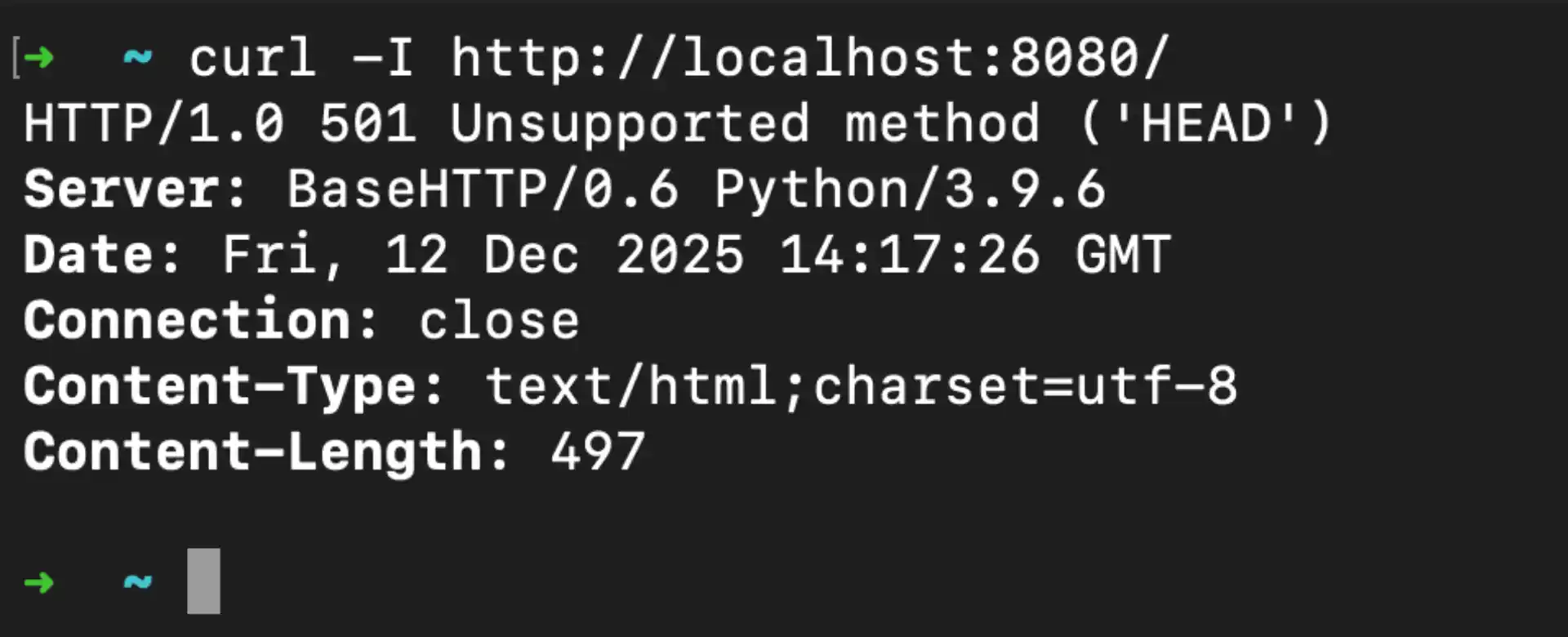
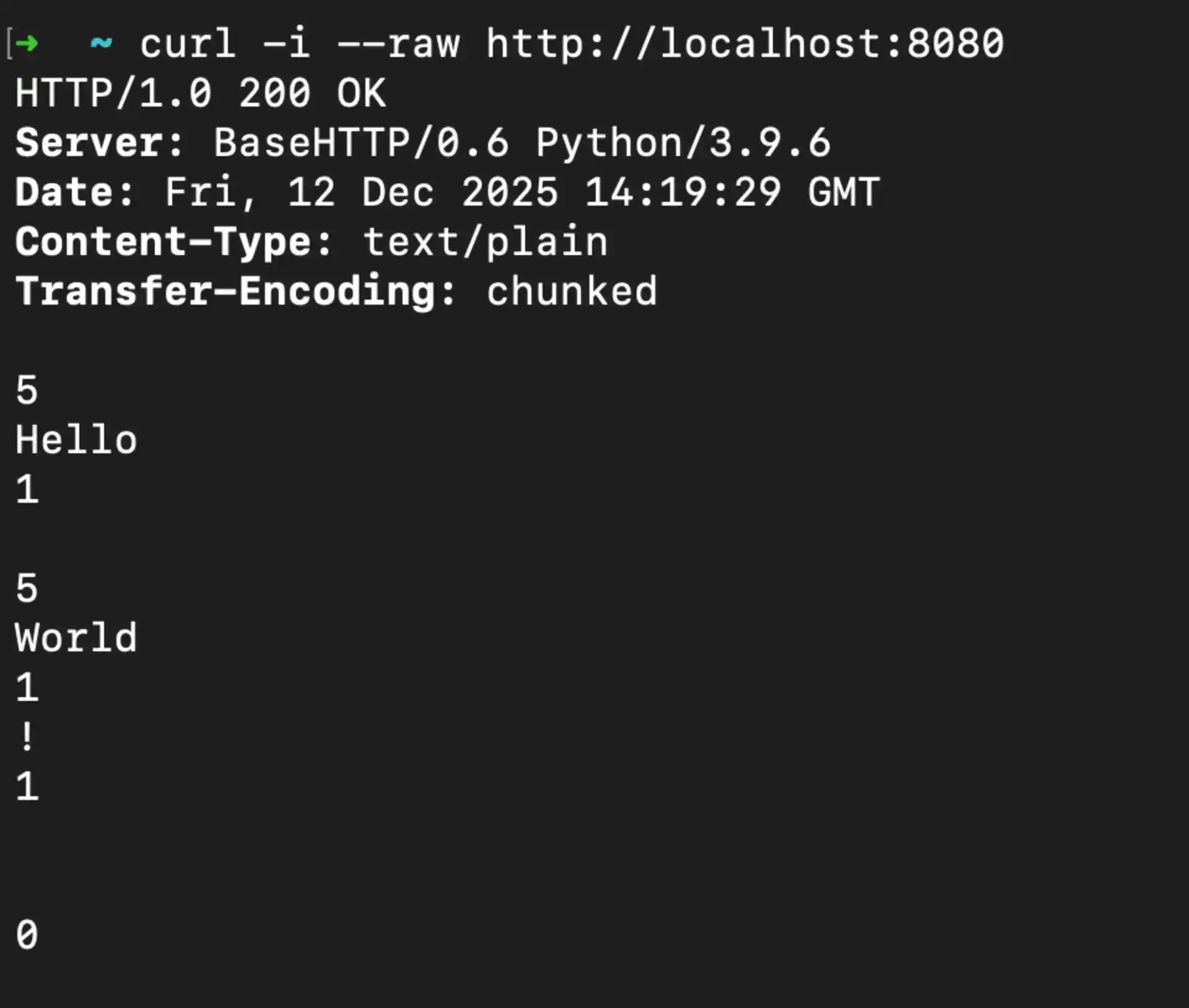
You can use cURL to examine HTTP headers and see which transfer method a server uses:
# View response headers
curl -I https://pinggy.io

# View headers with response body
curl -i https://pinggy.io

# See raw chunked encoding (disable automatic decoding)
curl -i --raw https://pinggy.io
Python Server with Content-Length
Here’s a simple Python server that sends a response with Content-Length:
from http.server import HTTPServer, BaseHTTPRequestHandler

class ContentLengthHandler(BaseHTTPRequestHandler):
    def do_GET(self):
        response_body = b"Hello, World! This is a fixed-size response."

        self.send_response(200)
        self.send_header("Content-Type", "text/plain")
        self.send_header("Content-Length", str(len(response_body)))
        self.end_headers()
        self.wfile.write(response_body)

if __name__ == "__main__":
    server = HTTPServer(("localhost", 8080), ContentLengthHandler)
    print("Server running on http://localhost:8080")
    server.serve_forever()

Python Server with Chunked Encoding
python_server_with_chunked_encoding
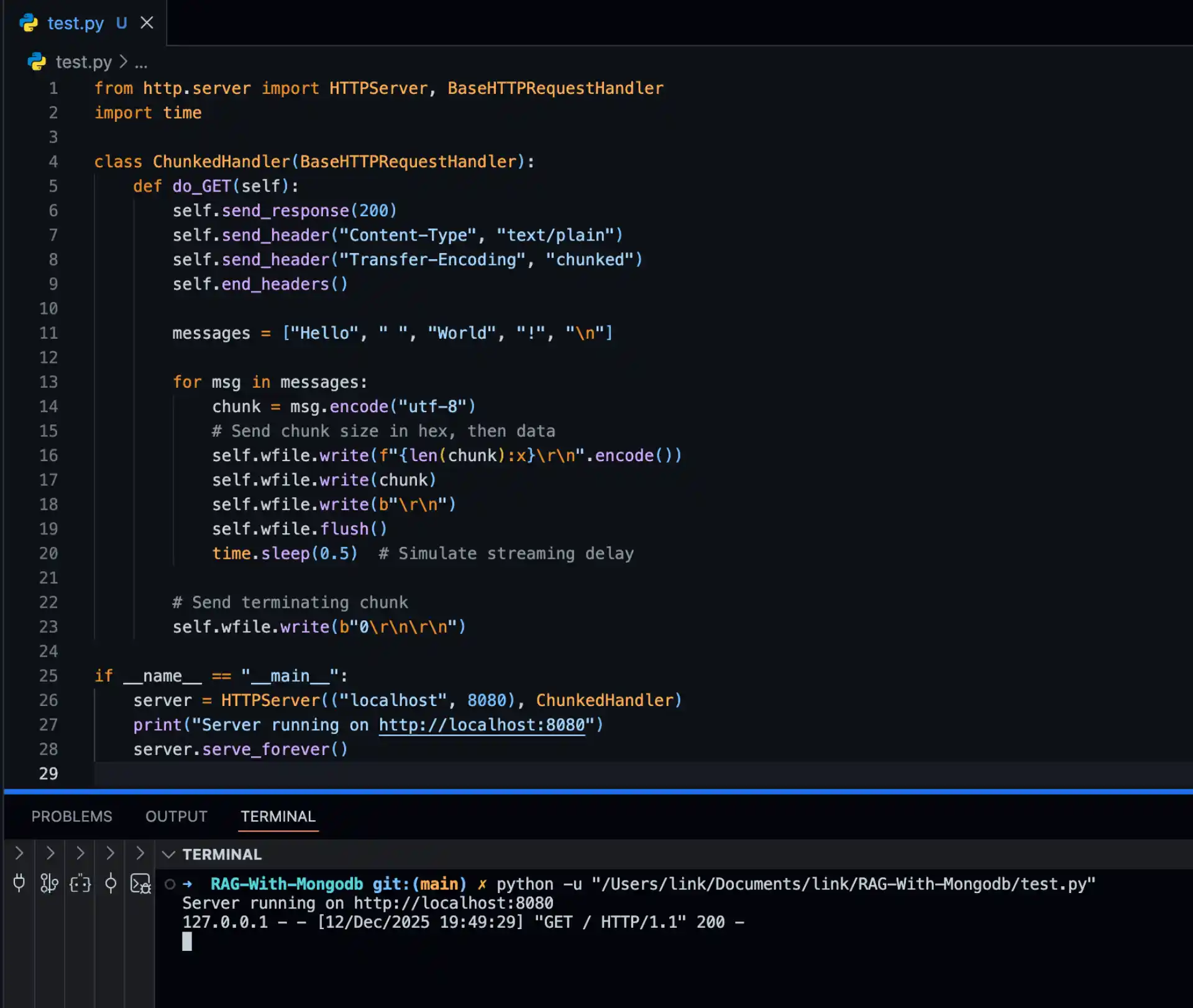
For streaming responses, here’s how to implement chunked encoding:
from http.server import HTTPServer, BaseHTTPRequestHandler
import time

class ChunkedHandler(BaseHTTPRequestHandler):
    def do_GET(self):
        self.send_response(200)
        self.send_header("Content-Type", "text/plain")
        self.send_header("Transfer-Encoding", "chunked")
        self.end_headers()

        messages = ["Hello", " ", "World", "!", "\n"]

        for msg in messages:
            chunk = msg.encode("utf-8")
            # Send chunk size in hex, then data
            self.wfile.write(f"{len(chunk):x}\r\n".encode())
            self.wfile.write(chunk)
            self.wfile.write(b"\r\n")
            self.wfile.flush()
            time.sleep(0.5)  # Simulate streaming delay

        # Send terminating chunk
        self.wfile.write(b"0\r\n\r\n")

if __name__ == "__main__":
    server = HTTPServer(("localhost", 8080), ChunkedHandler)
    print("Server running on http://localhost:8080")
    server.serve_forever()
Content-Length vs Chunked Encoding: When to Use Each
Choosing between Content-Length and chunked encoding depends on your use case:
Use Content-Length When:
- Serving static files (images, CSS, JavaScript)
- The response body is fully generated before sending
- You need accurate progress indicators for downloads
- Working with HTTP/2 or HTTP/3 (chunked encoding is not used)
- Caching is important (proxies can cache responses with Content-Length more reliably)
Use Chunked Encoding When:
- Streaming real-time data (logs, events, live updates)
- Generating content dynamically (server-side rendering)
- The response size is unknown until transmission completes
- Implementing Server-Sent Events (SSE)
- Building streaming APIs for AI/ML responses
HTTP/2 and HTTP/3: A Different Approach
It’s important to note that chunked transfer encoding is not used in HTTP/2 or HTTP/3. These newer protocols use a binary framing layer that handles streaming natively. The HTTP/2 specification (
RFC 9113 §8.1 ) explicitly states that chunked encoding MUST NOT be used.
In HTTP/2 and HTTP/3, data is transmitted in DATA frames, and the end of a message is signaled by a frame with the END_STREAM flag. This provides the same streaming capability as chunked encoding but with better efficiency and multiplexing support.
If you’re building modern web applications, your server will likely handle this automatically. When a client connects via HTTP/2, the server uses DATA frames; when connecting via HTTP/1.1, it uses chunked encoding or Content-Length as appropriate.
Common Issues and Troubleshooting
Mismatched Content-Length
If you see truncated responses or hanging connections, check for Content-Length mismatches. This often happens when:
- Compression is applied after Content-Length is calculated
- Middleware modifies the response body
- Character encoding changes the byte count
Solution: Let your framework calculate Content-Length automatically, or use chunked encoding for dynamic content.
Chunked Encoding Not Working
If chunked responses aren’t streaming properly:
- Check if a proxy or CDN is buffering the response
- Ensure your server is flushing buffers after each chunk
- Verify the client supports chunked encoding (all modern browsers do)
Open your browser’s Network tab to inspect transfer encoding. Look for the “Transfer Encoding” header in the response headers. For chunked responses, you might see the response size listed as “(unknown)” until complete.
Conclusion
Understanding Content-Length and chunked transfer encoding is fundamental for web developers working with HTTP. Content-Length provides simplicity and predictability for fixed-size responses, while chunked encoding enables powerful streaming capabilities for dynamic content.
As you build web applications, consider which approach fits your use case. For static assets and known size responses, Content-Length is straightforward and efficient. For streaming APIs, real-time updates, and dynamically generated content, chunked encoding provides the flexibility you need.
Remember that HTTP/2 and HTTP/3 handle streaming differently, so if you’re working with modern protocols, the underlying transport will manage data framing automatically. However, understanding these HTTP/1.1 mechanisms remains valuable for debugging, working with legacy systems, and building a solid foundation in web protocols.